bottom.dart
import 'package:flutter/material.dart';

int selectedIndex = 0;

class ExBottom extends StatefulWidget {
  const ExBottom({super.key});

  @override
  State<ExBottom> createState() => _ExBottomState();
}

class _ExBottomState extends State<ExBottom> {
  @override
  Widget build(BuildContext context) {
    return Scaffold(
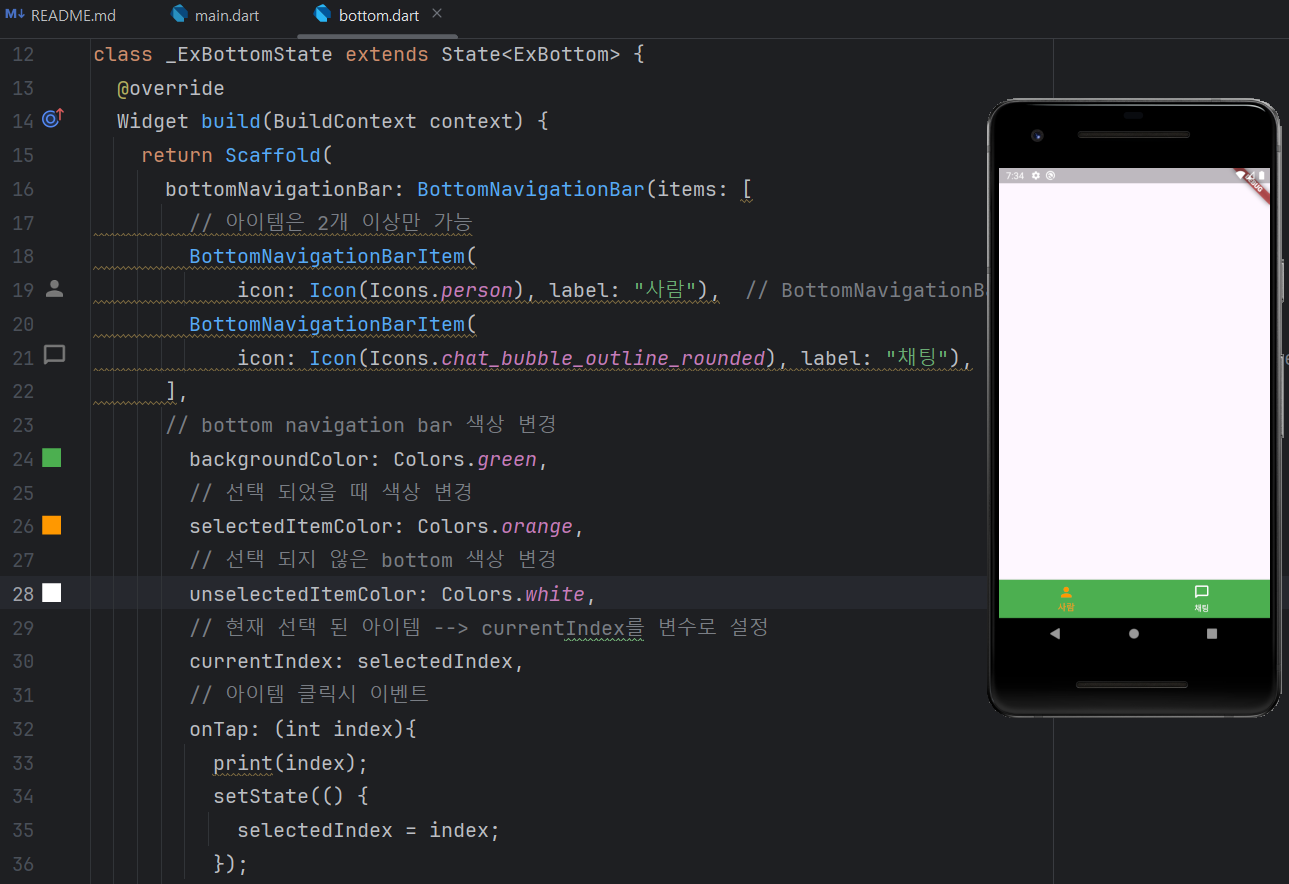
      bottomNavigationBar: BottomNavigationBar(items: [
        // 아이템은 2개 이상만 가능
        BottomNavigationBarItem(
            icon: Icon(Icons.person), label: "사람"),
        BottomNavigationBarItem(
            icon: Icon(Icons.chat_bubble_outline_rounded), label: "채팅"),
      ],

      // 라벨을 지우고 싶은 경우
        showSelectedLabels: false,
        showUnselectedLabels: false,

      // bottom navigation bar 색상 변경
        backgroundColor: Colors.green,
        // 선택 되었을 때 색상 변경
        selectedItemColor: Colors.orange,
        // 선택 되지 않은 bottom 색상 변경
        unselectedItemColor: Colors.white,
        // 현재 선택 된 아이템 --> currentIndex를 변수로 설정
        currentIndex: selectedIndex,
        // 아이템 클릭시 이벤트
        onTap: (int index){
          print(index);
          setState(() {
            selectedIndex = index;
          });
        },

      ),
    );
  }
}

개발자