요소 CSS 스타일 다루기
document.요소명.style.속성명
- HTML 요소의 style 속성의 값을 접근하거나 변경
웹 페이지에 출력된 내용에 CSS 스타일 적용하기
<!DOCTYPE html>
<html lang="en">
<head>
    <meta charset="UTF-8">
    <meta name="viewport" content="width=device-width, initial-scale=1.0">
    <title>Document</title>
</head>
<body>
    <p>Hello JavaScript</p>

    <script>
        // 1. p요소객체 접근하기
        let pTag = document.getElementsByTagName('p')

        // 유사배열로 반환 -> 인덱스 사용하기
        console.log(pTag);

        // 2. p요쇼객체에 스타일 적용하기
        // 요소명.style.속성 = 값;
        pTag[0].style.backgroundColor = 'black';
        pTag[0].style.color = 'red';
        pTag[0].style.fontSize = '32px'

    </script>
</body>
</html>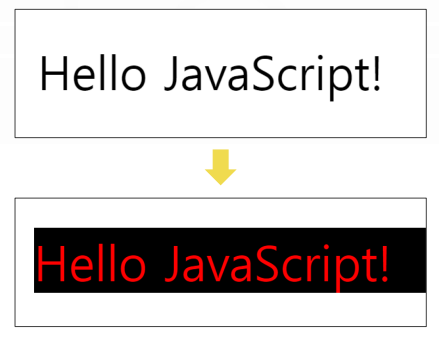
<!DOCTYPE html>
<html lang="en">
<head>
    <meta charset="UTF-8">
    <meta name="viewport" content="width=device-width, initial-scale=1.0">
    <title>Document</title>
</head>
<body>
    <span id="spanTag">아래 버튼을 클릭하면 변화가 일어납니다.</span>
    <br>
    <button onclick="clickFunc()">클릭</button>

    <script>
    // DOM 스타일 제어
    // 요소명.stlye.속성 = 값;
    // 넣고 싶은 2~3가지 적용

    // span태그에 접근하기
    let spanTag = document.getElementById('spanTag')

    const clickFunc = () => {
        spanTag.style.color = 'blue'
        spanTag.style.fontSize = '30px'
        spanTag.style.fontWeight = '900'
    }

    </script>
</body>
</html>

개발자