form 요소 접근
document.form이름
- form 요소의 name 속성값을 통해 속성값 접근
input 요소 접근
document.form이름.input이름
- form 요소의 name 속성값을 통해 자식요소(input)접근
<!DOCTYPE html>
<html lang="en">
<head>
    <meta charset="UTF-8">
    <meta name="viewport" content="width=device-width, initial-scale=1.0">
    <title>Document</title>
</head>
<body>
    <form name="frm" method="post" action="test.do" target="_blank">
        이름 <input type="text" name="name" value="고호섭"><br>
        나이 <input type="text" name="age" value="5"><br>
        직업 <input type="text" name="job" value="집사부리기"><br>
        비밀번호 <input type="password" name="pw" value=""><br>

        <input type="submit" name="frm_submit" value="전송">

    </form>

    <script>
        console.log(document.frm);
        // 폼객체

        console.log(`폼이름: ${document.frm.name}`);
        // 폼이름: frm

        console.log(`method: ${document.frm.method}`);
        // method : post

        console.log(`action: ${document.frm.action}`);
        // action: http://localhost:8080/test.do

        console.log(`target: ${document.frm.target}`);
        // target: _blank

        console.log(`폼요소 개수: ${document.frm.length}`);
        // 폼요소 개수: 5

        // input 접근 예제
        let frm_len = document.frm.length;

        for(let i=0; i<frm_len; i++) {
            let element = document.frm.elements[i];
            console.log(`elment[${i}]: ${element.name}`);
        }

    </script>
</body>
</html>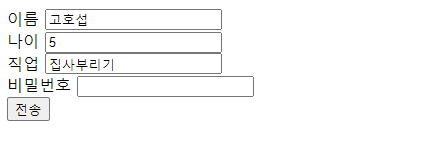

개발자