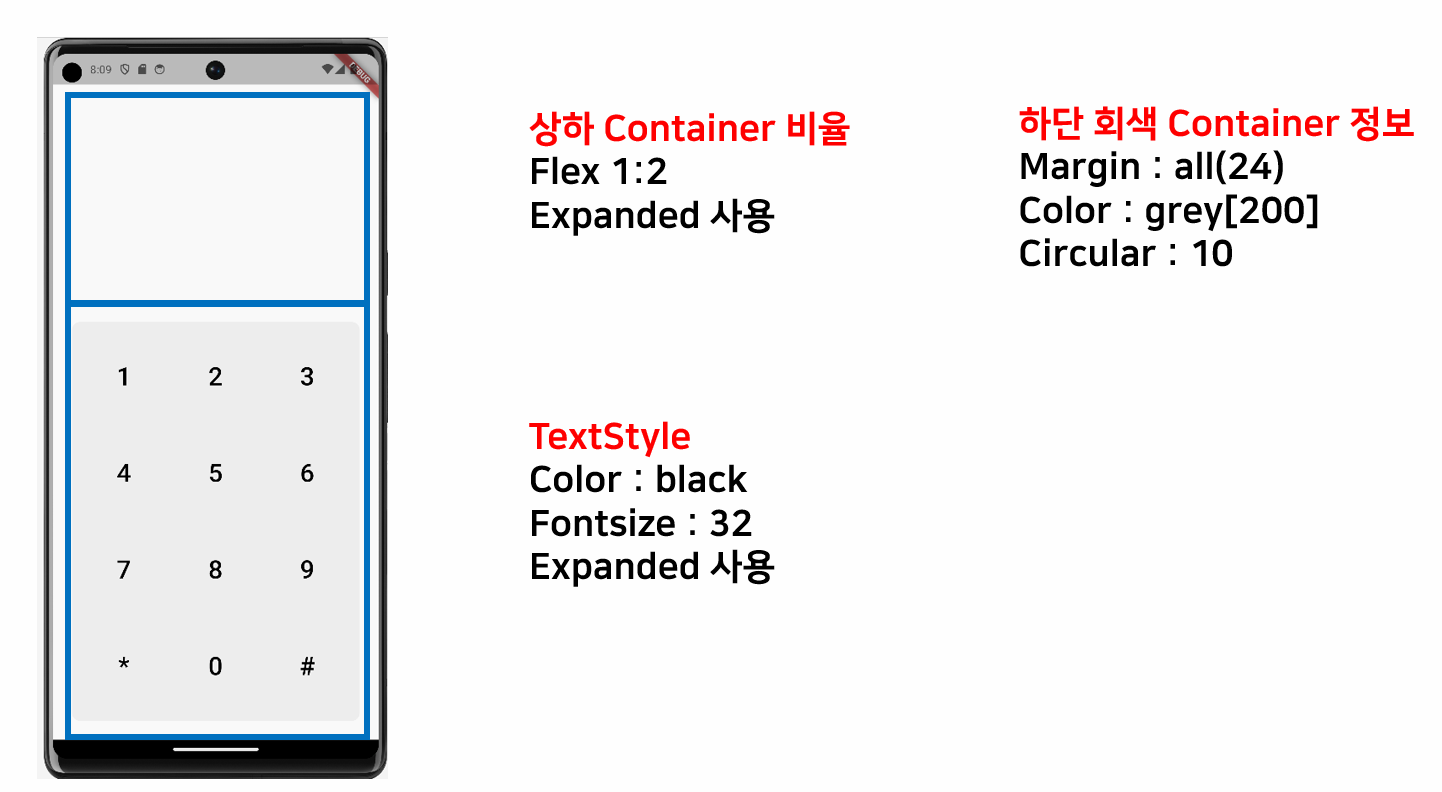
import 'package:flutter/material.dart';

class ExKeypad extends StatelessWidget {
  const ExKeypad({super.key});

  @override
  Widget build(BuildContext context) {
    return Scaffold(
      body: SafeArea(child: Column(
        children: [
          // 흰색 부분의 Container
          Expanded(
              flex: 1,
              child: Container()),
          // 회색 부분의 Container
          Expanded(
              flex: 2,
              child: Container(
                margin: EdgeInsets.all(24),
                decoration: BoxDecoration(
                  color: Colors.grey[300],
                  borderRadius: BorderRadius.circular(10),
                ),
                child: Column(
                  children: [
                    Expanded(
                      flex: 1,
                      child: Row(
                        children: [
                          Expanded(
                              flex: 1,
                              child: Text('1', style: TextStyle(fontSize: 32), textAlign: TextAlign.center,)),

                          Expanded(
                              flex: 1,
                              child: Text('2', style: TextStyle(fontSize: 32), textAlign: TextAlign.center,)),

                          Expanded(
                              flex: 1,
                              child: Text('3', style: TextStyle(fontSize: 32), textAlign: TextAlign.center,)),

                        ],
                      ),
                    ),
                    // 두번째 라인의 키패드
                    Expanded(
                      flex: 1,
                      child: Row(
                        children: [
                          Expanded(
                              flex: 1,
                              child: Text('4', style: TextStyle(fontSize: 32), textAlign: TextAlign.center,)),

                          Expanded(
                              flex: 1,
                              child: Text('5', style: TextStyle(fontSize: 32), textAlign: TextAlign.center,)),

                          Expanded(
                              flex: 1,
                              child: Text('6', style: TextStyle(fontSize: 32), textAlign: TextAlign.center,)),

                        ],
                      ),
                    ),
                    // 세번째 라인의 키패드
                    Expanded(
                      flex: 1,
                      child: Row(
                        children: [
                          Expanded(
                              flex: 1,
                              child: Text('7', style: TextStyle(fontSize: 32), textAlign: TextAlign.center,)),

                          Expanded(
                              flex: 1,
                              child: Text('8', style: TextStyle(fontSize: 32), textAlign: TextAlign.center,)),

                          Expanded(
                              flex: 1,
                              child: Text('9', style: TextStyle(fontSize: 32), textAlign: TextAlign.center,)),

                        ],
                      ),
                    ),

                    // 네번째 라인의 키패드
                    Expanded(
                      flex: 1,
                      child: Row(
                        children: [
                          Expanded(
                              flex: 1,
                              child: Text('*', style: TextStyle(fontSize: 32), textAlign: TextAlign.center,)),

                          Expanded(
                              flex: 1,
                              child: Text('0', style: TextStyle(fontSize: 32), textAlign: TextAlign.center,)),

                          Expanded(
                              flex: 1,
                              child: Text('#', style: TextStyle(fontSize: 32), textAlign: TextAlign.center,)),

                        ],
                      ),
                    )
                  ],

                ),
              ))
        ],
      )),
    );
  }
}
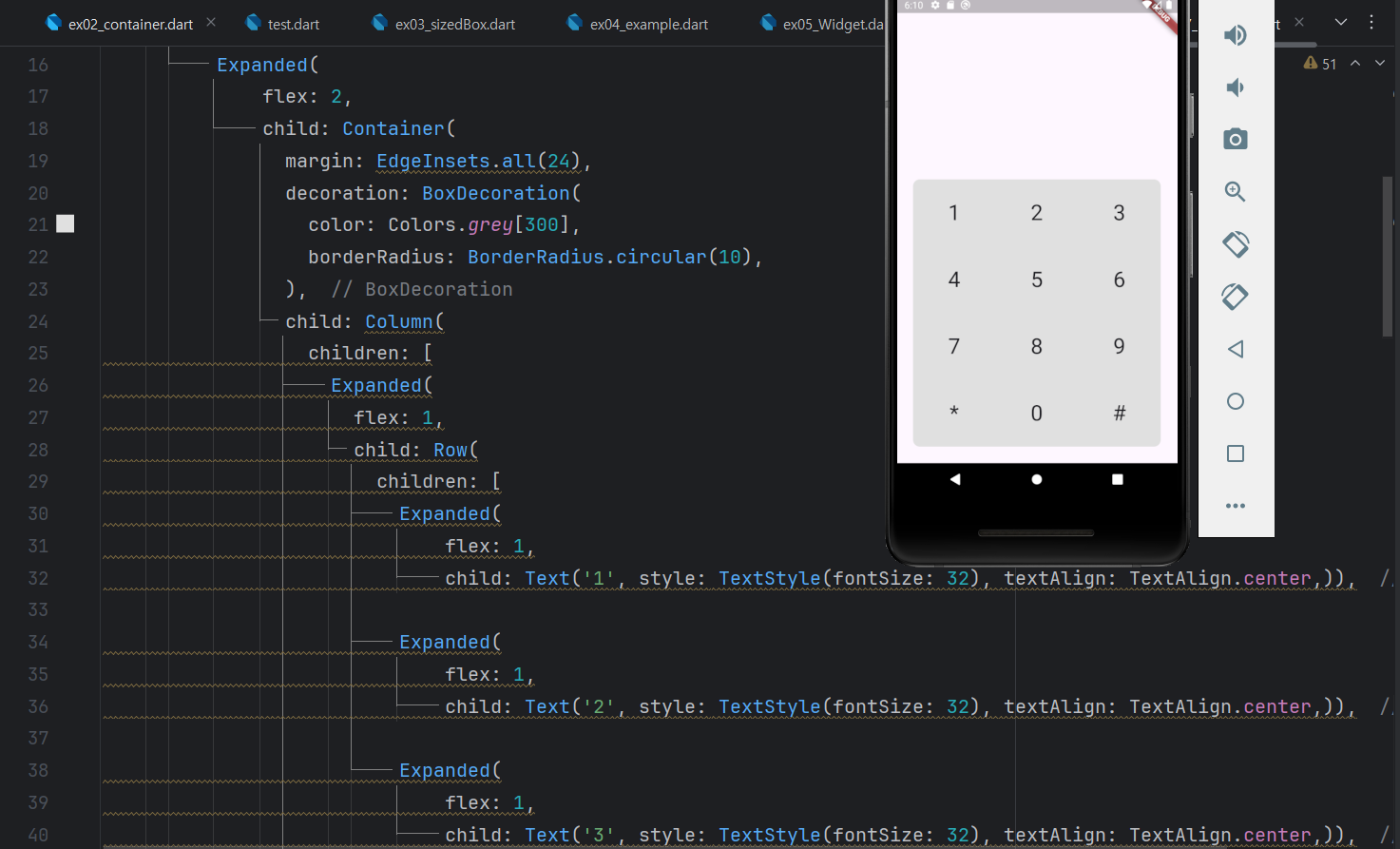

개발자