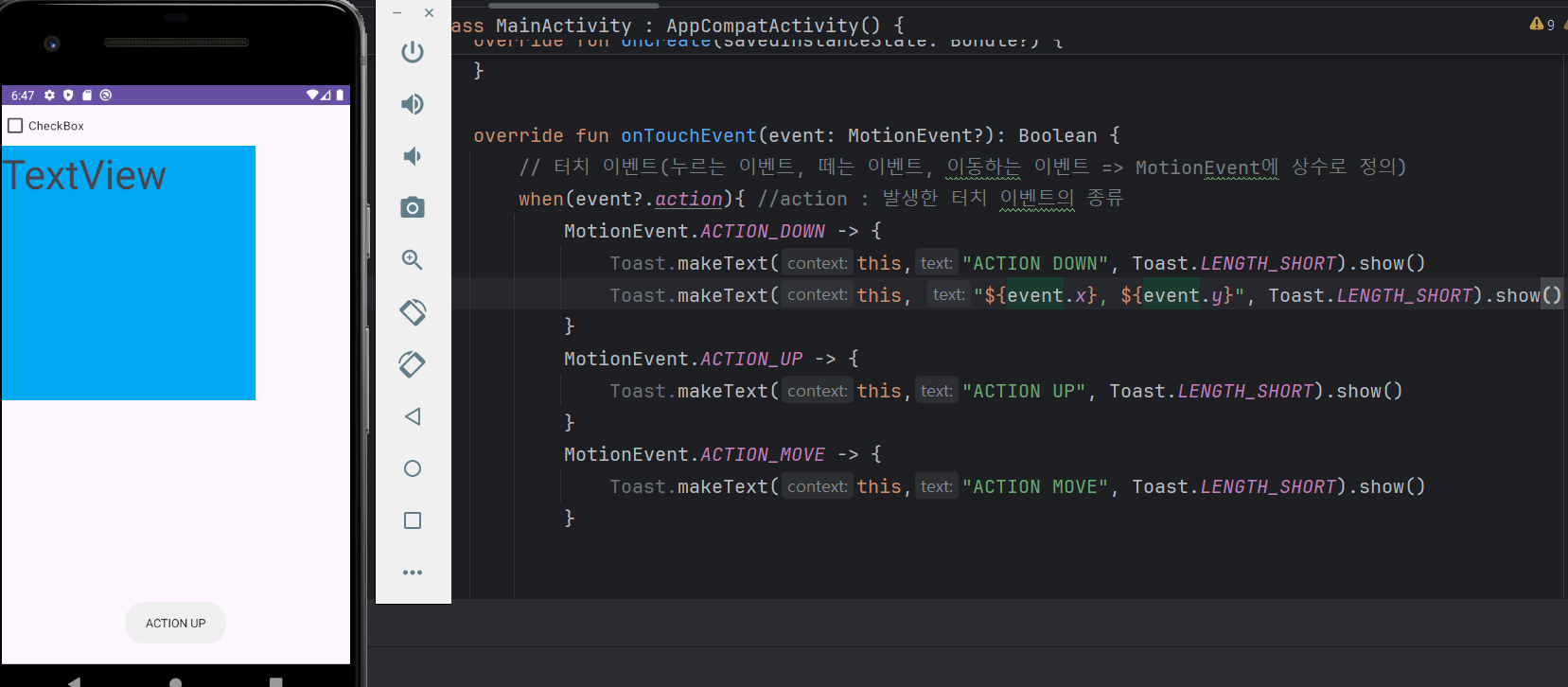
터치 이벤트
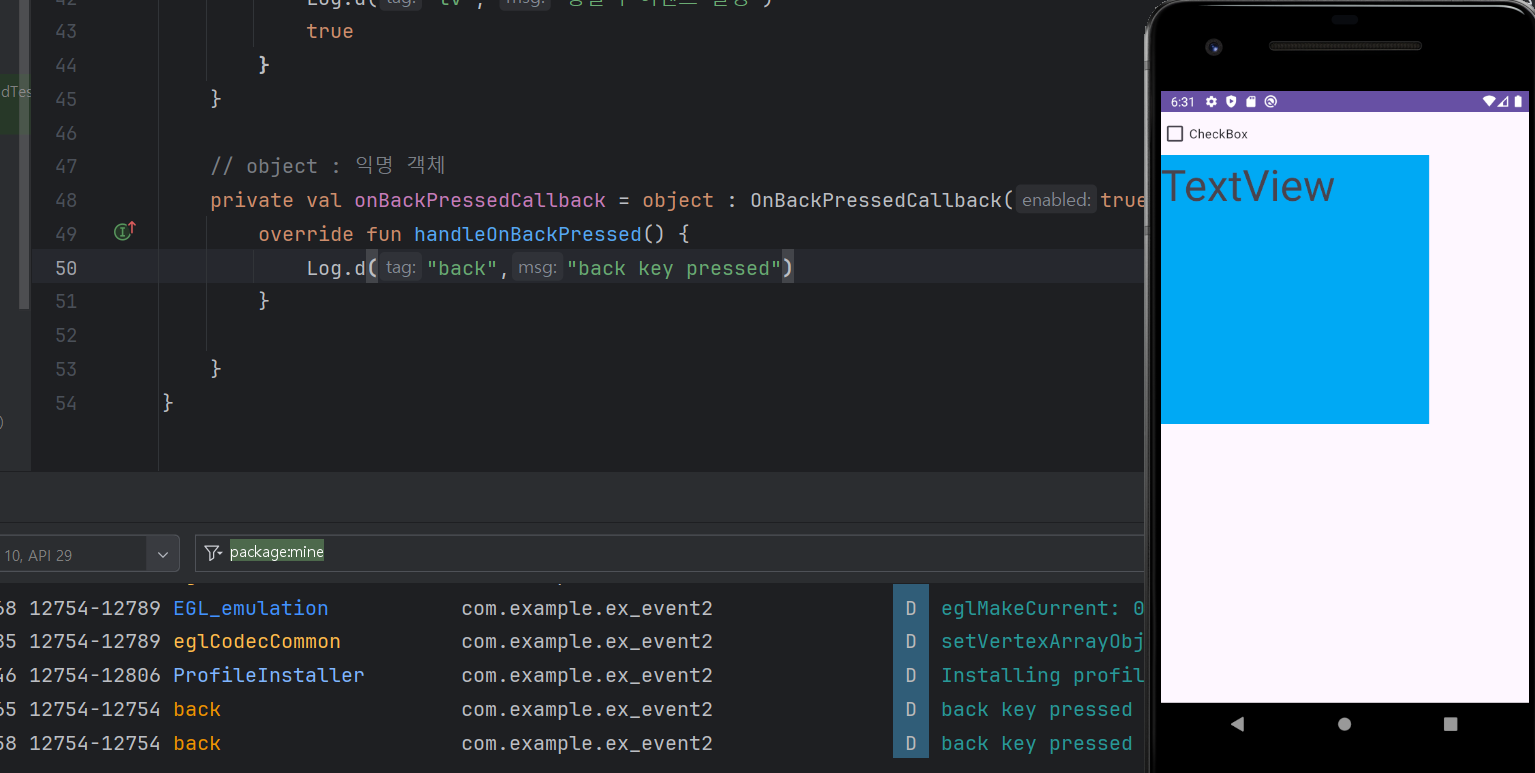
뒤로가기 이벤트
package com.example.ex_event2

import android.os.Bundle
import android.util.Log
import android.view.MotionEvent
import android.widget.CheckBox
import android.widget.TextView
import android.widget.Toast
import android.widget.Toast.makeText
import androidx.activity.OnBackPressedCallback
import androidx.activity.enableEdgeToEdge
import androidx.appcompat.app.AppCompatActivity
import androidx.core.view.ViewCompat
import androidx.core.view.WindowInsetsCompat
import org.w3c.dom.Text

class MainActivity : AppCompatActivity() {
    override fun onCreate(savedInstanceState: Bundle?) {
        super.onCreate(savedInstanceState)
        setContentView(R.layout.activity_main)

        // 뒤로가기 버튼 이벤트 = onBackPressedCallback 적용
        onBackPressedDispatcher.addCallback(this, onBackPressedCallback)


        // 체크박스의 상태 알아보기 (체크 상태 유무)

        val cb:CheckBox = findViewById<CheckBox>(R.id.checkBox)

        cb.setOnCheckedChangeListener{ compoundButton, b ->
            // compoundButton : 버튼의 종류 (checkbox, togglebutton,
            // switch, radiobutton)
            // b: 상태
            Log.d("cv", "${compoundButton} clicked ${b}")
        }

        // 클릭 이벤트 (일반 클릭, 롱클릭-1초 이상 누를 시 발생
        val tv: TextView = findViewById<TextView>(R.id.textView)

        tv.setOnClickListener{
            Log.d("tv","클릭 이벤트 발생")
        }

        tv.setOnLongClickListener{ // 반환타입 boolean return, 람다식에서는 생략
            Log.d("tv", "롱클릭 이벤트 발생")
            true
        }
    }

    override fun onTouchEvent(event: MotionEvent?): Boolean {
        // 터치 이벤트(누르는 이벤트, 떼는 이벤트, 이동하는 이벤트 => MotionEvent에 상수로 정의)
        when(event?.action){ //action : 발생한 터치 이벤트의 종류
            MotionEvent.ACTION_DOWN -> {
                Toast.makeText(this,"ACTION DOWN", Toast.LENGTH_SHORT).show()
                Toast.makeText(this, "${event.x}, ${event.y}", Toast.LENGTH_SHORT).show()
            }
            MotionEvent.ACTION_UP -> {
                Toast.makeText(this,"ACTION UP", Toast.LENGTH_SHORT).show()
            }
            MotionEvent.ACTION_MOVE -> {
                Toast.makeText(this,"ACTION MOVE", Toast.LENGTH_SHORT).show()
            }


        }
        return super.onTouchEvent(event)
    }

    // object : 익명 객체
    private val onBackPressedCallback = object : OnBackPressedCallback(true) {
        override fun handleOnBackPressed() {
            Log.d("back","back key pressed")
            finish() // 애플리케이션 종료
        }

    }
}
개발자 공부중