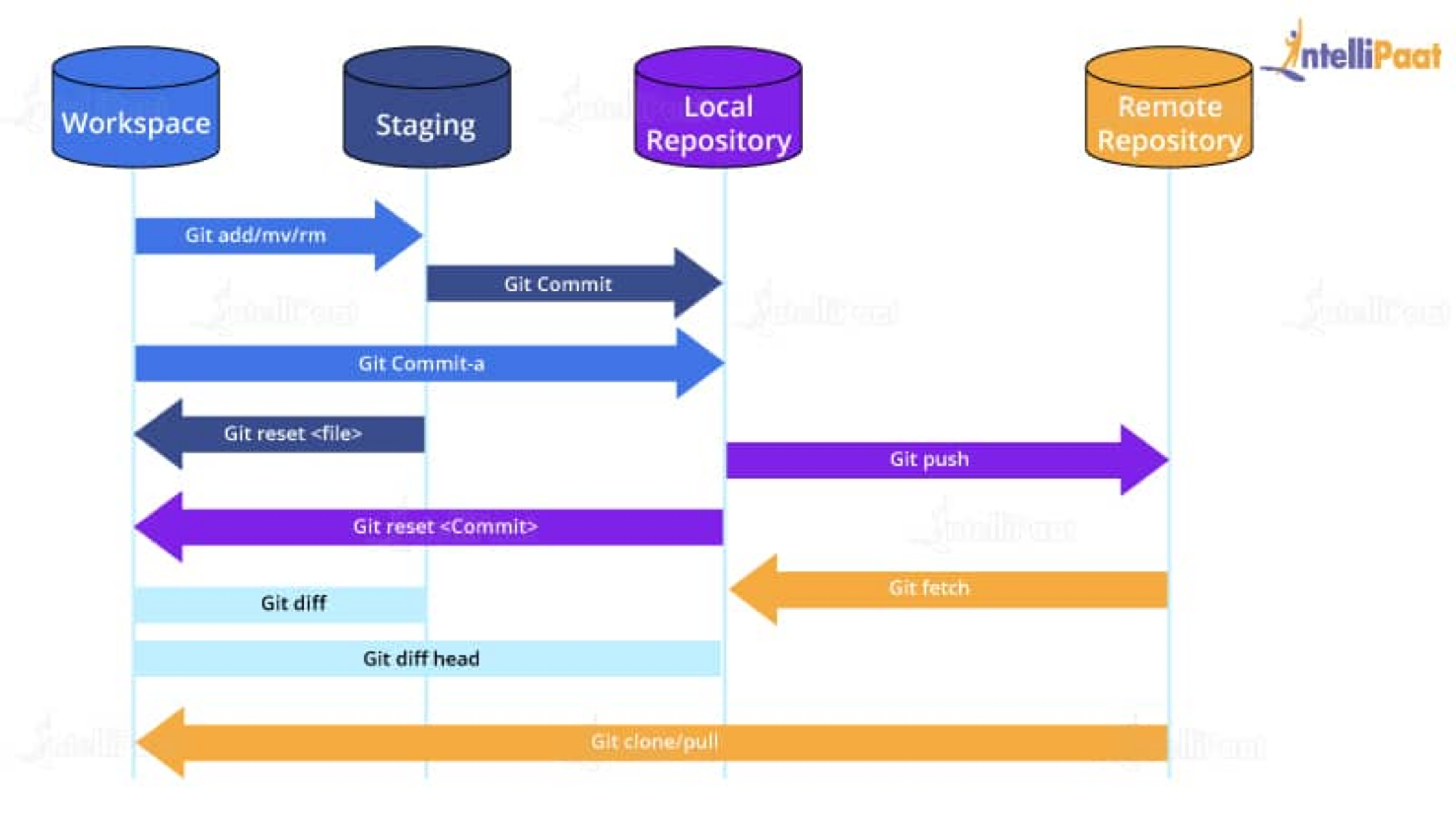
⚡️ Git
- 분산 버전 관리 시스템으로 소스 코드의 변경사항을 추적하기 위해 사용.
- 로컬 시스템과 원격 시스템을 두어 로컬에서 작업 후 원격 공간과 동기화.
💡 전역적 선언과 지역적 선언 모두 활성화 ⇒ 지역적(로컬) 우선 ! - branch 기능을 통해 여러 개발자가 동시에 개발하면서도 충돌 없이 작업 가능.
📢 Github
- 소스코드가 온라인에서 관리되고 협업될 수 있는 플랫폼.
⇒ git의 레포지토리를 온라인상에서 관리하기 위한 플랫폼. - gitlab 이라는 설치형 플랫폼도 존재함.
git : 버전 관리 프로그램 / github : 원격 저장소, 클라우드
🖋️ git 프로젝트 생성 및 수정 절차
- 방법 1)
github에서 레포 생성 후 프로젝트 시작git clone repository주소
- 방법 2)
- 로컬 컴퓨터에서부터 이미 개발된 프로젝트가 존재 시에 로컬 폴더에 github 레포 추가방식 →
git add .이 바로 적용이 안됨 ! 아래 순서로 진행 필요.
1)git init: .git 폴더 생성됨. 기본 branch는 master.
2)git remote add origin [repository 주소]
- 비어있는 repository주소를 채우는 명령어
-origin이란, 깃허브 저장소 주소를 의미. (즉, 원격저장소를 의미)
3)git remote set-url origin
- repo url 변경 명령어.- url 변경 후 main에 push 하면 기존 main의 commit 이력도 함께 업로드 !
- 로컬 컴퓨터에서부터 이미 개발된 프로젝트가 존재 시에 로컬 폴더에 github 레포 추가방식 →
📨 commit 사용자 이름과 email 지정
- 전역적 선언
git config --global user.name "tteia"
git config --global user.email "tteia.dl@gmail.com"- 지역적 선언
git config --local user.name "tteia"
git config --local user.email "tteia.dl@gmail.com"
💡 둘 다 설정되어있다면? 지역적 우선 !
🔍 Git fetch
origin의 데이터를 local 로 가져오되, 병합은 하지 않는 것 !
✋🏻 잠깐 !
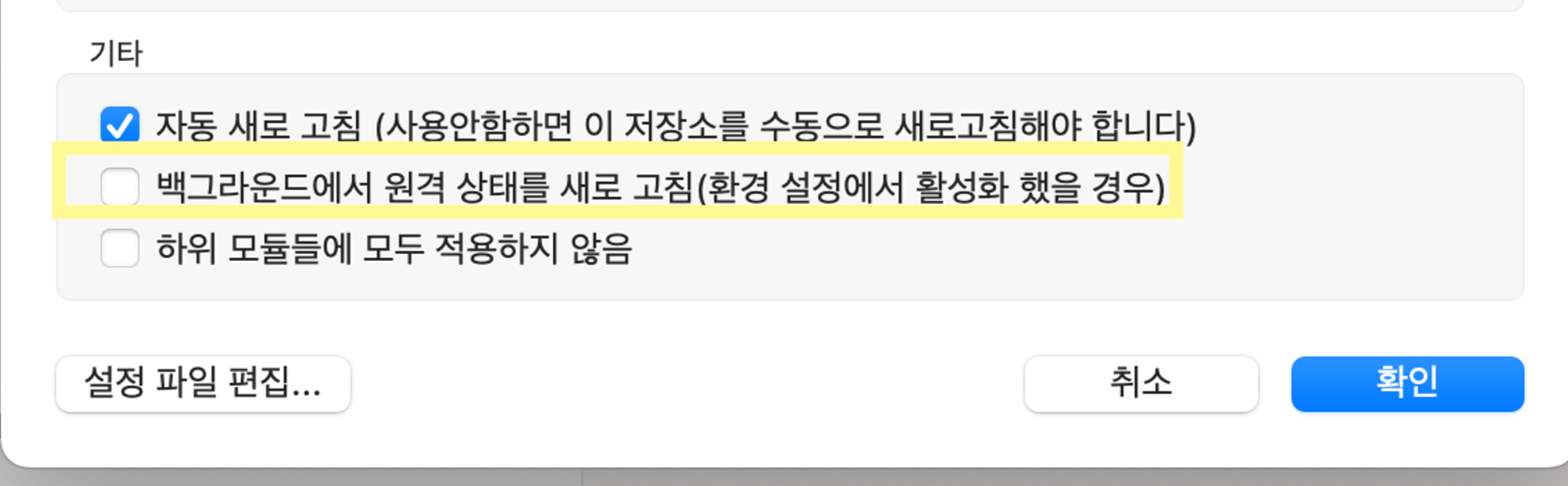
mac os 소스트리에서 자동으로 fetch 될 때 !
소스트리 설정 > 고급에서 해제 가능 !
local repository 까지 커밋 이력을 가져오지만, staging과 working directory에는 반영되지 않는다.
git fetch origin main > git merge origin/main
fetch 로 가져온 뒤 merge 로 합친다 !
❗️❗️ 주의사항 ❗️❗️
git push origin main, git fetch origin main 등
로컬에서 원격을 대상으로 작업시에는 origin main 을 사용하지만,
로컬에서 git diff (두 커밋 간 차이점 비교) 또는 git merge 등을 사용하여
로컬내의 origin 을 참조할때에는 origin/main 사용 !

Dilige, et fac quod vis