Checkpoint | 1장을 시작하기 전에 준비할 것:
- JDK: Java 17
- JDE: IntelliJ IDEA Community Edition
- 스프링 부트: 3.1.0 버전
실습환경 구축 글 👉 https://velog.io/@ttt-1-2/실습-환경-설치
1장 - 스프링 부트 시작하기
스프링 부트(Spring Boot)는 스프링을 개선하여 자바 애플리케이션 개발을 단순화한 프레임워크다
💡 1.1 실습: 헬로 월드! 출력
- Step 1: Run ‘FirstprojectAp…main()’
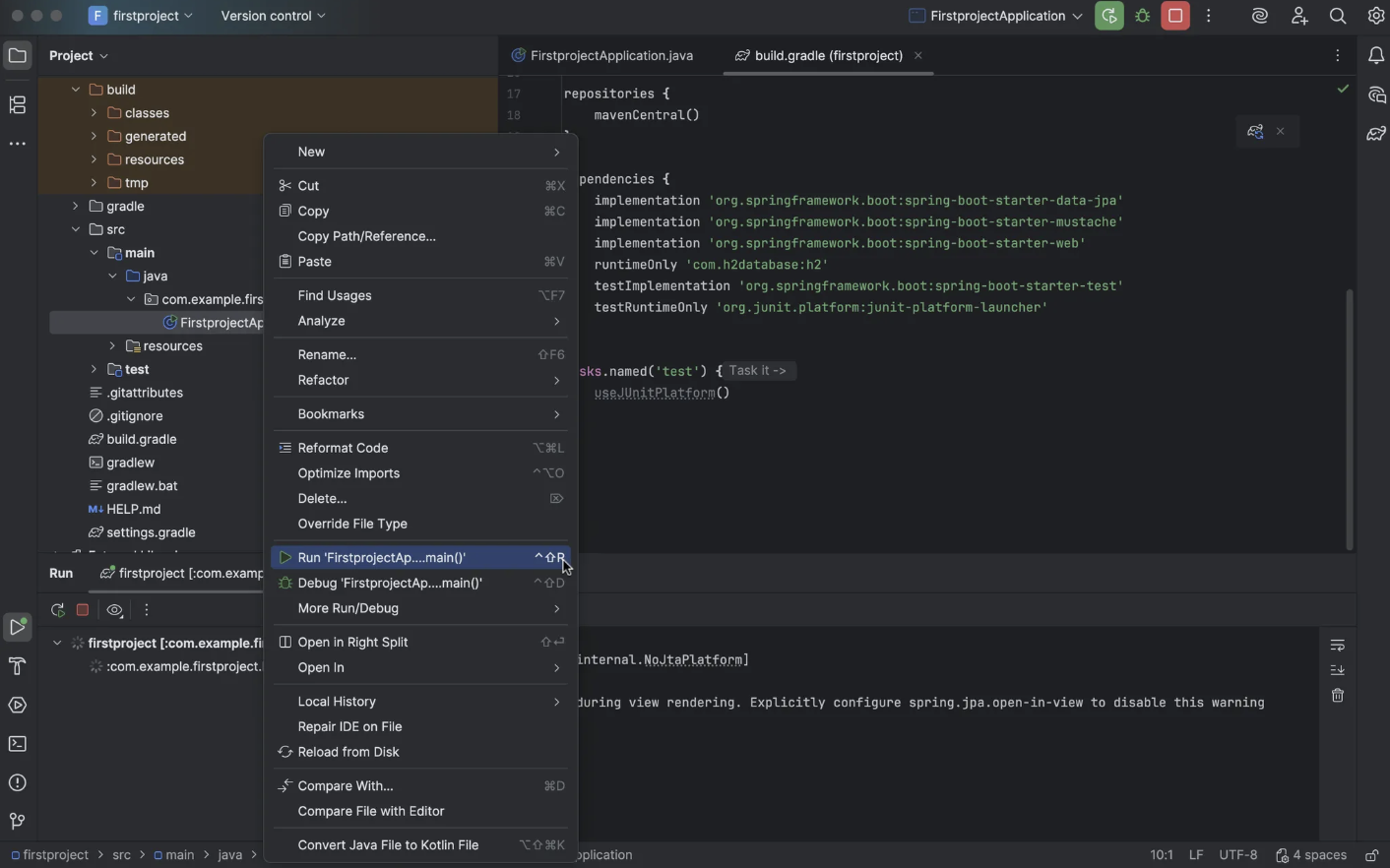
- Step 2: 크롬 브라우저에
localhost:8080접속한다 - Step 3: 출력
src > main > resources > static 디렉터리에서 hello.html 파일 생성
<!DOCTYPE html>
<html lang="en">
<head>
    <meta charset="UTF-8">
    <title>Title</title>
</head>
<body>
    <h1>헬로 월드!</h1>
</body>
</html>-
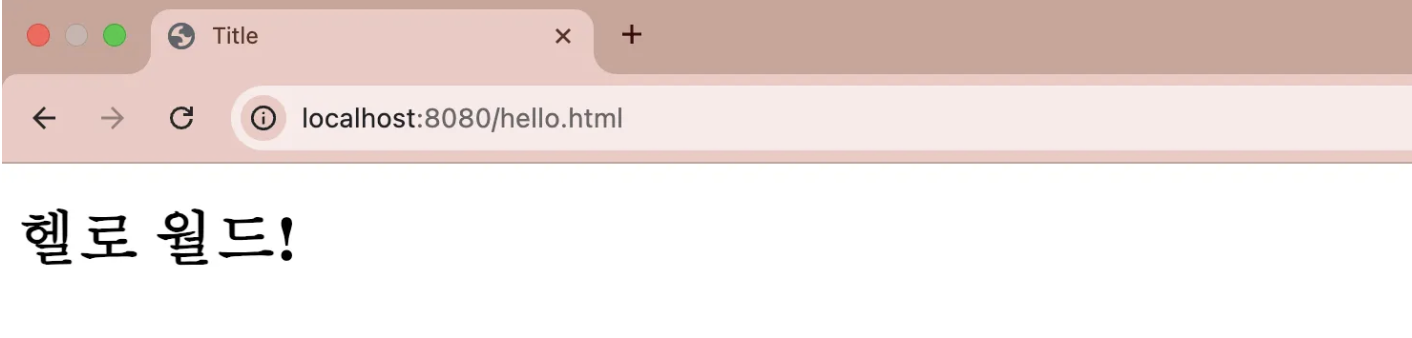
Step 4: Rerun firstproject
localhost:8080/hello.html로 접속하면 ‘헬로 월드!’가 화면에 표시된 것을 확인할 수 있다.
1.2 웹 서비스의 동작 원리 이해하기
클라이언트 ↔ 서버:
- 클라이언트(Client): 서버에 요청을 보내는 쪽
- 서버(Server): 클라이언트의 요청을 받아 처리하고 응답하는 쪽
만약 서버가 중지되면 웹사이트에 접속할 수 없고 다시 실행(Rerun)하면 정상적으로 접근할 수 있다. 실행 로그의 메시지를 살펴보면:
Tomcat started on port(s): 8080 (http) with context path ''
//--> 톰캣 서버가 8080번 포트에서 구동 중임을 의미한다- localhost: 현재 사용 중인 내 컴퓨터
- 8080: 톰캣이 실행되고 있는 포트 번호
- hello.html: 클라이언트가 요청하면 서버는
/static,/public,/resources,/META-INF/resources경로에서 해당 파일을 순서대로 탐색한다. 파일이 존재하면 반환하고 없으면 404 에러를 응답한다.
2장 - MVC 패턴 이해와 실습
2.1 뷰 템플릿과 MVC 패턴
- 뷰 템플릿: 웹 애플리케이션에서 데이터를 화면에 출력할 때 사용하는 틀이다.
- MVC 패턴:
- Model (모델): 데이터와 비즈니스 로직을 담당한다
- View (뷰): 사용자에게 보여지는 화면을 담당한다. 즉 데이터를 받아서 웹 페이지나 화면에 출력한다
- Controller (컨트롤러): 클라이언트의 요청을 받아 어떤 Model을 사용할지 결정하고 그 결과를 View에 전달한다
 //MVC 패턴

 [ Client ]
     |
     v
[ Controller ] -----> [ Model ] -----> [ Database / Data ]
     |                       |
     v                       |
   [ View ] <-----------------
     |
     v
 [ Client Screen ]
💡2.2 실습: MVC 패턴 활용해 뷰 템플릿 페이지 만들기
[ View: greetings.mustache ]
    ↓
    ( {{username}} )

[ Controller: FirstController.java ]
    ↓
    @GetMapping("/hi")
    public String niceToMeetYou(Model model) {
        model.addAttribute("username", "홍팍");
        return "greetings";
    }

[ Model: 데이터 ]
    ↓
    model.addAttribute("username", "홍팍");

[ Client 화면 출력 ]
    ↓
    <h1>Trang님, 반갑습니다!</h1>
2.3 MVC의 역할과 실행 흐름 이해하기
/hi페이지의 실행 흐름
@Controller // 1. 컨트롤러 선언
public class FirstController {
	@GetMapping("/hi") // 2. URL 요청

	public String niceToMeetYou(Model model) { // 3. 메소드 수행 + 4. 모델 객체 가져오기
		model.addAttribute("username", "hongpark"); // 5. 모델 변수 등록
		return "greetings"; // 6. 뷰 템플렛 페이지 반환
	}
}
2.4 뷰 템플릿 페이지에 레이아웃 적용하기
- 레이아웃: 화면에 요소를 배치하는 일
💡 실습 /hi 페이지에 헤더-푸터 레이아웃 적용하기
-
Bootstrap은 HTML, CSS, JavaScript가 미리 준비되어 있는 프레임워크다. Bootstrap 공식 사이트에 접속해서 필요한 코드와 컴포넌트를 가져올 것이다.
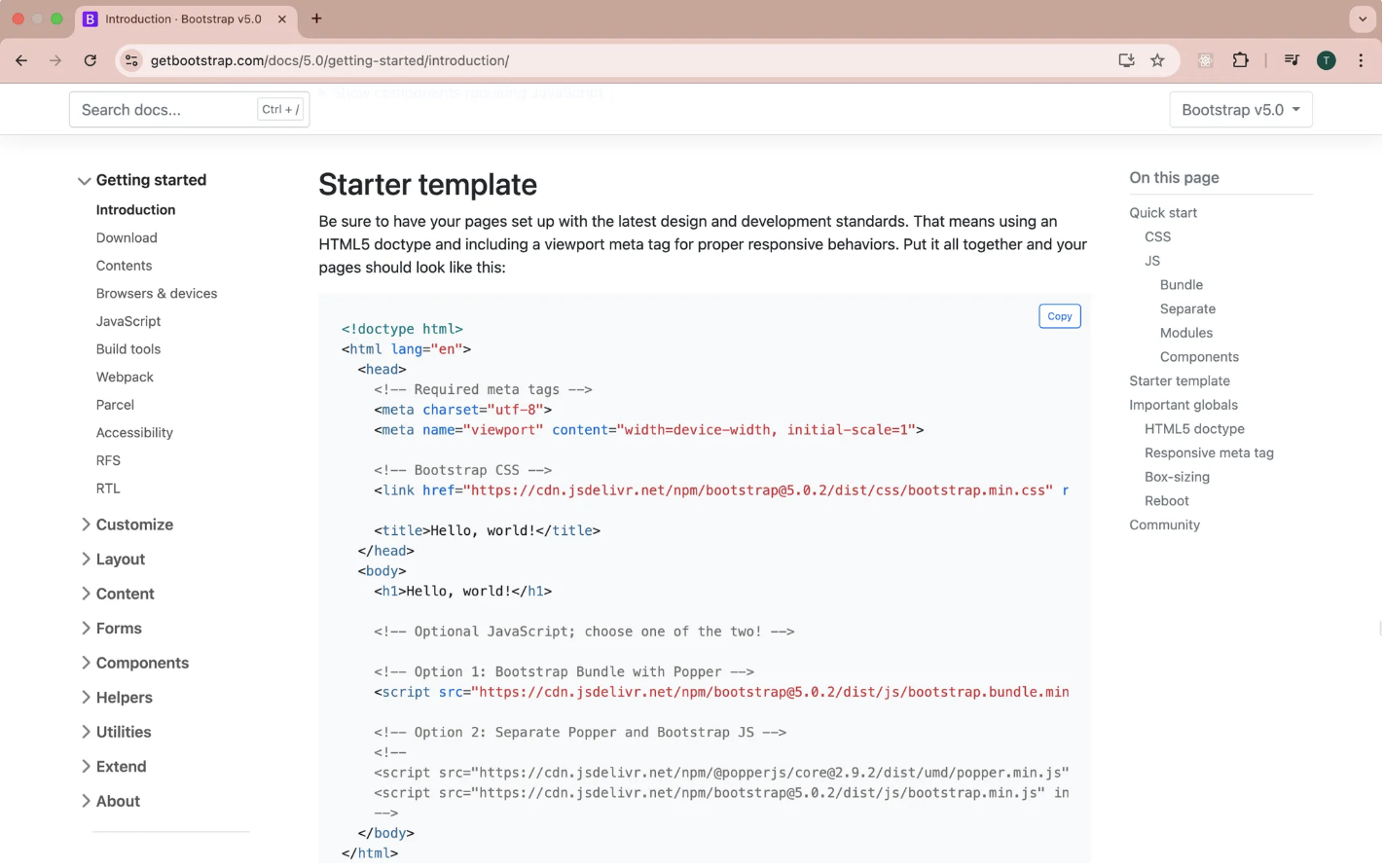
이번 실습에서는 템플릿을 헤더와 푸터로 나누어 재사용할 수 있도록 구성해 코드의 가독성과 유지보수성을 높인다 -
폴더 구조:
main
├── java
│   └── com.example.firstproject
│       ├── FirstprojectApplication.java
│       └── controller
│           └── FirstController.java
│
└── resources
    ├── static
    ├── templates
    │   ├── greetings.mustache
    │   ├── goodbye.mustache
    │   └── layouts
    │       ├── header.mustache
    │       └── footer.mustache
    │
    └── application.properties
- 공통 헤더-푸터를 포함하고 본문에
{{username}}을 출력하는 템플릿:
{{>layouts/header}}

    <!-- content -->
    <div class="bg-dark text-white p-5">
        <h1>{{username}}님, 반갑습니다!</h1>
    </div>

{{>layouts/footer}}