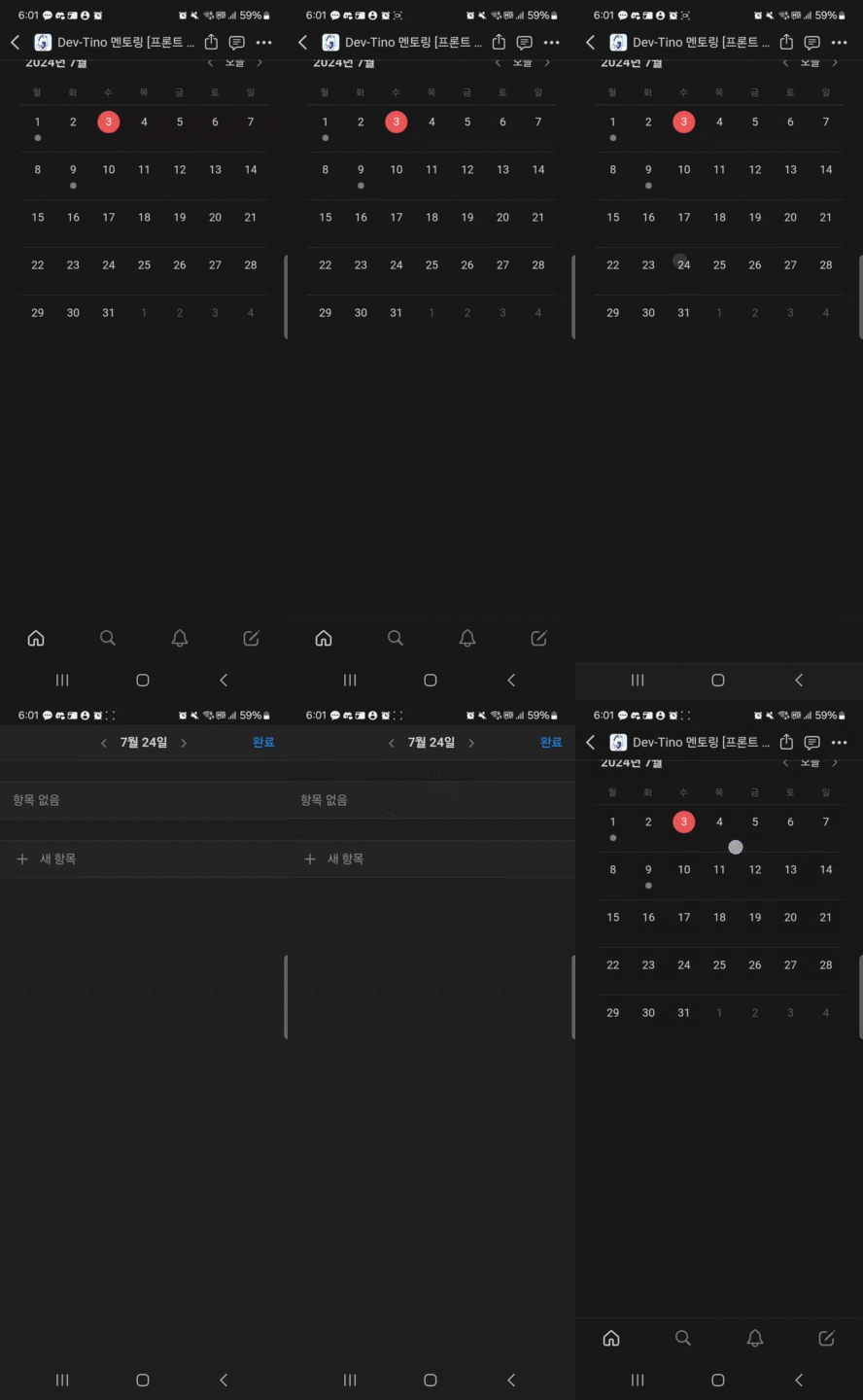
졸업작품을 진행하던 도중 캘린더의 날짜를 클릭했을때 세부 내용이 올라오도록 구현하자는 이야기가 나왔고 사용자의 상호작용으로 올렸다 내렸다 하길 원했다.
노션 모바일의 캘린더 모션을 모방하는것!
노션의 모바일 캘린더 모션
하지만 위 노션의 모션과는 다른 기능을 추가 하고 싶었다.
재사용 가능하게 컴포넌트를 만들어주고 형제 컴포넌트를 가리지 않게끔 중간에 멈출수 있게 하는것!
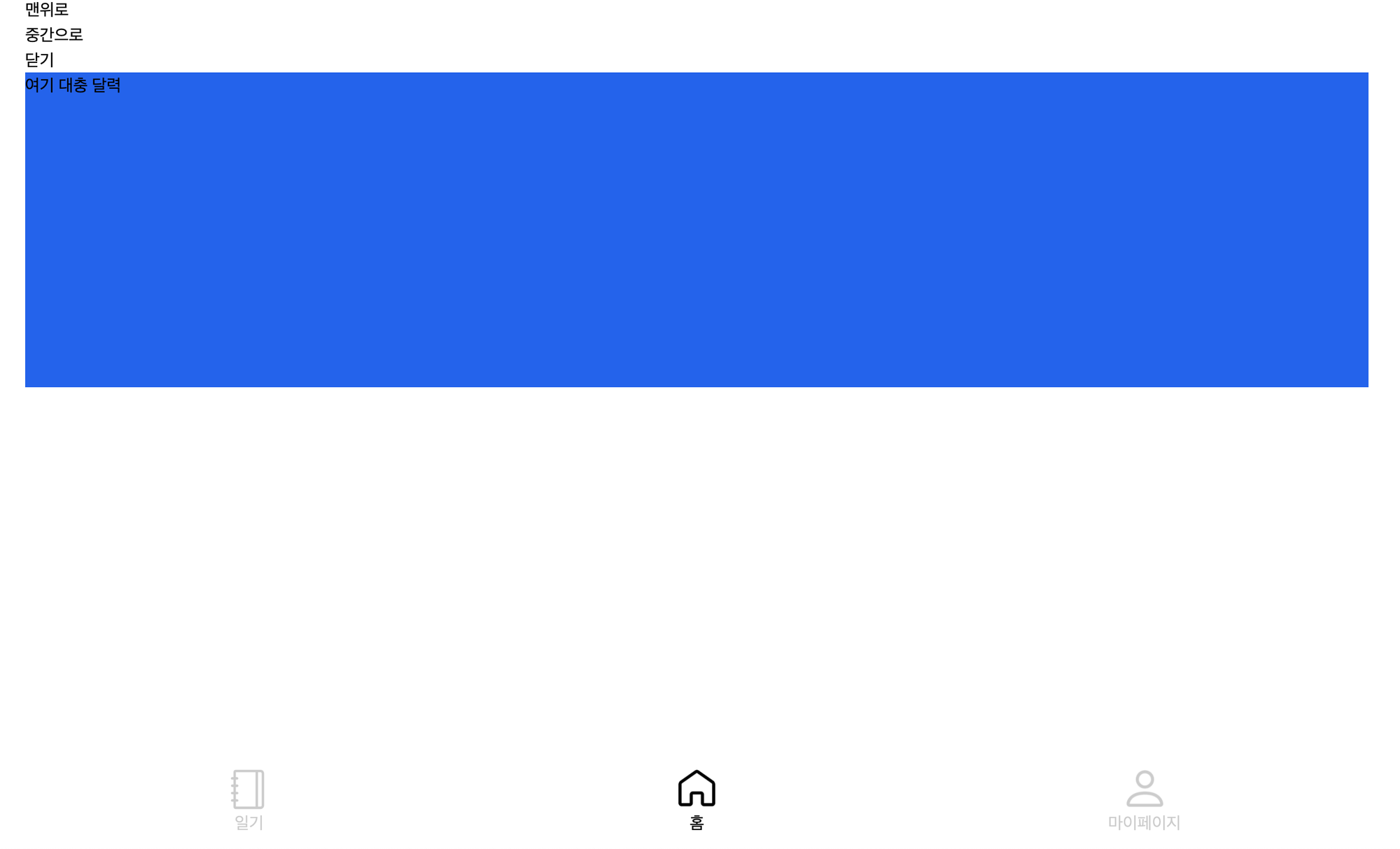
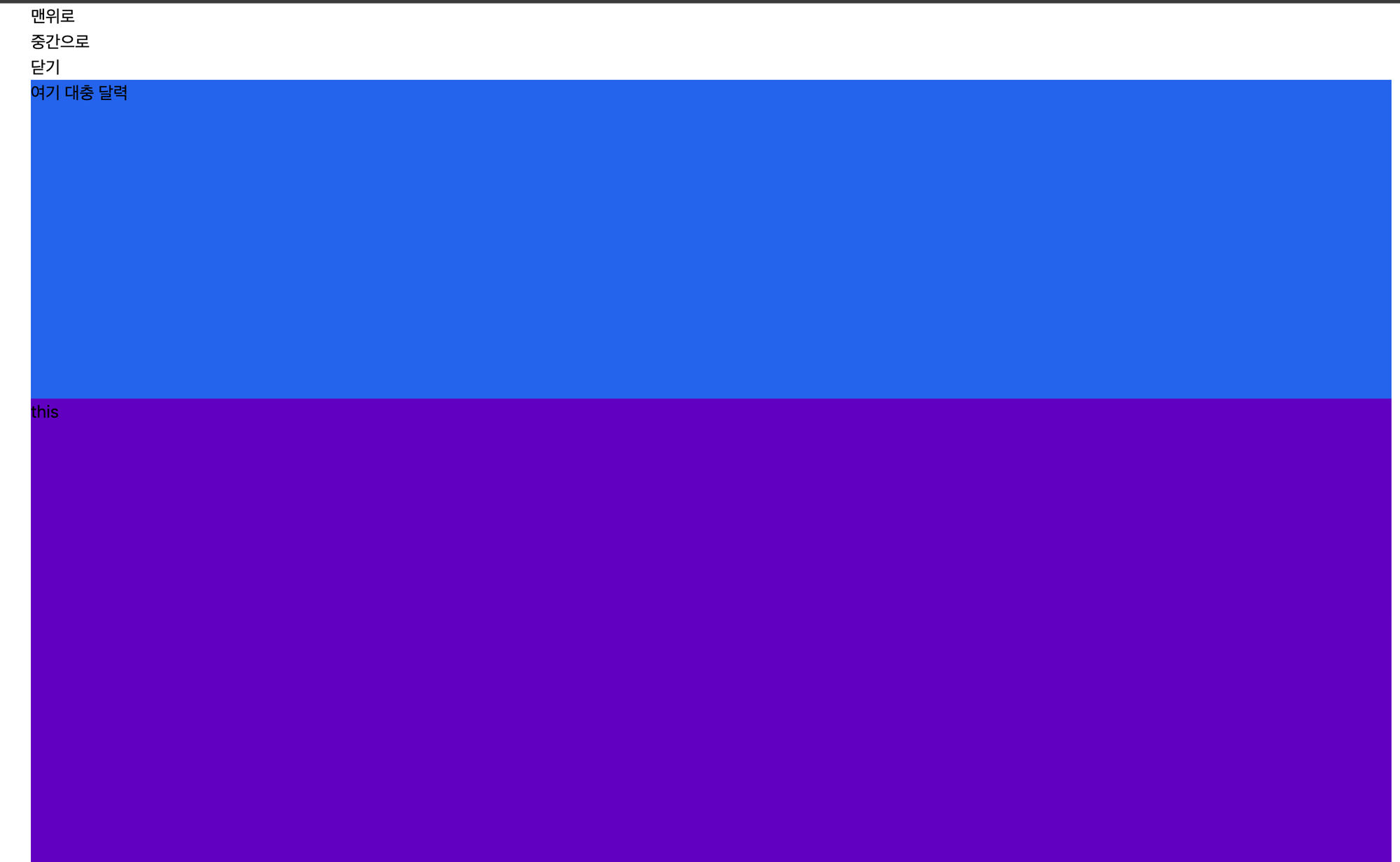
아래는 내가 원하는 세가지 상태이다.
-
아래로 내려가 있는 상태
-
중간에 멈춰있는 상태
-
끝까지 올라온 상태
재사용가능하게 Wrapper 컴포넌트를 만들어보자
다른 페이지들도 이런식으로 만들고 싶다면 Wrapper로 만드는것이 현명하다 판단했다.
초기 코드 형태는 아래와 같다.
// 이름은 다른걸로 해야함
const UpingComp({childen}) {
	return (
		<div>...
			{childen}
		</div>
	)
}
position을 fixed로 설정하고 trainstion과 top을 변경하여 애니메이션 추가
<div
  className={"fixed z-10 w-full top-0 h-full overflow-hidden max-w-maxWidth transition-all duration-500"}>
  {children}
</div>
위처럼 transition과 top 을 설정하여 동적으로 top을 조절해주며 애니메이션을 넣고 싶었다.
문제 해결⚠️ : tailwindcss 의 동적 클래스
tailwindcss 에서는 동적으로 top 을 변경하기엔 무리라고 판단했다.
특정 픽셀로 변경가능한 동작 이 있지만 ex) top-[1px]
위 방식으로 동적으로 top 을 컨트롤 할수 없다 판단했고 inline style을 사용했다.
<div
	style={{ top: containerTop }}
  className={"fixed z-10 w-full top-0 h-full overflow-hidden max-w-maxWidth transition-all duration-500"}>
  {children}
</div>
문제 해결⚠️ : 중간 상태의 감지?
나는 맨위, 맨아래 상태만 있는 것이 아닌 중간 상태가 있어야 한다… 얌전히 컴포넌트 들이 있다면 있어야할 자리에 내가 만든 컴포넌트가 걸려야만 한다… 나는 top을 이용해 transition을 설정하고 있었으므로 원래 있어야 할자리에 top 값을 알아야 했다.
아래와 같이 빈 div 를 이용해 top 을 알아냈다.
const [middleTop, setMiddleTop] = useState(0); // useEffect 에서 초기화

useEffect(() => {
  setMiddleTop(middleLimitComp.current.getBoundingClientRect().bottom);
}, []);
...
<>
  <div ref={middleLimitComp} />
  <div>
    style={{ top: containerTop }}
  className={"fixed z-10 w-full top-0 h-full overflow-hidden max-w-maxWidth transition-all duration-500"}>
    {children}
  </div>
</>
위 코드만으로도 세가지 상태에 따른 컴포넌트 애니메이션을 구현 가능하다
하지만 여기다 사용자 스와이프에 따른 기능을 구현하고 싶었다!
지도 앱 모션 모방!
지도앱

스와이프 기능 구현
스와이프 기능을 구현하기 위해 down, move, up 세가지 함수가 필요했다.
또한 각 함수에서 필요한 정보들을 상태 혹은 useRef 으로 선언하여 관리 하였다.
// 클릭중인지 감지하는 상태
const [isClicking, setIsClicking] = useState(false);
// 스와이프 중일때 container의 top 상태
const [movingContainerTop, setMovingContainerTop] = useState(0);
// 움직이기 전의 container의 상태
const [staticContainerTop, setStaticContainerTop] = useState(0);

// mouseMove일때 사용할 스와이프를 시작했을때 ref 상수들
const whenMouseDown = useRef({
  containerTop: 0,
  clientY: 0,
});
마우스 클릭을 시작했을떄!
const handleMouseDown = (e) => {
  setIsClicking(true);
  setMovingContainerTop(bottomSheet.current.getBoundingClientRect().top);
  whenMouseDown.current.containerTop = bottomSheet.current.getBoundingClientRect().top;
  whenMouseDown.current.clientY = e.clientY;
};
마우스가 움직일때
const handleMouseMove = (e) => {
	// 클릭중이 아니라면 무시
  if (isClicking === false) {
    return;
  }
  const diffY = whenMouseDown.current.clientY - e.clientY;
  // top 에서 위로 움직였다면 무시
  let nextTop = whenMouseDown.current.containerTop - diffY;
  setMovingContainerTop(nextTop <= 0 ? 0 : nextTop);
};
마우스가 떠나거나 드래그가 종료되었을때
const handleMouseUpOrLeave = () => {
  if (isClicking === false) return; // 클릭 중이 아니라면 무시
  setIsClicking(false);

  // top 은 아래로 갈수록 커짐
  // offset 보다 적게 움직였다면 원래 위치로 돌아감
  if (Math.abs(staticContainerTop - movingContainerTop) <= offset) {
    return;
  }

  // offset 보다 많이 움직였다면
  // 아래로 움직였다면
  if (movingContainerTop > staticContainerTop) {
    // 만약 MIDDLE 에서 움직였다면 BOTTOM으로 이동
    if (position === MIDDLE_POSITION) {
      setPosition(BOTTOM_POSITION);
      return;
    }

    // 만약 TOP에서 움직였다면 MIDDlE 으로 이동
    setPosition(MIDDLE_POSITION);

    // 만약 container 가 MIDDLE의 top 보다 offset 만큼 더 내려갔다면 BOTTOM으로 이동
    if (movingContainerTop >= middleTop + offset) {
      setPosition(BOTTOM_POSITION);
    }
  }

  // 위로 움직였다면
  if (movingContainerTop < staticContainerTop) {
    setPosition(TOP_POSITION);
  }
};
최종 코드
export const TOP_POSITION = "top_position";
export const MIDDLE_POSITION = "middle_position";
export const BOTTOM_POSITION = "bottom_position";

export const BottomSheetLayout = ({ position, setPosition, offset = 150, children }) => {
  const middleLimitComp = useRef(null);
  const bottomSheet = useRef(null);

  const [middleTop, setMiddleTop] = useState(0); // useEffect 에서 초기화

  // middleTop 을 초기화
  useEffect(() => {
    setMiddleTop(middleLimitComp.current.getBoundingClientRect().bottom);
  }, []);

  // position 에 따라 staticContainerTop 을 변경
  useEffect(() => {
    switch (position) {
      case TOP_POSITION:
        setStaticContainerTop(0);
        break;
      case MIDDLE_POSITION:
        setStaticContainerTop(middleTop);
        break;
      case BOTTOM_POSITION:
        setStaticContainerTop("100%");
        break;
    }
  }, [position]);

	...

  const handleMouseDown = (e) => {
    ...
  };

  const handleMouseMove = (e) => {
		...
  };

  const handleMouseUpOrLeave = () => {
		...
  };

  return (
    <>
      <div ref={middleLimitComp} />
      <div
        ref={bottomSheet}
        onMouseDown={handleMouseDown}
        onMouseMove={handleMouseMove}
        onMouseUp={handleMouseUpOrLeave}
        onMouseLeave={handleMouseUpOrLeave}

        onTouchStart={(e) => handleMouseDown(e.touches[0])}
        onTouchMove={(e) => handleMouseMove(e.touches[0])}
        onTouchEnd={handleMouseUpOrLeave}

        style={{ top: isClicking ? movingContainerTop : staticContainerTop }}
        className={"fixed z-10 w-full top-0 bottom-0 h-full overflow-hidden max-w-maxWidth" +
          " " +
          (isClicking ? "" : "transition-all duration-500")}>
        {children}
      </div>
    </>
  );
};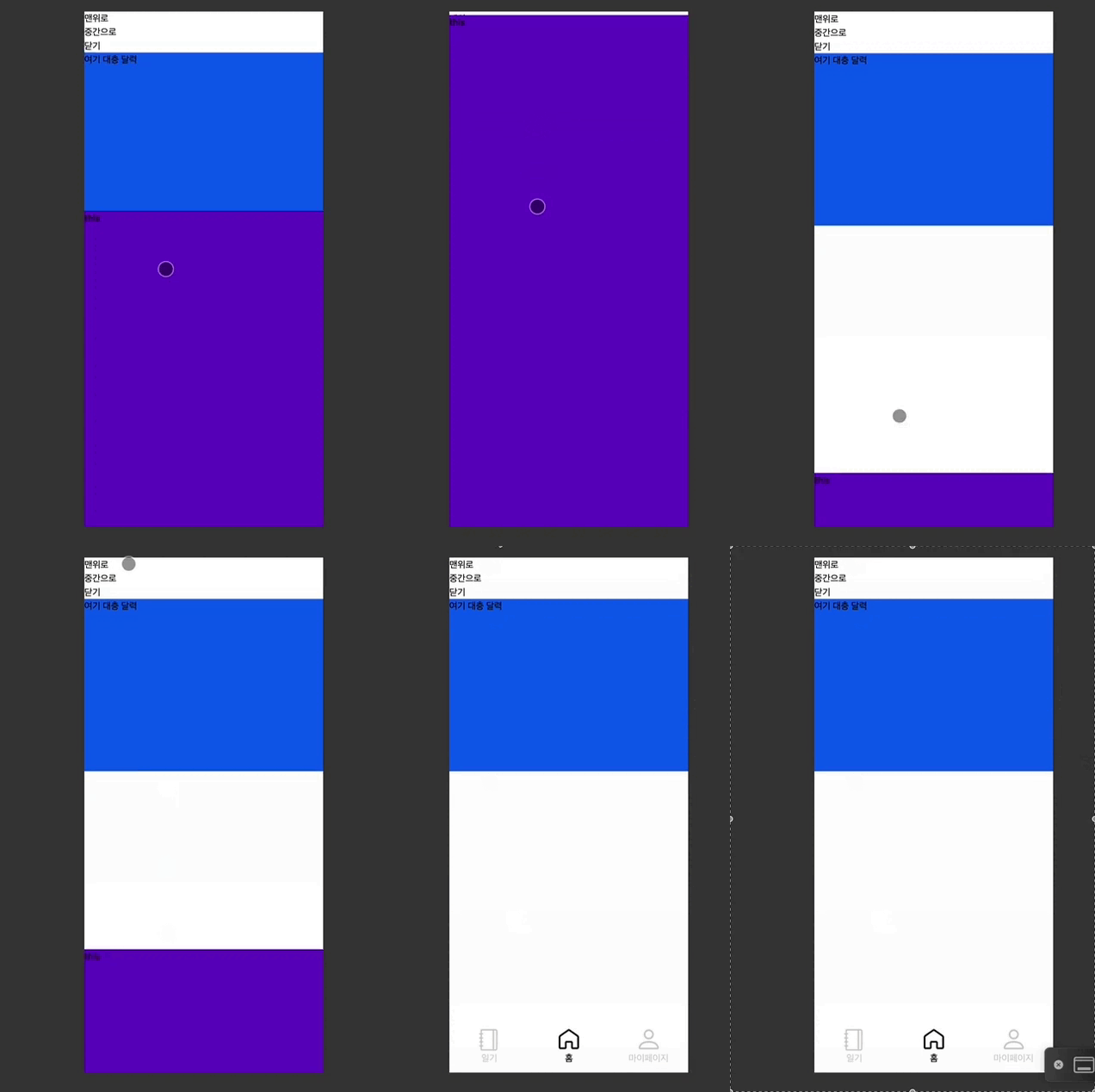
아주 잘된다!
아래는 코드를 구현하고 날린 pr이다.