먼저 Input System 관련 타입들을 알아보자~
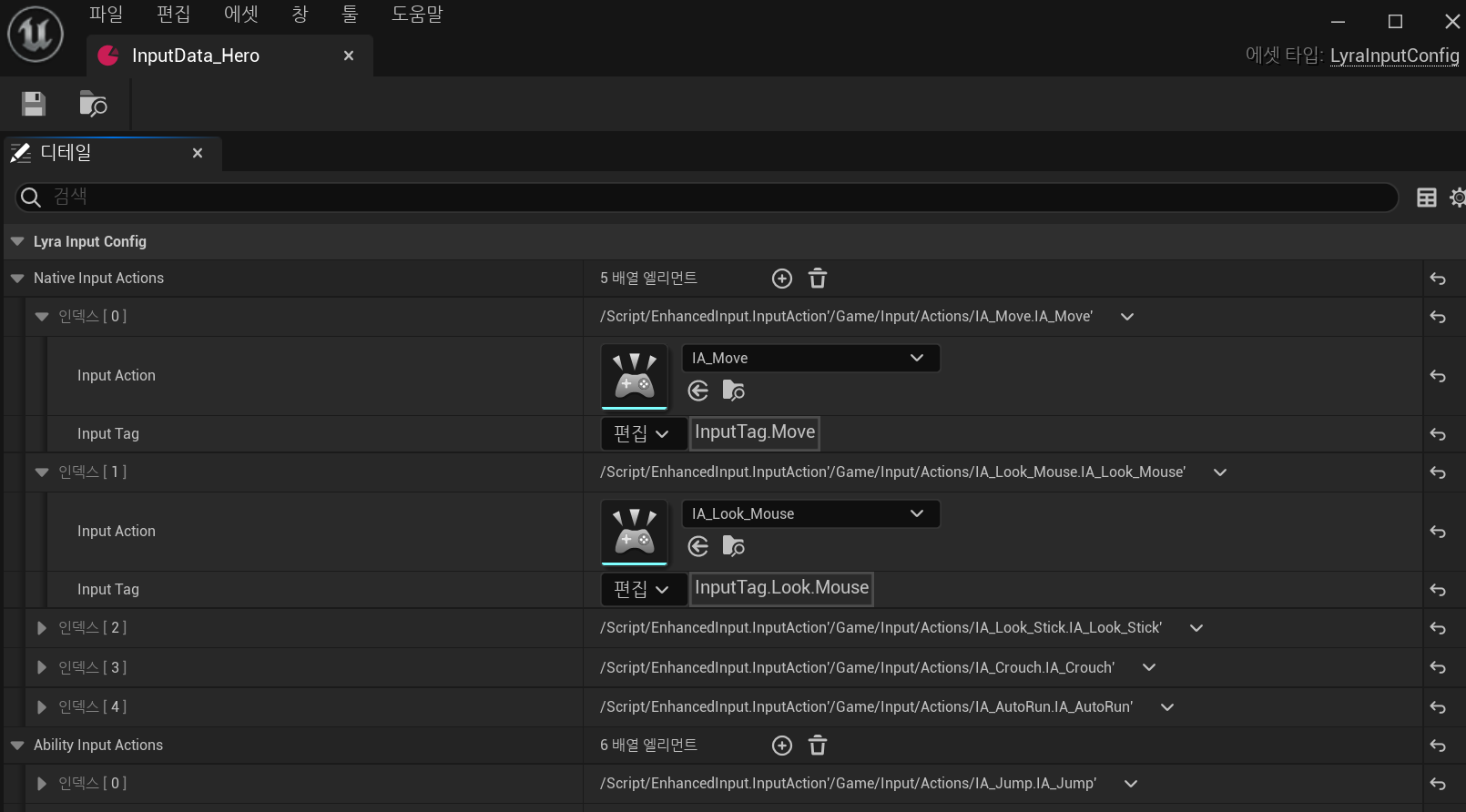
InputTag
struct FLyraGameplayTags
{
	// ...
public:
	// ...
	FGameplayTag InputTag_Move;
	FGameplayTag InputTag_Look_Mouse;
	FGameplayTag InputTag_Look_Stick;
	FGameplayTag InputTag_Crouch;
	FGameplayTag InputTag_AutoRun;
};
void FLyraGameplayTags::AddAllTags(UGameplayTagsManager& Manager)
{
	// ...

	// Enhanced Input Tags
    AddTag(InputTag_Move, "InputTag.Move", "Move input.");
	AddTag(InputTag_Look_Mouse, "InputTag.Look.Mouse", "Look (mouse) input.");
	AddTag(InputTag_Look_Stick, "InputTag.Look.Stick", "Look (stick) input.");
	AddTag(InputTag_Crouch, "InputTag.Crouch", "Crouch input.");
	AddTag(InputTag_AutoRun, "InputTag.AutoRun", "Auto-run input.");

    // ...
}
InputAction
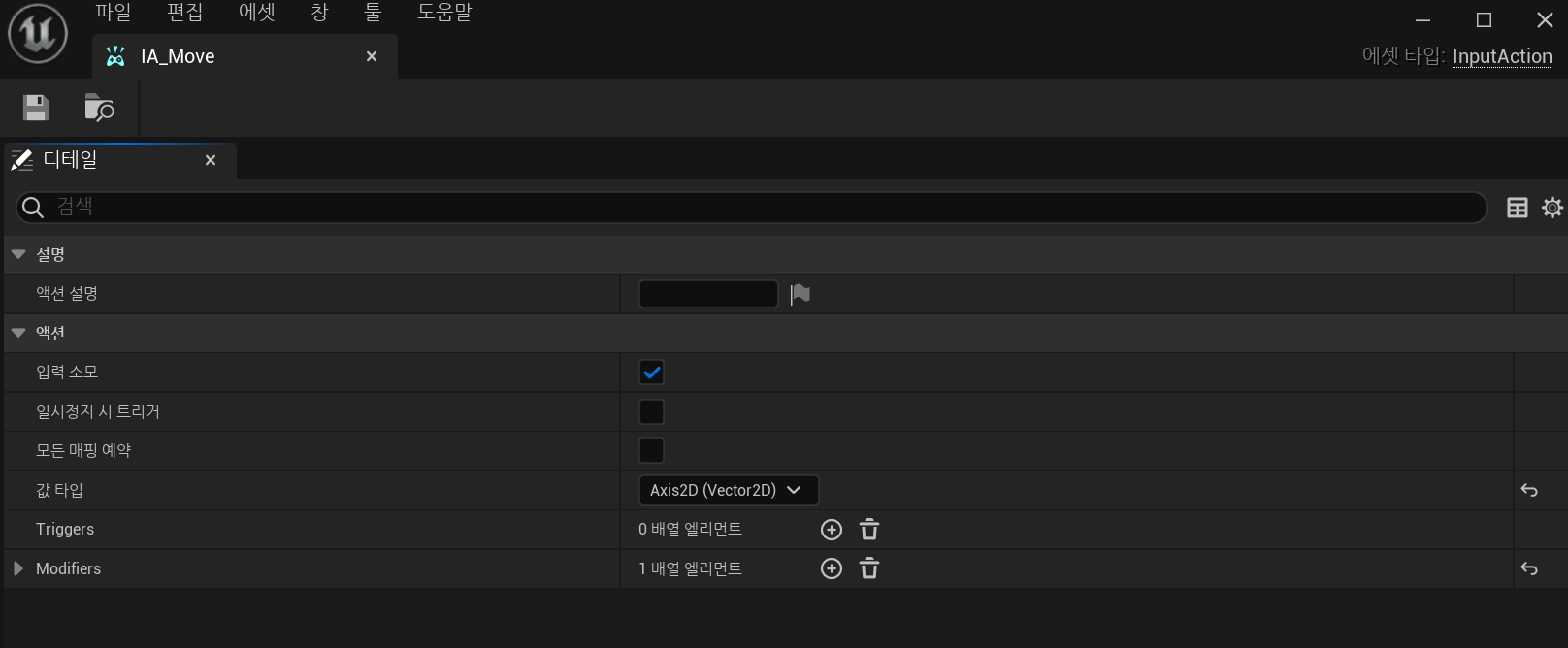
액션의 타입을 설정하며 Key에 관한 정보는 없다.
InputMappingContext
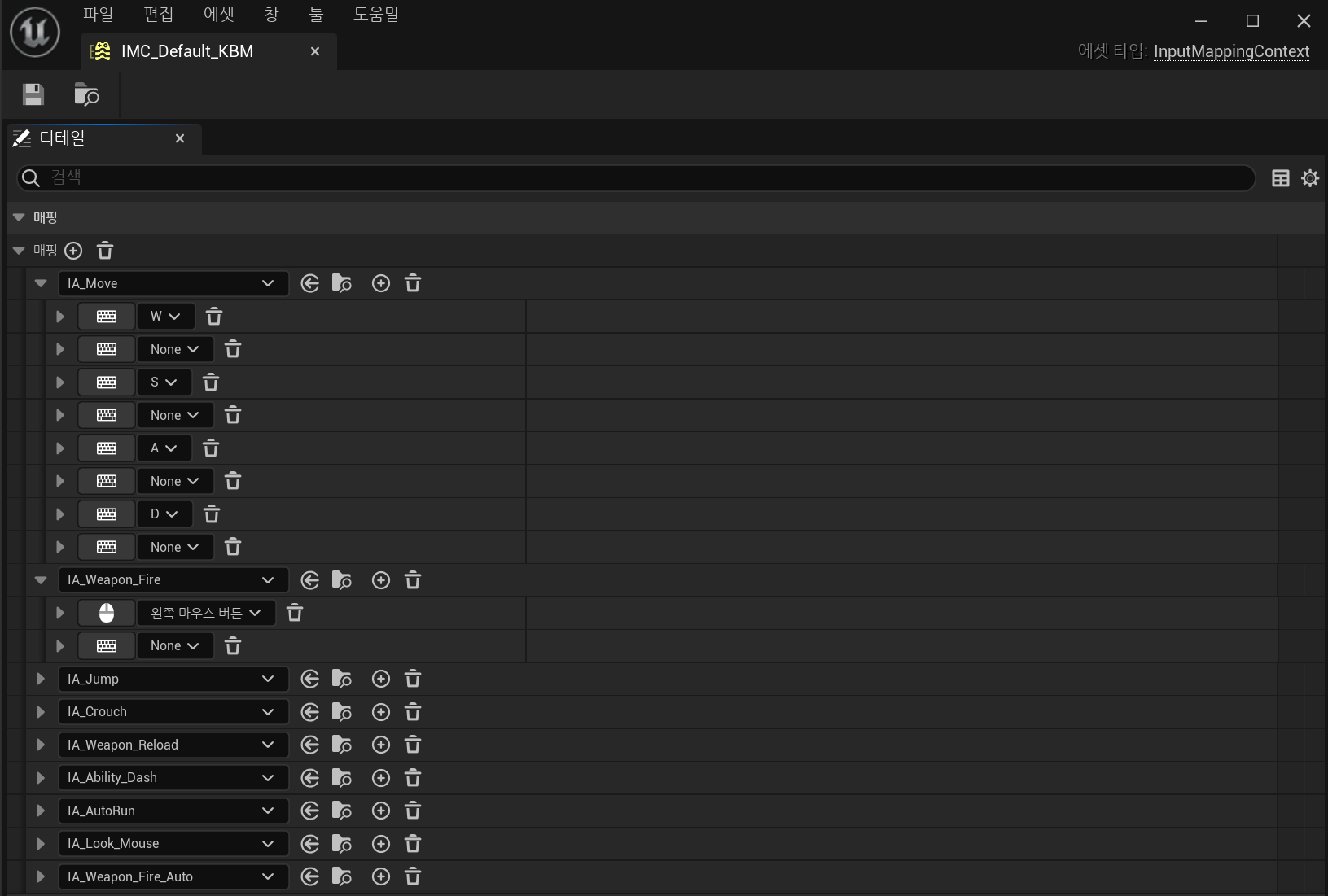
InputMappingContext에서 InputAction과 key를 매핑한다.
InputMappingContext을 여러 개 만들어서, 상황에 따라 MappingContext를 변경할 수 있다.
PlayerMappableInputConfig
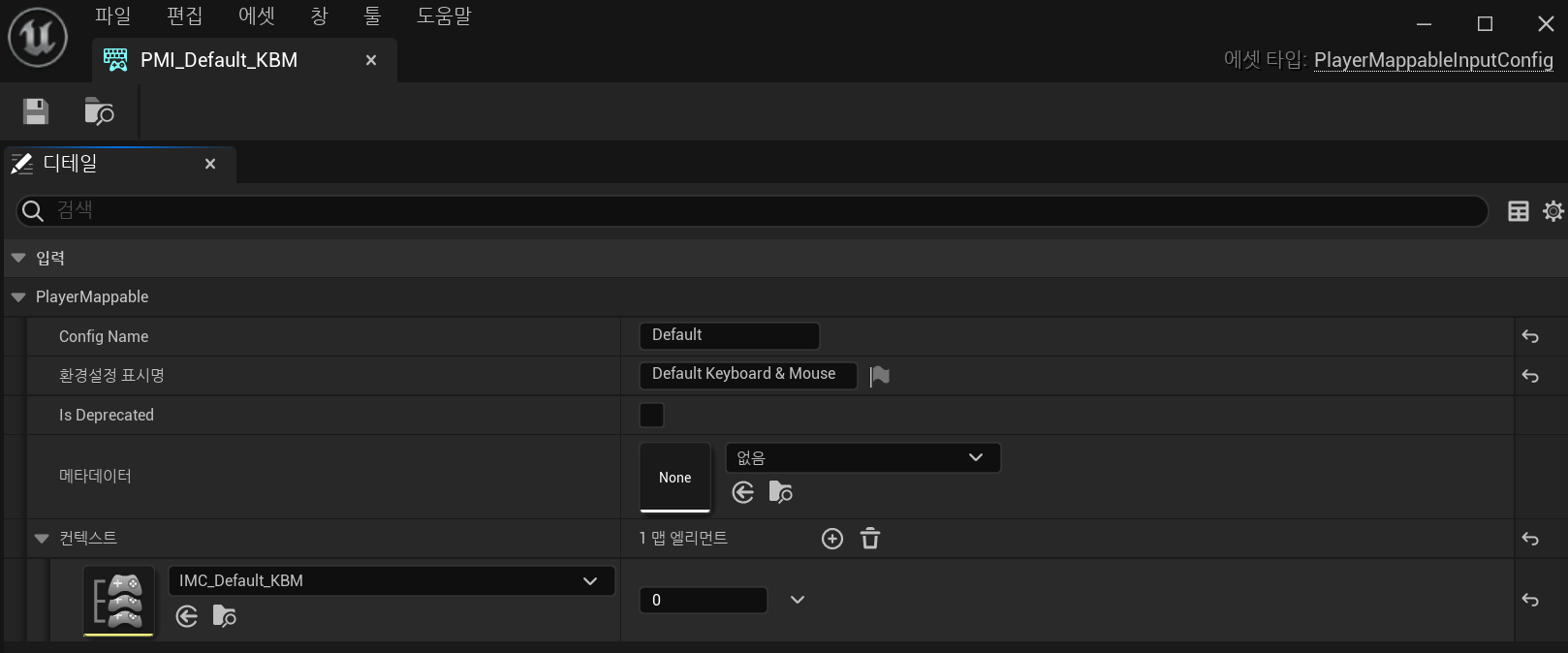
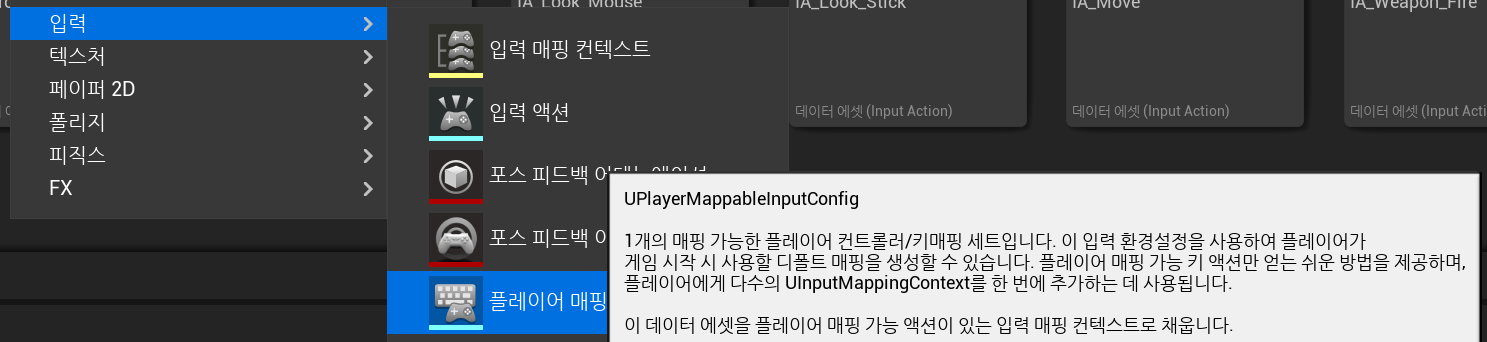
deprecated라는데 5.1이라 그런지 deprecated 아님oOo
PlayerMappableInputConfig에서 여러 개의 InputMappingContext를 들고 있다.
MappableConfigPair
USTRUCT()
struct FMappableConfigPair
{
	GENERATED_BODY()

	FMappableConfigPair() = default;

	UPROPERTY(EditAnywhere)
	TSoftObjectPtr<UPlayerMappableInputConfig> Config;

    UPROPERTY(EditAnywhere)
	FGameplayTagContainer DependentPlatformTraits;


	UPROPERTY(EditAnywhere)
	FGameplayTagContainer ExcludedPlatformTraits;


	UPROPERTY(EditAnywhere)
	bool bShouldActivateAutomatically = true;

    // ...
};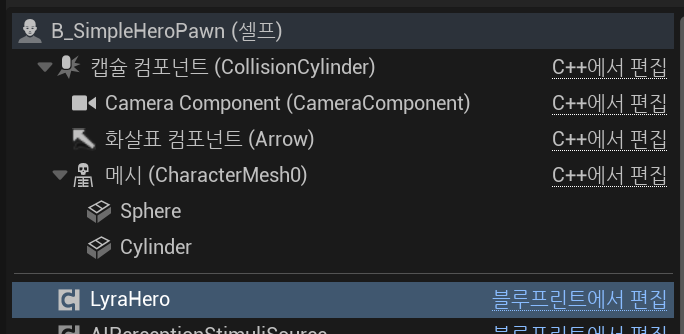
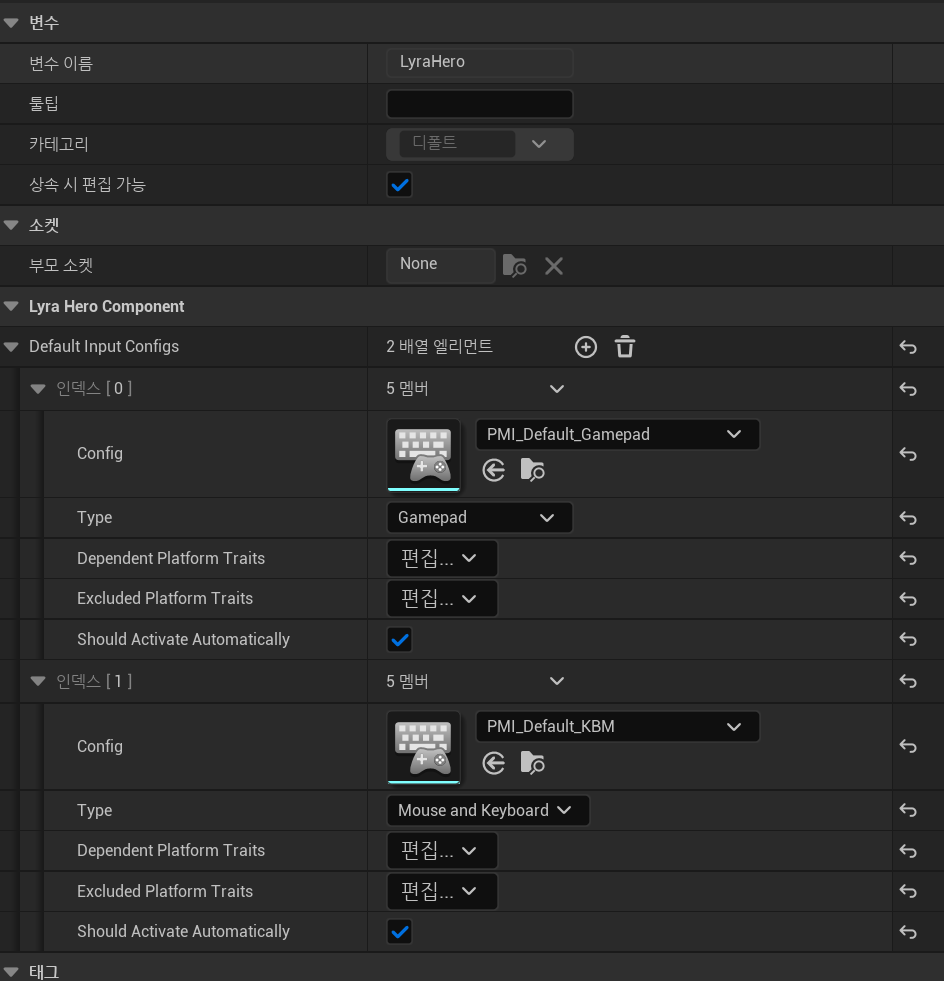
LyraHeroComponent에 MappableConfigPair 리스트인 DefaultInputConfigs가 있다.
왜 LyraHeroComponent에서 관리할까? > LyraHeroComponent에서 Input 핸들링하기 때문에
LyraInputConfig
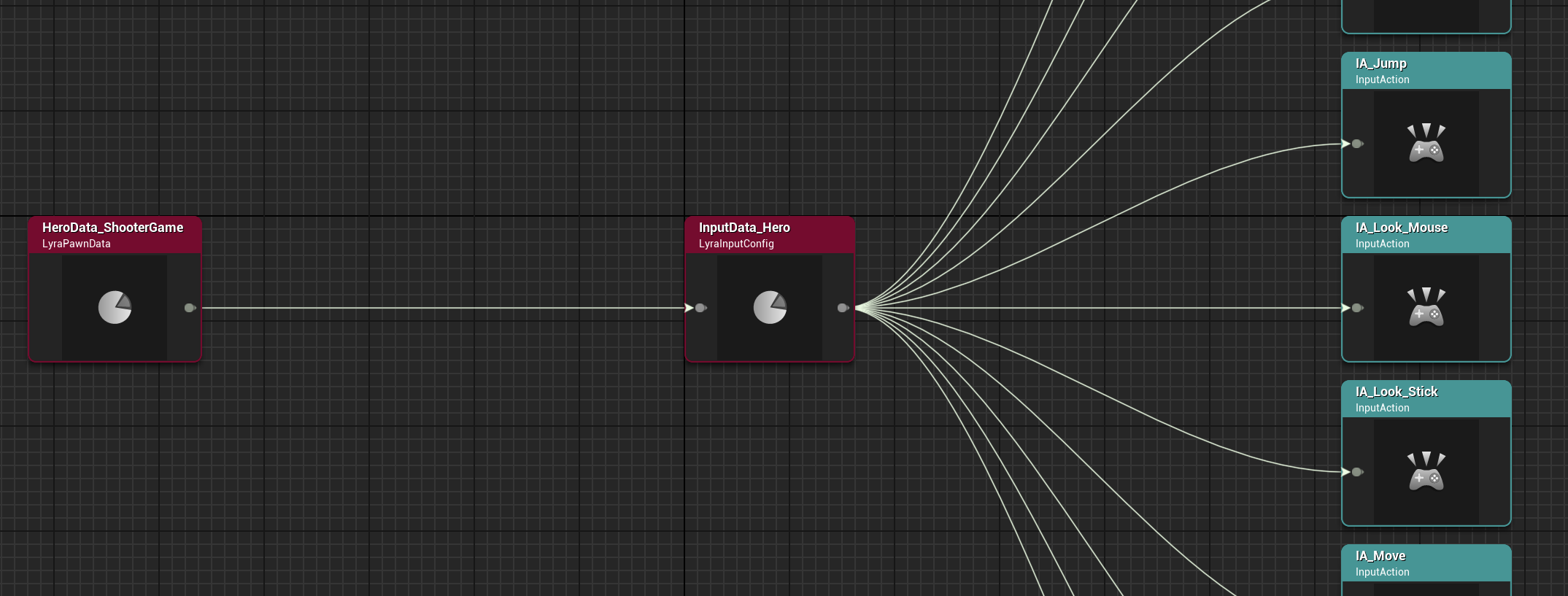
LyraPawnData에서 참조하고 있다.
UCLASS(BlueprintType, Const)
class ULyraInputConfig : public UDataAsset
{
	GENERATED_BODY()

public:

	ULyraInputConfig(const FObjectInitializer& ObjectInitializer);

	// InputTag에 맞는 NativeInputAction을 리턴
	UFUNCTION(BlueprintCallable, Category = "Lyra|Pawn")
	const UInputAction* FindNativeInputActionForTag(const FGameplayTag& InputTag, bool bLogNotFound = true) const;

	// InputTag에 맞는 AbilityInputAction을 리턴
	UFUNCTION(BlueprintCallable, Category = "Lyra|Pawn")
	const UInputAction* FindAbilityInputActionForTag(const FGameplayTag& InputTag, bool bLogNotFound = true) const;

public:
	// 잘 바뀌지 않는 액션들. ex) move, 카메라 이동 등
	UPROPERTY(EditDefaultsOnly, BlueprintReadOnly, Meta = (TitleProperty = "InputAction"))
	TArray<FLyraInputAction> NativeInputActions;

	UPROPERTY(EditDefaultsOnly, BlueprintReadOnly, Meta = (TitleProperty = "InputAction"))
	TArray<FLyraInputAction> AbilityInputActions;
};
InputTag와 InputAction을 1:1 매핑
인자로 들어온 InputTag에 맞는 InputAction을 리턴한다.
LyraInputComponent
EnhancedInputComponent를 상속받는다.
InitializePlayerInput
우선 위에서 설명한 Input 관련 클래스의 관계를 정리해보면 크게 2개의 오브젝트에서 설정하고 있다.
-
1. LyraHeroComponent
TArray<FMappableConfigPair> DefaultInputConfigs
-
MappingConfigPair
- PlayerMappableInputConfig
TMap<TObjectPtr<UInputMappingContext>, int32>
- ,,,
- ,,,
- PlayerMappableInputConfig
-
InputMappingContext
- InputAction<>InputKey
-
2. LyraPawnData
- InputConfig
- InputAction<>InputTag
- ,,,
- ,,,
- InputConfig
그래서 어떻게 초기화할까? 는 주석 참고
void ULyraHeroComponent::InitializePlayerInput(UInputComponent* PlayerInputComponent)
{
	// ...

	if (const ULyraPawnExtensionComponent* PawnExtComp = ULyraPawnExtensionComponent::FindPawnExtensionComponent(Pawn))
	{
		if (const ULyraPawnData* PawnData = PawnExtComp->GetPawnData<ULyraPawnData>())
		{
			if (const ULyraInputConfig* InputConfig = PawnData->InputConfig)
			{
				const FLyraGameplayTags& GameplayTags = FLyraGameplayTags::Get();

				// 1. LyraHeroComponent에서 설정한 InputKey -> InputAction 정보를 세팅
				for (const FMappableConfigPair& Pair : DefaultInputConfigs)
				{
					if (Pair.bShouldActivateAutomatically && Pair.CanBeActivated())
					{
						FModifyContextOptions Options = {};
						Options.bIgnoreAllPressedKeysUntilRelease = false;
						Subsystem->AddPlayerMappableConfig(Pair.Config.LoadSynchronous(), Options);
					}
				}

				ULyraInputComponent* LyraIC = CastChecked<ULyraInputComponent>(PlayerInputComponent);
				LyraIC->AddInputMappings(InputConfig, Subsystem);

				// 2. InputTag에 해당하는 InputAction을 LyraPawnData을 통해 가져와 바인드
				TArray<uint32> BindHandles;
				LyraIC->BindAbilityActions(InputConfig, this, &ThisClass::Input_AbilityInputTagPressed, &ThisClass::Input_AbilityInputTagReleased, /*out*/ BindHandles);

				LyraIC->BindNativeAction(InputConfig, GameplayTags.InputTag_Move, ETriggerEvent::Triggered, this, &ThisClass::Input_Move, /*bLogIfNotFound=*/ false);
				LyraIC->BindNativeAction(InputConfig, GameplayTags.InputTag_Look_Mouse, ETriggerEvent::Triggered, this, &ThisClass::Input_LookMouse, /*bLogIfNotFound=*/ false);
				LyraIC->BindNativeAction(InputConfig, GameplayTags.InputTag_Look_Stick, ETriggerEvent::Triggered, this, &ThisClass::Input_LookStick, /*bLogIfNotFound=*/ false);
				LyraIC->BindNativeAction(InputConfig, GameplayTags.InputTag_Crouch, ETriggerEvent::Triggered, this, &ThisClass::Input_Crouch, /*bLogIfNotFound=*/ false);
				LyraIC->BindNativeAction(InputConfig, GameplayTags.InputTag_AutoRun, ETriggerEvent::Triggered, this, &ThisClass::Input_AutoRun, /*bLogIfNotFound=*/ false);
			}
		}
	}

	// ...
}
예를 들면..
A키를 누름 > IA_Move > Input_Move 함수 호출
여기서 "A키를 누름 > IA_Move"은 LyraHeroComponent에서의 InputMappingContext로
"IA_Move > Input_Move"은 LyraPawnData>InputConfig에 InputTag_Move에 맵핑되는 IA_Move가 있어 바인드했기 때문에 실행되는 것
Lyra Input System을 정리하자면..
캐릭터와 Input System이 종속적이지 않으며
상황이나 캐릭터에 따라 InputMappingContext이나 InputConfig을 다르게 설정해서 액션을 다르게 바인드할 수 있다.