
나에게도 삽질이라는 단어를 써볼 수 있는 날이 왔다니..
👿 Netlify 에서 배포하려는데, Deploy log 중 Initializing 하는 부분에서 오류가 발생해서 실패를 했다.
10:47:38 PM: Failed during stage 'Install dependencies': dependency_installation script returned non-zero exit code: 1
10:47:28 PM: build-image version: c11c0eb9939c949586b0f78302107908b668a11e (focal)
10:47:28 PM: buildbot version: 55489dea6ef0428412532c40d27c9bef94a7fd4a
10:47:28 PM: Fetching cached dependencies
10:47:28 PM: Failed to fetch cache, continuing with build
10:47:28 PM: Starting to prepare the repo for build
10:47:28 PM: No cached dependencies found. Cloning fresh repo
10:47:28 PM: git clone --filter=blob:none https://github.com/udadai/mini-signup-form
10:47:29 PM: Preparing Git Reference refs/heads/main
10:47:30 PM: Starting to install dependencies
10:47:30 PM: Python version set to 3.8
10:47:30 PM: Attempting Ruby version 2.7.2, read from environment
10:47:31 PM: Using Ruby version 2.7.2
10:47:31 PM: Started restoring cached go cache
10:47:31 PM: Finished restoring cached go cache
10:47:33 PM: go version go1.19.10 linux/amd64
10:47:33 PM: Using PHP version 8.0
10:47:34 PM: Downloading and installing node v18.16.1...
10:47:34 PM: Downloading https://nodejs.org/dist/v18.16.1/node-v18.16.1-linux-x64.tar.xz...
10:47:34 PM: Computing checksum with sha256sum
10:47:34 PM: Checksums matched!
10:47:37 PM: Now using node v18.16.1 (npm v9.5.1)
10:47:37 PM: Enabling Node.js Corepack
10:47:37 PM: Started restoring cached build plugins
10:47:37 PM: Finished restoring cached build plugins
10:47:37 PM: Started restoring cached corepack dependencies
10:47:37 PM: Finished restoring cached corepack dependencies
10:47:37 PM: Started restoring cached yarn cache
10:47:37 PM: Finished restoring cached yarn cache
10:47:37 PM: No yarn workspaces detected
10:47:37 PM: Started restoring cached node modules
10:47:37 PM: Finished restoring cached node modules
10:47:37 PM: Installing npm packages using Yarn version 1.22.19
10:47:38 PM: yarn install v1.22.19
10:47:38 PM: error An unexpected error occurred: Invalid value type 101:0 in /opt/build/repo/yarn.lock.
10:47:38 PM: info If you think this is a bug, please open a bug report with the information provided in /opt/build/repo/yarn-error.log.
10:47:38 PM: info Visit https://yarnpkg.com/en/docs/cli/install for documentation about this command.
10:47:38 PM: Error during Yarn install
10:47:38 PM: Build was terminated: dependency_installation script returned non-zero exit code: 1
10:47:38 PM: Failing build: Failed to install dependencies
10:47:38 PM: Finished processing build request in 9.945s
이렇게 많은 에러 로그를 다 살펴보았다 (?)
수많은 구글링을 통해 중요한 부분이라도 파악해보았다.
10:47:38 PM: error An unexpected error occurred: Invalid value type 101:0 in /opt/build/repo/yarn.lock.
10:47:38 PM: info If you think this is a bug, please open a bug report with the information provided in /opt/build/repo/yarn-error.log.
👆 밑에서 7, 8번째 줄 내용이다.
처음 프로젝트를 시작할 때 yarn install 을 했었다.
그러면 yarn.lock 파일이 생성이 되었다.
이 파일은 프로젝트의 종속성 버전 및 릴리스를 관리하는 데 사용된다.
그렇다면 위의 에러는 yarn.lock 파일에 유효하지 않은 값이 포함되어 있다는 것을 나타낸다는 것이다❗️
여러가지 해결 방법이 있겠지만, 내가 시도해본 방법은 다음과 같다.
yarn.lock 파일을 삭제한다.
삭제하고 다시 git commit 한 후에 netlify 를 했다.
짜잔~!
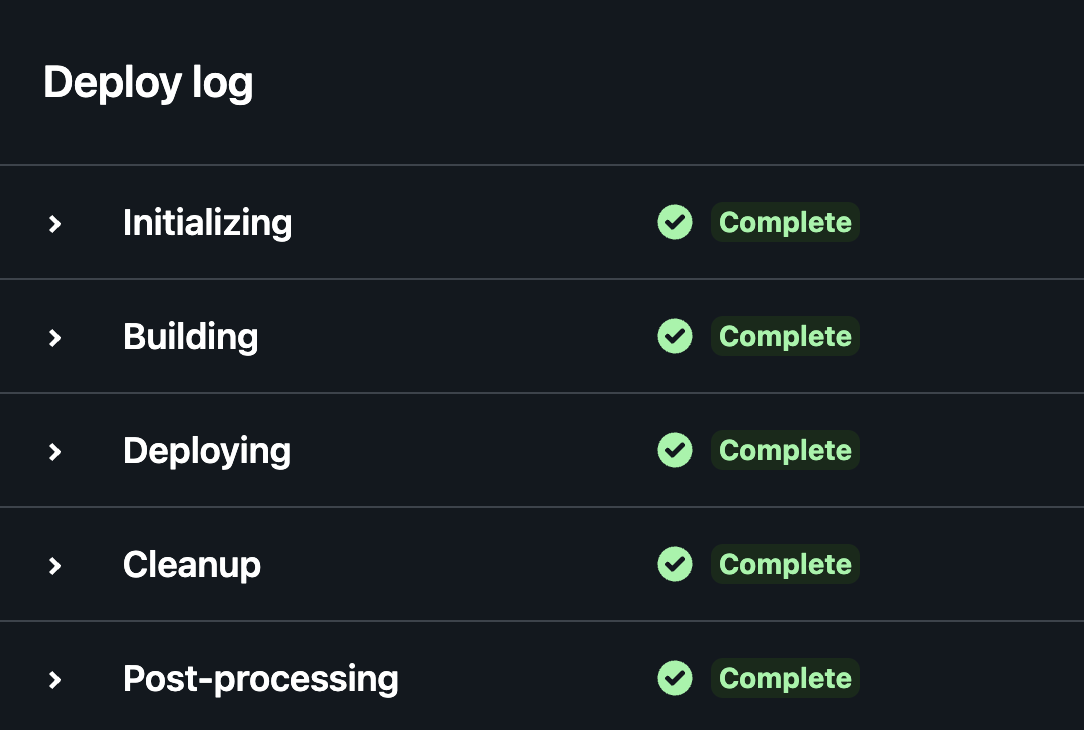
삽질 한 번만에 성공했다 ?
사실은 5번 정도 삽질했는데 기록하기 부끄러운 삽질들이라...

오늘은 모르더라도 내일은 아는 사람