
Splash Screen 적용
Flutter에는 Splash screen을 적용하는 방법으로는 대표적으로 두가지가 있는데
-
수동으로 screen을 만들어서 일정시간동안 보여주고 다음 화면으로 넘기기
-
flutter_native_splash 패키지 사용
간단하게 flutter_native_splash 패키지를 사용할 것이다.
1. 설치
pubspec.yaml 파일에서
dependencies:
  flutter:
    sdk: flutter
  flutter_native_splash: ^2.4.4
패키지를 추가해주거나 해당 프로젝트 터미널에서
$ flutter pub add flutter_native_splash입력하여 flutter_native_splash 패키지를 설치한다.
2. 스플래시 이미지
Splash Screen에 사용할 이미지를 저장한다. 보통 assets/images 폴더에 이미지를 저장하지만 경로가 달라도 상관없음.
3. Splash Screen 관련 설정 추가
여기서도 두가지 방법이 존재한다.
- pubspec.yaml에 필요한 설정만 추가하기
flutter_native_splash:
  color: '#FFFFFF'
  image: 'assets/images/splash.png'
  fullscreen: true
  android: true
ios: true- 프로젝트 루트 폴더에 flutter_native_splash.yaml 파일을 만들어 필요한 부분을 주석 해제하여 사용하는 방법.
4. 설정 적용
이제 커멘드를 입력하면 됨.
- pubspec.yaml로 진행했다면
$ flutter clean
$ flutter pub get
$ flutter pub run flutter_native_splash:create- flutter_native_splash.yaml 파일 추가해서 했다면
$ flutter pub run flutter_native_splash:create --path=./flutter_native_splash.yaml위와 같이 작성하고 splash screen이 정상적으로 적용되었다면 아래와 같은 output이 나오게 된다.
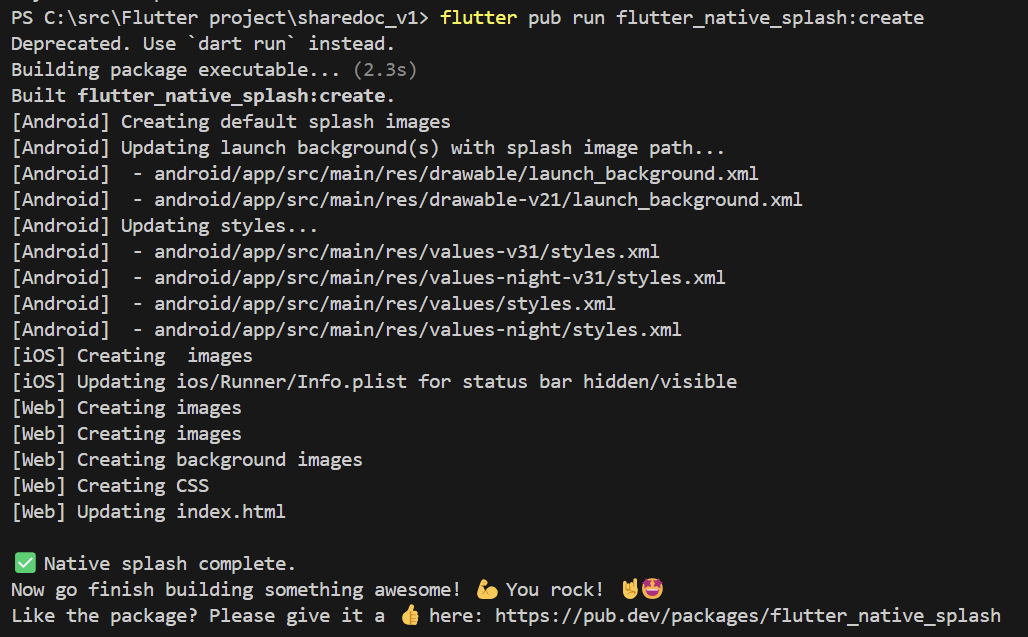
이제 실행하면 정상적으로 splash screen이 뜨게 된다!
5. 수정시 재반영
혹시라도 Splash Screen 이미지를 바꾼다던가 설정을 바꾼 후 다시 적용하려면 위의 command를 다시 입력하면 되는데 혹시라도 안되면 아래 command를 실행하면 된다.
$ flutter pub run flutter_native_splash:remove

$ flutter clean
$ flutter pub get
$ flutter pub run flutter_native_splash:create