
문제상황
//CalendarBody.tsx
              <S.DayWrapperDiv>
                    <S.DateWrapperDiv
                      whileHover={{ scale: 1.1 }}
                      whileTap={{ scale: 1 }}
                    >
                      <S.DateSpan istoday={isToday}>{cellDate}</S.DateSpan>
                      <div>
                        {(props.currentMonth.getMonth() === 11 ||
                          isCurrentMonth ||
                          isPastMonth) && (
                          <S.DateImg
                            src={getEmotion(emotionStatus, weatherStatus)}
                            alt={`Emotion ${emotionStatus}`}
                            rel='preload'
                          />
                        )}
                        {props.currentMonth.getMonth() === 11 ||
                          (isFutureMonth && <S.BlankDiv></S.BlankDiv>)}
                      </div>
                    </S.DateWrapperDiv>
              </S.DayWrapperDiv>


//CalendarBody.styles.tsx

export const DayWrapperDiv = styled.div`
  display: flex;
  flex-direction: column;
`;

export const DateSpan = styled.span<IDateSpanProps>`
  color: ${({ istoday }) => (istoday ? '#391D93' : 'var(--Gray2, #929292);')};
  background-color: ${({ istoday }) => (istoday ? '#CFC0FF' : 'inherit')};

  border-radius: 20px;
  font-size: 15px;
  font-style: normal;
  font-weight: 500;
  line-height: normal;
  margin-bottom: 20px;
  width: 30px;
  &:hover {
    color: white;
  }
`;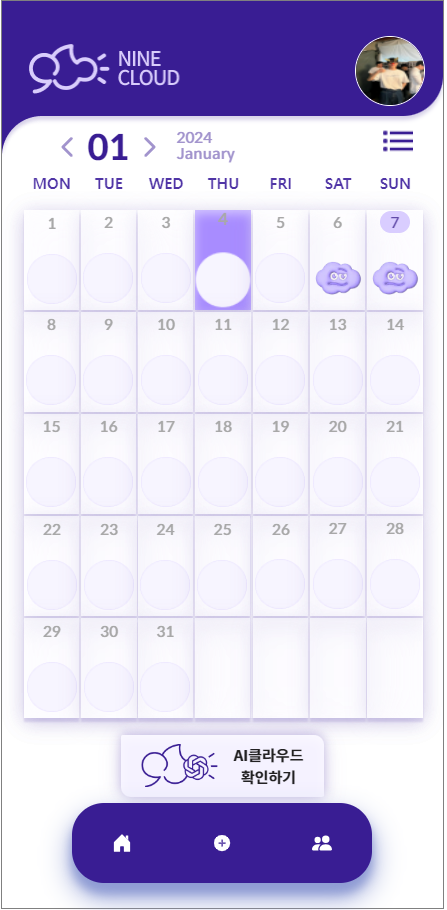
지금 저기 날짜 코드가 S.DateSpan이다.
hover 했을 때 날짜 색깔이 바뀌게끔 코드를 넣었는데
문제가 그 숫자 영역에 마우스를 올려놔야 적용이 됐다.
근데 상식적으로 저기 날짜와 날씨 사진이 있는 박스에 올렸을 때 바뀌는 게 정상적이다.
해결
export const DayWrapperDiv = styled.div`
  display: flex;
  flex-direction: column;
  &:hover ${DateSpan} {
    color: white;
  }
`;
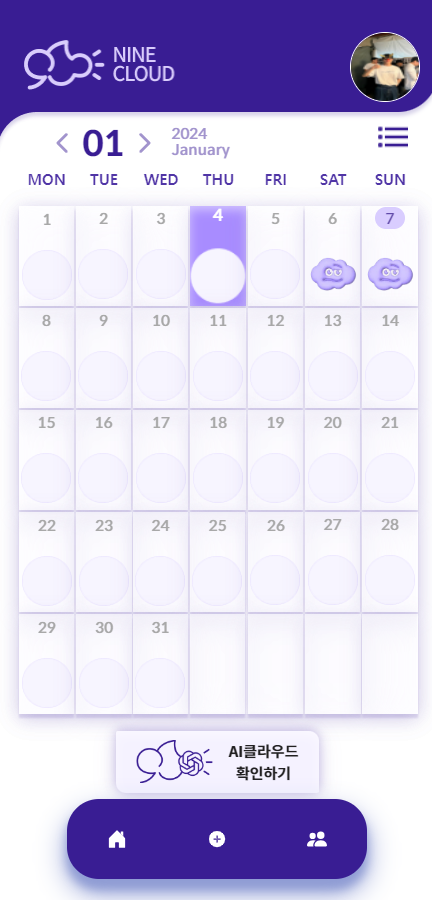
이게 무슨 뜻이냐면 DayWrapperDiv에 마우스를 올렸을 때 DateSpan도 똑같은 스타일이 적용되는 로직이다.
그래서 해결 !
생각보다 간단하네... ?

부딪히고 생각하자