git setting
- git 설치 버전 확인
git --version
git version 2.43.0- 사용자 설정
git config --global user.name "사용자이름"
git config --global user.email "이메일"- github에서 repository 만들기
git 명령어
-
git 경로 폴더 만들기
-
git 저장소 설정 및 초기화
git init- git add
git add .
=> 추적되고 있지 않은 모든 파일을 add . 현재 폴더의 모든 파일을 git으로 관리하겠다는 의미- git status
git status저장소의 상태를 확인.
add가 되어있지 않다면 빨간색, 되어 있다면 초록색
- 커밋하기
git commit -m "커밋메시지"- 리모트
git remote add origin "repository 저장소"

git remote -v
=> 리모트 상태 확인- 푸쉬하기
git push
fateal : The current branch master has no upstream branch.
To push the current branch and set the remote as upstream, use

git push --set-upstream origin master
=>이런 에러사항이 발생하면 위 명령어를 실행하면 됩니다.
 > git push --set-upstream origin master
 Enumerating objects: 3, done.
 Counting objects: 100% (3/3), done.
 Writing objects: 100% (3/3), 212 bytes | 212.00 KiB/s, done.
 Total 3 (delta 0), reused 0 (delta 0), pack-reused 0
 To https://github.com/YeoJiSu/jj
 * [new branch]      master -> master
 Branch 'master' set up to track remote branch 'master' from 'origin'.
+추가
[rejected] main->main(fetch first) Git push 에러 발생시
git push origin +master
git fetch origin master
위에 안될 시
git push origin +main
+추가
> remote: Support for password authentication was removed on August 13, 2021. Please use a personal access token instead.
remote: Please see https://github.blog/2020-12-15-token-authentication-requirements-for-git-operations/ for more information.
fatal: unable to access 'https://github.com/dydwns2441/algorithm.git/': The requested URL returned error: 403
비밀번호 인증 지원은 2021년 8월 13일에 제거. 대신 개인 엑세스 토큰을 사용
mac os에서는 토큰이나 ssh 둘중 하나로 인증을 해야 함.
1. github에서 Settings -> Developer settings 클릭
2. Personal access tokens 클릭
3. Generate new token 클릭
4. token 설정
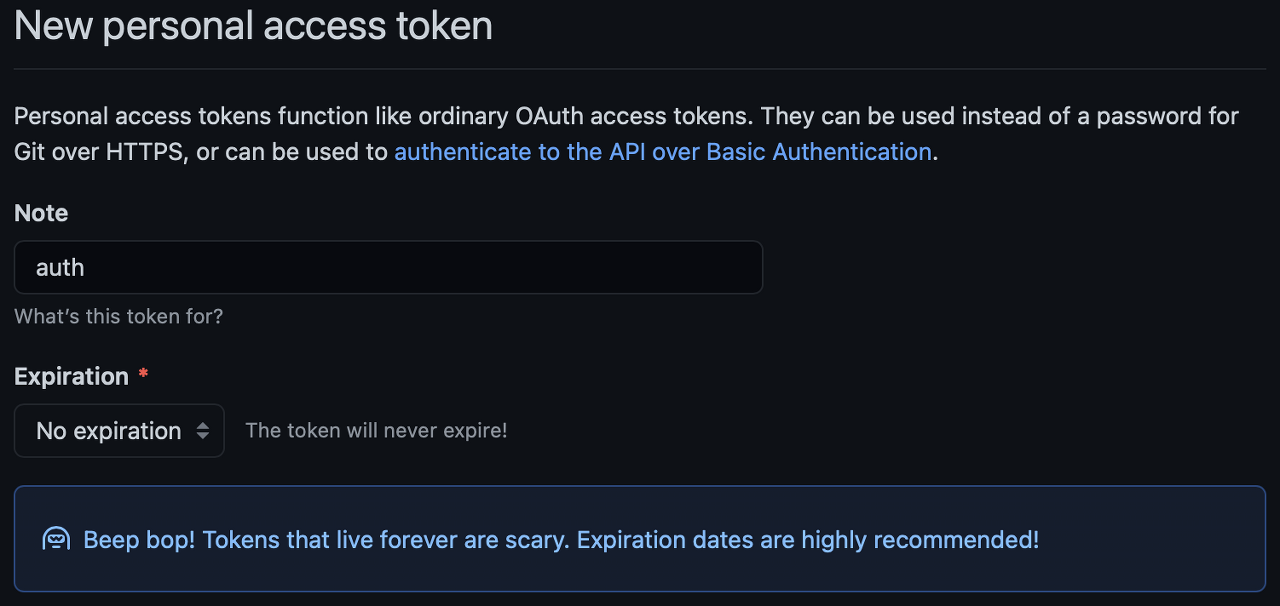
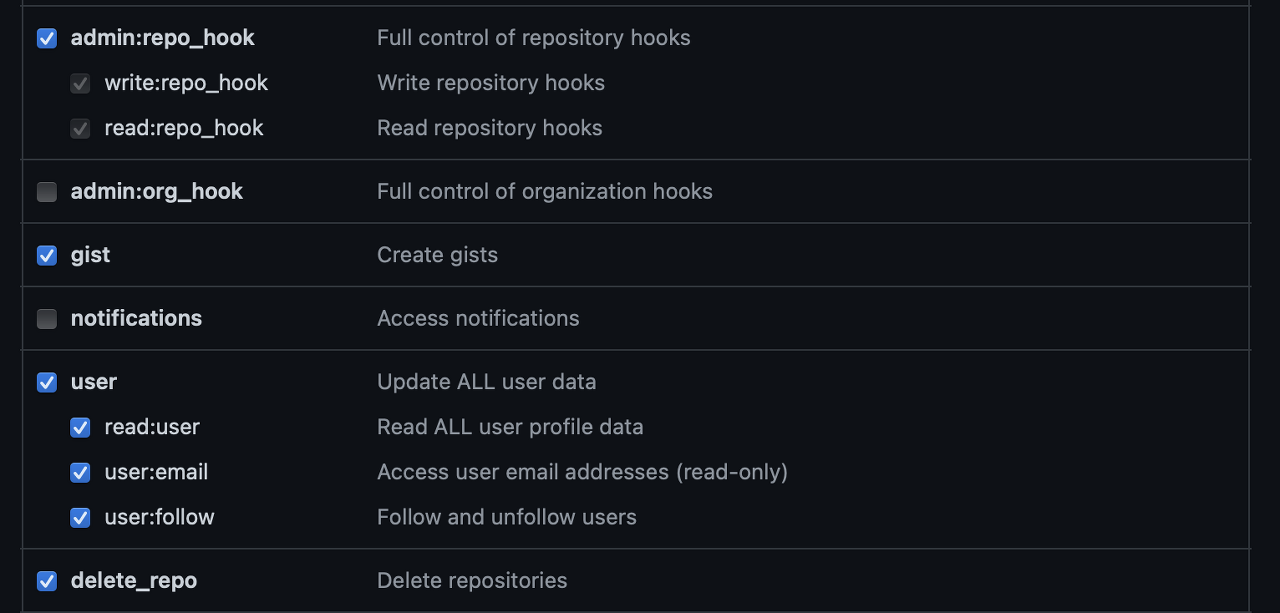
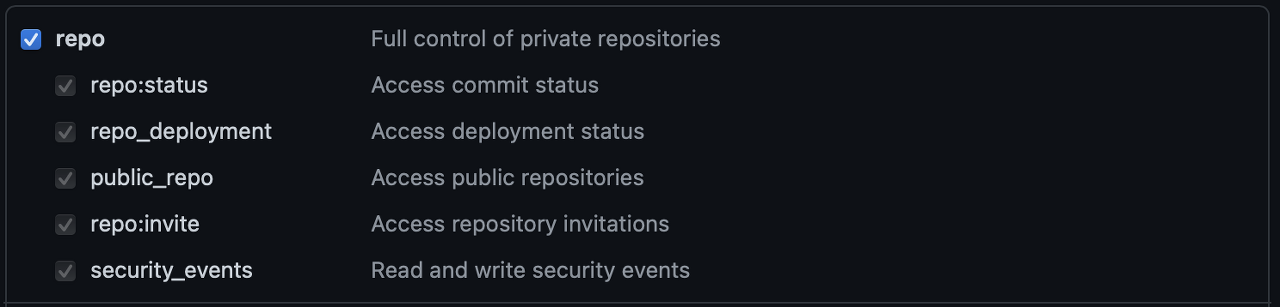
토큰 복사하기.
5. mac KeyChain 삭제
command + space 누르고 keychain 검색 -> 키체인 접근 클릭
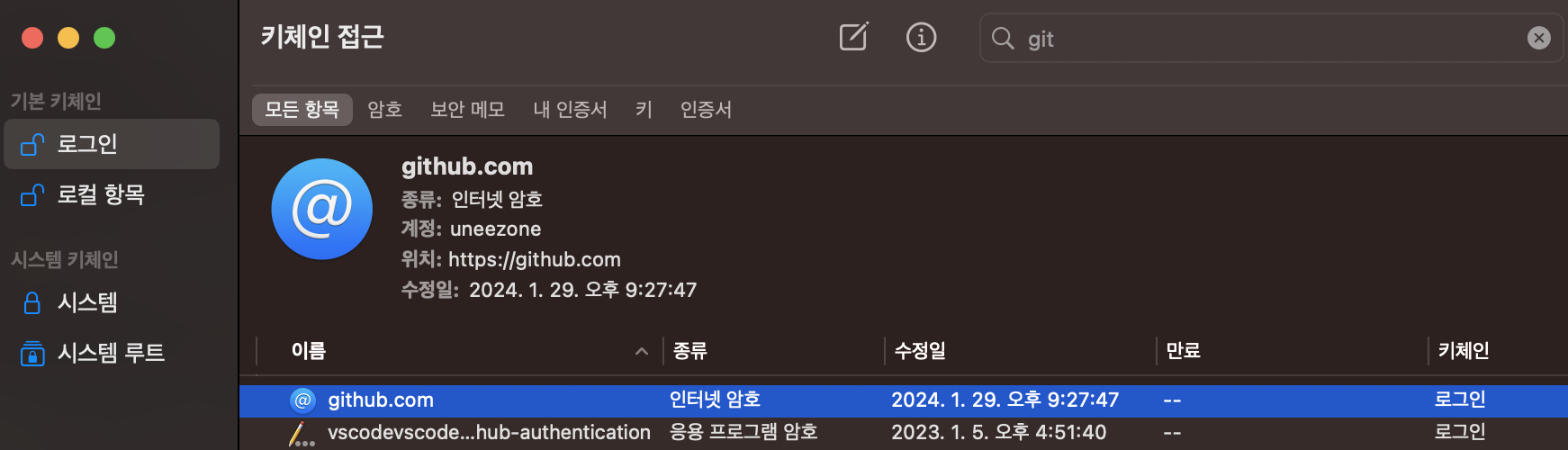
6. 터미널에서 user정보 입력git config --global user.name "사용자이름"
git config --global user.email "사용자이메일"
7. git commit 후 git push 하기Username for https://github.com :
Password for https://github.com/uneezone :
name에서 아이디 작성, password에는 아까 복사했던 Personal access token 입력하기

i'm fine