1. document.createElement
document의 createElement 메소드는 지정된 이름의 HTML요소를 만들어 반환해 준다.

ex) document.createElement('div')'
    document.createElement('p')
    document.createElement('a')
2. appendChild
appendChild 메소드는 DOM 내 개밸 요소('노드'라고도 함)에 자식 요소를 추가할 때 사용하는 메소드이다.

ex) const p = document.createElement("p")
	document.body.appendChild(p)
3. appendChild vs append
• appendChild의 경우 추가한 자식 노드를 반환하지만, append는 반환 데이터가 없다

  → console.log(target.appendChild)는 결과값이 나오지만
    console.log(target.append)는 undefined가 출력된다.


• append를 이용하면 요소에 노드 객체 또는 문자열을 자식 요소로 추가할 수 있지만,
  appendChild는 노드 객체만을 추가할 수 있다.
4. 실습
1) html 코드
<!DOCTYPE html>
<html lang="en">
    <head>
        <meta charset="UTF-8">
        <meta http-equiv="X-UA-Compatible" content="IE-edge">
        <meta name="viewport" content="width=device-width, initial-scale=1.0">
        <title>자바스크립트 실습</title>
    </head>
    <body>
        <button id="push">버튼1</button>
        <div id="area"></div>
        <script src="script.js"></script>
    </body>
</html>
2) js 코드
const button = document.getElementById("push")
const div = document.getElementById("area")

button.addEventListener('click', function(){
    console.log("div 생성 중")
    const newDiv = document.createElement("div")

    newDiv.style.backgroundColor = "red"
    newDiv.style.width = "200px"
    newDiv.style.height = "200px"

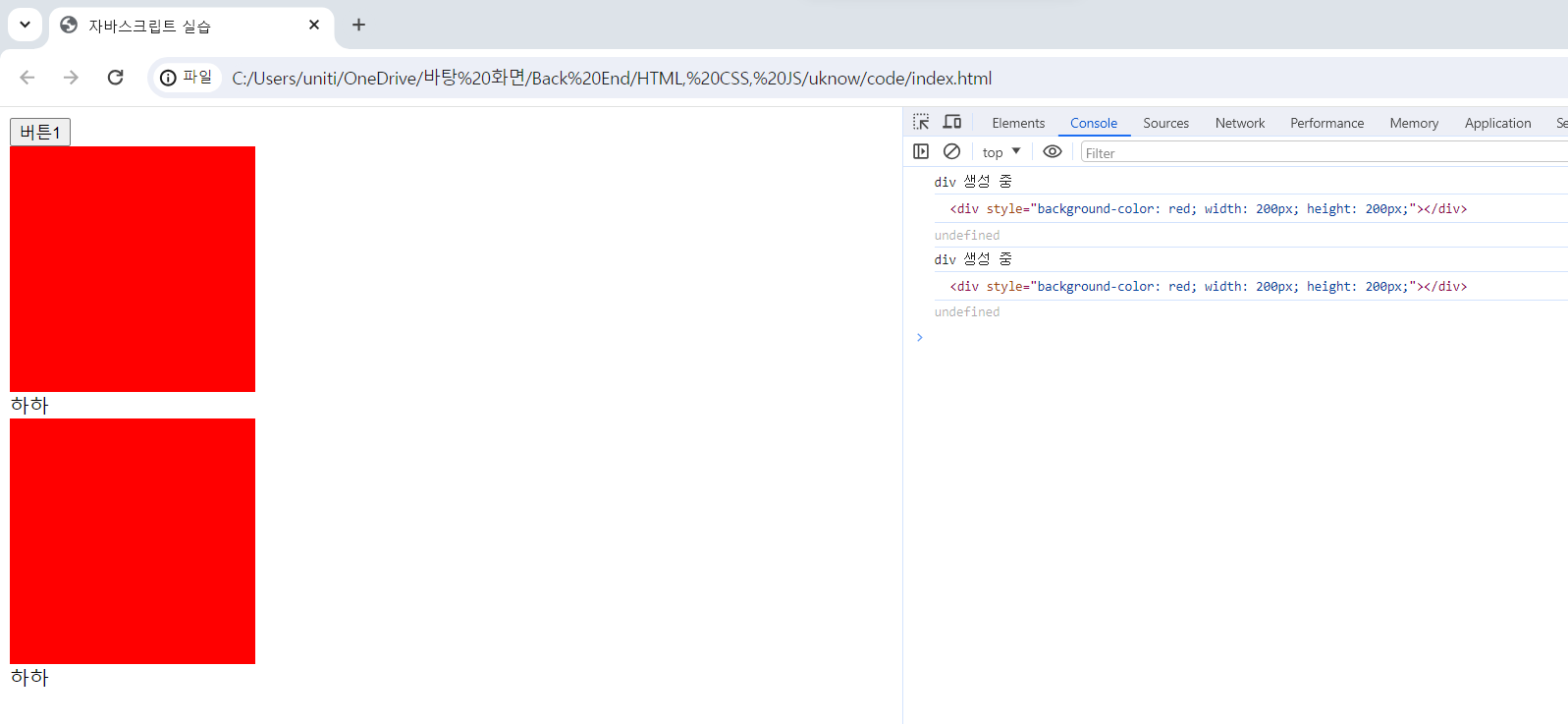
    console.log(div.appendChild(newDiv))
    console.log(div.append("하하"))
})
3) 결과

블로그 이전했습니다 -> https://young-code.tistory.com