Complete Password Security Guide
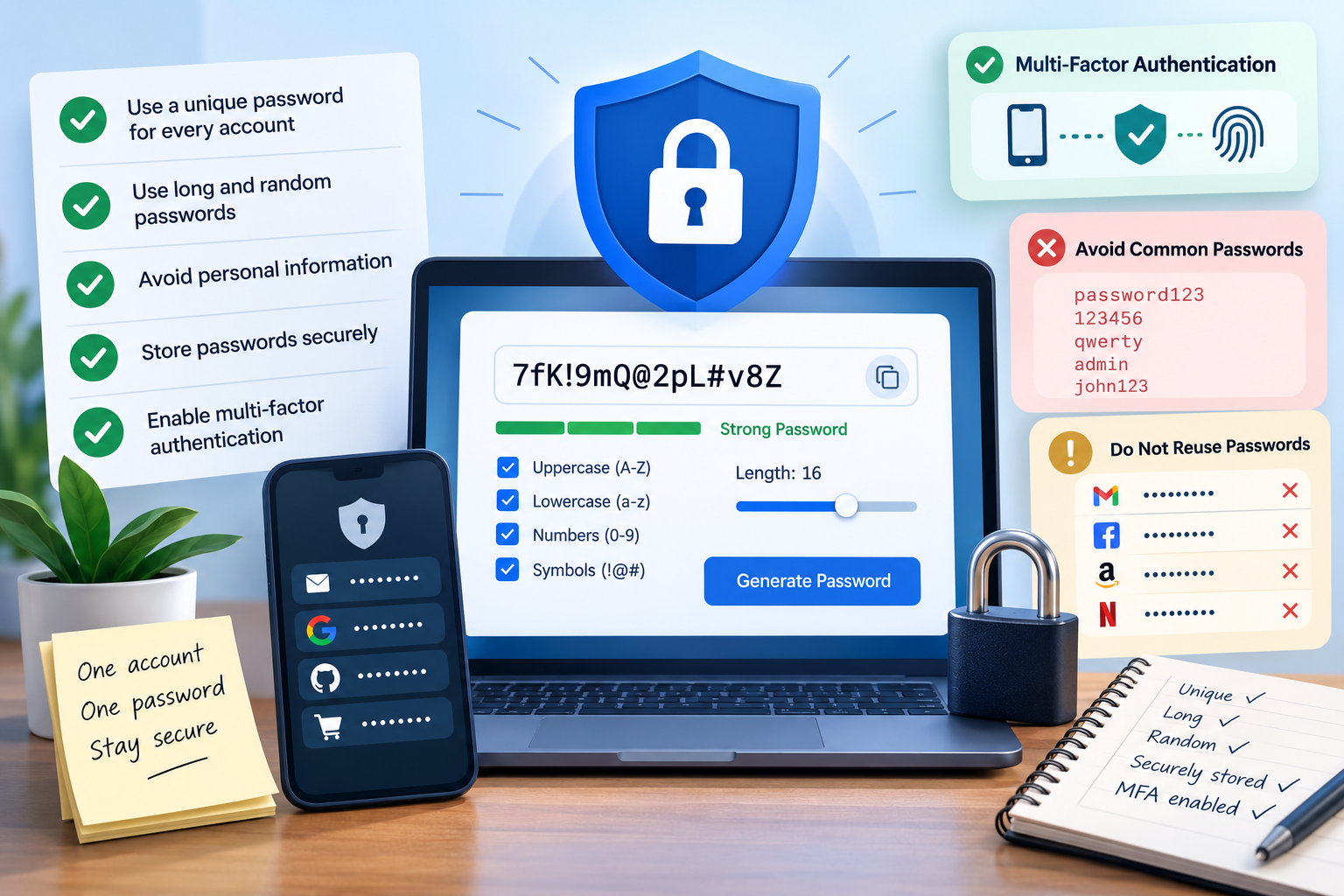
Password Security: How to Create, Store, and Manage Strong Passwords
Passwords protect access to email, social media, shopping accounts, cloud services, business platforms, and many other online accounts. A weak or reused password can put more than one account at risk, especially when the same credentials are used across different websites.
Effective password security is not simply about adding a number or symbol to a familiar word. It involves creating unique credentials, using sufficient length, avoiding predictable information, storing passwords securely, and using additional authentication where available.
What Makes a Password Strong?
A strong password should be difficult to guess and should not be based on information that another person could easily associate with you.
Passwords such as john123, password1, or Summer2026! may contain several characters, but their patterns can still be predictable.
Important characteristics include:
- Sufficient length
- Unpredictable content
- Uniqueness
- No easily available personal information
- No common or previously compromised password
NIST's current password guidance emphasizes allowing long passwords and screening new passwords against commonly used and compromised credentials rather than relying solely on rigid character-composition rules.
Why Password Length Matters
Longer passwords generally provide a larger search space than shorter passwords. This becomes particularly important when passwords are generated randomly.
For example, increasing the length of a randomly generated password can substantially increase the number of possible combinations an attacker would need to consider.
NIST recommends that services allow user-created passwords of at least 64 characters rather than imposing unnecessarily short maximum limits.
This does not mean every account needs a 64-character password. It means users should not be prevented from choosing a long password or passphrase when a service supports it.
Why You Should Use a Unique Password for Every Account
Password reuse creates one of the biggest practical risks in account security.
Consider someone who uses the same password for an email account, an online store, and a work application. If that password is exposed through one service, an attacker may attempt to use the same credentials against the other accounts.
Using a unique password for each account limits this type of credential reuse.
If one password is compromised, the other accounts are not automatically protected by the same credential—but they are also not automatically exposed by it.
How Random Passwords Reduce Predictability
People tend to create passwords from information that is easy for them to remember. This can include names, dates, familiar words, keyboard patterns, and variations of previous passwords.
These patterns can make passwords easier to guess.
Randomly generated passwords avoid relying on personal information or familiar words. Instead, characters are selected according to defined generation rules.
A password generator can be useful when creating a new account because it can produce a password without requiring the user to invent another combination manually.
This is particularly useful when different passwords are required for multiple accounts.
Should a Password Contain Numbers and Symbols?
Many websites historically required passwords to contain uppercase letters, lowercase letters, numbers, and special characters.
Although these requirements can increase the available character set, they do not automatically make a password unpredictable.
For example:
Password1!
contains uppercase letters, lowercase letters, a number, and a symbol, but it remains a predictable variation of a common word.
NIST recommends against unnecessarily rigid composition rules because users can respond by making predictable modifications.
For randomly generated passwords, however, including multiple character types can increase the range of possible combinations.
Avoid Common and Compromised Passwords
A password should not simply meet a website's minimum length requirement. It should also avoid passwords that are already widely known or have appeared in previous data breaches.
Common examples include:
- Frequently used passwords
- Simple sequences
- Repeated characters
- Common dictionary words
- Passwords based on usernames
- Previously compromised credentials
A website can reduce this risk by checking new passwords against a blocklist of commonly used or compromised passwords.
Users should also avoid selecting passwords that they have already used on another service.
Avoid Personal Information in Passwords
Personal information can make a password easier to predict.
Avoid using information such as:
- Your name
- Username
- Birthday
- Phone number
- Address
- Family member names
- Pet names
- Company name
- Favorite team
- Easily identifiable dates
This information may be available through social media, public profiles, company websites, or other sources.
A random password does not depend on these details, which removes one common source of predictability.
Why Changing One Character Is Not a New Password
A common habit is to make small changes to an existing password.
For example:
Winter2025!
might become:
Winter2026!
or:
Winter2025@
Although the password has technically changed, most of its structure remains the same.
If the previous password was exposed, predictable variations may also be easier to guess.
When a password needs to be replaced because of a security incident, create a genuinely different password rather than modifying the old one.
When Should You Change a Password?
A password should be changed when there is a specific reason to believe that it may no longer be secure.
Examples include:
- A service reports a data breach.
- You receive a notification that your credentials were exposed.
- You accidentally shared the password.
- Someone else may have obtained access to your account.
- The same password was used on a compromised service.
- You notice suspicious activity on the account.
Changing passwords automatically every few months is different from changing them after a known security problem. Current NIST guidance does not recommend arbitrary periodic password changes without evidence of compromise.
Password Managers
Unique passwords are difficult to remember when you have many accounts.
A password manager can store different credentials for different websites so that users do not have to memorize every password individually.
A password manager can also help generate and fill unique passwords, depending on the product.
The password protecting the password manager itself is especially important because it protects access to the stored credentials.
Users should also enable additional authentication for the password manager when that option is available.
Password Generator vs. Password Manager
These tools perform different functions.
A password generator creates passwords.
A password manager stores and manages passwords.
A generator is useful when you need a new random password. A manager is useful when you need to securely keep track of many different passwords.
They can be used together. A random password can be generated first and then saved in a password manager for future use.
What to Look for in a Password Generator
A useful password generator should provide enough control to create passwords that meet the requirements of the account being protected.
Useful options may include:
- Password length
- Uppercase letters
- Lowercase letters
- Numbers
- Symbols
- Multiple password results
- Unique-result options
- Copy functionality
The most important consideration is that the generated results should be unpredictable rather than based on a fixed sequence or obvious pattern.
Users should also avoid entering sensitive existing passwords into random websites simply to test their strength.
Password Storage
Passwords should not be stored in plain-text files, unprotected notes, or easily accessible documents.
A password manager can provide a dedicated place for storing credentials, while browser-based password storage can also be useful when configured securely.
The goal is to avoid situations where someone who gains access to a device or file can immediately read every stored password.
Multi-Factor Authentication
A strong password is only one part of account protection.
Multi-factor authentication adds another verification step after the password. Depending on the service, this may involve an authenticator application, security key, or another authentication method.
This means that knowing the password alone may not be enough to access the account.
MFA is particularly useful for important accounts such as email, financial services, work systems, and password managers when supported.
What to Do If a Password Is Compromised
If you discover that a password has been exposed, change it promptly.
Do not simply add a different number or symbol to the old password. Generate or create a completely different credential.
If the compromised password was reused on other websites, change those accounts as well.
After changing the password, review the account's security settings and active sessions if those controls are available. Enable MFA where possible.
Password Security Checklist
For everyday account security:
- Use a unique password for every important account.
- Choose sufficiently long passwords.
- Avoid predictable personal information.
- Do not reuse compromised passwords.
- Avoid simple variations of old passwords.
- Use random generation when appropriate.
- Store passwords securely.
- Consider using a password manager.
- Enable MFA where available.
- Change passwords when there is evidence of compromise.
- Do not share passwords through insecure channels.
- Avoid storing passwords in unprotected documents.
Common Password Security Mistakes
Several password practices repeatedly create unnecessary risk.
Reusing One Password Everywhere
If one credential is exposed, multiple accounts can become targets.
Using Short, Predictable Passwords
A short password based on a common word or personal information can be easier to guess.
Using the Same Base Password With Small Changes
Changing only the final number or symbol does not remove the underlying pattern.
Sharing Passwords
Passwords should not be casually shared through messages, email, or other communication channels.
Ignoring Security Alerts
A warning about suspicious activity or exposed credentials should not be ignored. Review the account and change the affected password when necessary.
Using a Compromised Password Again
A password that has already appeared in a breach should not be reused, even if it is long or contains special characters.
Password Security for Multiple Accounts
Managing passwords becomes more difficult as the number of online accounts increases.
For a small number of accounts, users may be able to manage unique passwords with a secure password manager. For larger collections of accounts, generating random credentials and storing them in a password manager can reduce the temptation to reuse passwords.
The basic principle remains the same: one account should not depend on the same password used somewhere else.
Creating a Strong Password: A Practical Approach
When creating a new password:
- Check the website's password requirements.
- Choose a sufficiently long password.
- Avoid names, dates, and common words.
- Do not reuse an existing password.
- Generate a random password when appropriate.
- Save the new credential securely.
- Enable MFA if the service supports it.
This approach avoids many of the common problems associated with manually creating and repeatedly reusing passwords.
