🪁사용자 지정 속성 [CSS Variable]
CSS에서 변수처럼 값을 저장해서 재사용할 수 있는 기능❗
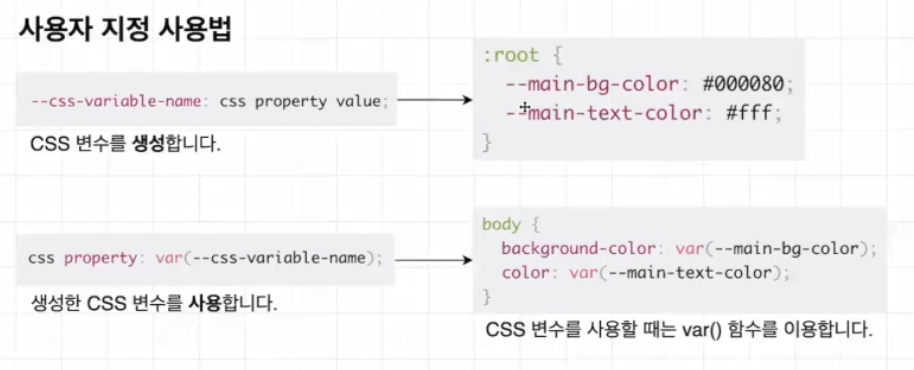
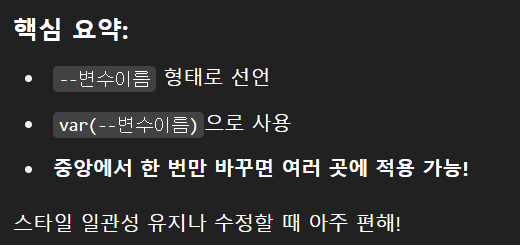
ex ) 웹사이트 여러 곳에서 같은 색 쓰고 있을 때 이 색을 한 번에 바꿀 수 있음
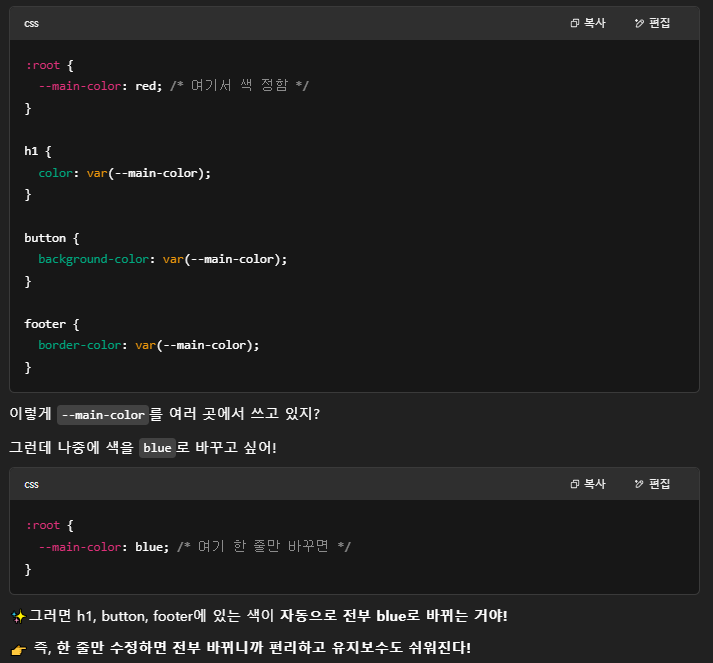
⚡다크모드 처리할 때도 좋음
🐱💻Dark Mode
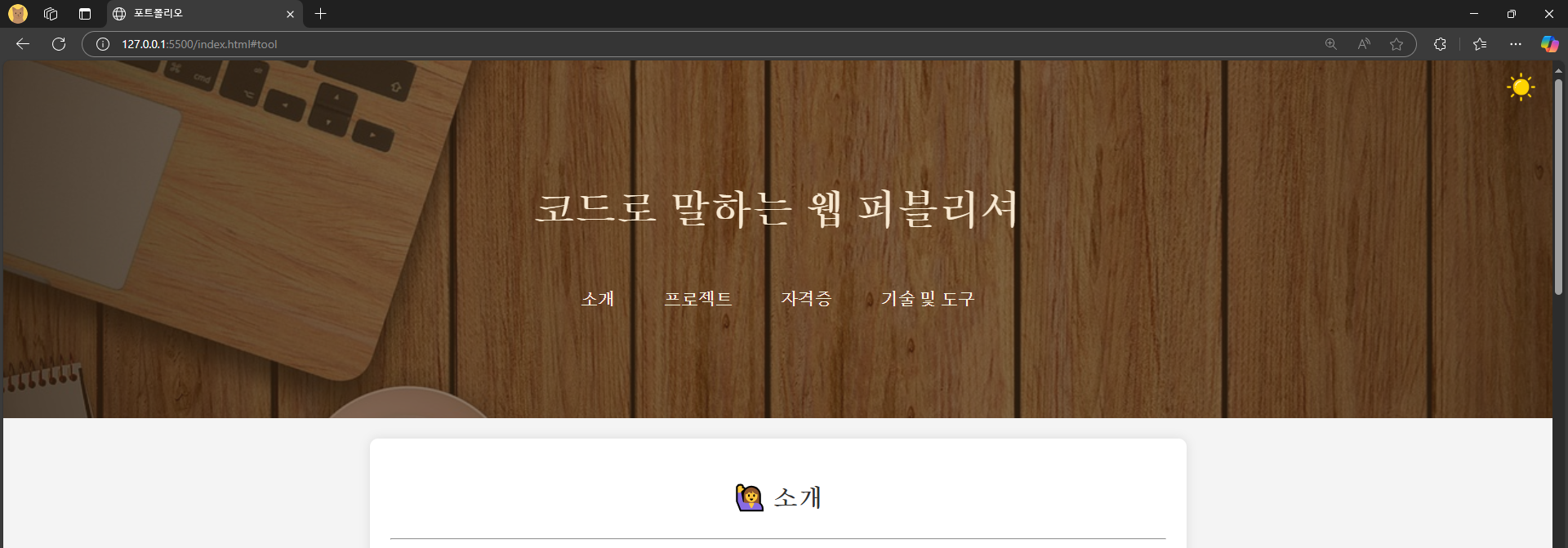
⬇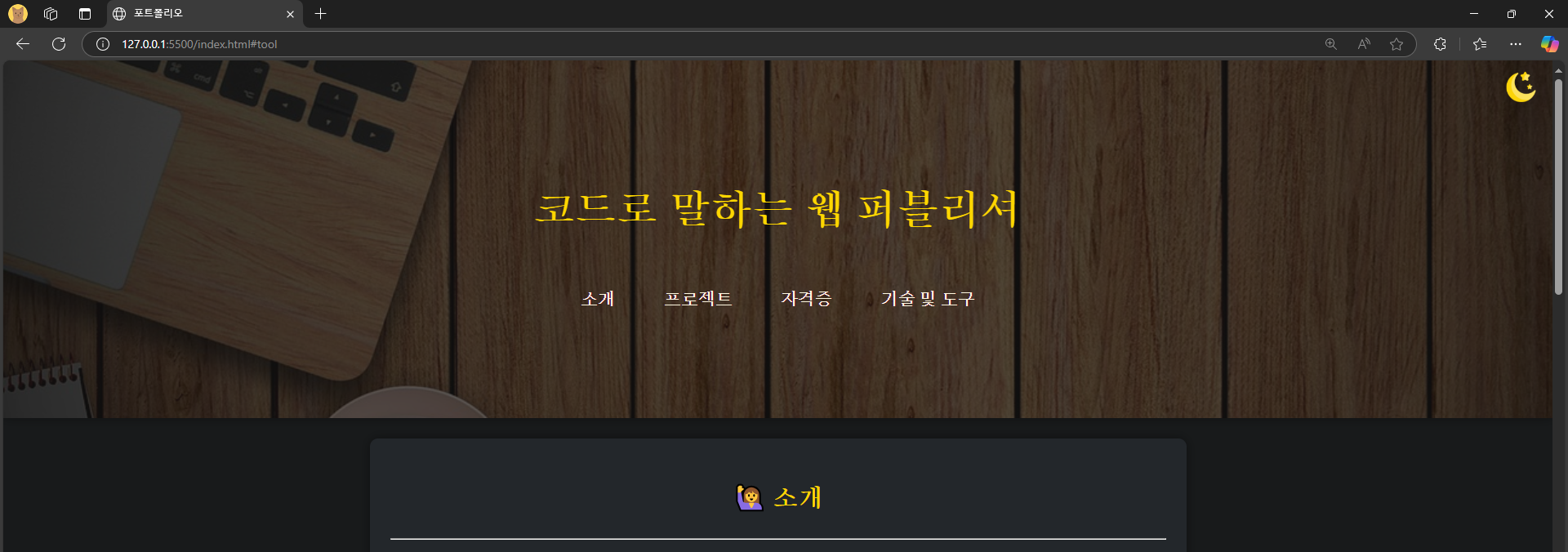
오른쪽 상단에 해 이모지 버튼 클릭하면 다크 모드로 토글됨
👀코드 훑어보기
<!-- 헤더 영역 시작 -->
<header class="header">
    <h1>
        코드로 말하는 웹 퍼블리셔

        <!-- 다크모드 토글 버튼 (오른쪽 상단 고정) -->
        <button
            id="darkModeToggle"  <!-- JS에서 찾기 위해 ID 설정 -->
            aria-label="다크모드 토글"  <!-- 접근성 위한 라벨 -->
            style="position: fixed; top: 10px; right: 10px;
                   background-color: transparent; border: none;"
        >
            <!-- 다크모드용 달 아이콘 (처음엔 숨김) -->
            <img
                src="./img/moon.png"
                id="moonIcon"
                style="display:none; width: 30px; border: none;
                       background-color: transparent;"
                alt="다크모드"
            />
            <!-- 라이트모드용 해 아이콘 (처음에 보임) -->
            <img
                src="./img/sun.png"
                id="sunIcon"
                style="display:inline; width: 30px;"
                alt="라이트모드"
            />
        </button>
    </h1>
</header>

<script>
  // 문서가 모두 로드되면 실행
  document.addEventListener('DOMContentLoaded', () => {
      const toggleBtn = document.getElementById('darkModeToggle'); // 버튼 가져오기
      const moonIcon = document.getElementById('moonIcon'); // 달 아이콘
      const sunIcon = document.getElementById('sunIcon'); // 해 아이콘

      const darkMode = localStorage.getItem('darkMode'); // 저장된 다크모드 상태 확인

      if (darkMode === 'enabled') { // 다크모드가 저장돼 있으면
          document.body.classList.add('dark-mode'); // 다크모드 클래스 적용
          moonIcon.style.display = 'inline'; // 달 아이콘 보이기
          sunIcon.style.display = 'none'; // 해 아이콘 숨기기
      }

      // 버튼 클릭 시 실행
      toggleBtn.addEventListener('click', () => {
          document.body.classList.toggle('dark-mode'); // 다크모드 클래스 토글

          // 다크모드 켜졌을 때
          if (document.body.classList.contains('dark-mode')) {
              localStorage.setItem('darkMode', 'enabled'); // 상태 저장
              moonIcon.style.display = 'inline'; // 달 아이콘 보이기
              sunIcon.style.display = 'none'; // 해 아이콘 숨기기
          } else {
              // 라이트모드로 변경됐을 때
              localStorage.setItem('darkMode', null); // 상태 초기화
              moonIcon.style.display = 'none'; // 달 아이콘 숨기기
              sunIcon.style.display = 'inline'; // 해 아이콘 보이기
          }
      });
  });
</script>
/* 다크모드 전체 배경과 기본 글자색 */
body.dark-mode {
background-color: #181a1b; /* 어두운 배경 */
color: #e0e0e0; /* 밝은 글자색 */
}
/* 여러 주요 요소들 배경/글자/그림자 설정 */
body.dark-mode .container,
body.dark-mode header,
body.dark-mode .about,
body.dark-mode .projects,
body.dark-mode .tool,
body.dark-mode .modal-content,
body.dark-mode .video-container,
body.dark-mode .footer {
background-color: #23272b !important; /* 짙은 회색 배경 */
color: #e0e0e0 !important; /* 글자색 */
box-shadow: 0 0 10px rgba(0, 0, 0, 0.4) !important; /* 그림자 */
}
/* 헤더 배경 어둡게 */
body.dark-mode header::before {
background-color: rgba(20, 20, 20, 0.7) !important;
}
/* 제목 및 강조 색상 노란색 */
body.dark-mode header h1,
body.dark-mode section h2,
body.dark-mode .about h2,
body.dark-mode .code-title,
body.dark-mode .code-title2,
body.dark-mode .tool th,
body.dark-mode .carousel-control {
color: #ffd700 !important; /* 강조 텍스트 색상 */
}
/* 표 내용 셀 배경색 */
body.dark-mode .tool td {
background-color: #181a1b;
}
/* 표 제목 셀 배경색 */
body.dark-mode .tool th {
background-color: #23272b;
}
/* 네비게이션 링크 기본 색상 */
body.dark-mode header nav ul li a {
color: #fff8e1 !important; /* 밝은 크림색 */
}
/* 네비게이션 링크 호버 시 */
body.dark-mode header nav ul li a:hover {
background-color: rgba(255, 255, 255, 0.15) !important; /* 배경 하이라이트 */
color: #ffd700 !important; /* 노란 텍스트 */
}
/* 짝수 행 배경 어둡게 */
body.dark-mode .tool tr:nth-child(even) {
background-color: #333 !important;
}
/* 모달창 배경 그라데이션, 글자 강조 */
body.dark-mode .open-modal {
background: linear-gradient(135deg, #23272b, #444) !important;
color: #ffd700 !important;
}🧿SVG [Scalable Vector Graphics]
🔬확대해도 깨지지 않는 이미지 포맷 ( 벡터 기반 )
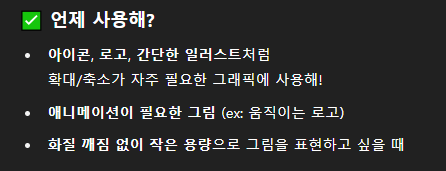
👍장점
- svg 이미지는 텍스트 에디터에서 작성하고 바로 수정 가능
- XML 포맷으로 파일이 작성되므로 JS나 CSS로 조작 가능
- 크기에 관계없이 항상 같은 해상도 유지
- svg 파일은 텍스트를 디자인이 아닌 텍스트로 취급하기 때문에
스크린 리더는 svg 이미지에 포함된 모든 단어를 스캔 가능
👉 웹 페이지 읽는 데 도움 필요한 사람들에게 유용
👉 검색 엔진은 svg 이미지 텍스트를 읽고 색인 생성 가능
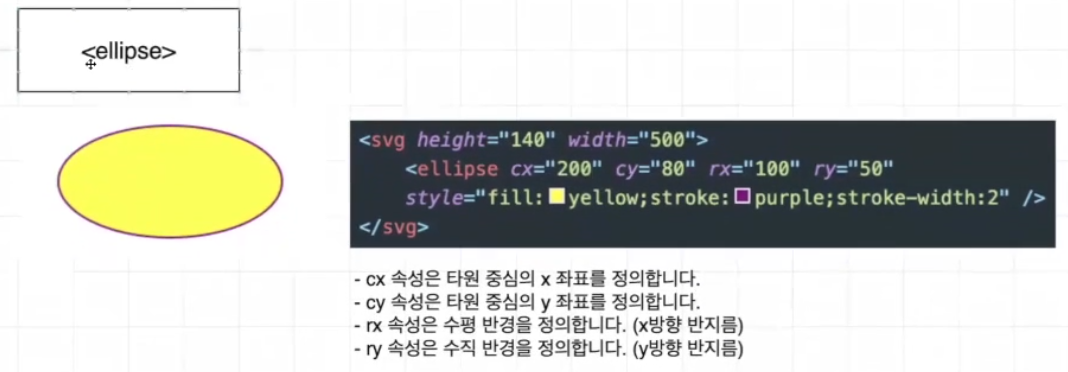
1️⃣ HTML 안에 직접 SVG 그리기
<!-- 파란 동그라미 -->
<svg width="100" height="100">
  <circle cx="50" cy="50" r="40" fill="skyblue" />
</svg>
2️⃣ 외부 파일로 SVG 사용하기 (예: logo.svg)
<!-- img 태그로 불러오기 -->
<img src="logo.svg" alt="로고 이미지" width="100" height="100" />
3️⃣ SVG를 CSS 배경으로 사용
<!DOCTYPE html>
<html lang="ko">
<head>
  <meta charset="UTF-8" />
  <style>
    .icon {
      width: 100px;
      height: 100px;
      background-image: url('icon.svg');
      background-size: contain;
      background-repeat: no-repeat;
    }
  </style>
</head>

<body>
  <div class="icon"></div>
</body>
</html>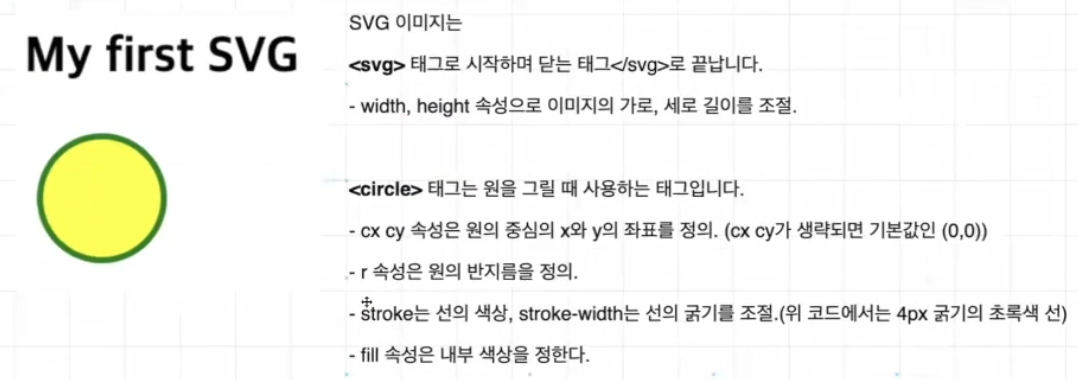
안녕하세요! 퍼블리싱 & 프론트엔드 개발 공부 블로그 입니다!