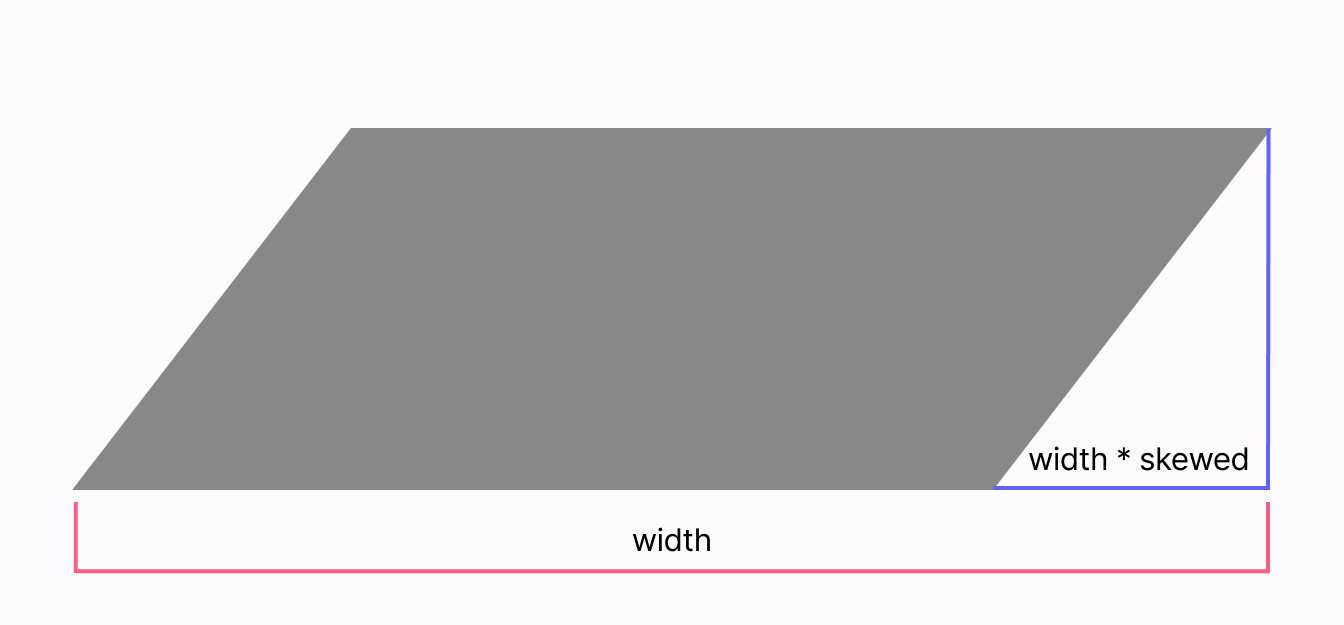
평행사변형
skewed 라는 기울어진 정도를 입력받는다.
skewed가 0.2f면 전체 width의 0.2배 만큼이 기울어진다는 의미이다.
모서리 둥글게
끝부분에서 원을 그리면 된다.
자연스럽게 이어지려면 원과 평행사변형과의 접점을 알아야 한다.
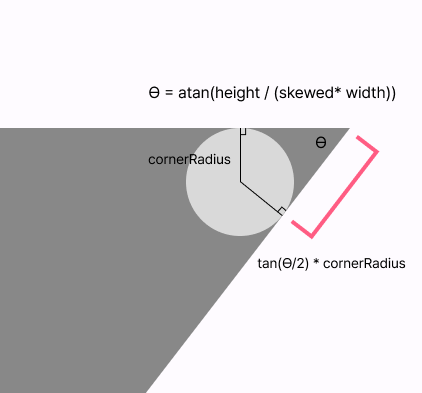
일단 atan을 이용해서 평행사변형의 각도를 구한다.
그리고 이 각도를 이용해서 어느 좌표에서부터 어느 좌표까지 몇 도를 회전할 것인지를 계산할 수 있다.
atan, atan2
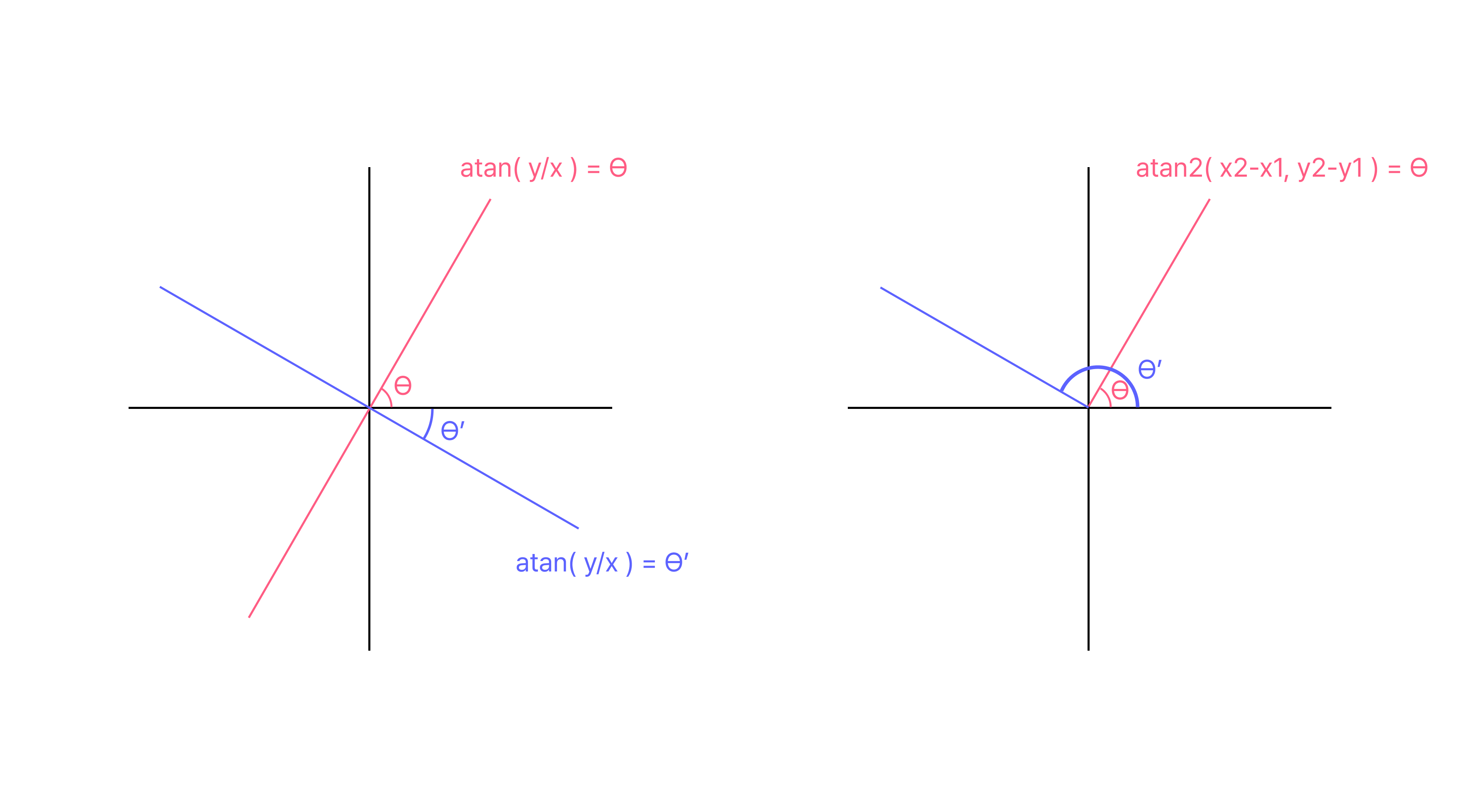
두 점을 이용해서 각도를 구하는 메서드는 두 가지가 있다.
atan은 기울기를 이용해서 각도를 구하는 메서드로 -90도 ~ 90도까지의 값을 리턴한다.
atan2는 두 점의 상대적인 위치를 통해 각도를 구하는 메서드로 -180도 ~ 180도까지의 값을 리턴한다.
나는 여기서 평행사변형의 예각을 구하고 싶었기에 atan을 사용했다.
arcTo
특정 각도만큼 호를 그려주는 메서드이다
arcTo(
	rect = Rect(
		offset = Offset(
			width - topEnd.toPx(size, density) / halfTan
            - topEnd.toPx( size, density), 0f
		),
		size = Size(topEnd.toPx(size, density) * 2, topEnd.toPx(size, density) * 2)
	),
	startAngleDegrees = 270f,
	sweepAngleDegrees = 180f - topRightAngleDegree.toFloat(),
	forceMoveTo = false
)
베지어 곡선
출처 : 위키백과
| 2차 베지어 곡선 | 3차 베지어 곡선 |
|---|---|
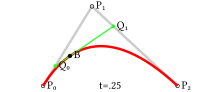 | 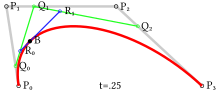 |
부드러운 곡선을 그리는데 사용하는 방식으로 n개의 점이 주어지면 위와 같이 각 점을 잇는 선분 위에 움직이는 점들간의 선분 위에 움직이는 점들간의 선분... 위에 움직이는 점의 궤도를 그린 곡선이 베지어 곡선이다.
compose에서는 2차 베지어 곡선으로 quadaricBeizer, 3차 베지어 곡선으로 cubicTo를 지원한다.
quadaricBeizer
원의 두 접점 위치와 뾰족할 때의 꼭짓점의 위치를 제공하였다.
quadraticBezierTo(
	x1 = width,
	y1 = 0f,
	x2 = width - halfTan * topEnd.toPx(size, density) * cos(topRightAngle),
	y2 =  halfTan * topEnd.toPx(size, density) * sin(topRightAngle),
)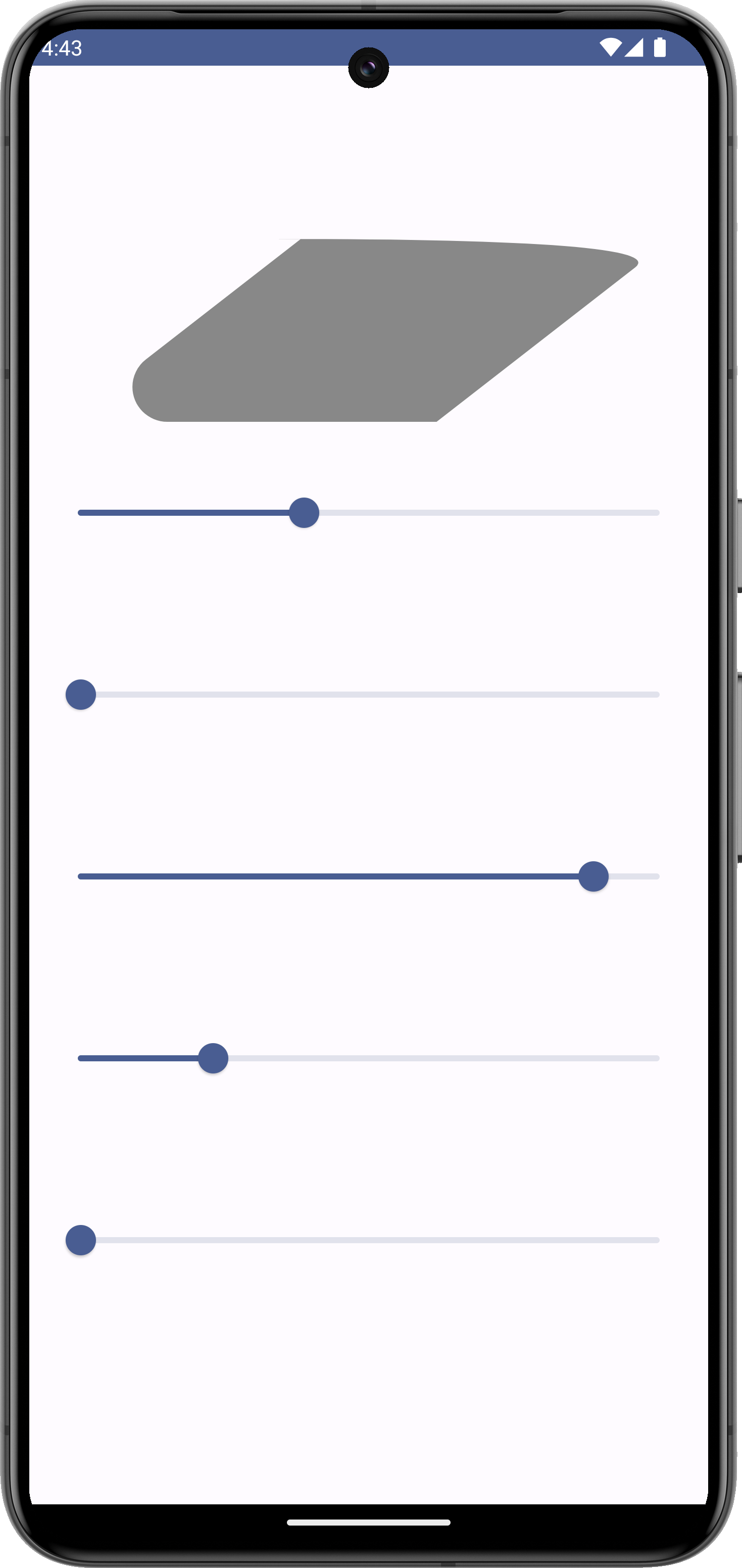
그러나 평행사변형에서는 좀 이상하게 보여서 arcTo를 사용하기로 했다.
cubicTo는 찍을 만한 포인트가 4개가 아니라 생략
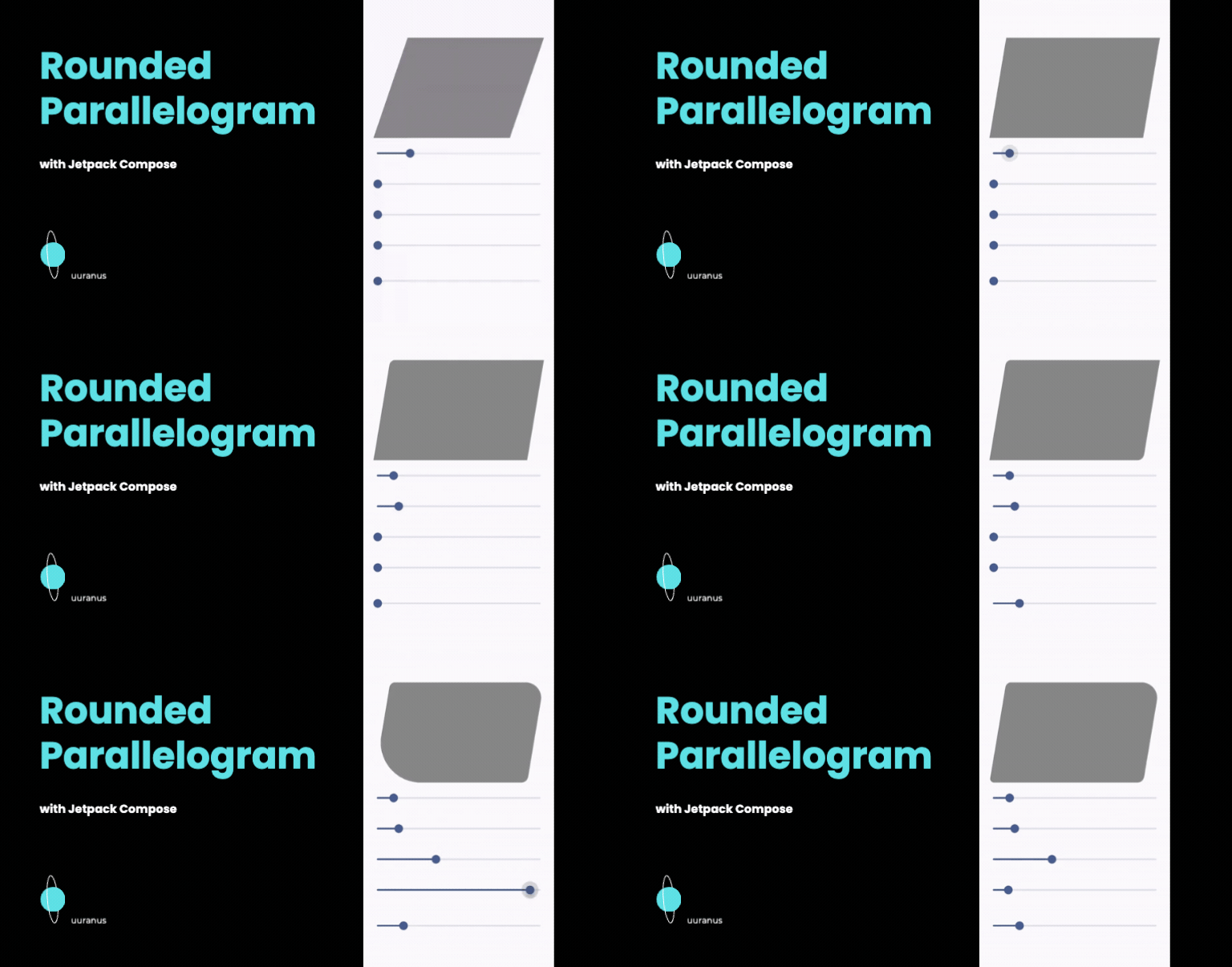
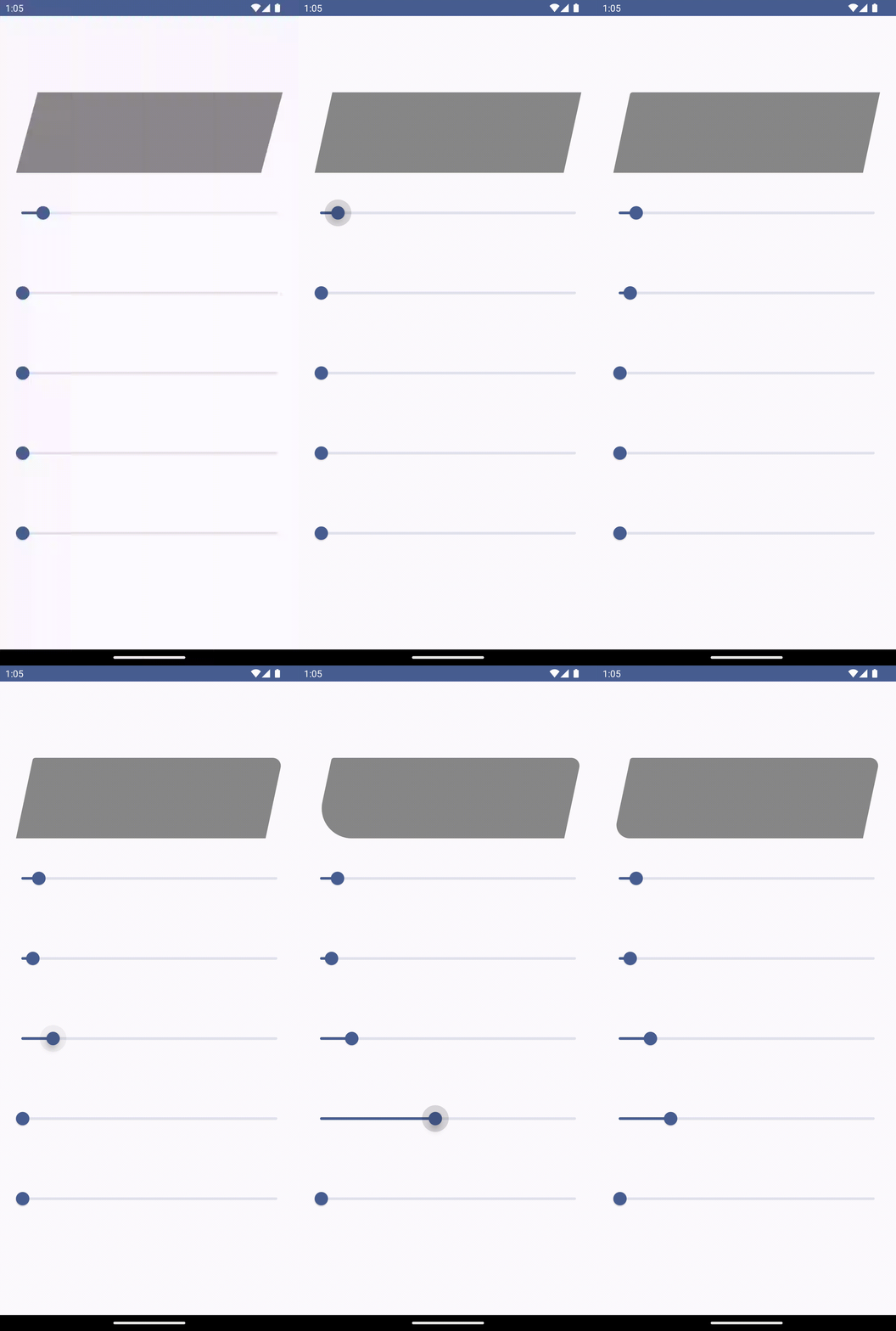
결과물
전체 코드
class RoundedParallelogramShape(
    private val skewed: Float = 0.2f,
    private val topStart: CornerSize,
    private val topEnd: CornerSize,
    private val bottomEnd: CornerSize,
    private val bottomStart: CornerSize,
) : Shape {
    override fun createOutline(
        size: Size,
        layoutDirection: LayoutDirection,
        density: Density,
    ): Outline {
        val path = Path()
        val width = size.width
        val height = size.height
        val skewedWidth = skewed * width
        val y1 = 0f
        val x2 = width - skewedWidth
        val topRightAngle = -atan((height - y1) / (x2 - width))
        val topRightAngleDegree = (topRightAngle * 180 / Math.PI)
        val halfTan = tan((topRightAngle / 2))

        path.apply {
            moveTo(skewedWidth + topStart.toPx(size, density) * halfTan, 0f)
            lineTo(width - (topEnd.toPx(size, density) / halfTan), 0f)
            arcTo(
                rect = Rect(
                    offset = Offset(
                        width - topEnd.toPx(size, density) / halfTan - topEnd.toPx(
                            size,
                            density
                        ), 0f
                    ),
                    size = Size(topEnd.toPx(size, density) * 2, topEnd.toPx(size, density) * 2)
                ),
                startAngleDegrees = 270f,
                sweepAngleDegrees = 180f - topRightAngleDegree.toFloat(),
                forceMoveTo = false
            )


            lineTo(
                width - skewedWidth + bottomEnd.toPx(size, density) * halfTan * cos(topRightAngle),
                height - bottomEnd.toPx(size, density) * halfTan * sin(topRightAngle)
            )

            arcTo(
                rect = Rect(
                    offset = Offset(
                        width - skewedWidth - bottomEnd.toPx(
                            size,
                            density
                        ) * halfTan - bottomEnd.toPx(size, density),
                        height - bottomEnd.toPx(size, density) * 2
                    ),
                    size = Size(
                        bottomEnd.toPx(size, density) * 2,
                        bottomEnd.toPx(size, density) * 2
                    )
                ),
                startAngleDegrees = (90f - topRightAngleDegree).toFloat(),
                sweepAngleDegrees = topRightAngleDegree.toFloat(),
                forceMoveTo = false
            )
            lineTo(bottomStart.toPx(size, density) / halfTan, height)
            arcTo(
                rect = Rect(
                    offset = Offset(
                        bottomStart.toPx(size, density) / halfTan - bottomStart.toPx(
                            size,
                            density
                        ), height - bottomStart.toPx(size, density) * 2
                    ),
                    size = Size(
                        bottomStart.toPx(size, density) * 2,
                        bottomStart.toPx(size, density) * 2
                    )
                ),
                startAngleDegrees = 90f,
                sweepAngleDegrees = 180f - topRightAngleDegree.toFloat(),
                forceMoveTo = false
            )
            lineTo(
                skewedWidth - topStart.toPx(size, density) * halfTan * cos(topRightAngle),
                topStart.toPx(size, density) * halfTan * sin(topRightAngle)
            )
            arcTo(
                rect = Rect(
                    offset = Offset(
                        skewedWidth + topStart.toPx(
                            size,
                            density
                        ) * halfTan - topStart.toPx(size, density), 0f
                    ),
                    size = Size(topStart.toPx(size, density) * 2, topStart.toPx(size, density) * 2)
                ),
                startAngleDegrees = (270f - topRightAngleDegree).toFloat(),
                sweepAngleDegrees = topRightAngleDegree.toFloat(),
                forceMoveTo = false
            )
            close()
        }

        return Outline.Generic(path)
    }
}
깃헙링크
Frontend Developer