mac에서 github의 원격 저장소 clone을 시도했는데,,,
에러
https://github.com/WonilLee211/repo.git
Cloning into 'repo'...
Username for 'https://github.com': wonillee211
Password for 'https://wonillee211@github.com':
remote: Support for password authentication was removed on August 13, 2021.
remote: Please see https://docs.github.com/en/get-started/getting-started-with-git/about-remote-repositories#cloning-with-https-urls for information on currently recommended modes of authentication.
fatal: Authentication failed for 'https://github.com/WonilLee211/privacy.git/'
비밀번호 인증 과정에서 에러를 만났습니다.
메세지를 읽어보니, 21년 8월 13일부로 비밀번호 인증방식 지원이 종료됐다네요.
해결
이를 해결하기 위해서 1. token 인증과 2. ssh clone 방식이 있습니다.
둘 다 시도해본 결과,
토큰 인증 방식이 생성된 토큰을 잘 관리해뒀다가 비밀번호 대용으로 사용하기 때문에 훨씬 편리했습니다.
그래서 token 인증 방식을 소개해드리고자 합니다.
1.token 생성
-
github 접속
-
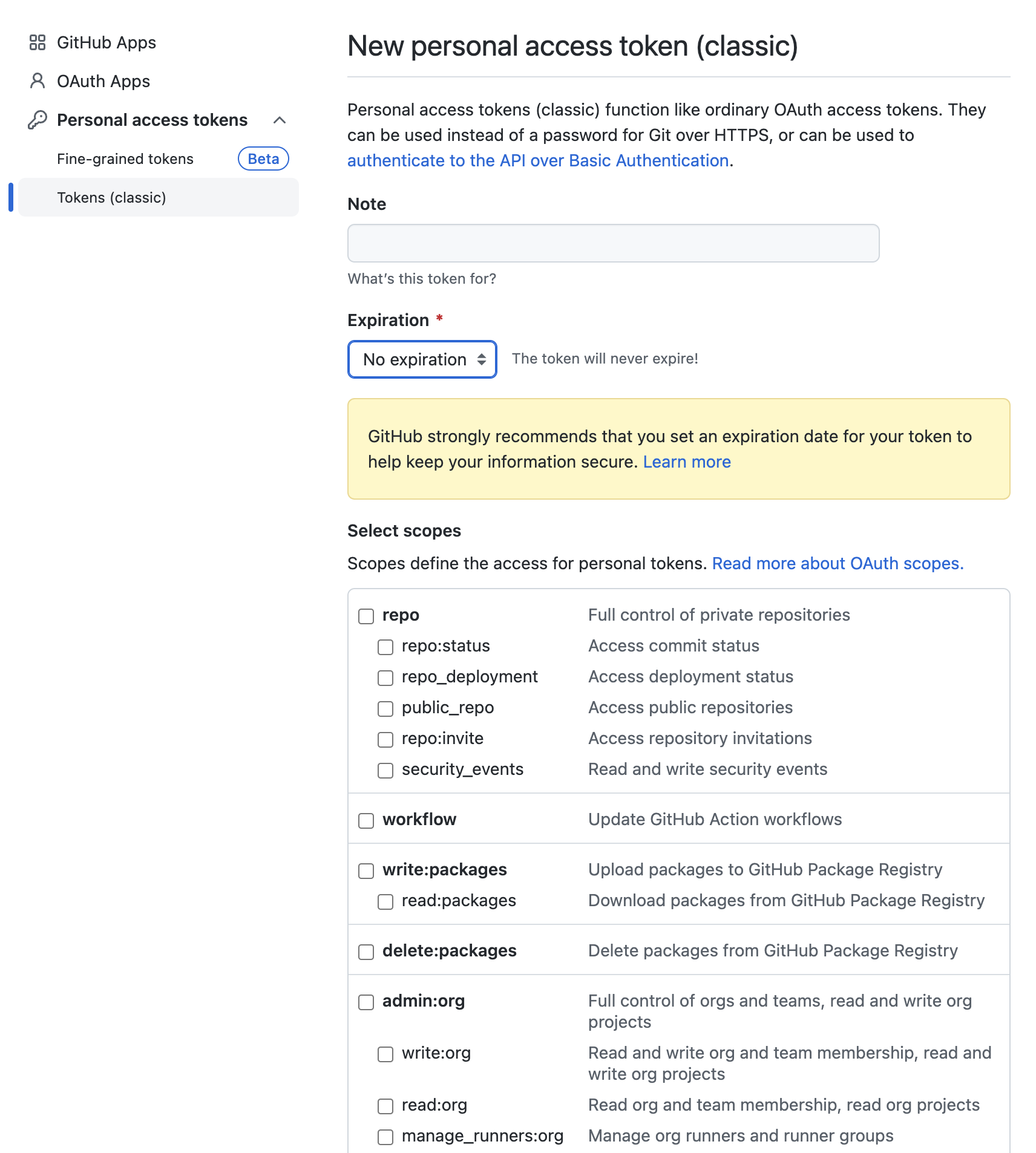
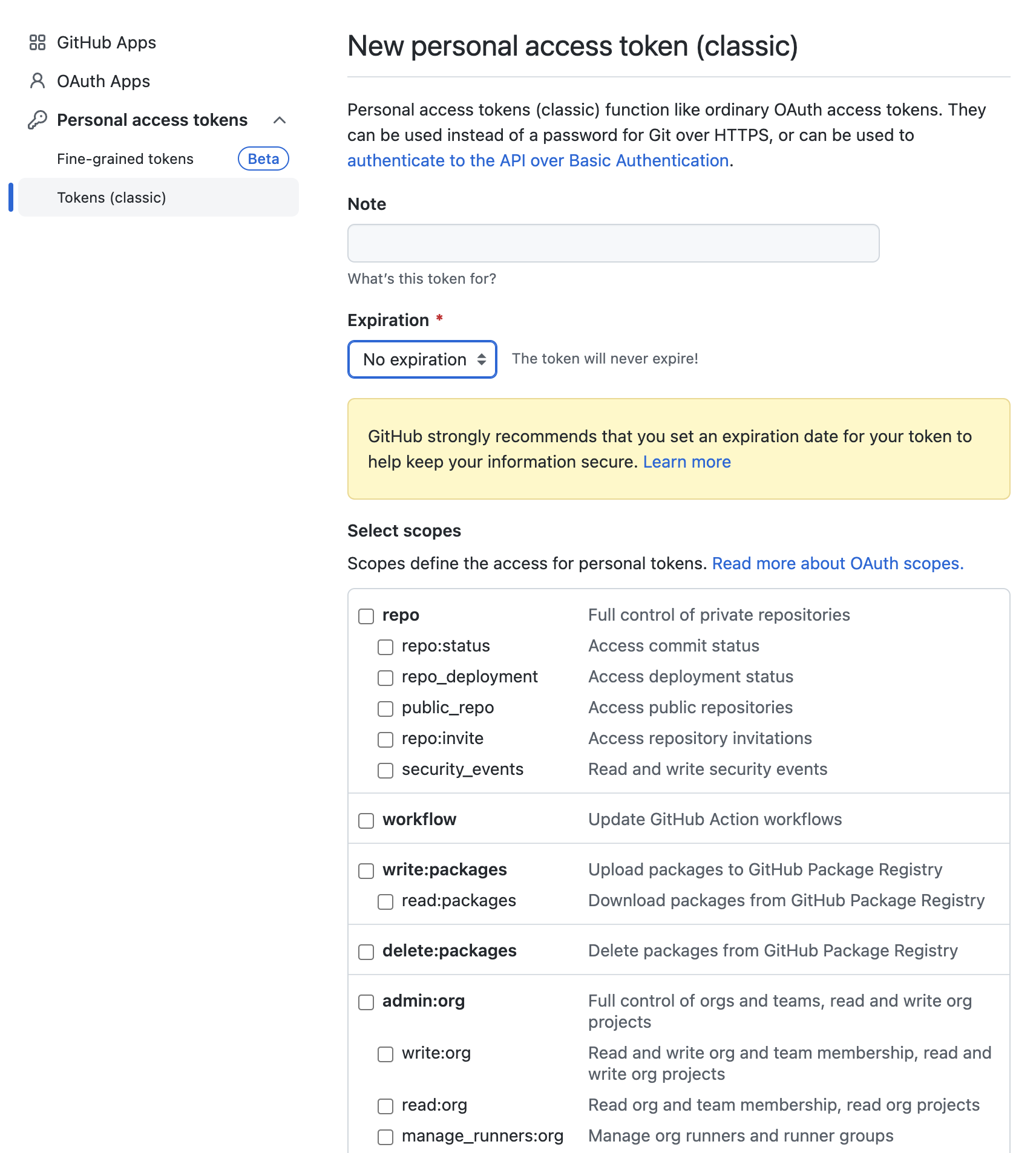
setting- side tap 최하단에developer settings-personal access tokens-tokens-generate new token(저는 beta가 아닌 classic으로 진행했습니다.)
-
위에서 원하는 expiration period를 선택하시고 scope를 선택하면 됩니다.
저는 로컬에서 작업할 거라 모든 scope를 선택했습니다.주의 : 여기서 생성된 토큰을 저장하고 있어야 합니다.
2. mac keychain 삭제
-
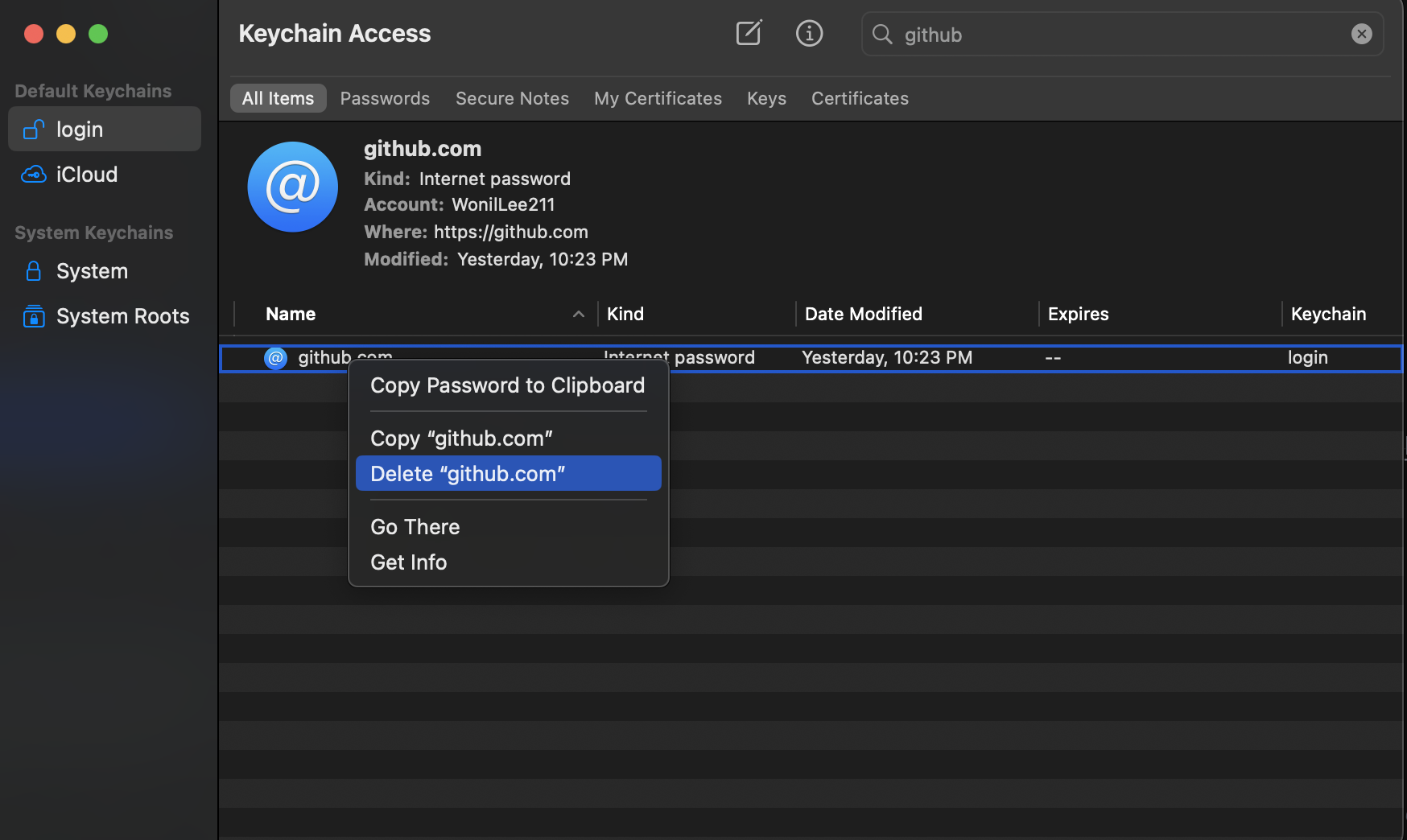
spotlight에서
keychain access검색
-
저기 keychain이 login이라고 되어 있는 github.com을 우클릭하여 삭제하면 됩니다.
3. 로그인하기
- 동일한 방식으로 git push를 진행하면 password 입력 시, 토큰을 입력하시면 됩니다.
$ Username for https://github.com :
$ Password for https://github.com/WonliLee211 :
피드백 환영합니다.
감사합니다.

안녕하세요. 엉덩이 7톤, 365일 성실한 백엔드 개발자, 이원일입니다.