Document 개요
document
: DOM트리의 최상위 객체 or HTML문서 전체를 대변하는 객체 or 모든 DOM객체를 접근하는 경로의 시작점.
window.document 또는 document
//이 두가지 방법으로 document객체에 접근할수있다.- 브라우저는, HTML문서를 로드하기 전에, document객체를 먼저 만든다.
- 그리고 document 객체 전체를 뿌리로 해서, DOM트리를 만드는것이다.
DOM객체의 구조 출력
helloHTML.html
<!DOCTYPE html>
<html>
  <head>
    <meta charset="UTF-8" />
  </head>
  <body>
    <hr />
    <p
      id="firstP"
      style="color: blue; left: 10%"
      onclick='clickChange()'"
    >
      이것은 <span style="color: red">문장</span>
    </p>
  </body>
  <script src="helloJS.js"></script>
</html>
helloJS.js
function clickChange() {
  let p = document.getElementById("firstP");
  p.style.fontSize = "30px";
  p.style.border = "3px dotted #FE45F3";
  p.style.paddingTop = "50px";
  p.style.backgroundColor = "yellow";
  p.style.position = "relative";
  let styleAll = window.getComputedStyle(p); //p객체의 css스타일 객체
  let backgroundColor = styleAll.getPropertyValue("backgroundColor"); //배경색인 yellow.
  let text = "p.backgroundColor: " + backgroundColor + "\n";
  text = "p id: " + p.id + "\n"; //태그의 id 속성값을 뽑아준다.
  text = text + "p.tagName: " + p.tagName + "\n"; //태그이름을 문자열로 뽑아줌. 항상 대문자로 표시됨 ex)SPAN, DIV ..
  text = text + "p.textContent: " + p.textContent + "\n"; //textContent의 값은 식별자 노드의 내부 콘텐츠를 text/plain 으로 파싱(Parsing)한 결과입니다.
  //즉, 해당 요소 내부의 원시 텍스트(raw text) 입니다. 그래서 다른 프로퍼티들에 비해 파싱이 빠릅니다.
  //성능과 보안에 강점이 있고, 결과적으로 해당 노드의 raw text를 얻게 됨으로써 이후 의도한 대로 가공할 수 있기 때문에 이 프로퍼티를 추천.
  text = text + "p.style.color: " + p.style.color + "\n"; //style객체에 대한 레퍼런스
  text = text + "p.onclick: " + p.onclick + "\n"; //사용자가 마우스로 클릭한것과 동일한 작업 수행
  text = text + "p.childrenElementCount: " + p.childrenElementCount + "\n"; //자식 DOM객체 수
  text = text + "너비: " + p.offsetWidth + "\n"; //패딩, 테두리, 스크롤바를 포함한 폭
  text = text + "높이: " + p.offsetHeight + "\n"; //패딩,테두리,스크롤바를 포함한 높이
  text = text + "수평옵셋: " + p.offsetLeft + "\n";
  text = text + "수직옵셋: " + p.offsetTop;
  return text;
}
alert(clickChange());
↓↓
-
위의 js코드의 주석으로 적은 설명과 부합하는 값이 alert창으로 출력되었다. 그리고 html코드도 같이 출력되었다.
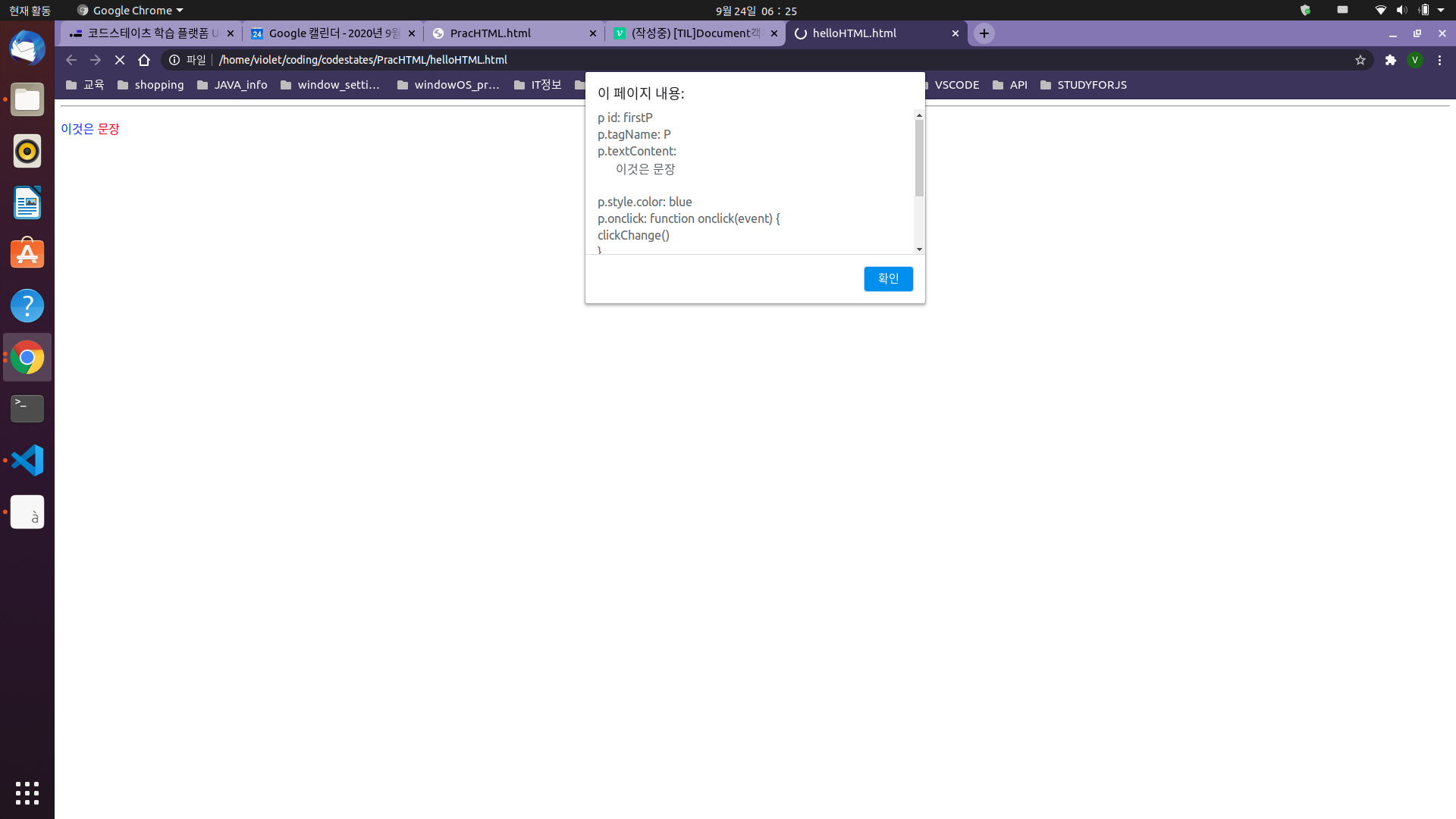
-
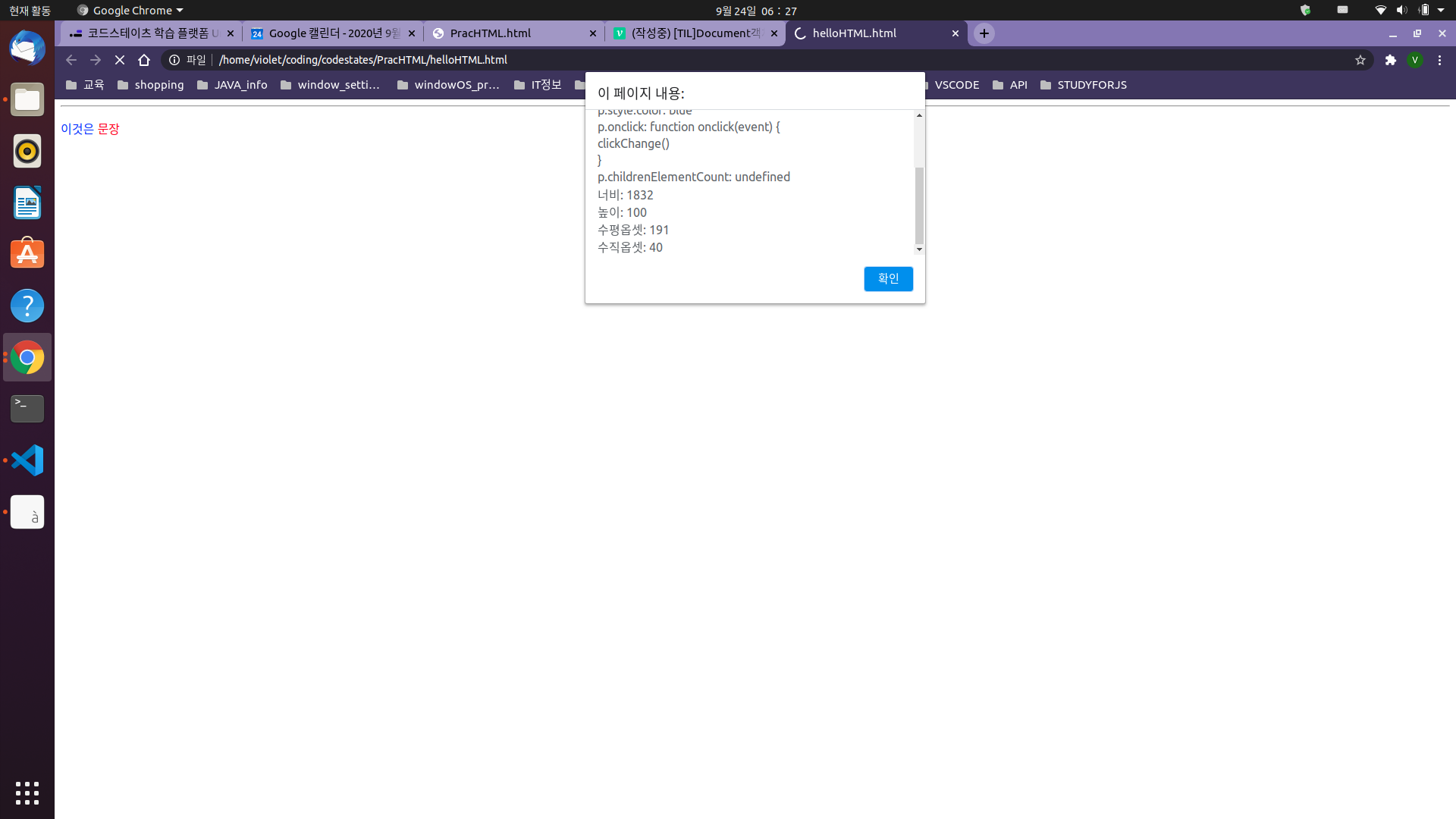
스크롤을 내려서 다른 속성들이 잘 나왔는지도 확인했다. 해당 p태그의 자식엘리먼트들이 없으므로 undefined가 잘떴고, onclick()실행시 어떤 함수가 실행되는지도 출력되는걸 볼수있다.
alert창을 끄고 브라우저의 html 요소인 문장을 클릭하면, 부여한 값 대로 스타일이 변경된다.
document객체의 프로퍼티 출력
PracHTML.html
<!DOCTYPE html>
<html>
  <head id="myHead">
    <meta charset="UTF-8" />
  </head>
  <body
    style="background-color: yellow; color: blue; direction: rtl"
    onload="printProperties()"
  >
    <!--onload(): 함수를 불러와주는 이벤트리스너.-->
    <!--direction: 문서가 출력되는 방향을 정할수있는 프로퍼티. rtl은 rightToLeft의 약자이며, ltr도 가능.-->
    <h3>document의 프로퍼티</h3>
    <hr />
    <a href="https://www.google.com/?pli=1">구글 페이지</a>
    <div>이곳은 div영역입니다.</div>
    <input id="input" type="text" value="여기 포커스가 있습니다." />
  </body>
  <script src="PracHTML.js"></script>
</html>
PracHTML.js
let text = "문서 로딩 중일때 readStates= " + document.readyState + "\n"; //문서의 현재 로딩 상태를 나타내는 문자열. 로딩되는동안 'loading','interactive','complete'순으로 변함.
//'interactive': 문서의 ㅍ싱(해독)이 끝난 상태. 여전히 로딩중이라는 뜻. 이때 사용자는 보인ㄴ 폼요소에 입력이 가능.
//'complete': 문서가 완전히 해독되면 이걸로 변경됨.

function printProperties() {
  document.getElementById("input").focus(); //id가 'input'인 input태그를 찾아서, 포커스 메소드를 줌.

  text = text + "1. location: " + document.location + "\n"; //현재 문서의 URL정보를 가진 location 객체의 주소.
  text = text + "2. URL: " + document.URL + "\n"; //현재 문서의 URL.
  text = text + "3. title: " + document.title + "\n"; //문서의 제목 문자열. <title>태그가 없다면 빈 문자열이 리턴됨.
  text = text + "4. head의 id: " + document.head.id + "\n"; //head엘리먼트의 id를 갖고옴.
  text = text + "5. body color: " + document.body.style.color + "\n"; //body엘리먼트의 style프로퍼티를 통해, body의 color를 갖고옴.
  text = text + "6. domain: " + document.domain + "\n"; //서버의 도메인 이름.
  text = text + "7. lastModified: " + document.lastModified + "\n"; //'MM/DD/YYYY hhmmss'형식. 문서의 최근 수정 시간.
  text = text + "8. defaultView: " + document.defaultView + "\n"; //문서가 출력된 브라우저 윈도우(window)에 대한 레퍼런스
  text =
    text + "9. 문서의 로드 완료 후, readyState: " + document.readyState + "\n";
  text = text + "10. referrer: " + document.referrer + "\n"; //이 HTML문서를 로드한 원래문서의 URL문자열. 이 문서가 처음이라면 빈문자열 반환될거임.
  text = text + "11. activeElement: " + document.activeElement.value + "\n"; //문서가 포커스를 받을때, 문서 내 포커스를 받는 자식 객체
  text =
    text +
    "12. documentElement의 이름: " +
    document.documentElement.tagName +
    "\n"; //html객체의 태그이름.
  alert(text);
}
↓↓
- 위의 js코드의 주석으로 적은 설명과 부합하는 값이 alert창으로 출력되었다. 그리고 html코드의 style 프로퍼티가 먼저 실행되어 배경색이 노란색으로 변경되었다.
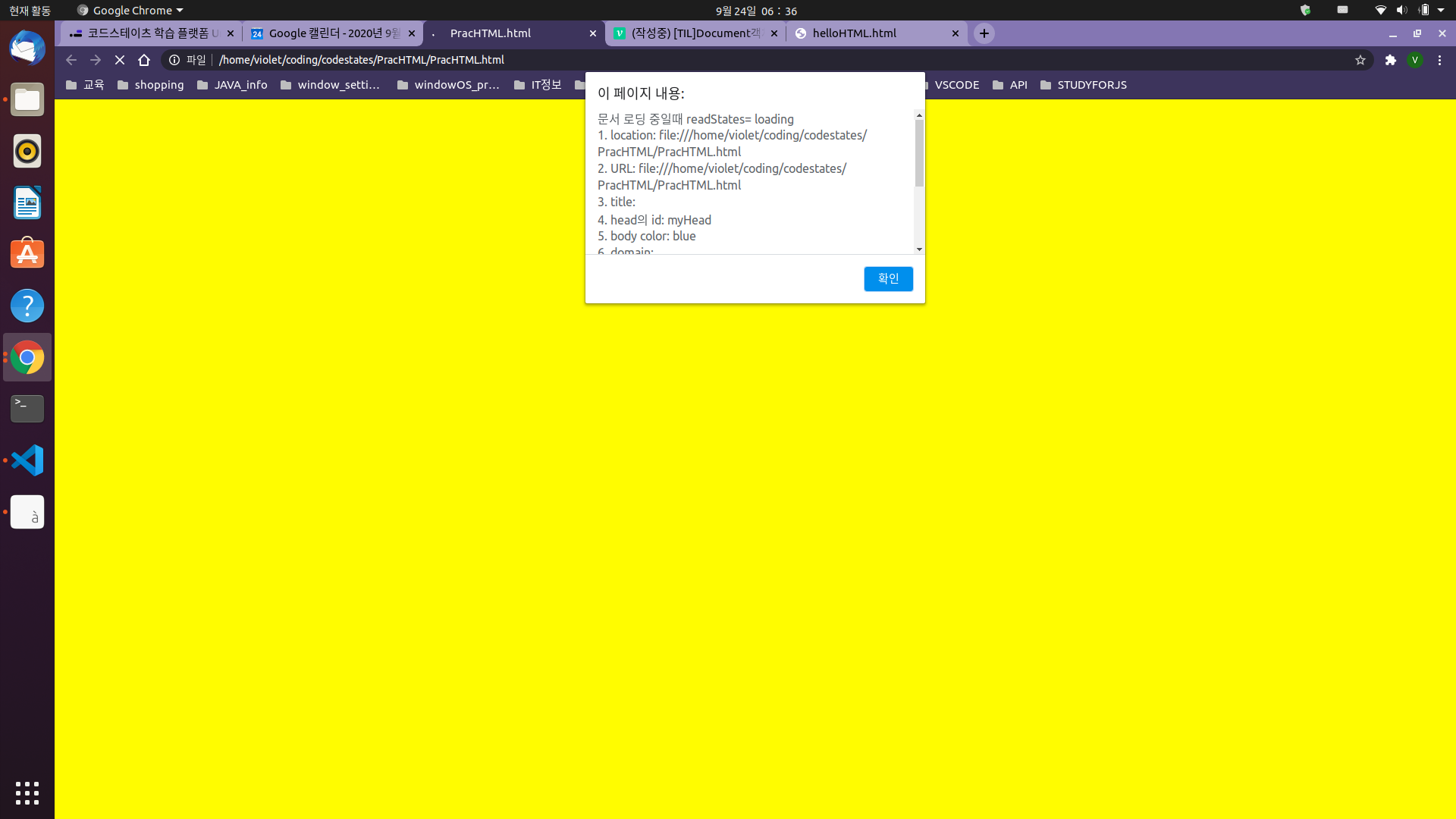
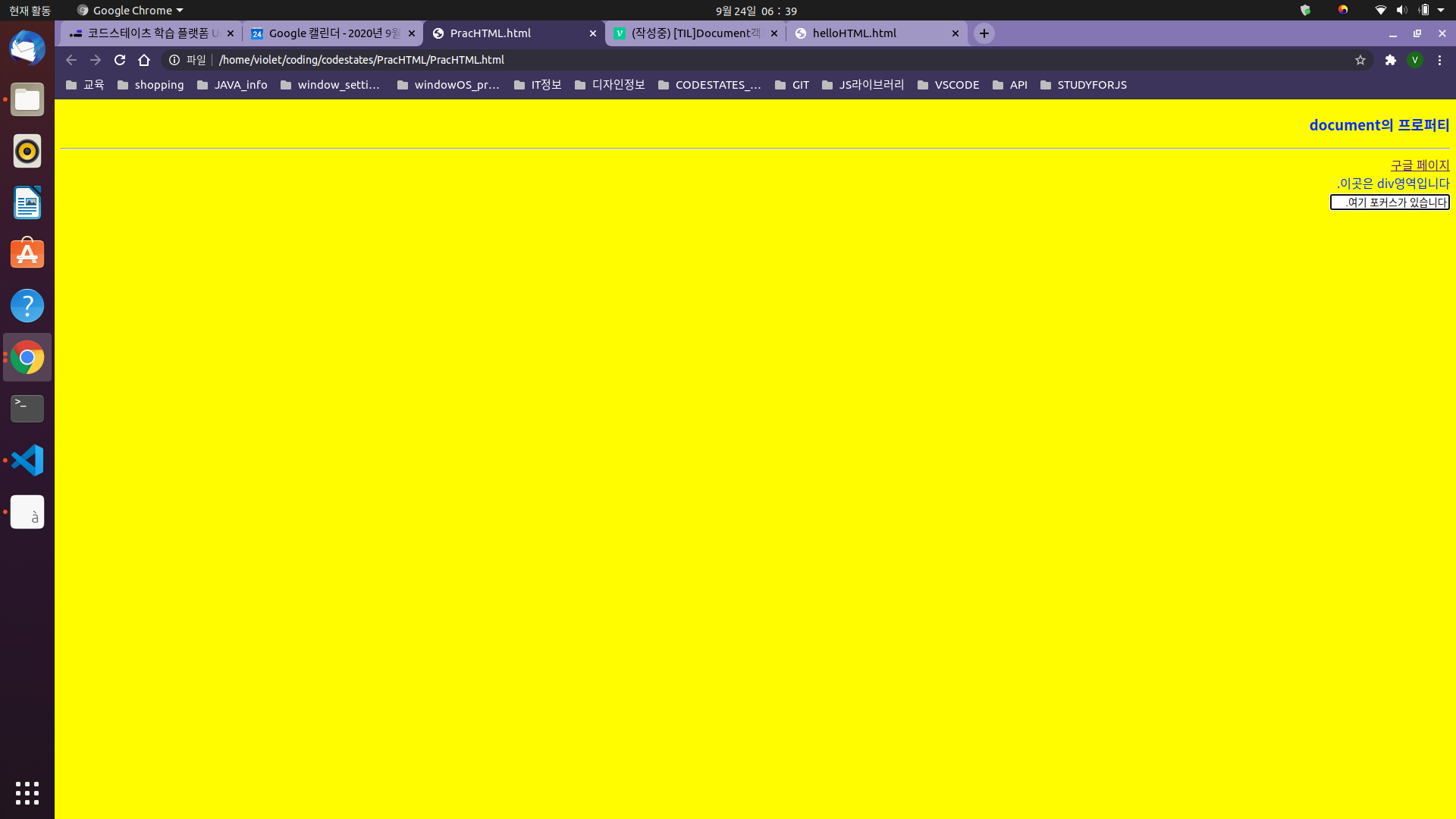
- alert창을 끄면 html의 body태그의 내용이 실행되어 문자열이 보이게된다.

예비개발자