intellij tomcat war exploded
intellij ide에서는 내부 tomcat을 run할때
war : exploded 로 해놓으면 artifact를 war파일 상태로 배포하는대신
변경된 파일만 갱신하는 형식으로 소스코드와 리소스를 반영하기 때문에
보다 빠른 디버깅과 코드 생산을 도와줌.
intellij tomcat war
intellij ide에서는 내부 tomcat을 run할때
war로 해놓으면 artifact를 war파일 상태로 배포.
local 개발환경에서 보다는 server 환경으로 배포할때 사용함.
-
기대효과
- intellij 개발 환경의 local pc에서 일정 주기(일,월,년) 간격으로 자동 local 프로젝트 back up 효과를 가짐
- storage에 war 파일을 형상관리하고있다면 네이밍 룰에 근접한 파일명으로 war 파일이 만들어짐
-
적용 방법
-
build.gradle 파일에 다음 코드 추가
import java.text.SimpleDateFormat

def todayMonth = new SimpleDateFormat('yyyyMM').format(new Date())

war {
        archiveFileName = "프로젝트명_${todayMonth}.war"
    }
-
intellij tomcat 설정
-
상단 tomcat 우클릭
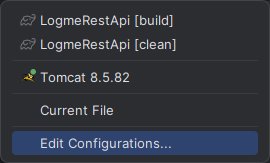
-
deployment 탭 접근 후 기존 war 삭제
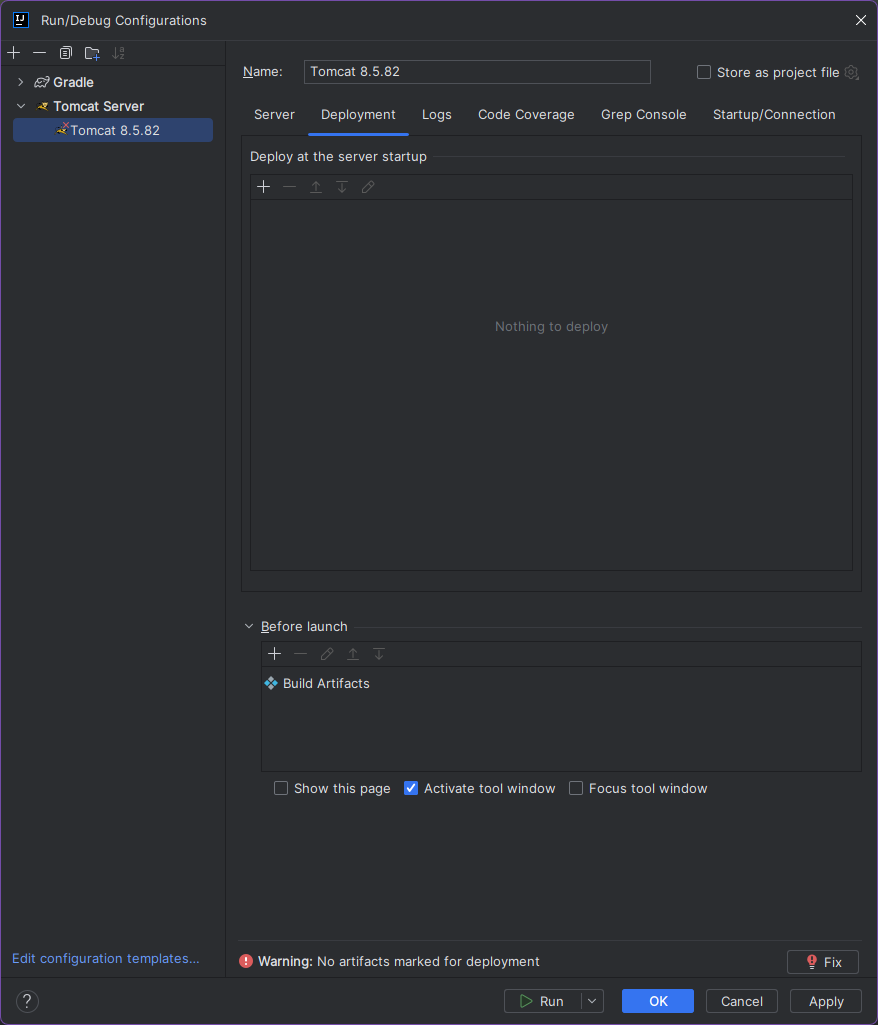
-
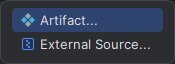
"+" 버튼 누른뒤 Artifact 클릭
- gradle war (exploded) 클릭
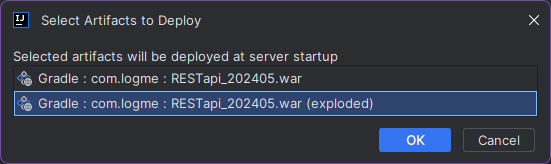
-
Application context 재설정
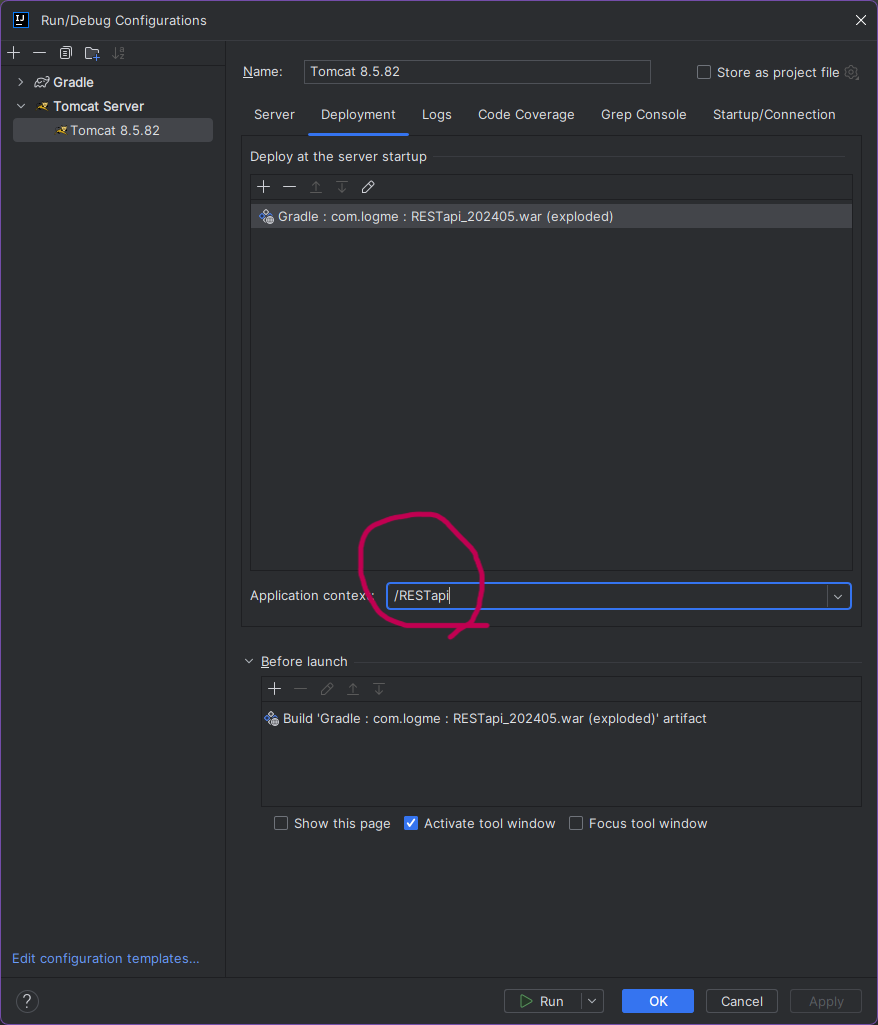
-
-
intellij tomcat => run 실행
- 프로젝트폴더/build/libs/exploded 경로 확인
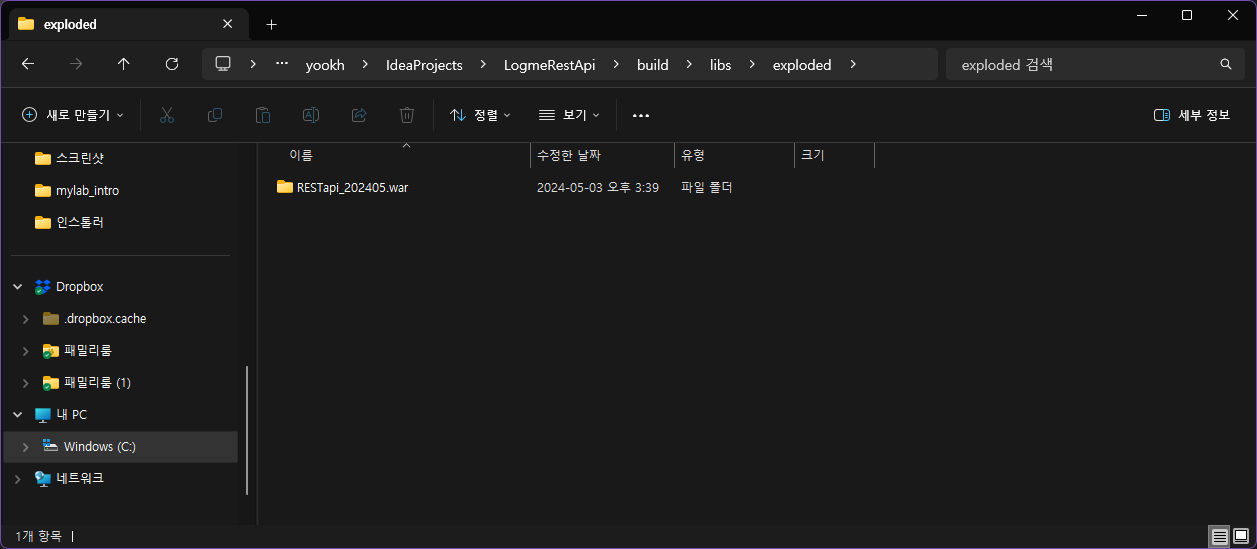
- 프로젝트폴더/build/libs/exploded 경로 확인
-
보다시피 build.gradle 파일에 작성된 규칙대로 war 폴더명이 생성 되었고
이 정책대로라면 매달 마지막으로 intellij tomcat을 run한 프로젝트 소스를 프로젝트폴더/build/libs/exploded 경로 에 백업하는 효과를 가짐
-
server 배포 war 생성 방법
1. intellij gui로 생성
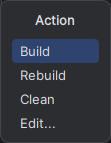
- intellij 상단 메뉴의 build => build Artifacts 선택
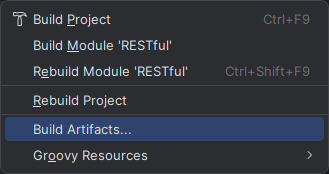
- gradle : war 선택
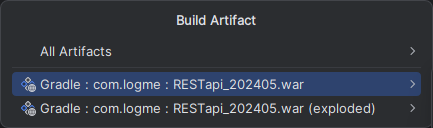
- build 선택
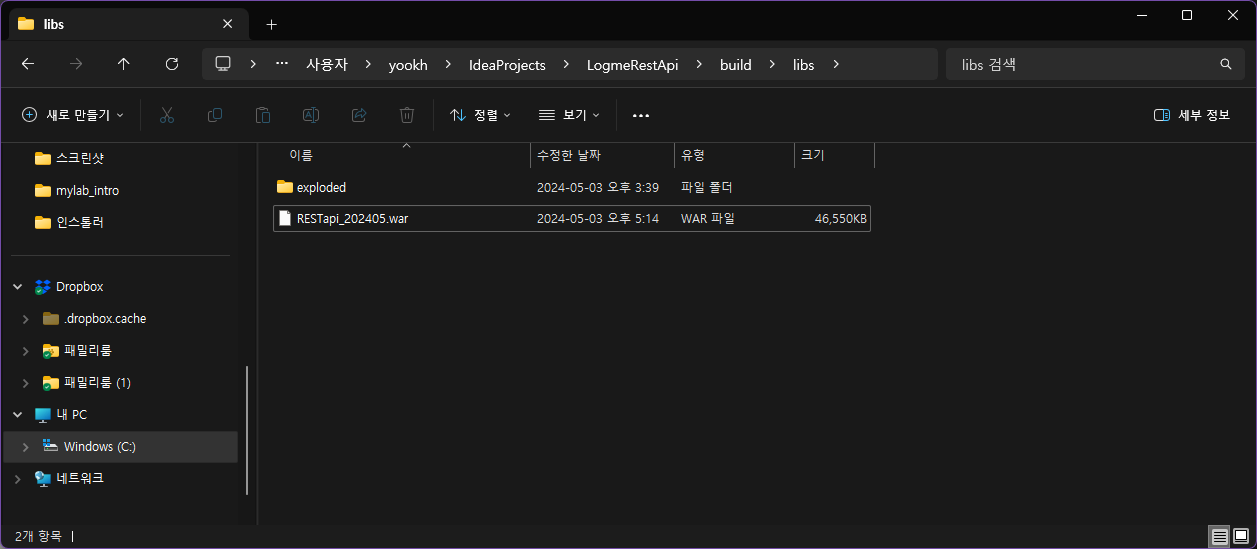
- 프로젝트폴더/build/libs/ 경로 확인
2. intellij 터미널로 생성
-
intellij 하단의 터미널에 작성
-
터미널과 동일
gradle build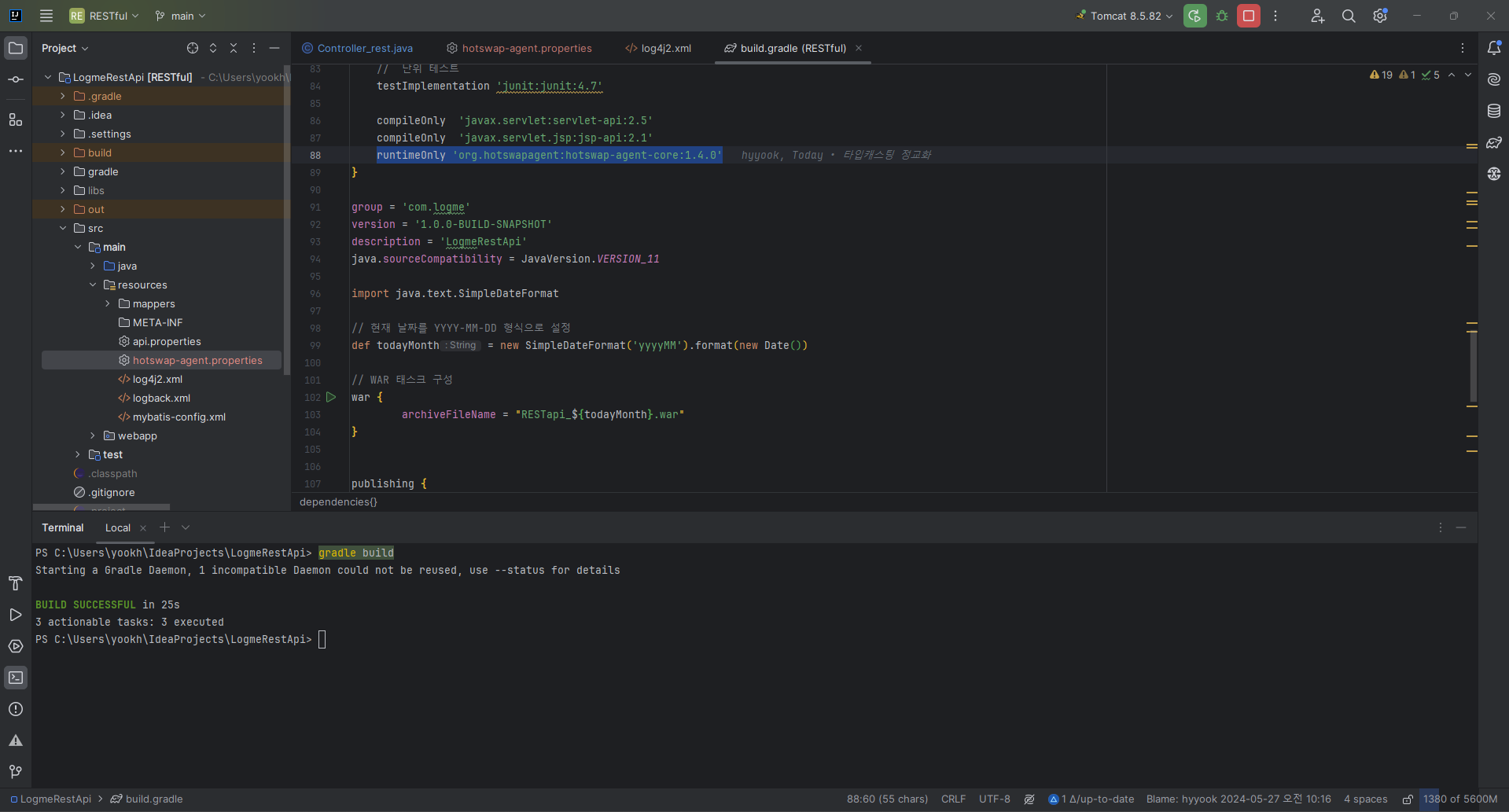
- 빌드에 실패할경우
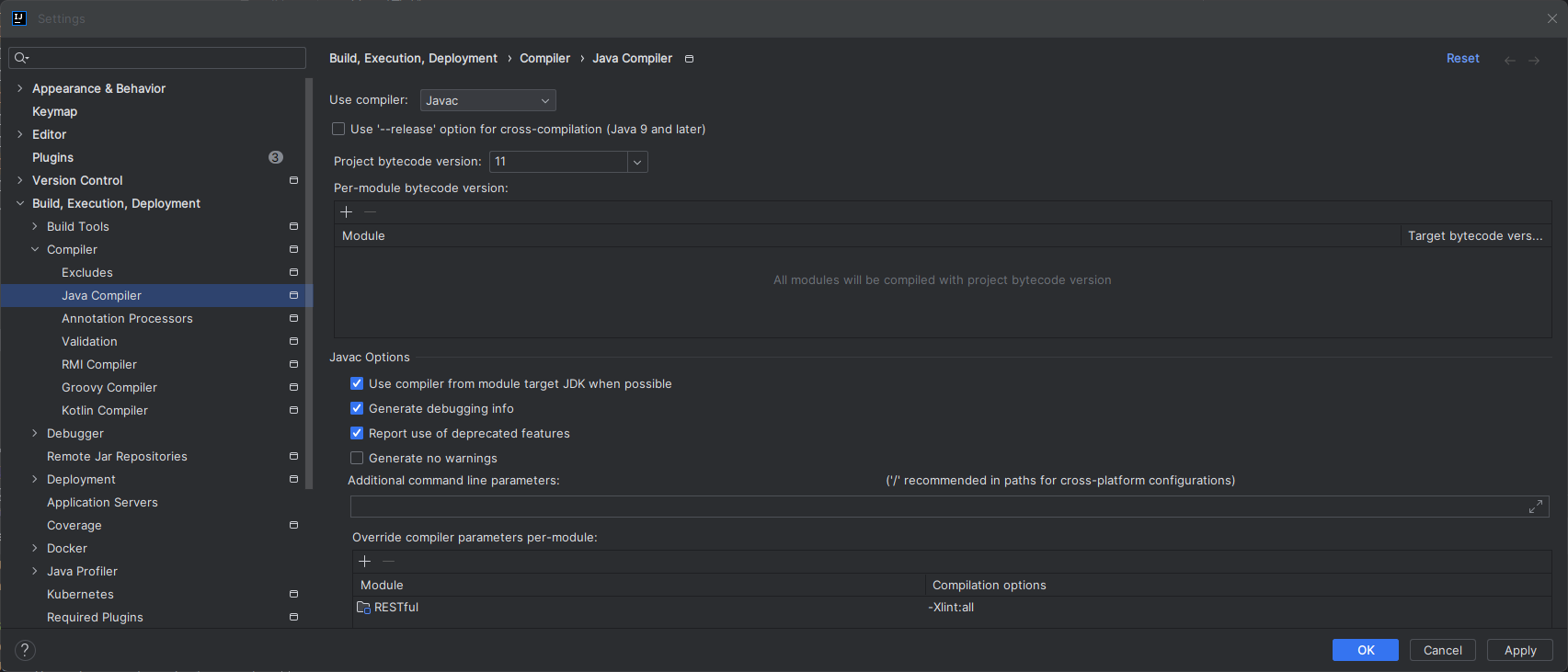
intellij settings의 java compiler에서 'javac'로 변경후 build가 되는지 확인- 만약 build에 실패한다면 gradle 또한 build 불가능
-
만약 stack overflow 관련 에러 메세지가 나타난다면 build.gradle 파일에 다음과 같이 설정
tasks.withType(Javadoc) {
    options.encoding = 'UTF-8'
    options.addStringOption('Xdoclint:none', '-quiet') // 모든 Javadoc 경고를 무시
}

tasks.withType(JavaCompile) {
    options.compilerArgs = ['-Xlint:none'] // 모든 컴파일 경고를 무시
    options.encoding = 'UTF-8'
    options.fork = true
    options.forkOptions.jvmArgs = ['-Xss6m'] // 스택 크기를 늘려서 StackOverflowError 방지
}
-
- 만약 build에 실패한다면 gradle 또한 build 불가능
- 빌드에 실패할경우
-
- intellij 상단 메뉴의 build => build Artifacts 선택
-

기억저장소