-
-
cmd 창에 gradle과 연동할 프로젝트 선택 후 명령어 입력
gradle init -
groovy 선택
```
1
```
-
no 입력
no
-
완료

-
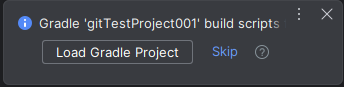
- intellij 해당 프로젝트 열기 -> 하단 팝업에서 Load Gradle Project 선택
-
build gradle 파일 변경
-
war 플러그인 추가
plugins { id 'war' } -
dependencies 에서 api => implementation 으로 변경 (gradle 일정 버전 이상)
<변경 전>dependencies { api 'org.springframework:spring-context:4.3.18.RELEASE' api 'org.springframework:spring-beans:4.3.18.RELEASE' api 'org.springframework:spring-core:4.3.18.RELEASE' api 'org.springframework:spring-aop:4.3.18.RELEASE' api 'org.springframework:spring-webmvc:4.3.18.RELEASE' api 'org.springframework:spring-web:4.3.18.RELEASE' api 'javax.servlet.jsp.jstl:jstl-api:1.2' api 'cglib:cglib:2.2.2' api 'org.mybatis:mybatis:3.4.6' api 'org.mybatis:mybatis-spring:1.3.2' api 'org.springframework:spring-jdbc:4.3.18.RELEASE' testImplementation 'junit:junit:3.8.1' providedCompile 'javax.servlet:javax.servlet-api:3.1.0' providedCompile 'javax.servlet.jsp:jsp-api:2.2' }<변경 후>
dependencies { implementation 'org.springframework:spring-context:4.3.18.RELEASE' implementation 'org.springframework:spring-beans:4.3.18.RELEASE' implementation 'org.springframework:spring-core:4.3.18.RELEASE' implementation 'org.springframework:spring-aop:4.3.18.RELEASE' implementation 'org.springframework:spring-webmvc:4.3.18.RELEASE' implementation 'org.springframework:spring-web:4.3.18.RELEASE' implementation 'javax.servlet.jsp.jstl:jstl-api:1.2' implementation 'cglib:cglib:2.2.2' implementation 'org.mybatis:mybatis:3.4.6' implementation 'org.mybatis:mybatis-spring:1.3.2' implementation 'org.springframework:spring-jdbc:4.3.18.RELEASE' testImplementation 'junit:junit:3.8.1' providedCompile 'javax.servlet:javax.servlet-api:3.1.0' providedCompile 'javax.servlet.jsp:jsp-api:2.2' } -
UTF-8 설정 추가
tasks.withType(JavaCompile) { options.encoding = 'utf-8' } tasks.withType(Javadoc) { options.encoding = 'utf-8' } -
JAVA 버전 확인
java.sourceCompatibility = JavaVersion.VERSION_1_8
-
-
intellij 환경 설정
-
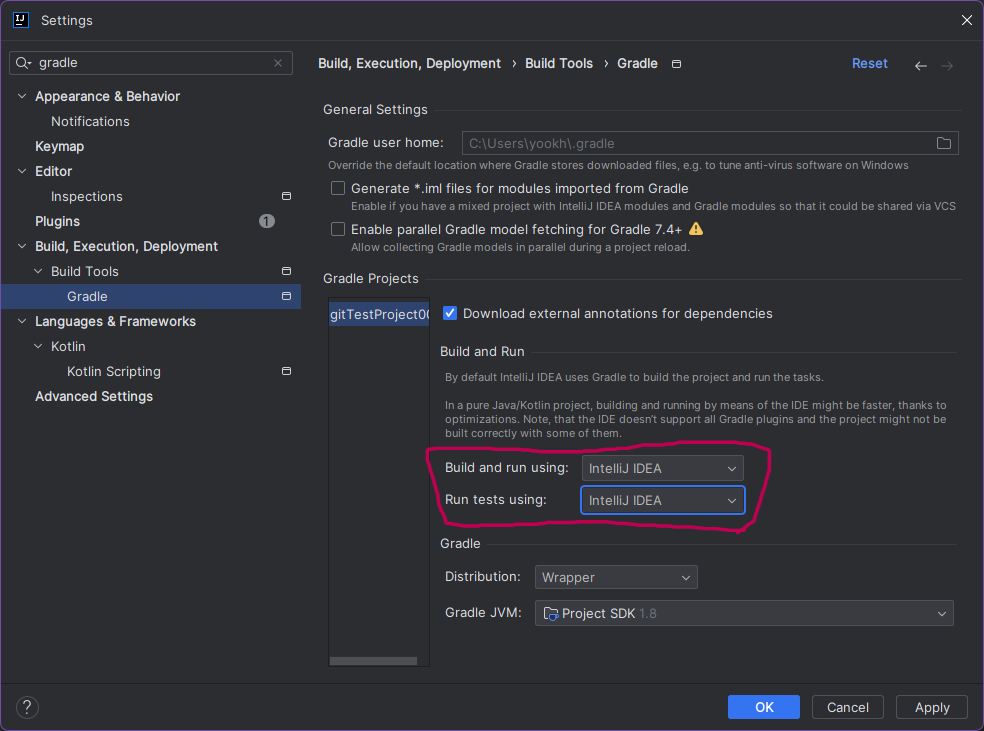
settings -> gradle 검색 후
build and run의
build and run using , run tests using 항목을 -
intellij IDEA 로 변경
- (intellij 내장 컴파일러를 이용해서 컴파일 => 속도 빠름)
-
gradle로 유지
- (gradle 로 컴파일 => 편리하고 일관성있는 gradle 통합환경 조성)
-
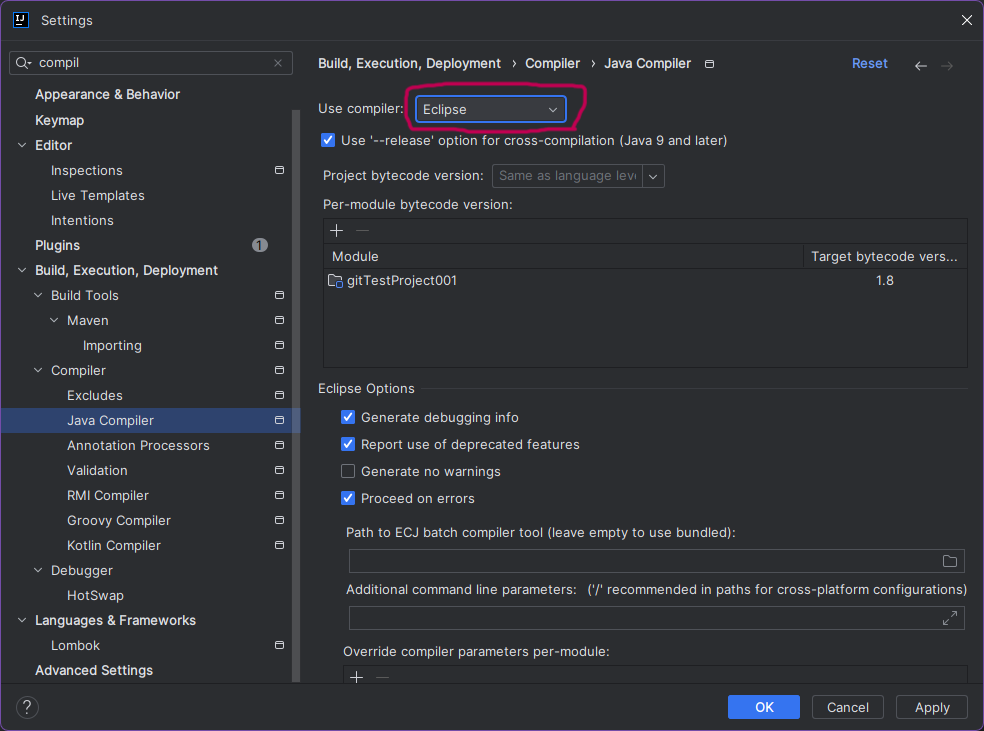
settings -> compiler 검색 후
java compiler 의
use compiler 항목을
Eclipse로 변경
-
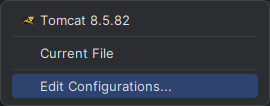
intellij tomcat -> Edit Configurations 선택
-
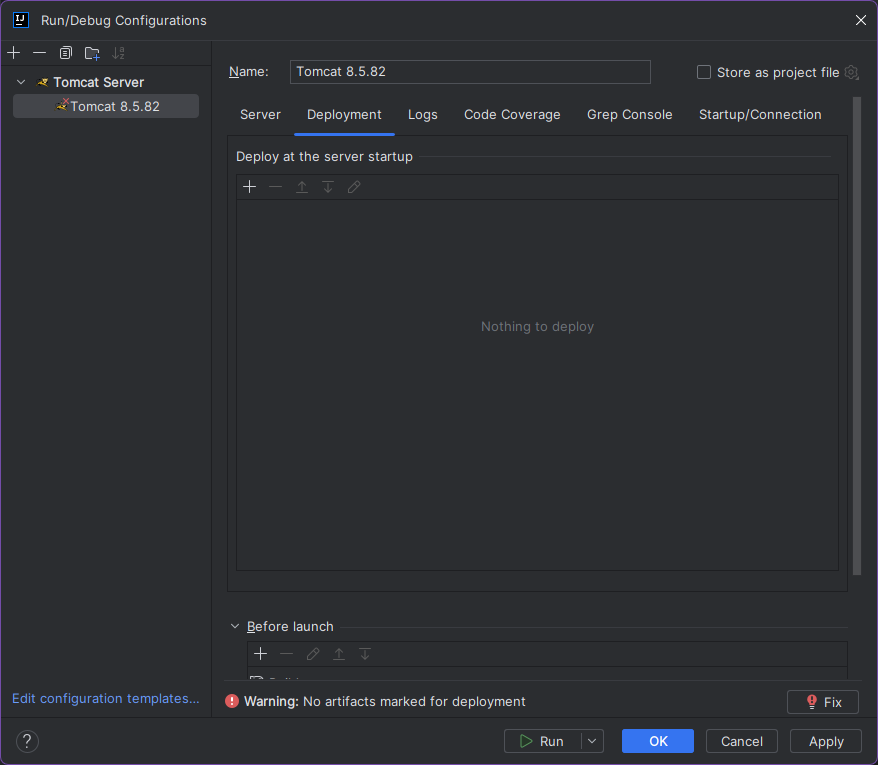
deployment 탭 -> "+"버튼 클릭 -> 배포 설정
-
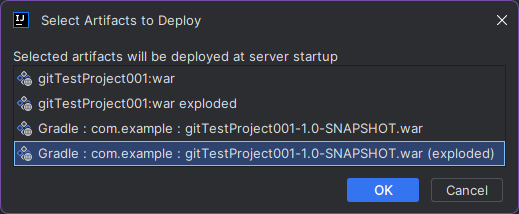
Artifact 선택

-
Gradle 로 시작하고 (exploded)로 끝나는 거 선택
-
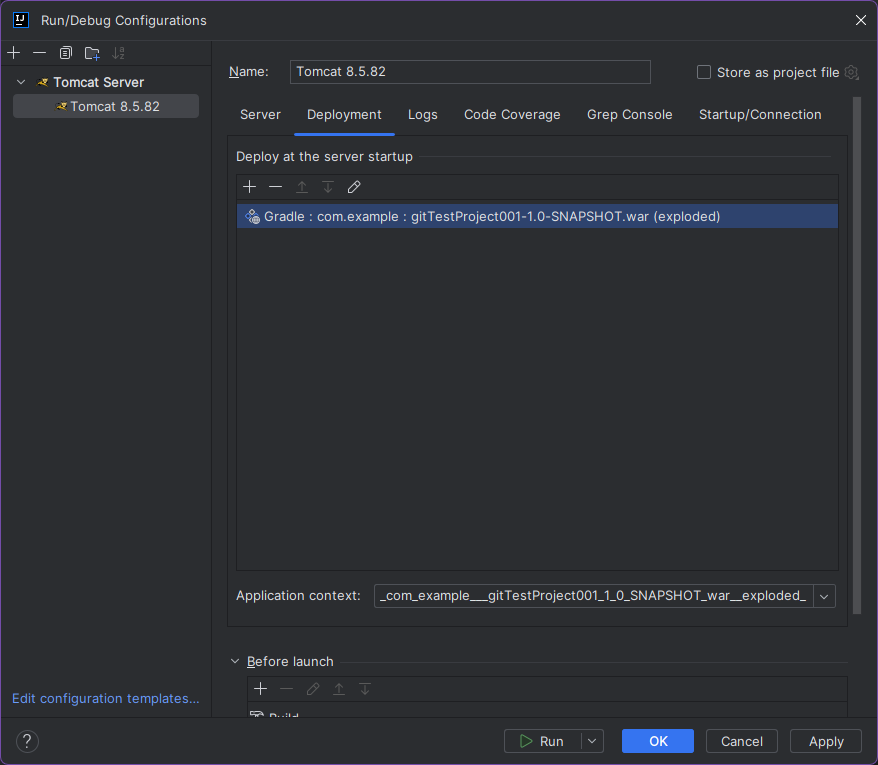
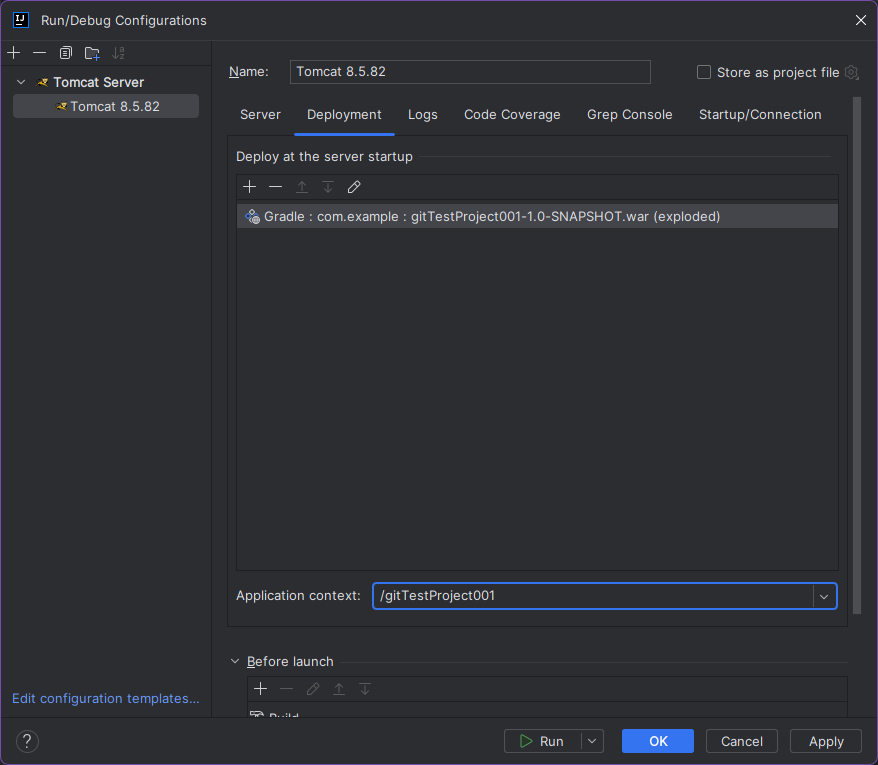
하단 Application context 수정
<수정 전>
<수정 후>
-
Before launch 에 기본 build(망치모양) remove
- (intellij 자체 빌드 방법이라 gradle 빌드와 중복임)
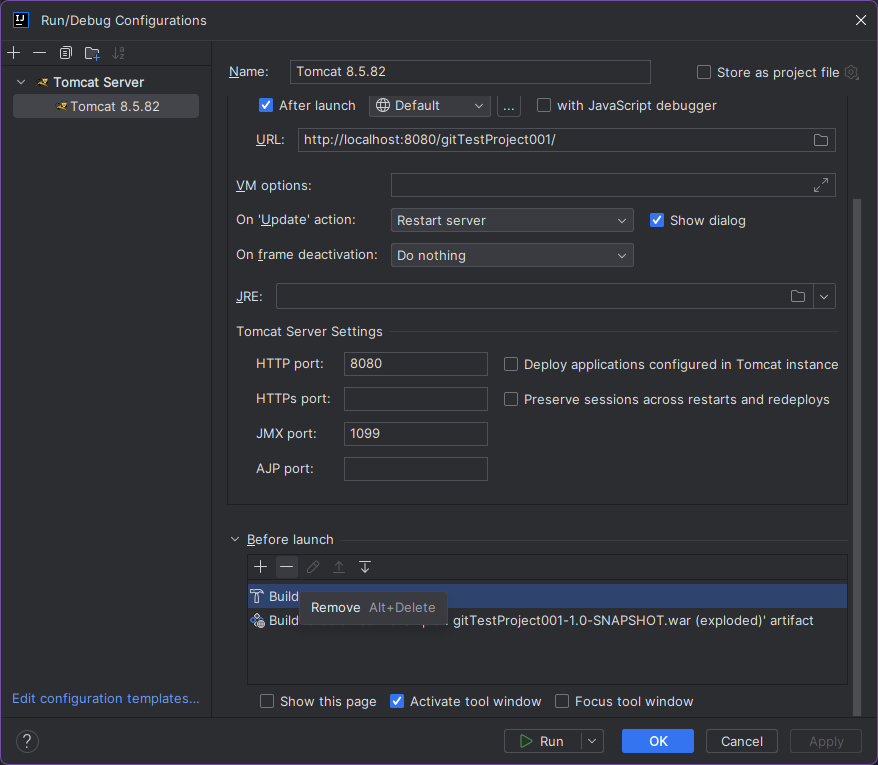
- (intellij 자체 빌드 방법이라 gradle 빌드와 중복임)
-
intellij tomcat run
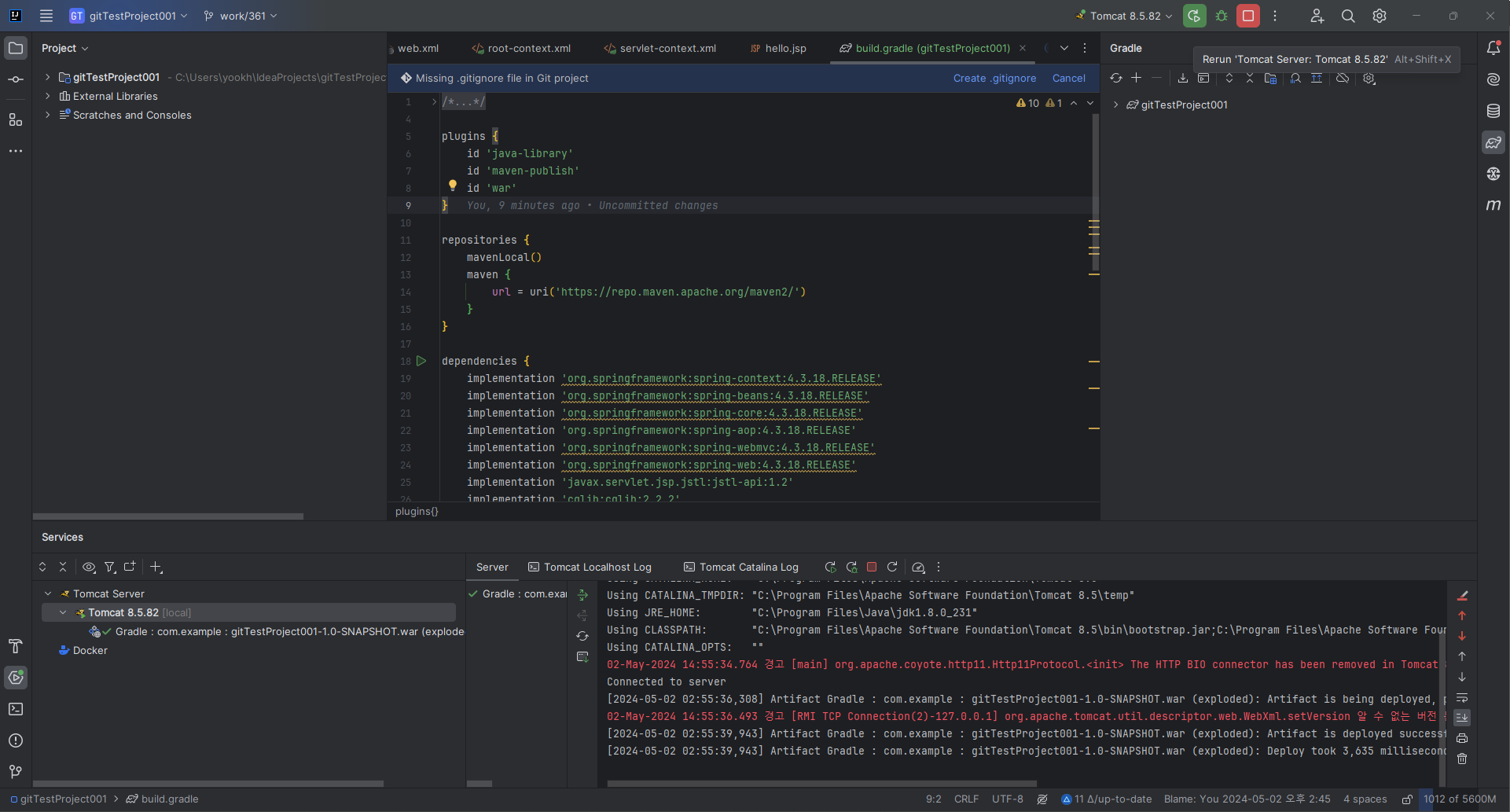
-
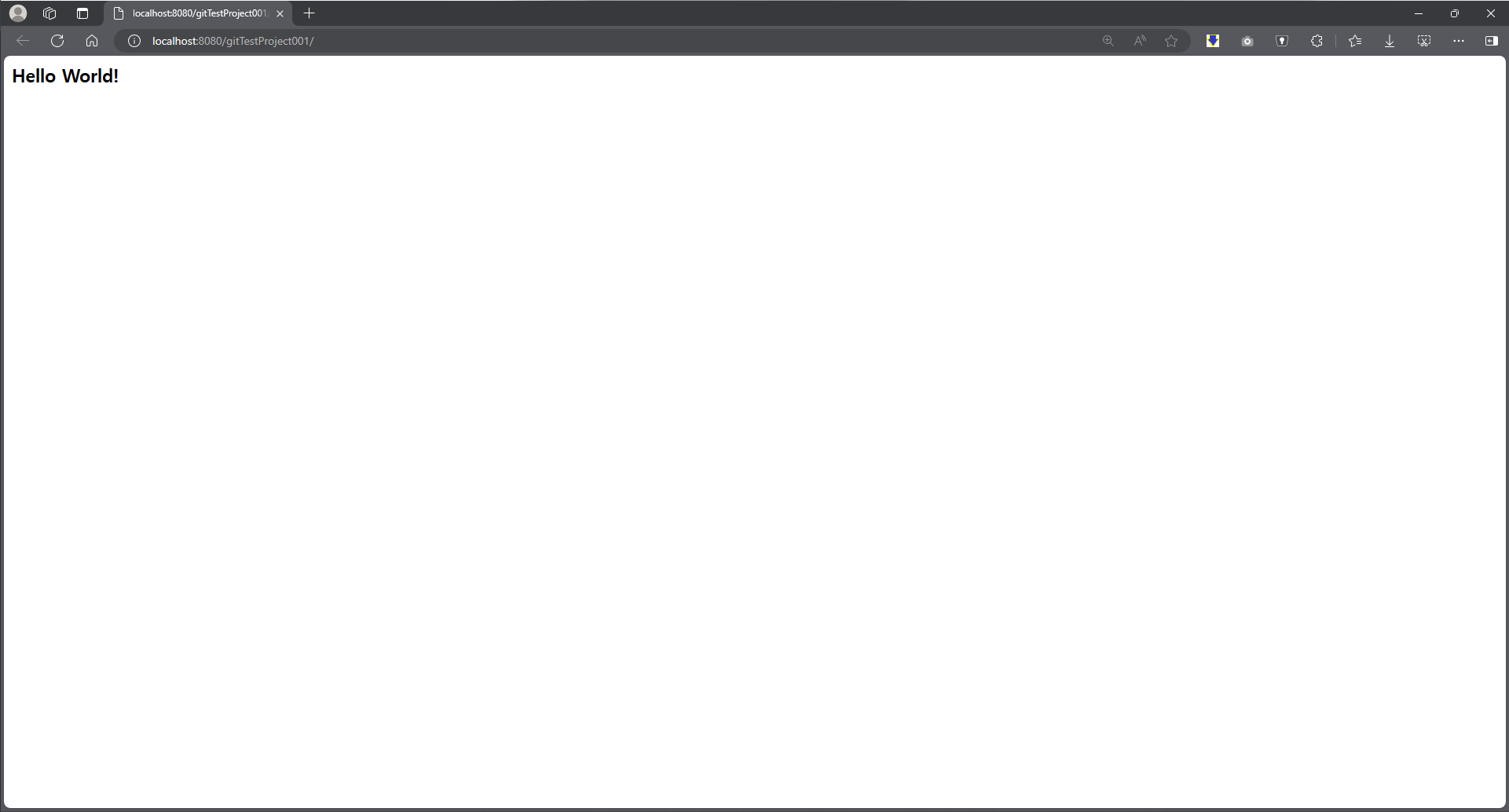
- compile + build 완료

기억저장소