index.html
내가 자주 가는곳<meta property="og:title" content="김태훈 님의 추억사진"/>
<meta property="og:description" content="내가 만든 첫번째 웹페이지!"/>
<meta property="og:image" content="image.jpg"/>
<link rel="preconnect" href="https://fonts.gstatic.com">
<link href="https://fonts.googleapis.com/css2?family=Nanum+Pen+Script&display=swap" rel="stylesheet">
<style>
* {
font-family: 'Nanum Pen Script', cursive;
}
.mytitle {
display: flex;
flex-direction: column;
align-items: center;
justify-content: center;
margin-top: 30px;
}
.btn {
width: 300px;
height: 40px;
border: 2px solid #e8344e;
text-decoration: none;
text-align: center;
line-height: 40px;
color: #e8344e;
font-weight: bold;
border-radius: 40px;
}
.btn:hover {
background-color: #e8344e;
color: white;
}
.box {
width: 1000px;
font-size: 25px;
display: flex;
flex-direction: row;
align-items: center;
justify-content: center;
margin: 40px auto 0px auto;
}
.map {
width: 500px;
height: 500px;
margin-right: 30px;
border-radius: 24px;
}
.story {
width: 450px;
height: 500px;
}
.img {
width: 450px;
height: 300px;
background-image: url('image.jpg');
background-position: center;
background-size: cover;
border-radius: 24px;
}
.story > h2 {
margin: 20px 0px 0px 0px;
color: blue;
}
.story > h3 {
margin: 5px 0px 0px 0px;
font-size: 25px;
color: grey;
font-weight: normal;
}
.story > p {
line-height: 24px;
}
@media screen and (max-width: 640px) {
h1 {
font-size: 26px;
}
.box {
flex-direction: column;
width: 100% ;
}
.map {
width: 100%;
height: 200px;
margin: 0;
}
.story {
width: 100%;
height: auto;
margin-top: 10px;
margin-bottom: 10px;
}
.img {
width: 100%;
height: 200px;
}
}
</style>나의 추억거리를 공유합니다
모든 수강생들의 추억 보러가기 > <div class="story">
<div class="img"></div>
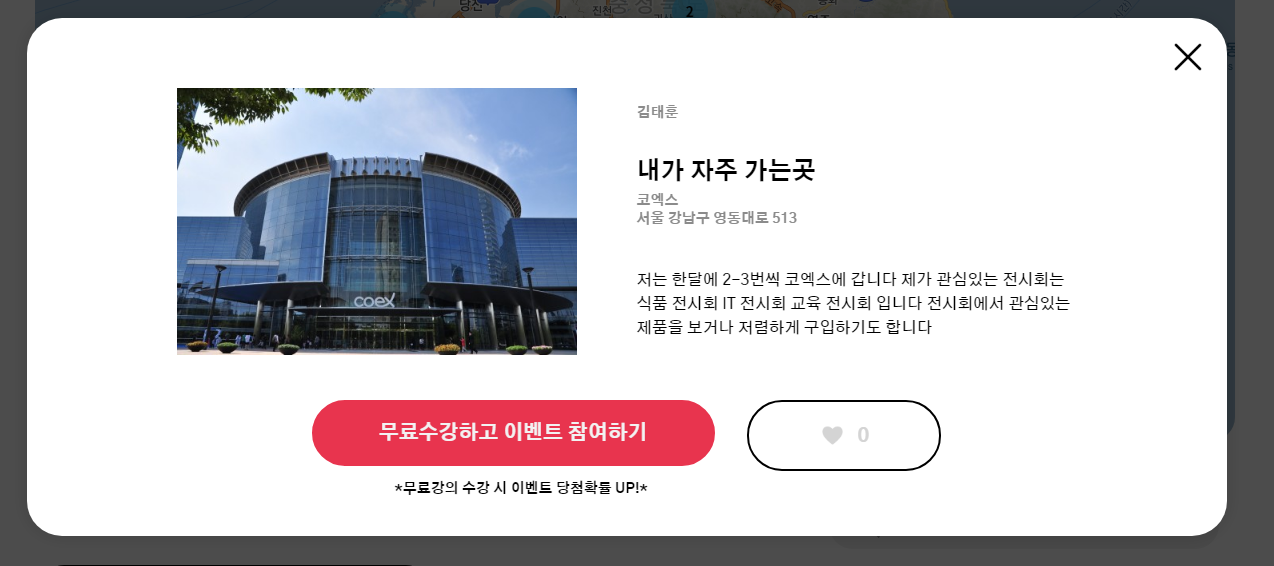
<h2>코엑스</h2>
<h3>서울 강남구 영동대로 513</h3>
<p>
저는 한달에 2-3번씩 코엑스에 갑니다 </br>
제가 관심있는 전시회는 식품 전시회 IT 전시회 교육 전시회 입니다 </br>
전시회에서 관심있는 제품을 보거나 저렴하게 구입하기도 합니다
</p>
</div>
</div>
<script type="text/javascript" src="https://dapi.kakao.com/v2/maps/sdk.js?appkey=535068688f1a8bca1c21a9445ede0a89"></script>
<script>
var markerPosition = new kakao.maps.LatLng(37.510376136554385, 127.05862442144515)
var mapContainer = document.getElementById('map'), // 지도를 표시할 div
mapOption = {
center: markerPosition, // 지도의 중심좌표
level: 3 // 지도의 확대 레벨
};
var map = new kakao.maps.Map(mapContainer, mapOption); // 지도를 생성합니다
var imageSrc = "https://s3.ap-northeast-2.amazonaws.com/materials.spartacodingclub.kr/2021_05_free_parents/sparta-marker.png";
var imageSize = new kakao.maps.Size(65, 86);
var markerImage = new kakao.maps.MarkerImage(imageSrc, imageSize);
var marker = new kakao.maps.Marker({
map: map,
position: markerPosition,
image : markerImage
});
</script>prac.html
스파르타코딩클럽 | HTML 기초<style>
h1 {
color: red;
}
.box {
background-color:green;
color:white;
width: 800px;
height: 800px;
display: flex;
flex-direction: row;
align-items: center;
justify-content: center;
}
.first {
background-color: red;
width: 400px;
height: 300px;
margin-right:30px;
}
.second {
background-color: blue;
width: 300px;
height: 300px;
}
</style> 첫번째 구역
두번째 구역
<p>나는 문단이에요</p>
<ul>
    <li> bullet point!1 </li>
    <li> bullet point!2 </li>
</ul>

<!-- 구역 내 콘텐츠 태그들 -->
<h1>h1은 제목을 나타내는 태그입니다. 페이지마다 하나씩 꼭 써주는 게 좋아요. 그래야 구글 검색이 잘 되거든요.</h1>
<h2>h2는 소제목입니다.</h2>
<h3>h3~h6도 각자의 역할이 있죠. 비중은 작지만..</h3>
<hr>
a 태그입니다: <a href="http://google.com/" target="_blank">하이퍼링크</a>
<hr>
img 태그입니다: <img src="https://www.google.com/images/branding/googlelogo/1x/googlelogo_color_272x92dp.png" />
<hr>
input 태그입니다: <input type="text" />
<hr>
button 태그입니다: <button> 버튼입니다</button>
<hr>
textarea 태그입니다: <textarea></textarea>
프로그램에 재미가 붙었어요