중앙정렬 방법
1. Absolute Position + Transform
.centered {
  position: absolute;
  top: 50%;
  left: 50%;
  transform: translate(-50%, -50%);
}
또다른 방법
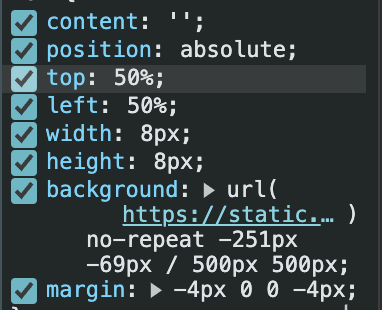
top: 50%
left: 50%
transform: translate(-50%, -50%);
의 방법으로 보통 중앙정렬을 한다.
근데 약간의 깨지는 현상이 생길때는 ,transform 대신 위처럼 margin으로 해결이 가능하다.
- top + left
top: 50%
left: 50%
margin: [height의 절반], 0 , 0 , [width의 절반];- bottom + right
bottom: 50%
right: 50%
margin: 0, [height의 절반] , [width의 절반], 0;
2. Flexbox 사용
부모 요소에 display: flex;를 적용하고, align-items: center;와 justify-content: center;를 설정하면 자식 요소가 수직과 수평 모두 중앙에 배치된다.
.parent {
  display: flex;
  align-items: center;   /* 수직 중앙 정렬 */
  justify-content: center; /* 수평 중앙 정렬 */
  height: 100vh;  /* 부모의 높이를 지정 */
}

<div class="parent">
  <div>Centered Content</div>
</div>
3. CSS Grid 사용
CSS Grid를 사용하면 매우 간단하게 중앙 정렬을 할 수 있습니다. display: grid;와 place-items: center; 속성을 사용하면, 자식 요소가 수직과 수평 모두 중앙에 배치된다.
.parent {
  display: grid;
  place-items: center;
  height: 100vh;
}

<div class="parent">
  <div>Centered Content</div>
</div>
Let's do it developer