서론
agp 8.x -> 9.x로 변경이 되면서 설정해야하는 부분이 많이 바뀌게 되었다. 특히 KMP/CMP를 사용하는 부분도 변경해야하고, 또한 멀티모듈을 적용하고 있는 프로젝트에 마이그레이션 하기 어려움을 많이 느끼고, 저 또한 마찬가지로 힘든 경험을 한 적이 있다.(AI를 쓰면 되지만 이게 맞는 코드인지 정확히 판단하기 힘들었다.)
마침 강의에서 agp9로 마이그레이션 하는 방법이 있어 어떻게 하면 판단이 되는지, 적용을 할 수 있는지 기록 차 남겨본다.
초기 프로젝트는 agp 8.x 모듈만 분리되어 있는 프로젝트다 아래 github 링크를 보고 변경해보는 것도 좋을 것 같다.
https://github.com/KMP-CMP/PL-Chat-App/tree/multi-module-agp8
본론
1. version & gradle 변경
그러면 agp 9.x로 마이그레이션을 진행해보자.
버전 카타로그를 모두 최신화 하는 방향이 아닌 일단 agp 9.x 버전으로 올릴 때 필요한 버전만 마이그레이션을 진행했다.
libs.verions.toml 파일에 해당 버전을 변경하자.
[versions]
agp = "9.0.0"
kotlin = "2.3.21"
ksp = "2.3.4"
compose-multiplatform = "1.10.3"
또한 gradle 디렉토리에 있는 gradle-wrapper.properties에서 해당 부분을 9.1.0으로 변경하자
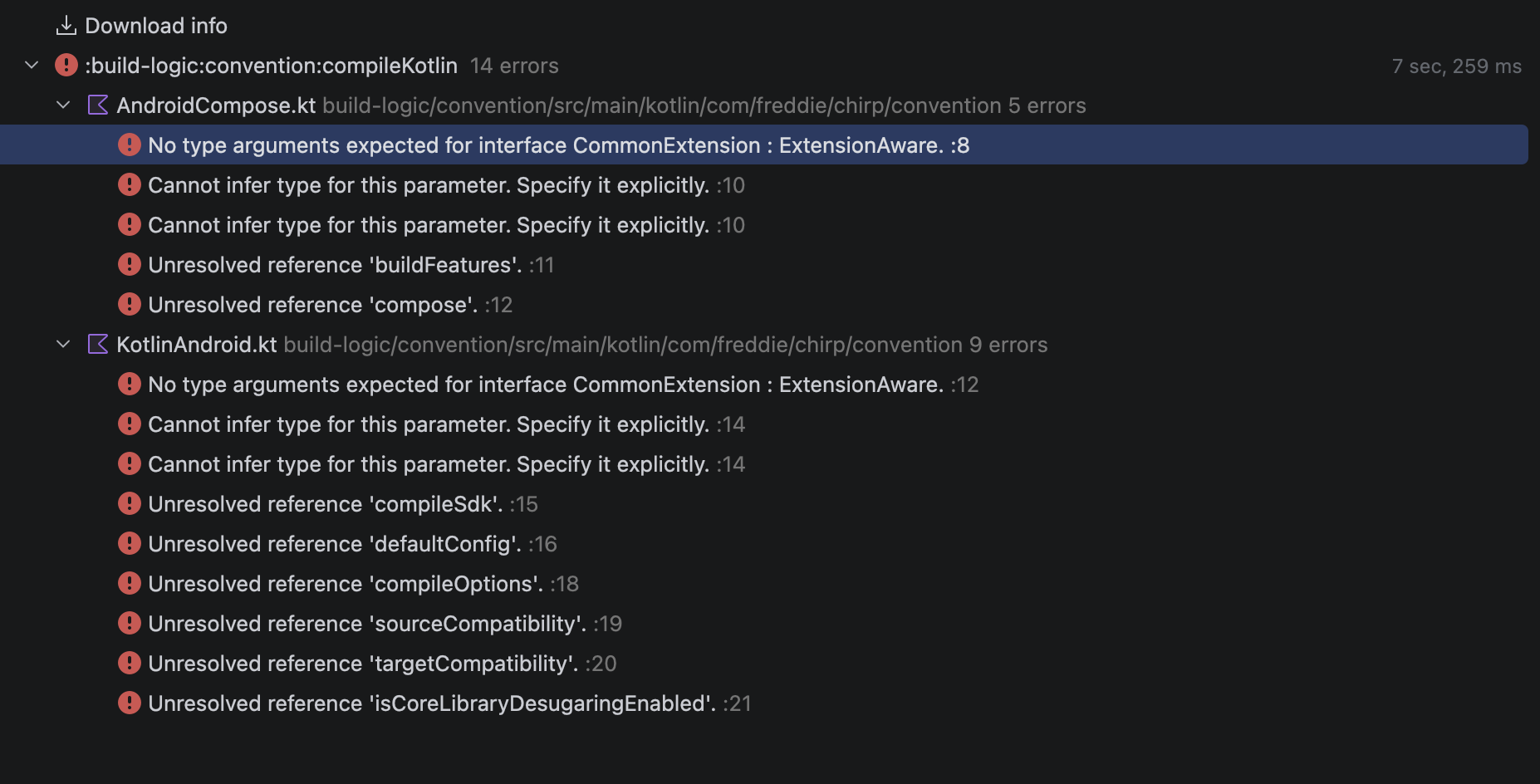
distributionUrl=https\://services.gradle.org/distributions/gradle-9.1.0-bin.zip그리고 나서 sync build를 하면 아래처럼 오류가 발생할 것이다.
2. 오류 해결하기
처음에 나온 오류는 CommonExtension 관련된 오류이다. build-logic에 있는 KotlinAndroid.kt, AndroidCompose.kt 파일을 보면 CommonExtention<,,,,,> 이 부분의 코드가 있을 것이다.
해당 부분을 agp에 맞는 Extension으로 변경해야한다.
KotlinAndroid.kt, AndroidCompose.kt
internal fun Project.configureKotlinAndroid(
	//이전 코드 commonExtension: CommonExtension<*, *, *, *, *, *>
	//변경 부분
    applicationExtension: ApplicationExtension
) {
	//...
}
변경 후 sync를 누르면 다른 오류가 발생한다.

확인해보면 CommonExtension -> ApplicationExtension으로 바뀌어 KmpLibraryConventionPlugin.kt 파일에서 사용하는 this가 불일치 하는 문제다.
agp 9.x로 가고나서 kmp 관련 plugin은 순순 Kmp만 남기기 때문에 해당 부분을 제거해주고 위에 plugin도 kmp 관련 플러그인으로 바꿔주자.
class KmpLibraryConventionPlugin: Plugin<Project> {
    override fun apply(target: Project) {
        with(target) {
            with(pluginManager) {
//                apply("com.android.library")
				//kmp 라이브러리로 변경
                apply("com.android.kotlin.multiplatform.library")
                apply("org.jetbrains.kotlin.multiplatform")
                apply("org.jetbrains.kotlin.plugin.serialization")
            }

            configureKotlinMultiplatform()

			//해당 부분 제거
//            extensions.configure<LibraryExtension> {
//                configureKotlinAndroid(this)
//
//                resourcePrefix = this@with.pathToResourcePrefix()
//
//                // Required to make debug build of app run in iOS simulator
//                experimentalProperties["android.experiment.kmp.enableAndroidResource"] = "true"
//            }

            dependencies {
                "commonMainImplementation"(libs.findLibrary("kotlinx.serialization.json").get())
                "commonTestImplementation"(libs.findLibrary("kotlin.test").get())
            }
        }
    }
}
다시 빌드 해보자.
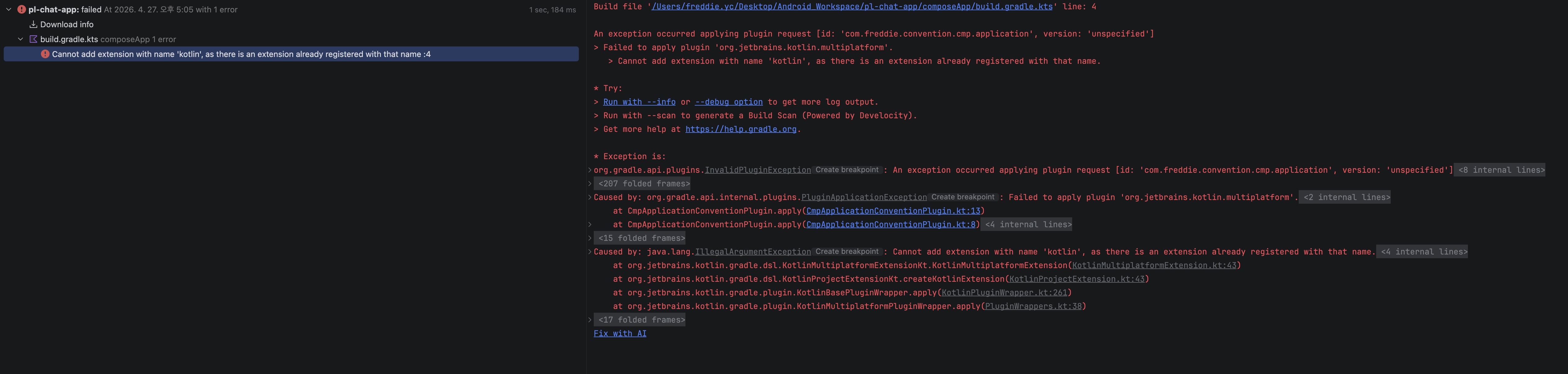
또 다른 이슈.. 순수 AI 없이 agp 9.x 마이그레이션은 참 복잡한 것 같다.
해당 이슈는 com.freddie.convention.cmp.application -> 직접 만든 플러그인에서 문제가 발생한 것이다.
CmpApplicationConventionPlugin.kt 파일을 보면 아래와 같다.
class CmpApplicationConventionPlugin: Plugin<Project> {
    override fun apply(target: Project) {
        with(target) {
            with(pluginManager) {
                apply("com.freddie.convention.android.application.compose")
                //...

@@ -19,7 +19,7 @@ class CmpApplicationConventionPlugin: Plugin<Project> {
            configureIosTargets()

            dependencies {
                "debugImplementation"(libs.findLibrary("androidx-compose-ui-tooling").get())
            }
        }
    }
해당 plugin에 com.freddie.convention.android.application.compose 를 타고 타고 들어가면 아래와 같이
apply("com.android.application")을 참조하는 것을 볼 수 있다. 이 부분을 제거해야 한다.
CmpApplicationConventionPlugin.kt를 아래와 같이 변경
class CmpApplicationConventionPlugin: Plugin<Project> {
    override fun apply(target: Project) {
        with(target) {
            with(pluginManager) {
            	//제거
                //apply("com.freddie.convention.android.application.compose")

                //추가
                apply("com.android.kotlin.multiplatform.library")
				//...

@@ -19,7 +19,7 @@ class CmpApplicationConventionPlugin: Plugin<Project> {
            configureIosTargets()

            dependencies {
            	//제거
                //"debugImplementation"(libs.findLibrary("androidx-compose-ui-tooling").get())
                //추가
                "androidMainImplementation"(libs.findLibrary("androidx-compose-ui-tooling").get())
            }
        }
    }
그리고 ComposeApp 모듈의 gradle 파일에 아래와 같이 추가하자.
kotlin {
	//추가
    androidLibrary {
        compileSdk = 36
        minSdk = 26
        namespace = "com.freddie.chirp.composeapp"
        experimentalProperties["android.experimental.kmp.enableAndroidResources"] = true
    }

   	//...
}
다시 빌드하면 아래와 같은 오류 발생
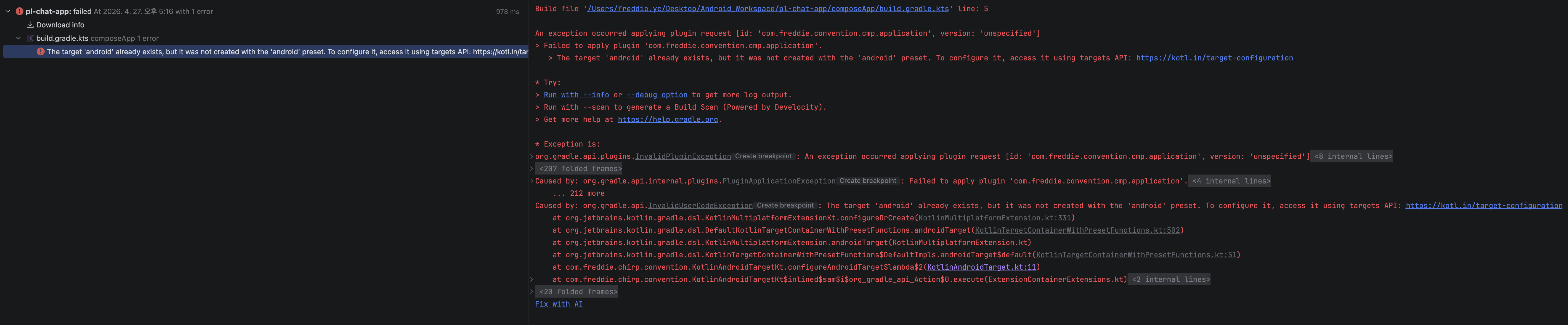
확인해보니 KotlinAndroidTarget.kt 파일 문제로 아래와 같이 변경
//확장함수 네임 변경 configureAndroidTarget -> configureAndroidLibraryTarget
internal fun Project.configureAndroidLibraryTarget() {
	  //제거
//    extensions.configure<KotlinMultiplatformExtension>() {
//        androidTarget {
//            @OptIn(ExperimentalKotlinGradlePluginApi::class)
//            compilerOptions {
//                jvmTarget.set(JvmTarget.JVM_17)
//            }
//        }
//    }
	//추가
    dependencies {
        "coreLibraryDesugaring"(libs.findLibrary("android-desugarJdkLibs").get())
    }
}
KotlinMultiplatform.kt 파일 변경
internal fun Project.configureKotlinMultiplatform() {
	//제거
//    extensions.configure<LibraryExtension> {
//        namespace = this@configureKotlinMultiplatform.pathToPackageName()
//    }

	//변경
    configureAndroidLibraryTarget()
    extensions.configure<KotlinMultiplatformExtension>() {
    	//추가
        extensions.configure<KotlinMultiplatformAndroidLibraryExtension> {
            compileSdk = 36
            minSdk = 26
            namespace = pathToPackageName()
            experimentalProperties["android.experimental.kmp.enableAndroidResources"] = true
        }

        listOf(
            iosX64(),
            iosArm64(),
            iosSimulatorArm64(),
        ).forEach { iosTarget ->
            iosTarget.binaries.framework {
                // :core:data -> CoreData
                baseName = this@configureKotlinMultiplatform.pathToFrameworkName()
            }
        }

        compilerOptions {
            freeCompilerArgs.add("-Xexpect-actual-classes")
            freeCompilerArgs.add("-opt-in=kotlin.RequiresOptIn")
            freeCompilerArgs.add("-opt-in=kotlin.time.ExperimentalTime")
        }
    }
}
다시 빌드를 해보자..
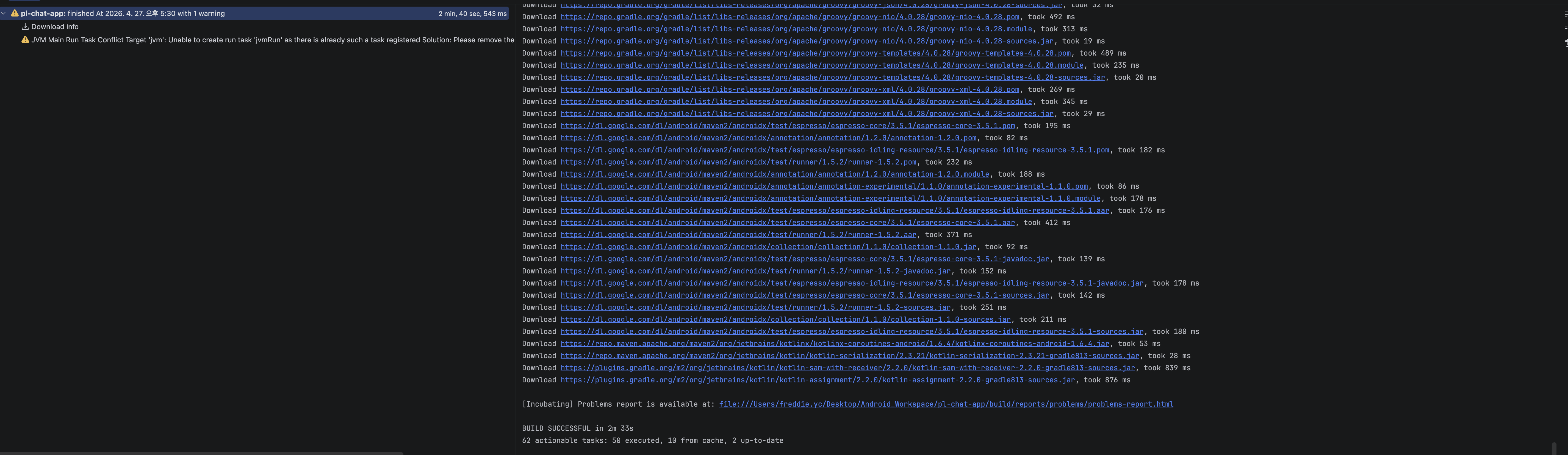
드디어 빌드가 성공했다.
androidApp 모듈 만들기
이제 composeApp 모듈이 아닌 androidApp 모듈을 만들어 해당 부분에 MainActivity를 넣을 것이다.
root 프로젝트에서 Module 생성 후 아래와 같은 이미지로 모듈을 생성.
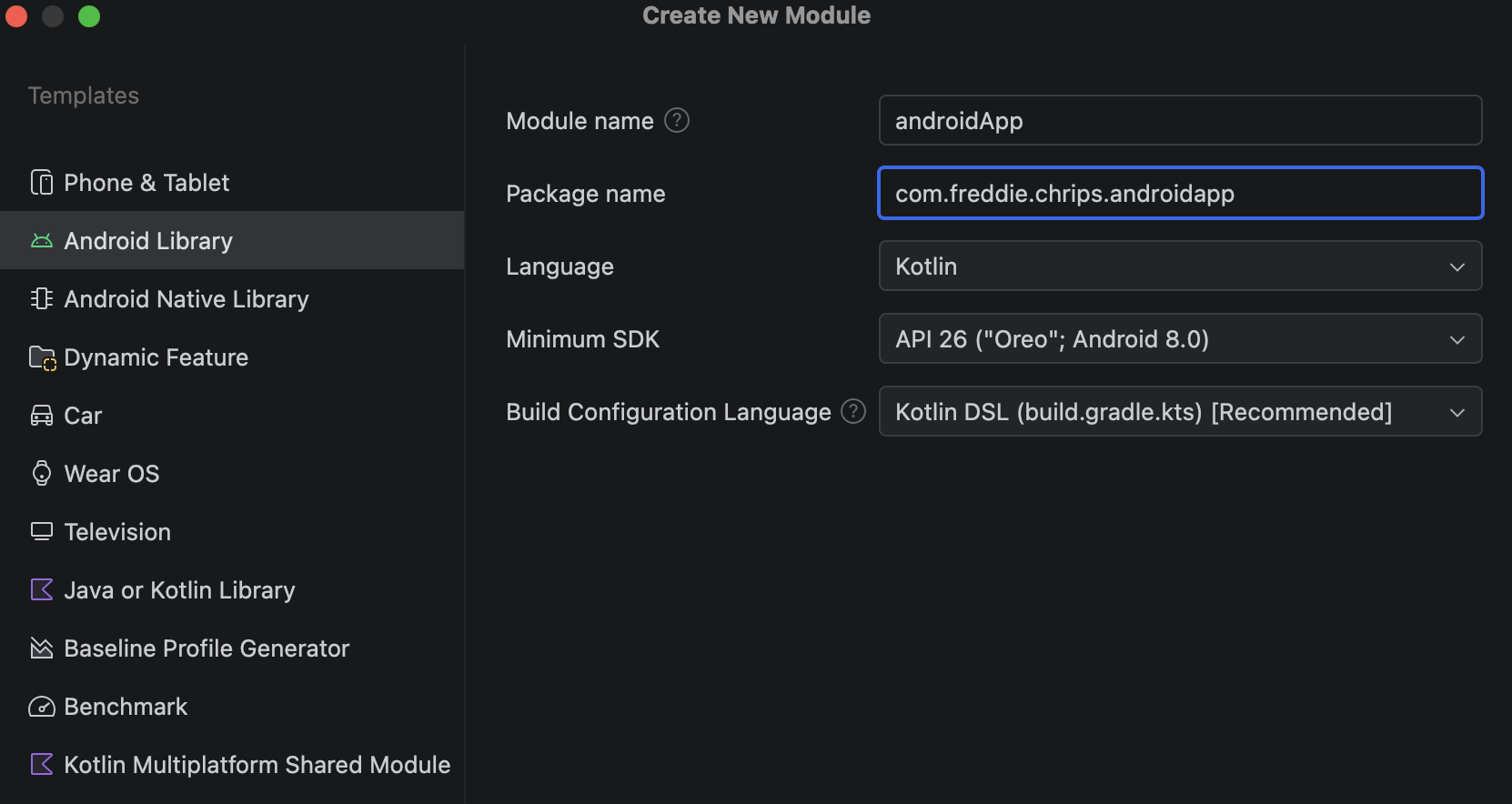
생성 시 오류가 발생
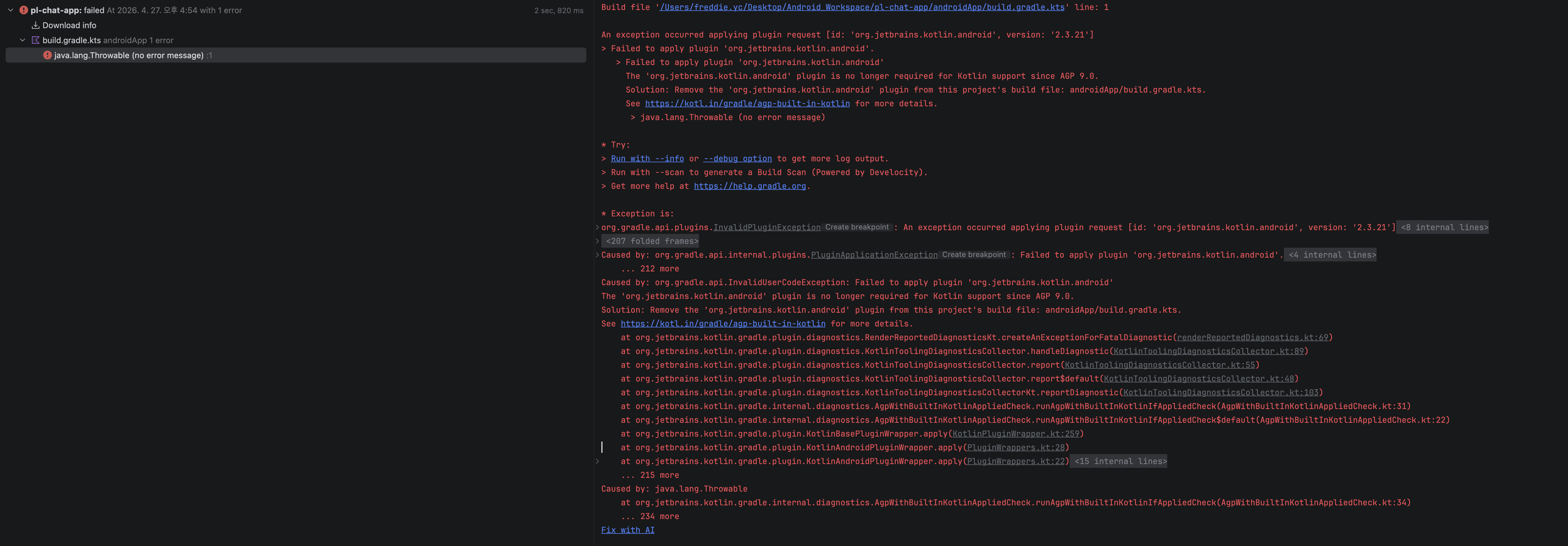
버전카타로그 추가
[versions]
androidx-compose = "1.11.0"
material3 = "1.4.0"

[libraries]
androidx-compose-ui = { group = "androidx.compose.ui", name = "ui", version.ref = "androidx-compose" }
androidx-compose-ui-graphics = { group = "androidx.compose.ui", name = "ui-graphics", version.ref = "androidx-compose" }
androidx-compose-material3 = { group = "androidx.compose.material3", name = "material3", version.ref = "material3" }
아래와 같이 gradle 코드 작성
plugins {
    alias(libs.plugins.convention.android.application)
    alias(libs.plugins.compose.compiler)
}

dependencies {
    implementation(projects.composeApp)

    implementation(platform(libs.androidx.compose.bom))
    debugImplementation(libs.androidx.compose.ui.tooling.preview)
    debugImplementation(libs.androidx.compose.ui.tooling)

    implementation(libs.androidx.activity.compose)
    implementation(libs.androidx.compose.ui)
    implementation(libs.androidx.compose.ui.graphics)
    implementation(libs.androidx.compose.material3)

    implementation(libs.androidx.appcompat)
    implementation(libs.androidx.core.ktx)
    implementation(libs.material)
    testImplementation(libs.junit)
    androidTestImplementation(libs.androidx.espresso.core)
    androidTestImplementation(libs.androidx.junit)
}
이제 composeApp에 있는 MainActivity.kt, res 디렉토리, 그리고 Manifest.xml을 복사해 가져와준다.(composeApp에 있는 res, manifest, MainActivity.kt 는 삭제)
이후 빌드하면 성공하고 실행 시 아무 문제가 없다.
결론
AI 한테 공식 문서 돌리고 마이그레이션이나 하자.
참고로 요즘은 AI한테 돌릴 수 있는 방법도 알려준다.
https://developer.android.com/agents/skills/build/agp/agp-9-upgrade/skill
https://github.com/Kotlin/kotlin-agent-skills/blob/main/skills/kotlin-tooling-agp9-migration/SKILL.md
그 외 참고자료