폴더와 파일의 권한으로 폴더인지 파일인지 구분하는 방법과, 폴더나 파일의 사용 권한을 변경하는 방법을 알아보자.
Achievement Goals
- 사용 권한과 소유자에 대해 이해하고, 사용 권한을 변경할 수 있다.
ls -l파일의 소유자와 파일에 적용된 사용 권한을 확인하고 이해할 수 있다.chmod파일에 적용된 사용 권한을 변경할 수 있다.
사용 권한
Read, Write, Execute 권한
-
폴더 생성하기
mkdir폴더명 -
파일 생성 및 수정하기
nano파일명
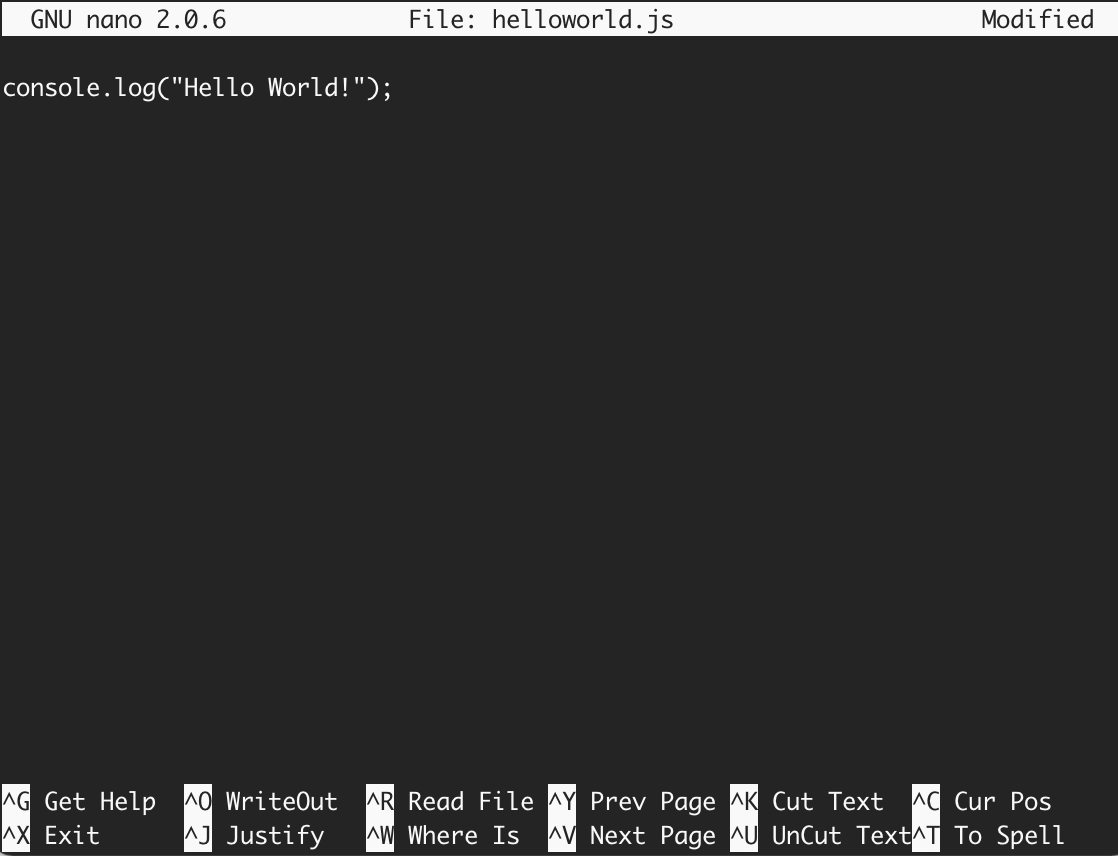


코드를 작성한 다음 Enter 를 눌러서 Modified 상태로 변경된 후, Ctrl + X, Y, Enter 를 순서대로 입력하면, 새로운 파일을 저장할 수 있다.
위 명령어로 폴더 하나와 파일 하나를 각각 생성했다. 명령어 ls -l 을 프롬프트에 입력하고 Enter 를 누르면 아래와 같이 출력된다.

터미널에 출력된 결과 중에서, 가장 왼쪽의 표현을 살펴보자. 파일 helloworld.js는 -rw-r--r-- 이라고 출력되었고, 폴더 linux는 drwxr-xr-x 라고 출력되었다. 이 표현의 첫 시작인 - 와 d 는 각각 not directory와 directory를 나타낸다. 폴더면 d, 파일이면 -
이어지는 r, w, x는 각각 read permission, write permission, execute permission으로 읽기 권한, 쓰기 권한, 실행 권한을 나타낸다.
3번에 걸쳐 나타나는 이유는 사용자, 그룹 그리고 나머지에 대한 권한을 표시하기 때문이다. 파일 helloworld.js의 권한은 rw-r--r-- 으로, 소유자는 읽기와 쓰기가 가능하고, 다른 사용자 그룹은 읽기만 가능하다는 의미다. 폴더 linux의 권한은 rwxr-xr-x 으로, 소유자는 읽기와 쓰기, 실행이 가능하고, 다른 사용자 그룹은 읽기와 실행만 가능하다.
user, group, other
-
user
user는 파일의 소유자다. 기본적으로 파일을 만든 사람이 소유자가 된다.
-
group
group에는 여러 user가 포함될 수 있다. 그룹에 속한 모든 user는 파일에 대해 동일한 액세스 권한을 갖는다. 많은 사람이 파일에 액세스해야 하는 프로젝트가 있다고 가정한다면, 각 user에게 일일이 권한을 할당하는 대신에 모든 user를 group에 추가하고, 파일에 group 권한을 할당할 수 있다.
-
other
파일에 대한 액세스 권한이 있는 다른 user이다. 파일을 만들지 않은 다른 모든 user를 의미한다. 따라서 other 권한을 설정하면, 해당 권한을 global 권한 설정이라고 볼 수도 있다.
chmod: 권한을 변경하는 명령어
명령어 chmod는 폴더나 파일의 읽기, 쓰기, 실행 권한을 변경할 수 있다. OS에 로그인한 사용자와, 폴더나 파일의 소유자가 같을 경우에 명령어 chmod 로 폴더나 파일의 권한을 변경할 수 있다.
만약 OS에 로그인한 사용자와, 폴더나 파일의 소유자가 다를 경우에는 관리자 권한을 획득하는 명령어 sudo 를 이용해 폴더나 파일의 권한을 변경할 수 있다.
명령어 chmod 로 권한을 변경하는 방식은 두 가지가 있다.
-
① Symbolic method
더하기(+), 빼기(-), 할당(=)과 액세스 유형을 표기해서 변경하는 Symbolic method. -
② Absolute form
rwx를 3 bit로 해석하여, 숫자 3자리로 권한을 표기해서 변경하는 Absolute form.
Symbolic method
Symbolic method 구분
Symbolic method는 액세스 클래스, 연산자, 액세스 타입으로 구분한다.
| Access class | Operator | Access Type |
|---|---|---|
| u (user) | + (add access) | r (read) |
| g (group) | - (remove access) | w (write) |
| o (other) | = (set exact access) | x (execute) |
| a (all: u, g, o) |
Symbolic method 사용하기
명령어 chmod 뒤에 변경할 권한을 입력한다. 액세스 클래스의 u, g, o, a를 변경할 조건에 따라 조합해 입력하고, 연산자와 액세스 타입을 순서대로 입력한다. 아래는 명령어 chmod 를 입력한 예시다.
chmod g-r filename # removes read permission from group
chmod g+r filename # adds read permission to group
chmod g-w filename # removes write permission from group
chmod g+w filename # adds write permission to group
chmod g-x filename # removes execute permission from group
chmod g+x filename # adds execute permission to group
chmod o-r filename # removes read permission from other
chmod o+r filename # adds read permission to other
chmod o-w filename # removes write permission from other
chmod o+w filename # adds write permission to other
chmod o-x filename # removes execute permission from other
chmod o+x filename # adds execute permission to other
chmod u+x filename # adds execute permission to user
[symbolic method로 helloworld.js 파일 권한 변경하기]
chmod a=rw helloworld.js # -rw-rw-rw-
chmod u= helloworld.js # ----rw-rw-
chmod a+rx helloworld.js # -r-xrwxrwx
chmod go-wx helloworld.js # -r-xr--r--
chmod a= helloworld.js # ----------
chmod u+rwx helloworld.js # -rwx------Absolute form
Absolute form은 숫자 7까지 나타내는 3 bits의 합으로 표기한다.
사용자, 그룹, 또는 다른 사용자나 그룹마다 rwx 가 나타나고, 각 영역의 boolean 값으로 표기할 수 있다.
Absolute form 구분
| Permission | Number |
|---|---|
| Read(r) | 4 |
| Write(w) | 2 |
| Execute(x) | 1 |
만약, user는 rwx를, group과 other은 r-- 로 권한을 변경하려고 한다면, 위 표에 나와있는 숫자의 합을 user, group, other 순으로 입력하여 사용한다.
[chmod 명령어와 Absolute form으로 helloworld.js 파일의 권한 변경하기]

# u=rwx (4 + 2 + 1 = 7), go=r (4 + 0 + 0 = 4)
chmod 744 helloworld.js # -rwxr--r--
Absolute form table
| # | Sum | rwx | Permission |
|---|---|---|---|
| 7 | 4(r) + 2(w) + 1(x) | rwx | read, write and execute |
| 6 | 4(r) + 2(w) + 0(-) | rw- | read and write |
| 5 | 4(r) + 0(-) + 1(x) | r-x | read and execute |
| 4 | 4(r) + 0(-) + 0(-) | r-- | read only |
| 3 | 0(-) + 2(w) + 1(x) | -wx | write and execute |
| 2 | 0(-) + 2(w) + 0(-) | -w- | write only |
| 1 | 0(-) + 0(-) + 1(x) | --x | execute only |
| 0 | 0(-) + 0(-) + 0(-) | --- | none |