dark mode useEffect 리렌더링
221110(금)
단지 제가 기억하려고 기록하는 거라 충분한 정보가 없음을 알립니다.
오류
하고 싶은 것은, light mode -> dark mode로 갈 때 바로 bar background-color 변경을 원하는 것이다. 하지만 야간모드하고 드롭다운을 눌러야 event 발생해서 그제야 색깔을 바꿔준다. 반대로 light mode도 마찬가지!
useEffect 실행 흐름
*리렌더링 조건 3가지
1. 컴포넌트의 state가 변했을 때
2. props의 값이 변했을 때
3. 부모 컴포넌트가 렌더링 되었을 때
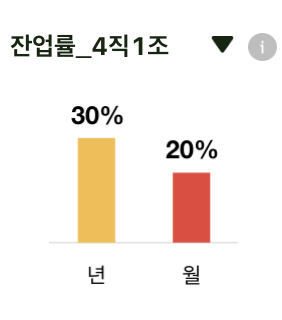
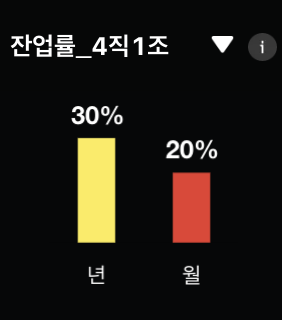
원래 코드는
const OverTime() => {
  // useState
  const isDark = useRecoilValue(theme);
  const [currentData, setCurrentData] = useState(barDataTotal);

  useEffect(() => { }, [currentData]);

  const handleChange = (e) => {
    console.log(e.target.value);
    switch (e.target.value) {
      case "잔업률_전체":
        setCurrentData(barDataTotal);
        break;
      case "잔업률_4직 1조":
        setCurrentData(barDataFirst);
        break;
      default:
        setCurrentData(barDataSecond);
    }
  };
  return(
  <select onChange={handleChange}>
              {OPTIONS.map((option, index) => (
                <option key={index} value={option.value}>
                  {option.name}
                </option>
              ))}
            </select>
  )
}
완료 코드
const OverTime() => {
  // useState
  const isDark = useRecoilValue(theme);
  const [currentData, setCurrentData] = useState(barDataTotal);
  const [isSelectValue, setIsSeletValue] = useState("잔업률_전체")


  useEffect(() => {
    switch (isSelectValue) {
      case "잔업률_전체":
        setCurrentData(barDataTotal);
        break;
      case "잔업률_4직 1조":
        setCurrentData(barDataFirst);
        break;
      default:
        setCurrentData(barDataSecond);
    }

  }, [isDark, isSelectvalue]);

//드롭다운 메뉴 바꿀 때마다 데이터도 같이 바뀜!

  const handleChange = (e) => {
    setIsSelectValue(e.target.value);

  };
  return(
  <select onChange={handleChange} value={isSelectvalue}>
              {OPTIONS.map((option, index) => (
                <option key={index} value={option.value}>
                  {option.name}
                </option>
              ))}
            </select>
  )
}
긍정 🍋🌻