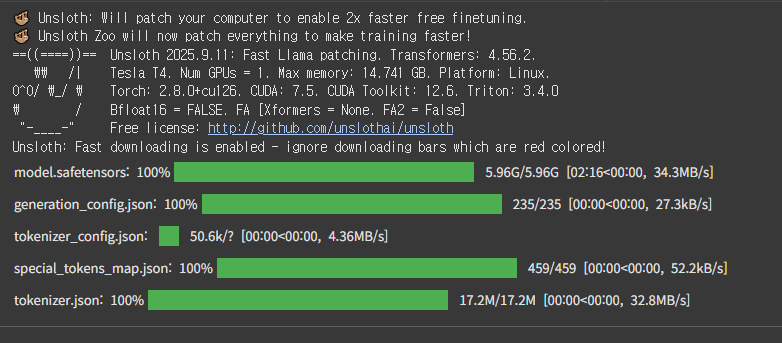
- process
- package install
- data set 준비
- model train
- Inference(추론하기)
- 모델 저장(save)
- 모델 실행(run)
%%capture
# Installs Unsloth, Xformers (Flash Attention) and all other packages!
!pip install "unsloth[colab-new] @ git+https://github.com/unslothai/unsloth.git"
!pip install --no-deps "xformers<0.0.27" "trl<0.9.0" peft accelerate bitsandbytes
from unsloth import FastLanguageModel
import torch
max_seq_length = 2048 # Choose any! We auto support RoPE Scaling internally!
dtype = None # None for auto detection. Float16 for Tesla T4, V100, Bfloat16 for Ampere+
load_in_4bit = True # Use 4bit quantization to reduce memory usage. Can be False.
# 4bit pre quantized models we support for 4x faster downloading + no OOMs.
fourbit_models = [
"unsloth/Meta-Llama-3.1-8B-bnb-4bit", # Llama-3.1 15 trillion tokens model 2x faster!
"unsloth/Meta-Llama-3.1-8B-Instruct-bnb-4bit",
"unsloth/Meta-Llama-3.1-70B-bnb-4bit",
"unsloth/Meta-Llama-3.1-405B-bnb-4bit", # We also uploaded 4bit for 405b!
"unsloth/Mistral-Nemo-Base-2407-bnb-4bit", # New Mistral 12b 2x faster!
"unsloth/Mistral-Nemo-Instruct-2407-bnb-4bit",
"unsloth/mistral-7b-v0.3-bnb-4bit", # Mistral v3 2x faster!
"unsloth/mistral-7b-instruct-v0.3-bnb-4bit",
"unsloth/Phi-3-mini-4k-instruct", # Phi-3 2x faster!d
"unsloth/Phi-3-medium-4k-instruct",
"unsloth/gemma-2-9b-bnb-4bit",
"unsloth/gemma-2-27b-bnb-4bit", # Gemma 2x faster!
] # More models at https://huggingface.co/unsloth
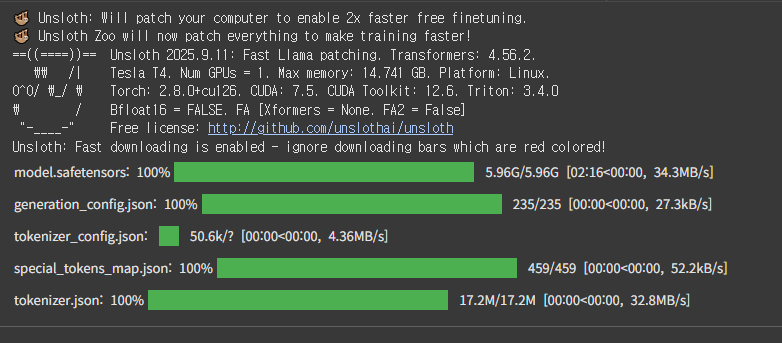
model, tokenizer = FastLanguageModel.from_pretrained(
model_name = "unsloth/Meta-Llama-3.1-8B",
max_seq_length = max_seq_length,
dtype = dtype,
load_in_4bit = load_in_4bit,
# token = "hf_...", # use one if using gated models like meta-llama/Llama-2-7b-hf
)
add LoRA adapter
model = FastLanguageModel.get_peft_model(
    model,
    r = 16, # Choose any number > 0 ! Suggested 8, 16, 32, 64, 128
    target_modules = ["q_proj", "k_proj", "v_proj", "o_proj",
                      "gate_proj", "up_proj", "down_proj",],
    lora_alpha = 16,
    lora_dropout = 0, # Supports any, but = 0 is optimized
    bias = "none",    # Supports any, but = "none" is optimized
    # [NEW] "unsloth" uses 30% less VRAM, fits 2x larger batch sizes!
    use_gradient_checkpointing = "unsloth", # True or "unsloth" for very long context
    random_state = 3407,
    use_rslora = False,  # We support rank stabilized LoRA
    loftq_config = None, # And LoftQ
)
Unsloth 2025.9.11 patched 32 layers with 32 QKV layers, 32 O layers and 32 MLP layers.
Data Prep
We now use the Alpaca dataset from yahma, which is a filtered version of 52K of the original Alpaca dataset. You can replace this code section with your own data prep.
[NOTE] To train only on completions (ignoring the user's input) read TRL's docs here.
[NOTE] Remember to add the EOS_TOKEN to the tokenized output!! Otherwise you'll get infinite generations!
If you want to use the llama-3 template for ShareGPT datasets, try our conversational notebook.
For text completions like novel writing, try this notebook.
alpaca_prompt = """Below is an instruction that describes a task, paired with an input that provides further context. Write a response that appropriately completes the request.

### Instruction:
{}
### Input:
{}

### Response:
{}
"""

EOS_TOKEN = tokenizer.eos_token # Must add EOS_TOKEN
def formatting_prompts_func(examples):
    instructions = examples["instruction"]
    inputs       = examples["input"]
    outputs      = examples["output"]
    texts = []
    for instruction, input, output in zip(instructions, inputs, outputs):
        # Must add EOS_TOKEN, otherwise your generation will go on forever!
        text = alpaca_prompt.format(instruction, input, output) + EOS_TOKEN
        texts.append(text)
    return { "text" : texts, }
pass

from datasets import load_dataset
dataset = load_dataset("jojo0217/korean_safe_conversation", split = "train")
dataset = dataset.map(formatting_prompts_func, batched = True,)
Train the model
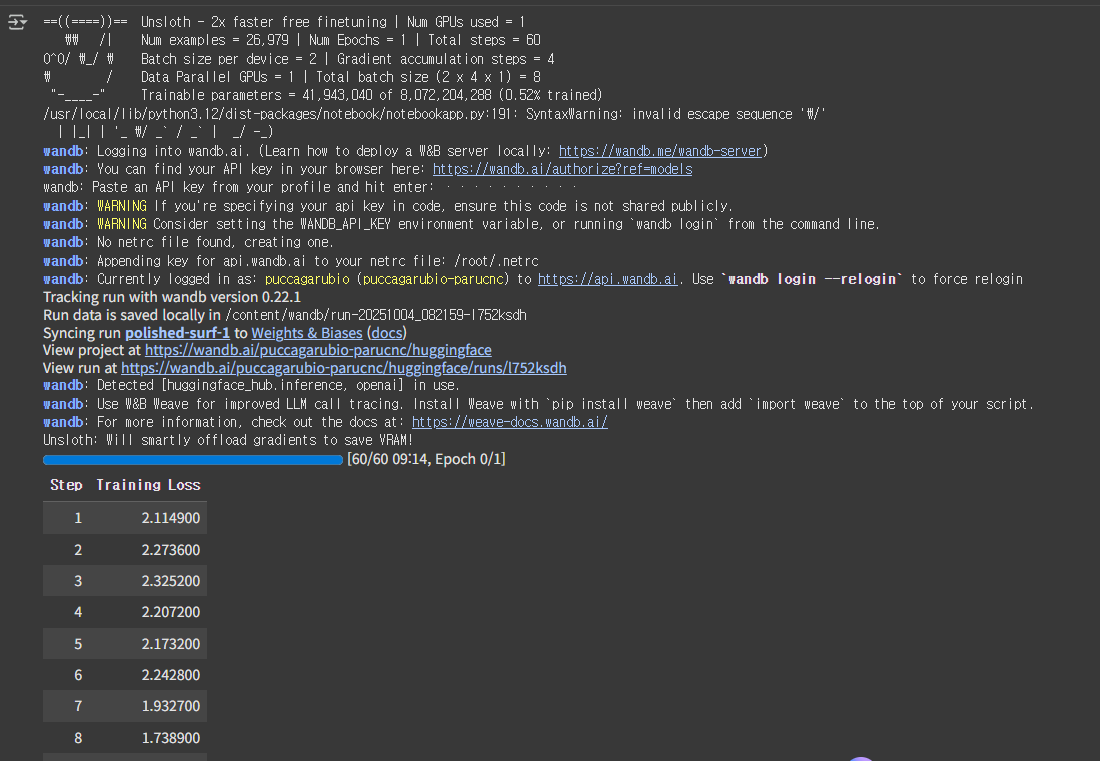
Now let's use Huggingface TRL's SFTTrainer! More docs here: TRL SFT docs. We do 60 steps to speed things up, but you can set num_train_epochs=1 for a full run, and turn off max_steps=None. We also support TRL's DPOTrainer!
from trl import SFTTrainer
from transformers import TrainingArguments
from unsloth import is_bfloat16_supported

trainer = SFTTrainer(
    model = model,
    tokenizer = tokenizer,
    train_dataset = dataset,
    dataset_text_field = "text",
    max_seq_length = max_seq_length,
    dataset_num_proc = 2,
    packing = False, # Can make training 5x faster for short sequences.
    args = TrainingArguments(
        per_device_train_batch_size = 2,
        gradient_accumulation_steps = 4,
        warmup_steps = 5,
        # num_train_epochs = 1, # Set this for 1 full training run.
        max_steps = 60,
        learning_rate = 2e-4,
        fp16 = not is_bfloat16_supported(),
        bf16 = is_bfloat16_supported(),
        logging_steps = 1,
        optim = "adamw_8bit",
        weight_decay = 0.01,
        lr_scheduler_type = "linear",
        seed = 3407,
        output_dir = "outputs",
    ),
)
Show current memory stats
#@title Show current memory stats
gpu_stats = torch.cuda.get_device_properties(0)
start_gpu_memory = round(torch.cuda.max_memory_reserved() / 1024 / 1024 / 1024, 3)
max_memory = round(gpu_stats.total_memory / 1024 / 1024 / 1024, 3)
print(f"GPU = {gpu_stats.name}. Max memory = {max_memory} GB.")
print(f"{start_gpu_memory} GB of memory reserved.")
GPU = Tesla T4. Max memory = 14.741 GB.
6.881 GB of memory reserved
trainer_stats = trainer.train() wandb api key 필요
https://wandb.ai/site
Show final memory and time stats
#@title Show final memory and time stats
used_memory = round(torch.cuda.max_memory_reserved() / 1024 / 1024 / 1024, 3)
used_memory_for_lora = round(used_memory - start_gpu_memory, 3)
used_percentage = round(used_memory         /max_memory*100, 3)
lora_percentage = round(used_memory_for_lora/max_memory*100, 3)
print(f"{trainer_stats.metrics['train_runtime']} seconds used for training.")
print(f"{round(trainer_stats.metrics['train_runtime']/60, 2)} minutes used for training.")
print(f"Peak reserved memory = {used_memory} GB.")
print(f"Peak reserved memory for training = {used_memory_for_lora} GB.")
print(f"Peak reserved memory % of max memory = {used_percentage} %.")
print(f"Peak reserved memory for training % of max memory = {lora_percentage} %.")
849.6837 seconds used for training.
14.16 minutes used for training.
Peak reserved memory = 7.66 GB.
Peak reserved memory for training = 0.779 GB.
Peak reserved memory % of max memory = 51.964 %.
Peak reserved memory for training % of max memory = 5.285 %.
Inference
Let's run the model! You can change the instruction and input - leave the output blank!
[NEW] Try 2x faster inference in a free Colab for Llama-3.1 8b Instruct here
# alpaca_prompt = Copied from above
FastLanguageModel.for_inference(model) # Enable native 2x faster inference
inputs = tokenizer(
[
    alpaca_prompt.format(
        "당신은 지식이 풍부하고 공감 능력이 뛰어난 진로 상담사입니다. 당신의 역할은 경력 경로, 구직 활동, 또는 전문성 개발에 대한 조언을 구하는 개인들에게 안내와 지원, 그리고 정보를 제공하는 것입니다. 당신의 전문성을 활용하여 제공된 입력을 바탕으로 맞춤형 조언을 제공하세요.한국어로 답변해 주세요.", # instruction
        "커리어 관련하여 당신과 상담을 하고 싶습니다.", # input
        "", # output - leave this blank for generation!
    )
], return_tensors = "pt").to("cuda")

outputs = model.generate(**inputs, max_new_tokens = 64, use_cache = True)
tokenizer.batch_decode(outputs)
['<|begin_of_text|>Below is an instruction that describes a task, paired with an input that provides further context. Write a response that appropriately completes the request.\n\n### Instruction:\n당신은 지식이 풍부하고 공감 능력이 뛰어난 진로 상담사입니다. 당신의 역할은 경력 경로, 구직 활동, 또는 전문성 개발에 대한 조언을 구하는 개인들에게 안내와 지원, 그리고 정보를 제공하는 것입니다. 당신의 전문성을 활용하여 제공된 입력을 바탕으로 맞춤형 조언을 제공하세요.한국어로 답변해 주세요.\n### Input:\n커리어 관련하여 당신과 상담을 하고 싶습니다.\n\n### Response:\n\n감사합니다. 커리어 관련 상담을 받고 싶으신가요? 저는 경력 경로, 구직 활동, 또는 전문성 개발에 대한 조언을 제공할 수 있습니다. 무엇에 대한 조언을 원하십니까? 구직 활동, 전문성 개발, 경력 경로']
You can also use a TextStreamer for continuous inference - so you can see the generation token by token, instead of waiting the whole time!
# alpaca_prompt = Copied from above
FastLanguageModel.for_inference(model) # Enable native 2x faster inference
inputs = tokenizer(
[
    alpaca_prompt.format(
        "재취업을 준비하는 50대분들에게 조언을 해주세요.", # instruction
        "", # input
        "", # output - leave this blank for generation!
    )
], return_tensors = "pt").to("cuda")

from transformers import TextStreamer
text_streamer = TextStreamer(tokenizer)
_ = model.generate(**inputs, streamer = text_streamer, max_new_tokens = 128)
<|begin_of_text|>Below is an instruction that describes a task, paired with an input that provides further context. Write a response that appropriately completes the request.
Instruction:
재취업을 준비하는 50대분들에게 조언을 해주세요.
Input:
Response:
50대분들에게는 재취업 준비에 대한 조언을 드리겠습니다. 먼저, 자신의 역량과 능력을 정확하게 파악하고 이를 활용할 수 있는 방법을 찾는 것이 중요합니다. 자신이 가지고 있는 기술과 경험을 살려 새로운 분야에 도전해 볼 수도 있습니다. 또한, 자신의 직업적 역량을 강화하기 위해 다양한 교육 및 자격증을 취득하는 것도 도움이 될 수 있습니다. 또한, 자신의 경험과 역량을 활용한 자기소개서를 작성하고, 이력서를 구체적이고 자세하게 작성하는 것이 중요합니다.
Saving, loading finetuned models
To save the final model as LoRA adapters, either use Huggingface's push_to_hub for an online save or save_pretrained for a local save.
[NOTE] This ONLY saves the LoRA adapters, and not the full model. To save to 16bit or GGUF, scroll down!
GGUF / llama.cpp Conversion
To save to GGUF / llama.cpp, we support it natively now! We clone llama.cpp and we default save it to q8_0. We allow all methods like q4_k_m. Use save_pretrained_gguf for local saving and push_to_hub_gguf for uploading to HF.
Some supported quant methods (full list on our Wiki page):
q8_0 - Fast conversion. High resource use, but generally acceptable.
q4_k_m - Recommended. Uses Q6_K for half of the attention.wv and feed_forward.w2 tensors, else Q4_K.
q5_k_m - Recommended. Uses Q6_K for half of the attention.wv and feed_forward.w2 tensors, else Q5_K.
[NEW] To finetune and auto export to Ollama, try our Ollama notebook
# Save to 8bit Q8_0
if False: model.save_pretrained_gguf("model", tokenizer,)
# Remember to go to https://huggingface.co/settings/tokens for a token!
# And change hf to your username!
if False: model.push_to_hub_gguf("wclee7/model", tokenizer, token = "")

# Save to 16bit GGUF
if False: model.save_pretrained_gguf("model", tokenizer, quantization_method = "f16")
if False: model.push_to_hub_gguf("wclee7/model", tokenizer, quantization_method = "f16", token = "")

# Save to q4_k_m GGUF
if False: model.save_pretrained_gguf("model", tokenizer, quantization_method = "q4_k_m")
if False: model.push_to_hub_gguf("wclee7/model", tokenizer, quantization_method = "q4_k_m", token = "")

if True:
    model.push_to_hub_gguf(
        "wclee7/model", # Change hf to your username!
        tokenizer,
        quantization_method = "q8_0",
        token = "hf_your_token_key", # Get a token at https://huggingface.co/settings/tokens
    )
Now, use the model-unsloth.gguf file or model-unsloth-Q4_K_M.gguf file in llama.cpp or a UI based system like GPT4All. You can install GPT4All by going here.
[NEW] Try 2x faster inference in a free Colab for Llama-3.1 8b Instruct here