게시물의 내용을 잘못 올려서 수정이나 삭제가 필요한 경우에 아직 게시판에 기능이 구현되어 있지 않아 불가능 했다. 따라서 게시물을 수정하거나 삭제 기능 추가를 시도한다.
모델 수정
질문, 답변의 수정 일시를 확인할 수 있도록 Question, Answer 모델에 수정일시 필드를 추가
-
pybo/models.py 수정
... class Question(models.Model): ... modify_date = models.DateTimeField(null=True, blank=True) ... class Answer(models.Model): ... modify_date = models.DateTimeField(null=True, blank=True)- 각 모델에 modify_date를 추가한다.
- modify_date는 수정할 때 발생하는 필드로 처음 데이터가 생성될 때 값을 비워두어야 한다. 따라서 null을 허용하며 blank=True는 form.is_vaild() 함수를 사용한 입력 폼 검사 시 값을 비워도 된다는 것을 의미
-
migrate 실행
python manage.py makemigrations
Migrations for 'pybo':
  pybo/migrations/0004_answer_modify_date_question_modify_date.py
    - Add field modify_date to answer
    - Add field modify_date to question

python manage.py migrate
Operations to perform:
  Apply all migrations: admin, auth, contenttypes, pybo, sessions
Running migrations:
  Applying pybo.0004_answer_modify_date_question_modify_date... OK
질문 수정 기능 추가
-
templates/pybo/question_detail.html에서 질문 수정 버튼 추가
... <div class="d-flex justify-content-end"> <div class="badge bg-light text-dark text-start p-2"> <div class="mb-2">{{ question.author.username }}</div> <div>{{ question.create_date }}</div> </div> </div> <!-- 질문 버튼 수정 Start --> {% if request.user == question.author %} <div class="my-3"> <a href="{% url 'pybo:question_modify' question.id %}" class="btn btn-outline-secondary">수정</a> </div> {% endif %} <!-- 질문 버튼 수정 End -->- 요청한 사용자가 작성자와 같을 때 질문 수정 버튼 활성화
-
pybo/urls.py에 질문 수정 버튼의 URL 매핑 추가
... urlpatterns = [ ... path('question/modify/<int:quetion_id>/', views.question_modify, name='question_modify'), ] -
pybo/views.py에 질문 수정 함수 추가
@login_required(login_url='common:login') def question_modify(request, question_id): # pybo 질문 수정 question = get_object_or_404(Question, pk=question_id) # 요청자와 작성자가 다를 때 권한 없음을 알리고 질문 수정을 요청한 질문 페이지로 돌아간다. if request.user != question.author: messages.error(request, '수정권한이 없습니다.') return redirect('pybo:detail', question_id=question_id) # 요청이 POST일 때 # 폼에 입력된 값이 유효할 때 내용과 작성자, 수정일시를 모델에 저장하고 질문 상세 페이지로 돌아간다. if request.method == "POST": form = QuestionForm(request.POST, instance=question) if form.is_valid(): question = form.save(commit=False) question.author = request.user question.modify_date = timezone.now() question.save() return redirect('pybo:detail', question_id=question_id) # 요청이 GET 일 때 질문 작성 폽을 form 변수에 저장 else: form = QuestionForm(instance=question) context = {'form': form} return render(request, 'pybo/question_form.html', context)- GET 요청시 form을 수정할 때 기존의 제목과 내용을 유지한 상태에서 수정을 시작할 수 있도록 폼을 생성
form = QuestionForm(instance=question)- instance 매개변수에 question을 지정하면 기존 값을 폼에 채우는 것이 가능
- POST 요청시 질문 수정 시 기존의 값을 덮어쓸 수 있도록 폼을 생성
form = Question(request.POST, instance=question)
- GET 요청시 form을 수정할 때 기존의 제목과 내용을 유지한 상태에서 수정을 시작할 수 있도록 폼을 생성
-
질문 수정 페이지 확인
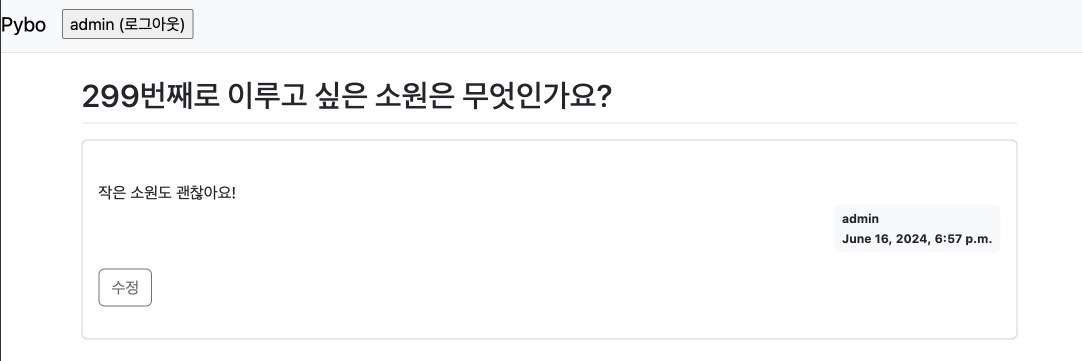
- 질문 영역에 수정 버튼이 생성
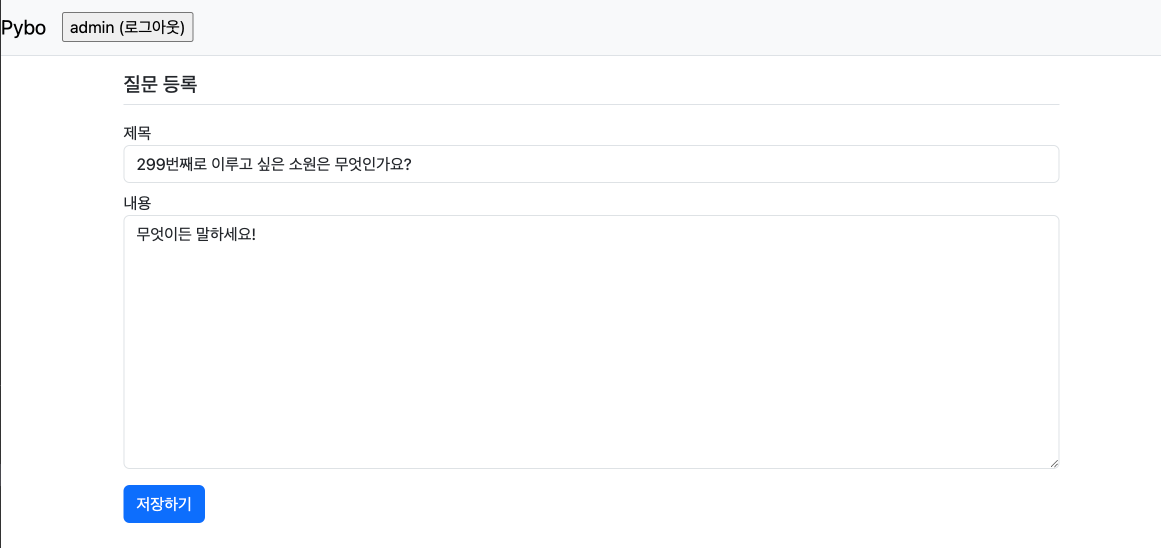
- 질문수정시 기존의 제목과 내용이 유지된 것을 확인할 수 있다.
- 내용을 수정하고 저장하면 수정된 내용이 그대로 반영
질문 삭제 기능 추가
-
templates/pybo/question_detail.html에서 질문 삭제 버튼 추가
... <!-- 질문 수정, 삭제 버튼 Start --> {% if request.user == question.author %} <div class="my-3"> <a href="{% url 'pybo:question_modify' question.id %}" class="btn btn-outline-secondary">수정</a> <a href="#" class="delete btn btn-sm btn-outline-secondary" data-uri="{% url 'pybo:question_delete' question.id %}">삭제</a> </div> {% endif %} <!-- 질문 수정, 삭제 버튼 End --> ...- 삭제 기능은 다른 곳으로 이동하는 것이 아니라 게시물을 삭제하는 기능이어서 href는 #로 설정
- 삭제를 실행할 기능의 URL을 얻기 위해 data-uri 속성에 삭제함수의 url을 입력
- 삭제 함수가 실행되도록 class에 delete 항목을 추가
-
질문 삭제 버튼에 jQuery 적용
- jQuery 사용을 위한 라이브러리를 base.html에 로드
... <head> ... <script src="{% static 'jquery-3.7.1.min.js %'}"></script> ... </head> ... - base.html을 상속받는 템플릿이 jQuery를 사용한 코드를 작성하기 위해 body에 jQuery 블록을 생성
...
<body>
...
<!-- JavaScript 영역 Start -->
{% block script %}
{% endblock %}
<!-- JavaScript 영역 End -->
</body>
...
- jQuery 사용을 위한 라이브러리를 base.html에 로드
-
template/pybo/question_detail.html에 삭제 알림 창 구현
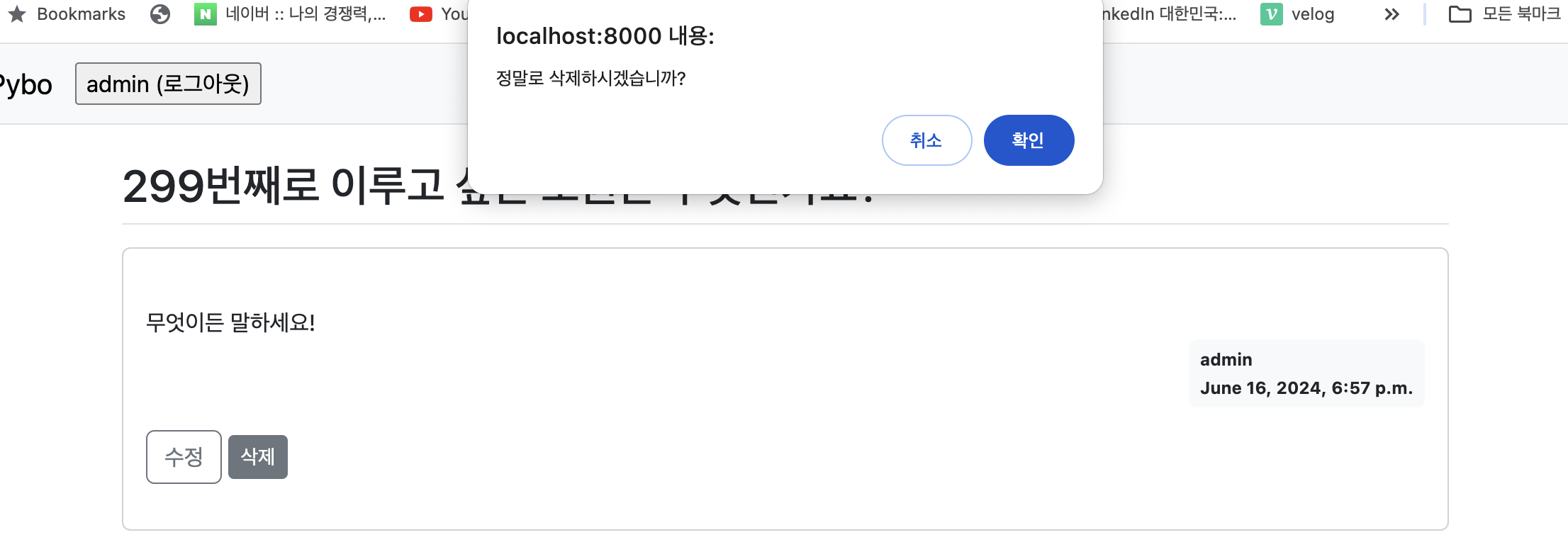
.. {% endblock %} {% block script %} <script type="text/javascript"> $(document).ready(function(){ $(".delete").on('click', function() { if(confirm("정말로 삭제하시겠습니까?")) { location.href = $(this).data('uri'); } }); }); </script> {% endblock %}- 질문 상세 페이지에서 삭제 버튼을 누르면 삭제 확인 창이 뜨고 확인을 누르면 삭제 기능을 수행하는 함수의 URL이 호출되고 취소를 하면 아무일도 일어나지 않는다.
-
질문 삭제 URL 매핑
... urlpatterns = [ ... path('question/delete/<int:question_id>/', views.question_delete, name='question_delete'), ] ... -
pybo/views.py에 질문 삭제 함수 추가
... @login_required(login_url='common:login') def question_delete(request, question_id): # pybo 질문 삭제 question = get_object_or_404(Question, pk=question_id) if request.user != question.author: messages.error(request, '삭제 권한이 없습니다.') return redirect('pybo:detail', question_id=question_id) question.delete() return redirect('pybo:index')- 질문 삭제 기능은 로그인이 필요한 기능이므로 @login_required를 적용
- 요청자와 작성자가 다를 경우 삭제 요청 거부
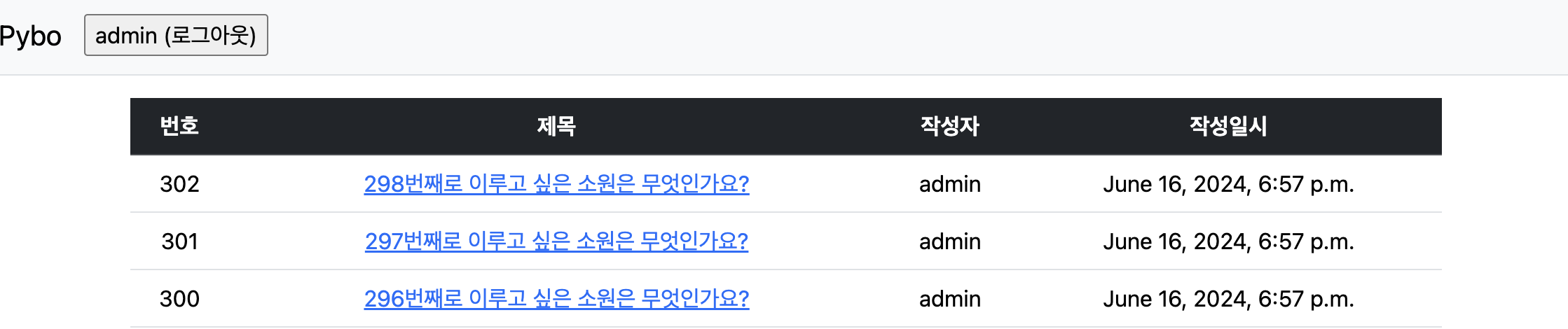
- 정상적으로 삭제가 완료되면 index로 이동
-
삭제 기능 확인
-
삭제 확인 알림 창
-
“299번째로 이루고 싶은 소원은 무엇인가요?” 게시물 삭제 확인
-
답변 수정 및 삭제 기능 추가
질문 수정 및 삭제 기능 추가하는 절차와 유사하다. 다만 답변을 수정하는 템플릿을 이전에 사용하지 않아 답변 수정 템플릿을 생성해야 한다.
답변 수정 기능
-
templates/pybo/question_detail.html에 답변 수정 버튼 추가
... <div class="card-body"> ... <!-- 답변 수정, 삭제 버튼 Start--> {% if request.user == answer.author %} <div class="my-3"> <a href="{% url 'pybo:answer_modify' answer.id %}" class="btn btn-sm btn-outline-secondary">수정</a> </div> {% endif %} <!-- 답변 수정, 삭제 버튼 End --> ... -
답변 수정 URL 매핑
... urlpatterns = [ ... path('answer/modify/<int:answer_id>/', views.answer_modify, name='answer_modify'), ] -
pybo/views.py에 answer_modify 함수 추가
@login_required(login_url='common:login') def answer_modify(request, answer_id): # pybo 답변 수정 answer = get_object_or_404(Answer, pk=answer_id) # 요청자와 답변 작성자가 다를 때 수정 거부 if request.user != answer.author: messages.error(request, '수정 권한이 없습니다.') return redirect('pybo:detail', question_id=answer.question.id) # 요청 메소드가 POST일 때 입력된 수정 답변을 answer 모델에 저장 if request.method == 'POST': form = AnswerForm(request.POST, instance=answer) if form.is_valid(): answer = form.save(commit=False) answer.author = request.user answer.modify_date = timezone.now() answer.save() return redirect('pybo:detail', question_id=answer.question.id) # 요청 메소드가 GET일 때 기존의 답변 데이터를 가져와 폼을 생성 else: form = AnswerForm(instance=answer) context = {'answer': answer} return render(request, 'pybo/answer_form.html', context) -
답변 수정 폼 생성 - templates/pybo/answer_form.html
{% extends 'base.html' %} {% block content %} <div class="container my-3"> <form method="post" class="post-form"> {% csrf_token %} {% include 'form_errors.html' %} <!-- 답변 입력 필드--> <div class="form-group"> <label for="content">답변내용</label> <textarea class="form-control" name="content" id="content" rows="10">{{ form.content.value|default_if_none:'' }}</textarea> </div> <!-- 버튼 --> <button type="submit" class="btn btn-primary">수정하기</button> </div> {% endblock %} -
답변 기능 확인
-
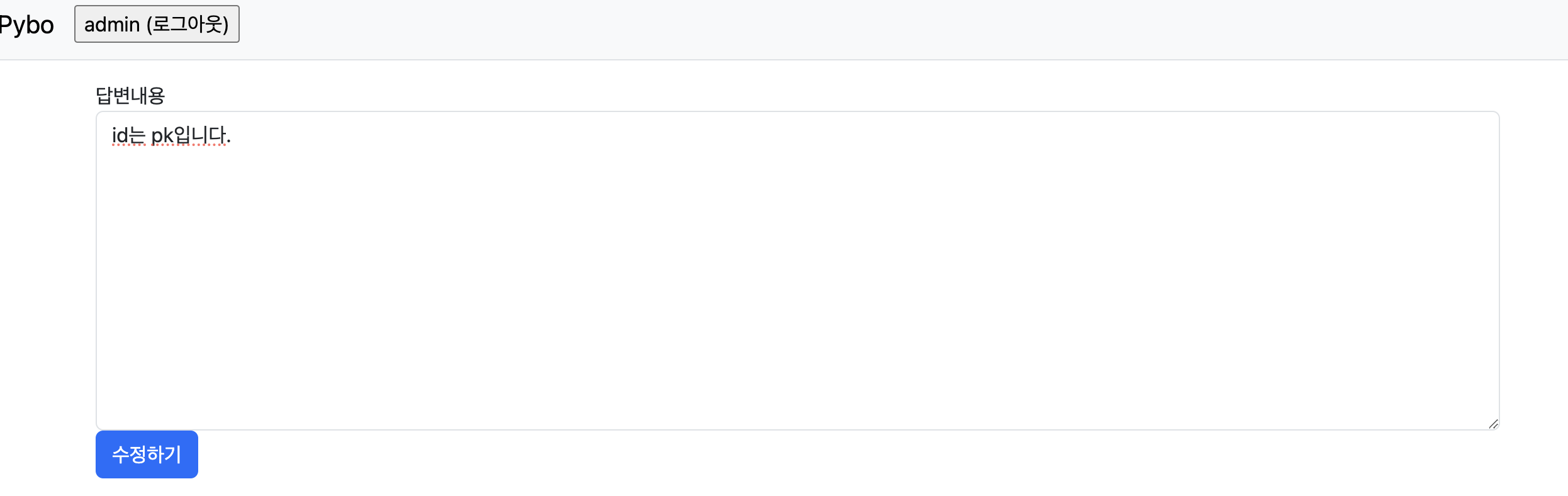
질문 상세 페이지의 답변에 수정 버튼이 생성
-
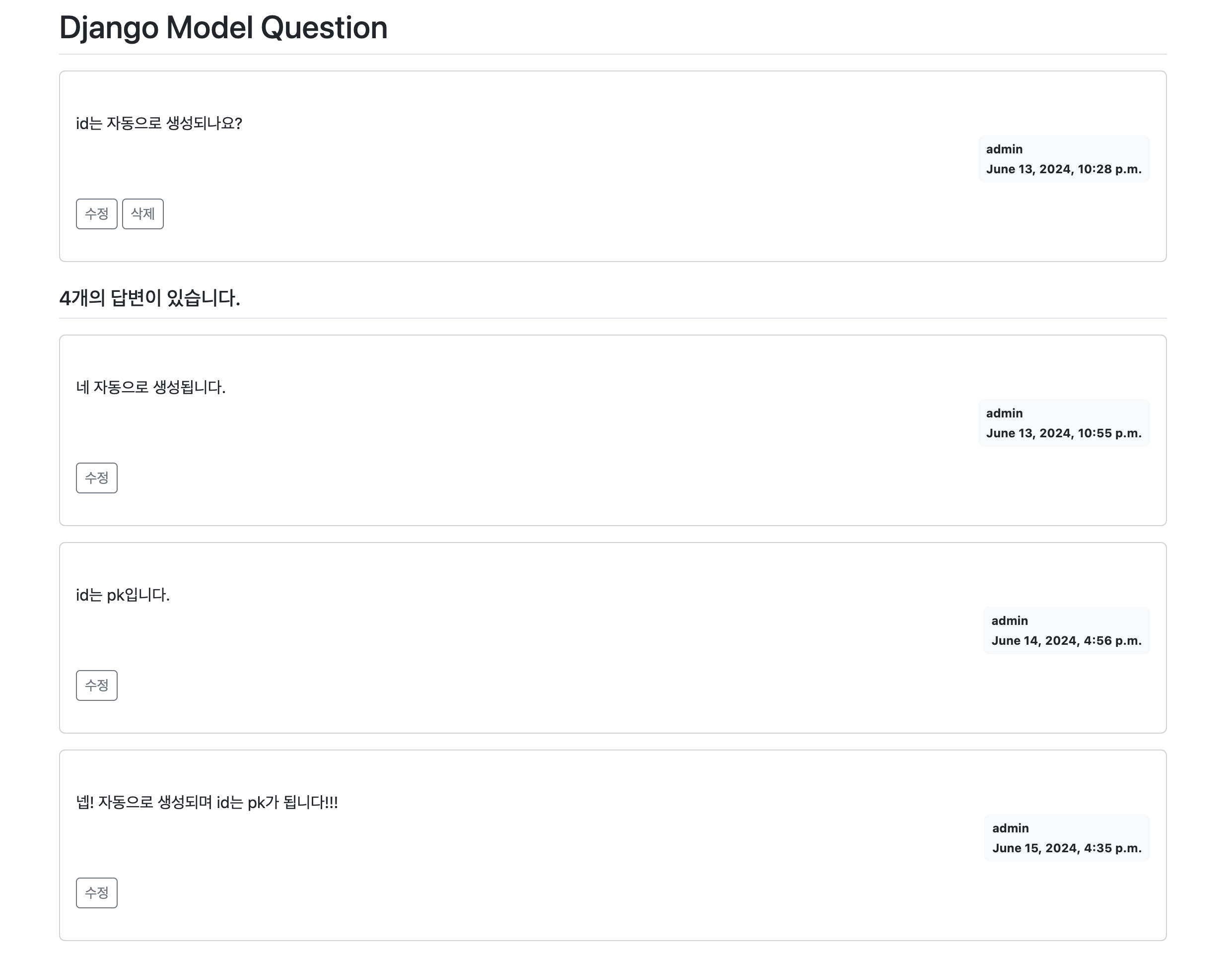
수정할 답변이 그대로 유지되어 폼에 반영되며 입력란에서 답변 수정이 가능
-
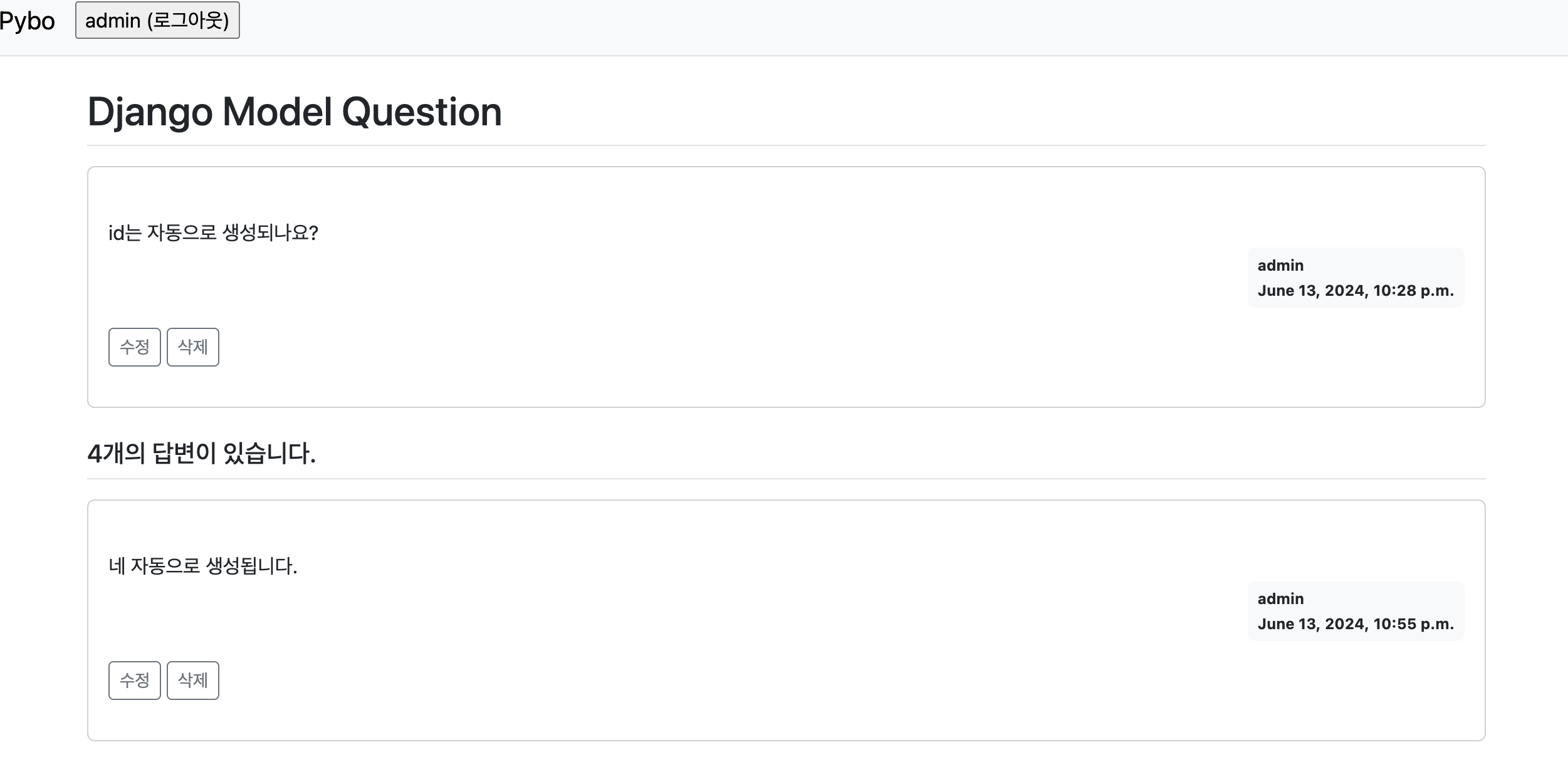
수정된 답변이 반영
-
답변 삭제 기능
-
질문 상세 페이지에 답변 삭제 버튼 추가
... <!-- 답변 수정, 삭제 버튼 Start--> {% if request.user == answer.author %} <div class="my-3"> <a href="{% url 'pybo:answer_modify' answer.id %}" class="btn btn-sm btn-outline-secondary">수정</a> <a href="#" class="delete btn btn-sm btn-outline-secondary" data-uri="{% url 'pybo:answer_delete' answer.id %}">삭제</a> </div> {% endif %} <!-- 답변 수정, 삭제 버튼 End --> -
답변 삭제 URL 매핑
... urlpatterns = [ ... path('answer/delete/<int:answer_id>/', views.answer_delete, name='answer_delete'), ] -
pybo/views.py에 answer_delete 함수 정의
@login_required(login_url='common:login') def answer_delete(request, answer_id): # pybo 답변 삭제 answer = get_object_or_404(Answer, pk=answer_id) # 삭제 요청자와 답변 작성자가 다를 때 삭제 거부 if request.user != answer.author: messages.error(request, '삭제 권한이 없습니다.') # 삭제 요청자와 답변 작성자가 같을 때 삭제 else: answer.delete() return redirect('pybo:detail', question_id=answer.question_id) -
삭제 기능 확인
-
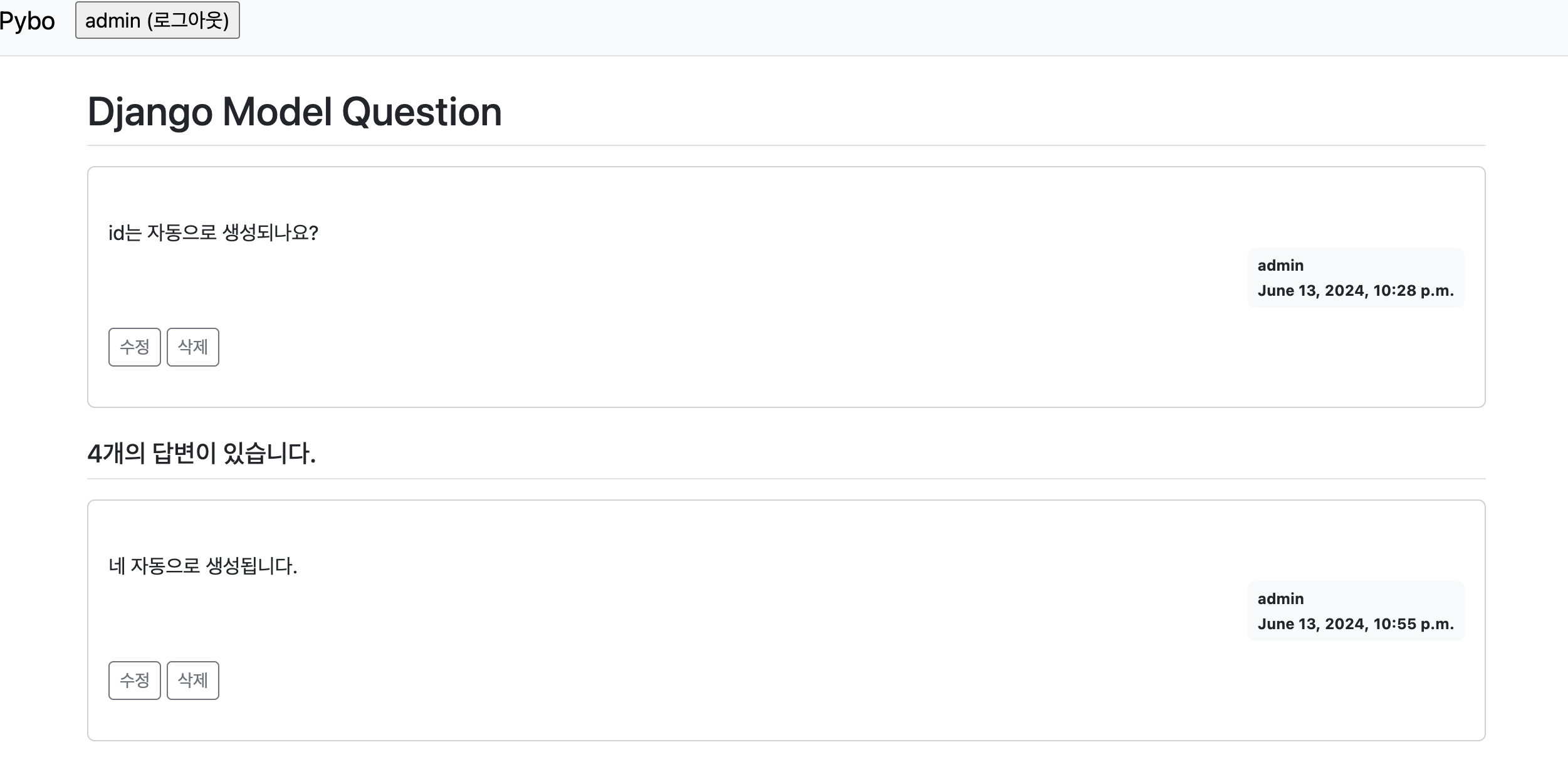
질문 상세 페이지의 답변에 삭제 버튼이 활성화 됨
-
답변 삭제 시도시 확인 메시지
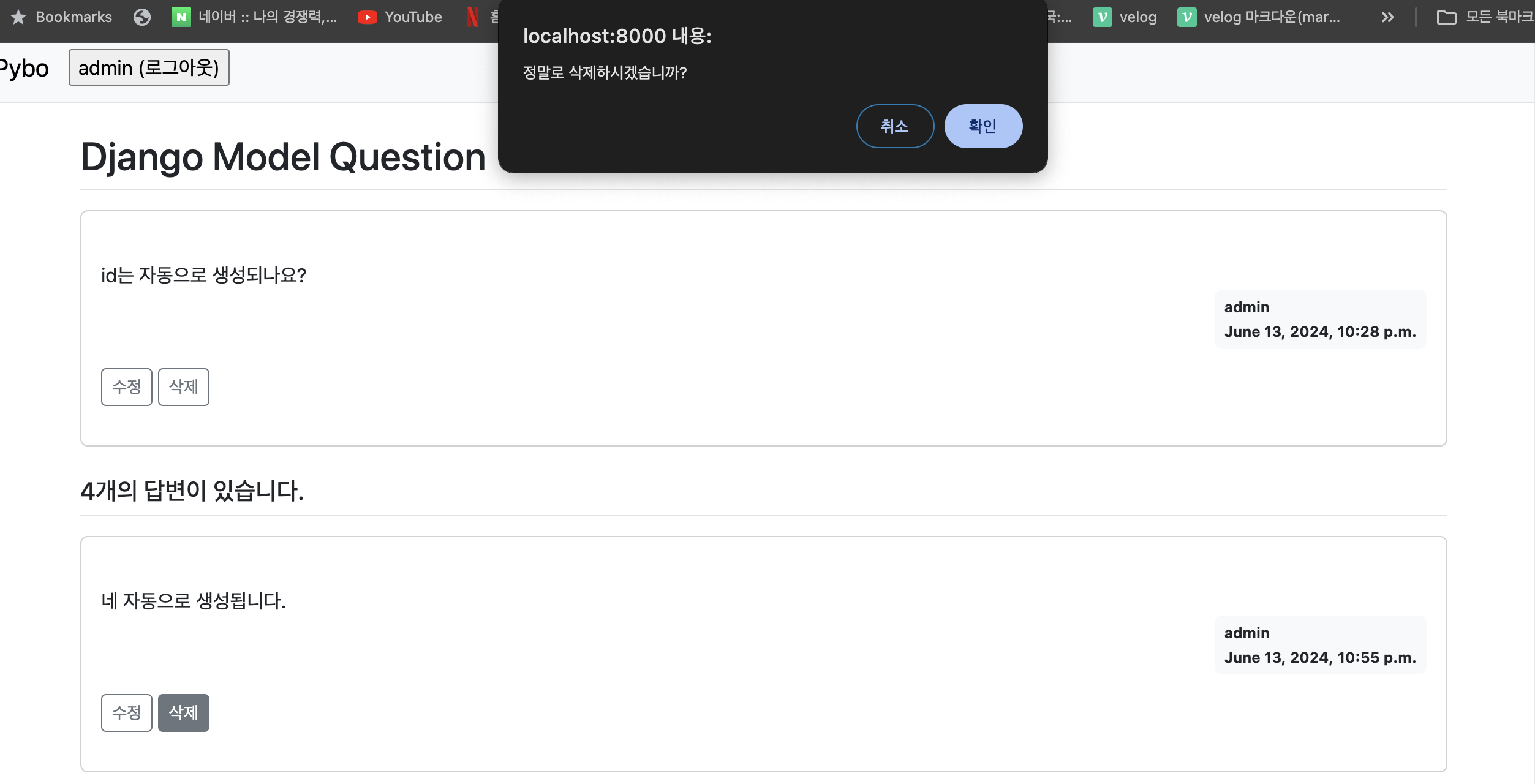
-
답변 삭제 후 삭제 확인
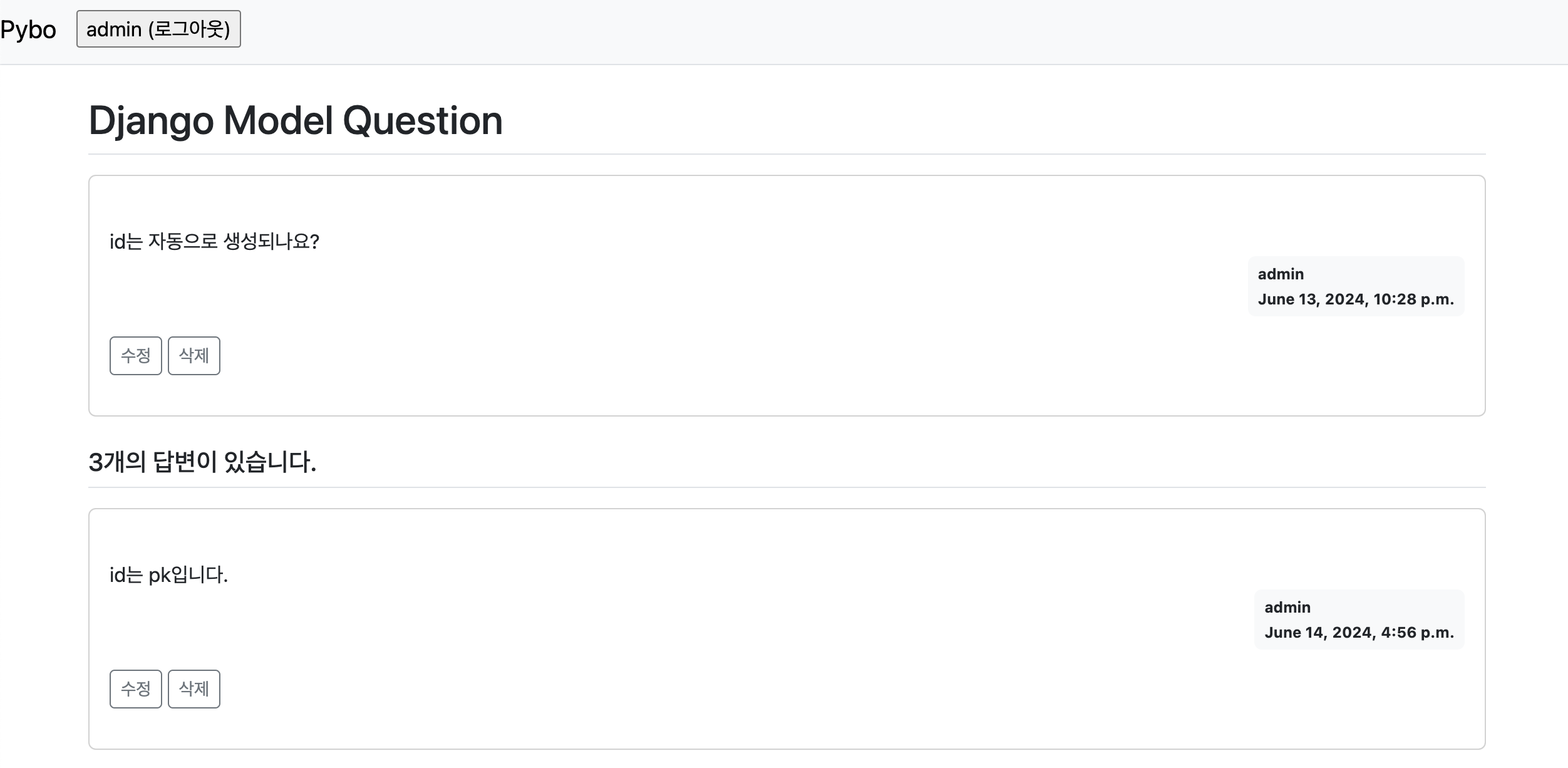 - 원래 4개였던 답변이 3개가 되었다.
-
수정일시 표시
질문 상세 페이지에서 질문과 답변이 수정되었다면 언제 수정되었는지 확인하기 이해 수정일시를 표시
-
templates/pybo/question_detail.html 수정
...
<div class="d-flex justify-content-end">
  <!-- 수정일시 표시-->
  {% if question.modify_date %}
  <div class="badge bg-light text-dark text-left p-2 mx-3">
      <div class="mb-2">modified at</div>
      <div>{{ question.modify_date }}</div>
  </div>
  {% endif %}
  <!-- 작성자, 작성일시 표시-->
...
... <div class="d-flex justify-content-end"> <!-- 수정일시 표시--> {% if answer.modify_date %} <div class="badge bg-light text-dark text-left p-2 mx-3"> <div class="mb-2">modified at</div> <div>{{ answer.modify_date }}</div> </div> {% endif %} <!-- 작성자, 작성일시 표시--> ... -
수정일시 확인
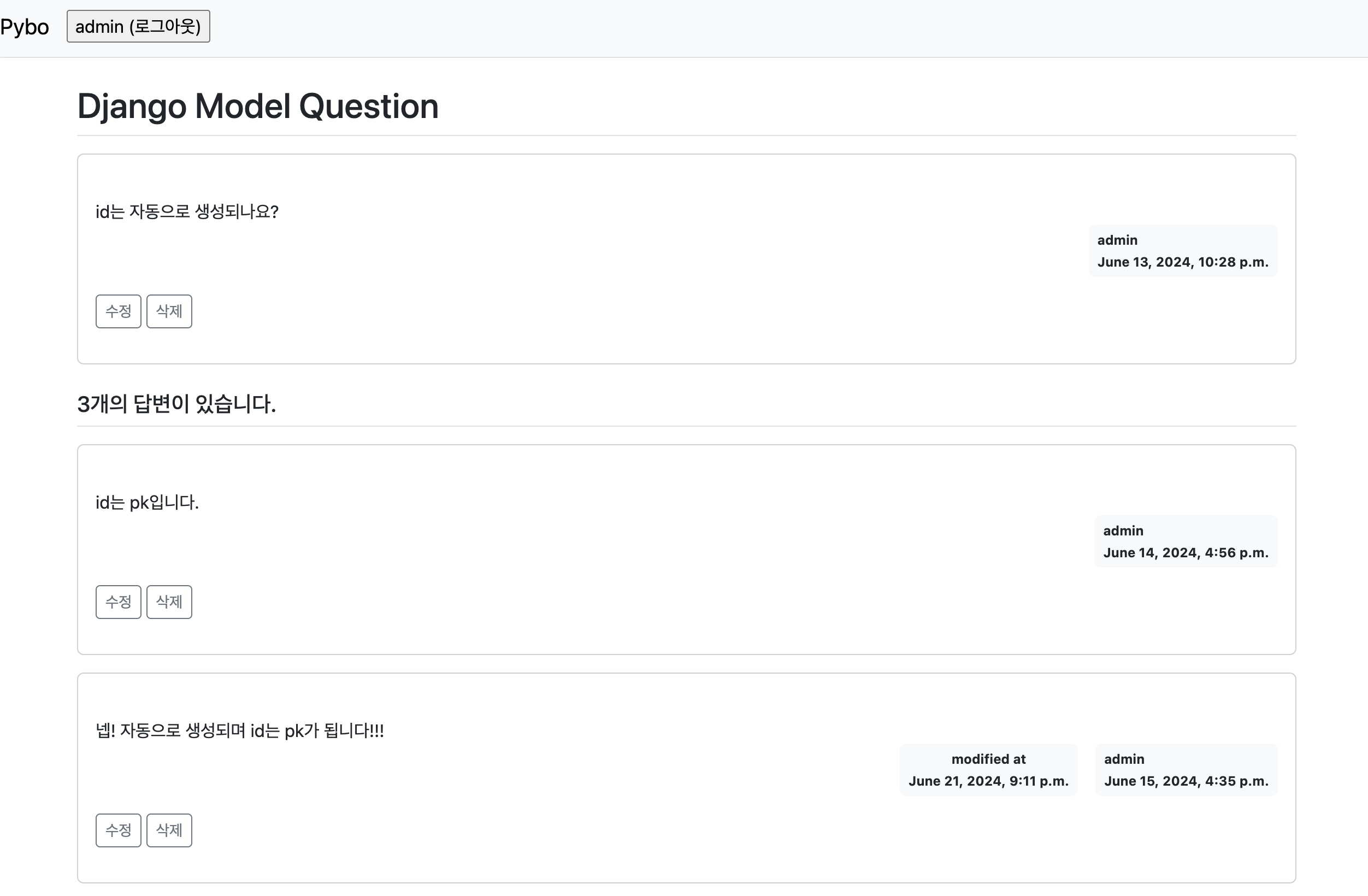
- 2번째 답변이 수정된 적이 있어 수정일시가 표시된다.