1. 오늘
python으로 api를 쿼리스트링값으로 필터링 하는 작업을 완료했다.
@app.route('/all_games_info')
def get_steam_sale():
  client = MongoClient('localhost', 27017)
  db = client.dball_games

  platform = request.args['platform']
  sort_condition = request.args['sort']
  sort_order = request.args['order']#쿼리스트링 설정

  if platform in ['steam', 'uplay', 'epic', 'direct', 'humble', 'gog']:
      filtered_db = db.info.find({'platform': platform})
  else:
      filtered_db = db.info.find()#플랫폼별 필터링

  if sort_order == 'asc':
      sort_order = pymongo.ASCENDING
  else:
      sort_order = pymongo.DESCENDING#order기준으로 오름차순,내림차순정렬

  if sort_condition in ['discount_price', 'discount_rate', 'orginal_price']:
      result_db = filtered_db.sort(sort_condition, sort_order)
  else:
      result_db = filtered_db.sort('page', pymongo.ASCENDING)
#정렬의 기준을 할인가, 할인율, 원가로 잡습니다.

  output=[]

  for s in result_db:
      output.append(
          {'platform': s['platform'], 'link': s['link'], 'img': s['img'], 'title': s['title'], 'original_price': s['original_price'],
           'discount_rate': s['discount_rate'], 'discount_price': s['discount_price']})
  return jsonify({'result': output})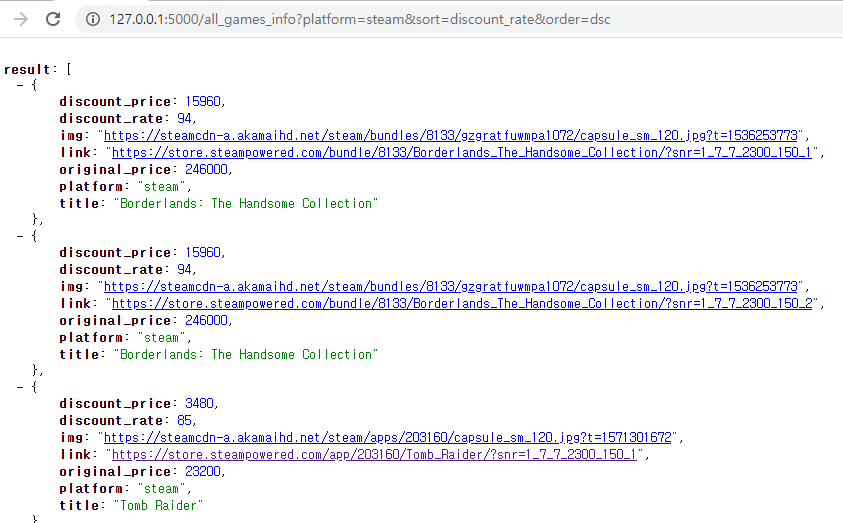
- 위는 ‘스팀, 할인율기준, 내림차순’입니다. 현재 db의 정보가 뒤죽박죽입니다.
- 이렇게 분류된 api를 바탕으로 필요한 api만을 호출할 수 있게 되었습니다. 아래는 html코드입니다.
$.ajax({
    type: "GET",
    url: "/all_games_info?platform=" + platform + "&sort=discount_price&order=asc",
    data: {},
    success: function(response){..}
})#platform은 이전 TIL에서 기록한 현재페이지의 쿼리스트링의 값입니다.-
아직 분류별 페이지는 설정하지 않아 나머지는 임의로 정했습니다.
-
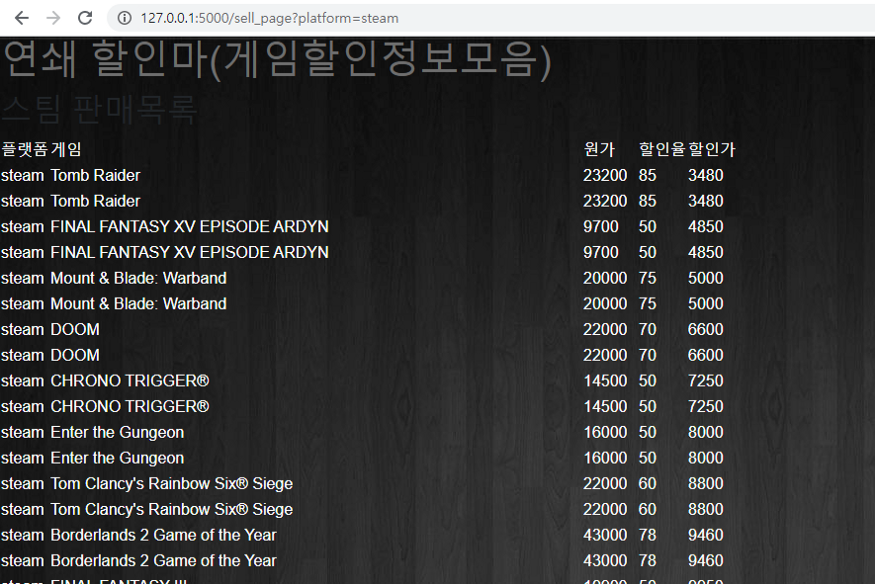
이를 바탕으로 임시로 테이블형태로 작성했습니다.
-
현재 로컬서버에서는 정상적으로 진행되지만, 우분투에선 진행되지 않습니다.
-
network에서 받아오는 api(/all_games_info?platform=…)이 정상적으로 호출되지 않고 pymongo.errors.ServerSelectionTimeoutError 라는 에러가 출력됩니다.
-
찾아본 결과 우분투에서 몽고db의 위치를 잡지 못해서 발생한 에러로 보입니다.

할 수 있는 것이 늘어나는 즐거움