
시작하며
토이프로젝트를 진행하며 기본 textarea가 아닌 quill을 사용 해보게 되었다!
quill은 rich text editor의 일종으로 마이크로소프트 등의 기업에서 후원하고 있는 텍스트 에디터이다.
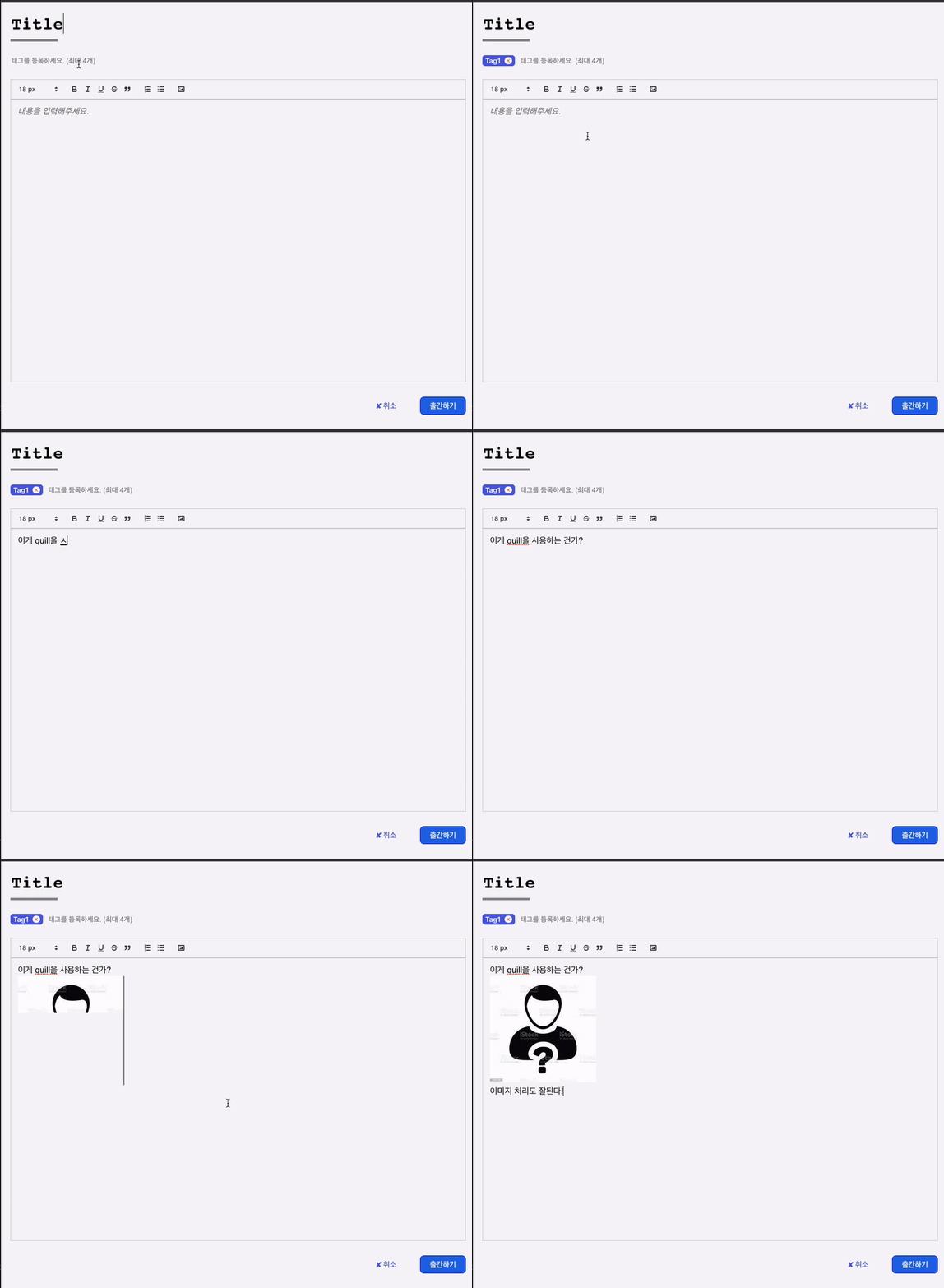
사용법(with TypeScript)
설치
npm install react-quill
import styled from 'styled-components';
import { useRef, useState, useMemo } from 'react';
import ReactQuill from 'react-quill';
import 'react-quill/dist/quill.snow.css';
import EditorToolbar, { formats } from './EditorToolbar';
import { useRecoilState } from 'recoil';
import { contentAtom } from '../../recoil/write';
import axios, { AxiosError } from 'axios';

const Editor = () => {
  const QuillRef = useRef<ReactQuill>();
  const [contents, setContents] = useRecoilState(contentAtom);
  // 이미지를 업로드 하기 위한 함수
  const imageHandler = () => {
    // 파일을 업로드 하기 위한 input 태그 생성
    const input = document.createElement('input');
    const formData = new FormData();
    let url = '';

    input.setAttribute('type', 'file');
    input.setAttribute('accept', 'image/*');
    input.click();
    // 파일이 input 태그에 담기면 실행 될 함수
    input.onchange = async () => {
      const file = input.files;
      if (file !== null) {
        formData.append('img', file[0]);
        try {
          const res = await axios.post('http://localhost:8080/uploadImg', formData, {
            headers: { 'content-type': 'multipart/form-data' },
          });
          url = res.data[0];
          // 커서의 위치를 알고 해당 위치에 이미지 태그를 넣어주는 코드
    	  // 해당 DOM의 데이터가 필요하기에 useRef를 사용한다.
          const range = QuillRef.current?.getEditor().getSelection()?.index;
          if (range !== null && range !== undefined) {
            let quill = QuillRef.current?.getEditor();
            quill?.setSelection(range, 1);
            quill?.clipboard.dangerouslyPasteHTML(range, `<img src=${url} alt="이미지 태그가 삽입됩니다." />`);
          }
        } catch (err: any) {
          console.log(err);
        }
      }
    };
  };

  const modules = useMemo(
    () => ({
      toolbar: {
        container: '#toolbar',
        handlers: { image: imageHandler },
      },
      history: {
        delay: 500,
        maxStack: 100,
        userOnly: true,
      },
    }),
    []
  );
  return (
    <>
      <EditorToolbar />
      <ReactQuill
        ref={(element) => {
          if (element !== null) {
            QuillRef.current = element;
          }
        }}
        value={contents}
        onChange={setContents}
        modules={modules}
        formats={formats}
        theme='snow'
        placeholder='내용을 입력해주세요.'
        style={{ height: '600px', minWidth: '430px' }}
      />
    </>
  );
};

export default Editor;
아래에서 만든 EditorToolbar.tsx 에서
import EditorToolbar, { formats } from './EditorToolbar'; 를 통해 가져오고
각각 formats prop으로 넘겨주었다.
나의 경우 이미지를 처리하기 위해 이미지를 첨부하면 백엔드와 통신을 하여 이미지 파일을 url 주소로 변환해 주었다.
getSelection, insertEmbed, deleteText 등 모든 메서드는 공식문서 api를 참고하면 좋다!
추가적으로 quill 툴바 적용
editorToolbar.css
.ql-size-30 {
  font-size: 30px !important;
}
.ql-size-24 {
  font-size: 25px !important;
}
.ql-size-18 {
  font-size: 18px !important;
}
.ql-container {
  font-size: 18px;
}
.ql-toolbar.ql-snow {
  min-width: 430px;
}
EditorToolbar.tsx
import React from 'react';
import { Quill } from 'react-quill';
import './editorToolbar.css';

// Add sizes to whitelist and register them
const Size = Quill.import('formats/size');
Size.whitelist = ['18', '24', '30'];
Quill.register(Size, true);

// Add fonts to whitelist and register them
const Font = Quill.import('formats/font');
Font.whitelist = ['arial', 'comic-sans', 'courier-new', 'georgia', 'helvetica', 'lucida'];
Quill.register(Font, true);

// Modules object for setting up the Quill editor
export const modules = {
  toolbar: {
    container: '#toolbar',
    handlers: {},
  },
  history: {
    delay: 500,
    maxStack: 100,
    userOnly: true,
  },
};

// 옵션에 상응하는 포맷, 추가해주지 않으면 text editor에 적용된 스타일을 볼수 없음
export const formats = [
  'header',
  'font',
  'size',
  'bold',
  'italic',
  'underline',
  'align',
  'strike',
  'script',
  'blockquote',
  'background',
  'list',
  'bullet',
  'indent',
  'link',
  'image',
  'color',
  'code-block',
];

// Quill Toolbar 구조를 지정해준다
export const QuillToolbar = () => (
  <div id='toolbar'>
    <span className='ql-formats'>
      <select className='ql-size'>
        <option value='18'>18 px</option>
        <option value='24'>24 px</option>
        <option value='30'>30 px</option>
      </select>
    </span>
    <span className='ql-formats'>
      <button className='ql-bold' />
      <button className='ql-italic' />
      <button className='ql-underline' />
      <button className='ql-strike' />
      <button className='ql-blockquote' />
    </span>
    <span className='ql-formats'>
      <button className='ql-list' value='ordered' />
      <button className='ql-list' value='bullet' />
    </span>
    <span className='ql-formats'>
      <button className='ql-image' />
    </span>
  </div>
);

export default QuillToolbar;

프론트엔드 개발자를 꿈꾸는 원호잇!