0. 배경
최근 Expo Go와 React Native를 연동하는 과정에서 java.io.IOException: Failed to download remote update라는 오류가 발생하여 해결해보았습니다.이번 글에서는 이 오류가 발생한 원인과 그에 대한 해결 방법을 공유하고자 합니다.
먼저 Expo go로 QR scan을 하고 오류가 난 뒤에 Viw error log를 눌러주세요
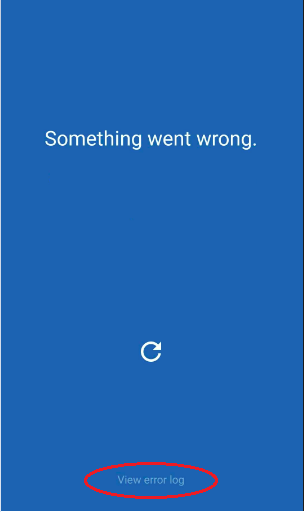
저의 경우는 오류에 java.io.IOException: Failed to download remote update가 떴습니다.
1. 해결 방법 찾기
그래서 오랜 구글링을 하다가 https://www.reddit.com/r/expo/comments/1gr2tij/javaioioexception_failed_to_download_remote_update/?rdt=64267
이런 래딧글을 발견했습니다. 저와 비슷한 오류를 겪고 있는 유저였고 여러 해결 의견들중에
Remarkable_Car_9916
Just a guess, but are you using windows? I think its very likely the windows defender which blocks the request. You do not see any logs in the terminal on the host machine where you start the expo app isnt it? if I am correct with my assumings you need to enable access to the node.js (javascript) runtime on your machine for the local network. activate both private and public networks.
Edit: Sometimes the settings can break without changing them! ie after a restart. I am not very sure about if it's a problem on expo side or on windows side, but anyway if it breaks, check the settings again. you might find a new node.js (javascript) runtime. if so activate both private and public network access as well. And it should work again. But this is just a quick workaround, not a fix of the problem itself.
윈도우 Defender를 확인해보라는 글이었습니다. Window 방화벽 설정을 확인하고 변경해주니 바로 해결되었습니다. 아래는 해결 방법 단계입니다.
1. Windows Defender 방화벽 열기
1. cmd로 열기
Windows Key + R을 눌러서 실행을 열어주시고 wf.msc를 입력하시면 바로 방화벽이 열립니다.
2. 찾기로 열기
찾기에서 Windows Defender 방화벽을 쳐서 열어줍니다. 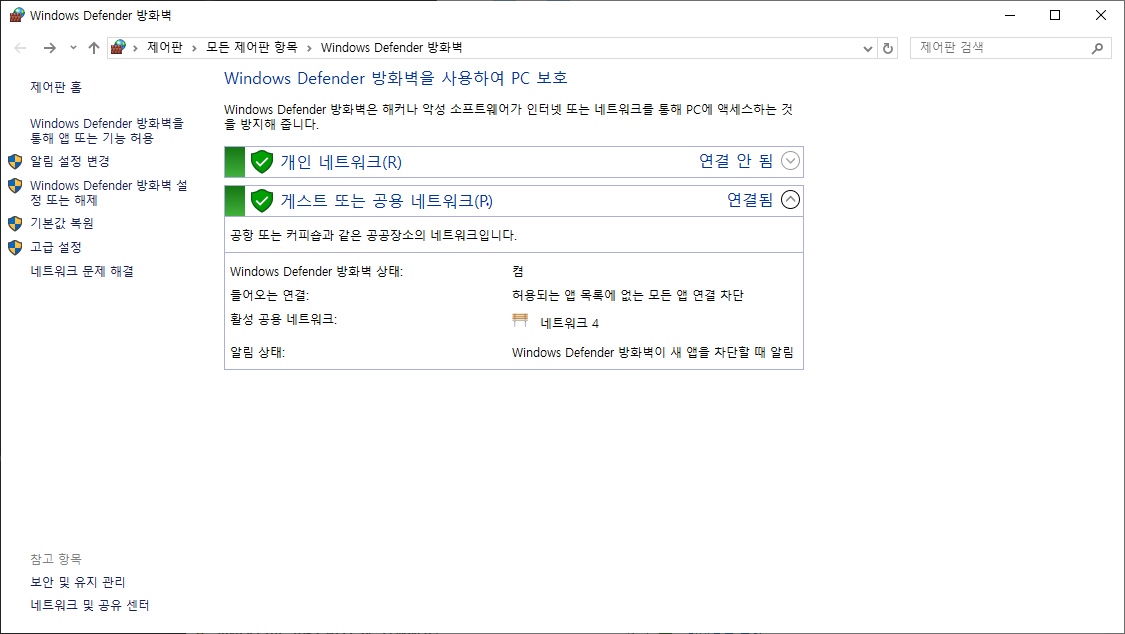
왼쪽 사이드바에서 고급 설정에 들어가주세요.
2. 인바운드 규칙 들어가기
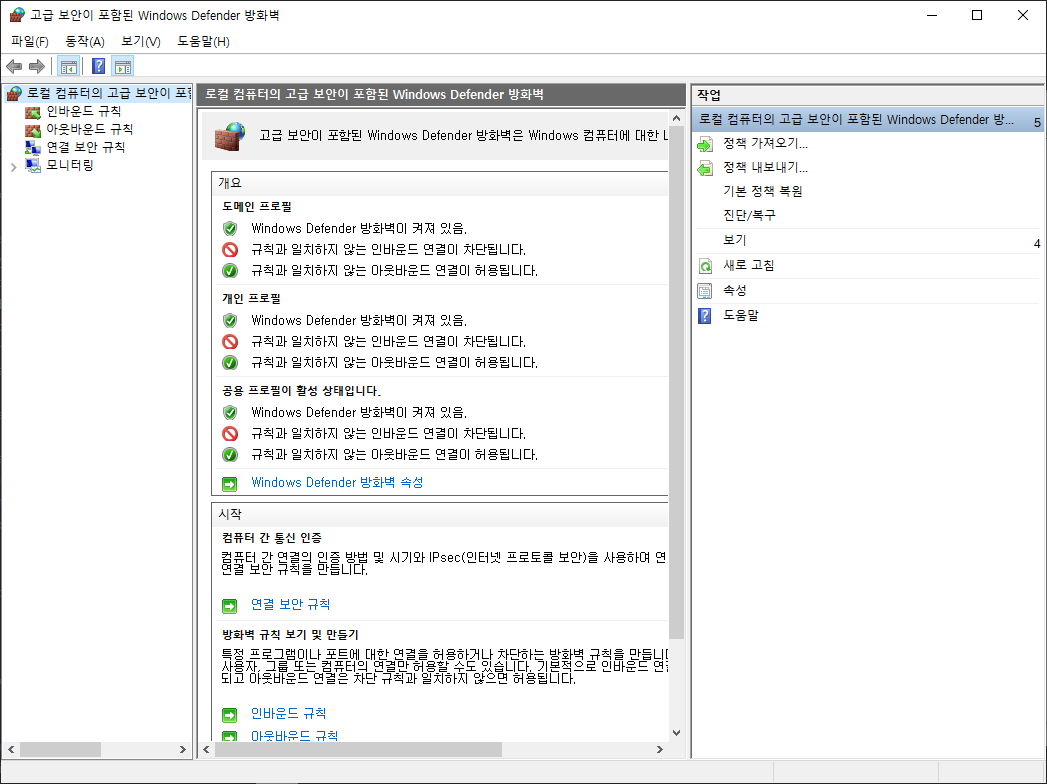
왼쪽 로컬 컴퓨터의 고급 보안이 포함된 Windows Defender 방화벽에서 인바운드 규칙에 들어가주세요.
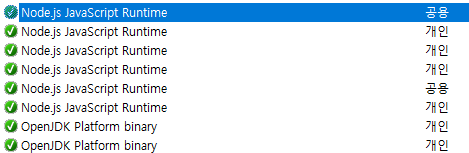
여기에서 Node.js JavaScript Runtime을 찾아주세요. 여기서 빨간 경고 아이콘이 있으면 연결이 차단되어 있는 것입니다. 모두 V 표시가 되어있다면 문제가 없으신 것입니다.
3. 연결 허용
경고 아이콘인 Node.js JavaScript Runtime 더블클릭
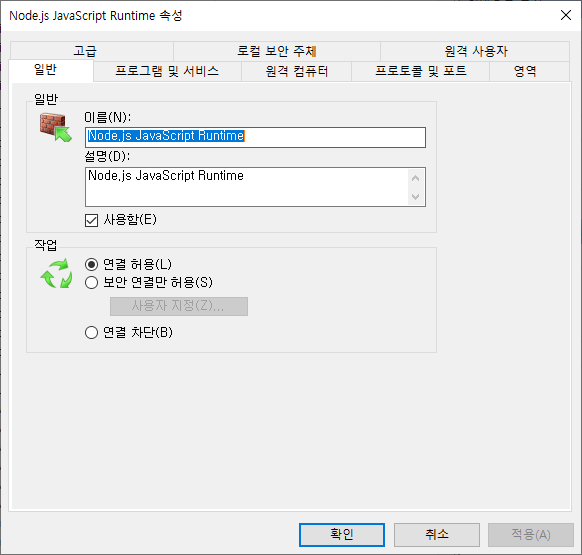
작업에 연결 허용(L) 눌러주시면 됩니다.
4. 재시도
expo start다시 Expo Start 해서 QR찍어보시면 됩니다.
캐시 초기화 해서 하기
expo start --clear오류가 해결 되셨으면 좋겠습니다. 고생하셨습니다.