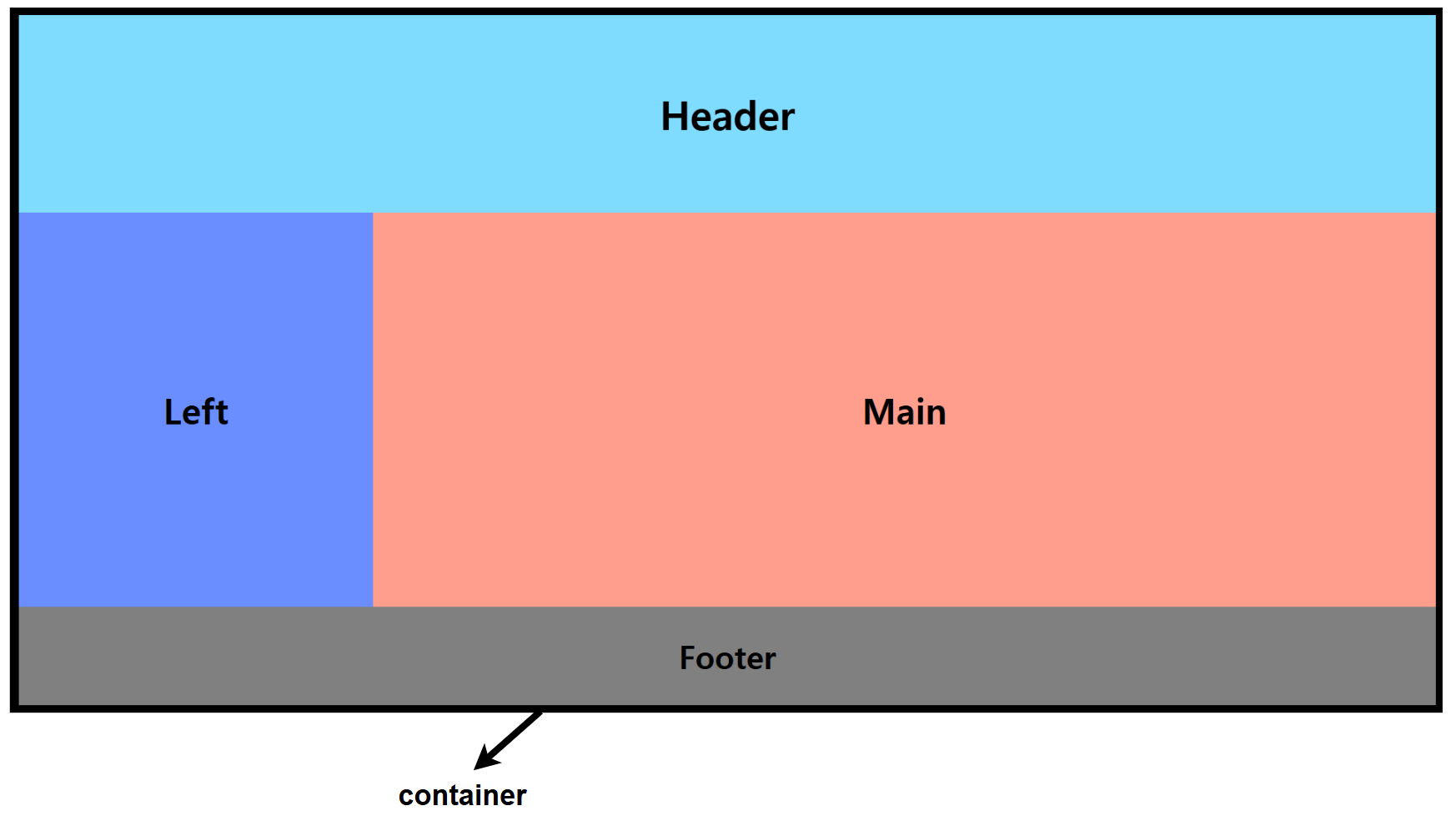
위의 그림과 같은 레이아웃을 만들고 싶다고 가정하자
<!DOCTYPE html>
<html lang="en">
<head>
    <meta charset="UTF-8">
    <meta name="viewport" content="width=device-width, initial-scale=1.0">
    <title>Float Layout</title>
    <link rel="stylesheet" href="/css/layout.css"> <!-- CSS 파일 연결 -->
</head>
<body>
    <div class="container">
        <div class="header"></div>
        <div class="left"></div>
        <div class="main"></div>
        <div class="footer"></div>
    </div>
</body>
</html>
/* 기본 스타일 초기화 */
* {
    margin: 0;
    padding: 0;
    box-sizing: border-box;
}

/* 컨테이너 */
.container {
    width: 100%;
}

/* 헤더 (청록색) */
.header {
    background-color: #7fdcff; /* 청록색 */
    height: 100px;
    width: 100%;
}

/* 왼쪽 박스 (파란색) */
.left {
    background-color: #6a8eff; /* 파란색 */
    height: 200px;
    width: 25%;
}

/* 메인 박스 (주황색) */
.main {
    background-color: #ff9e8d; /* 주황색 */
    height: 200px;
    width: 75%;
}
float 없이 레이아웃을 작성시 아래와 같이 결과가 나온다
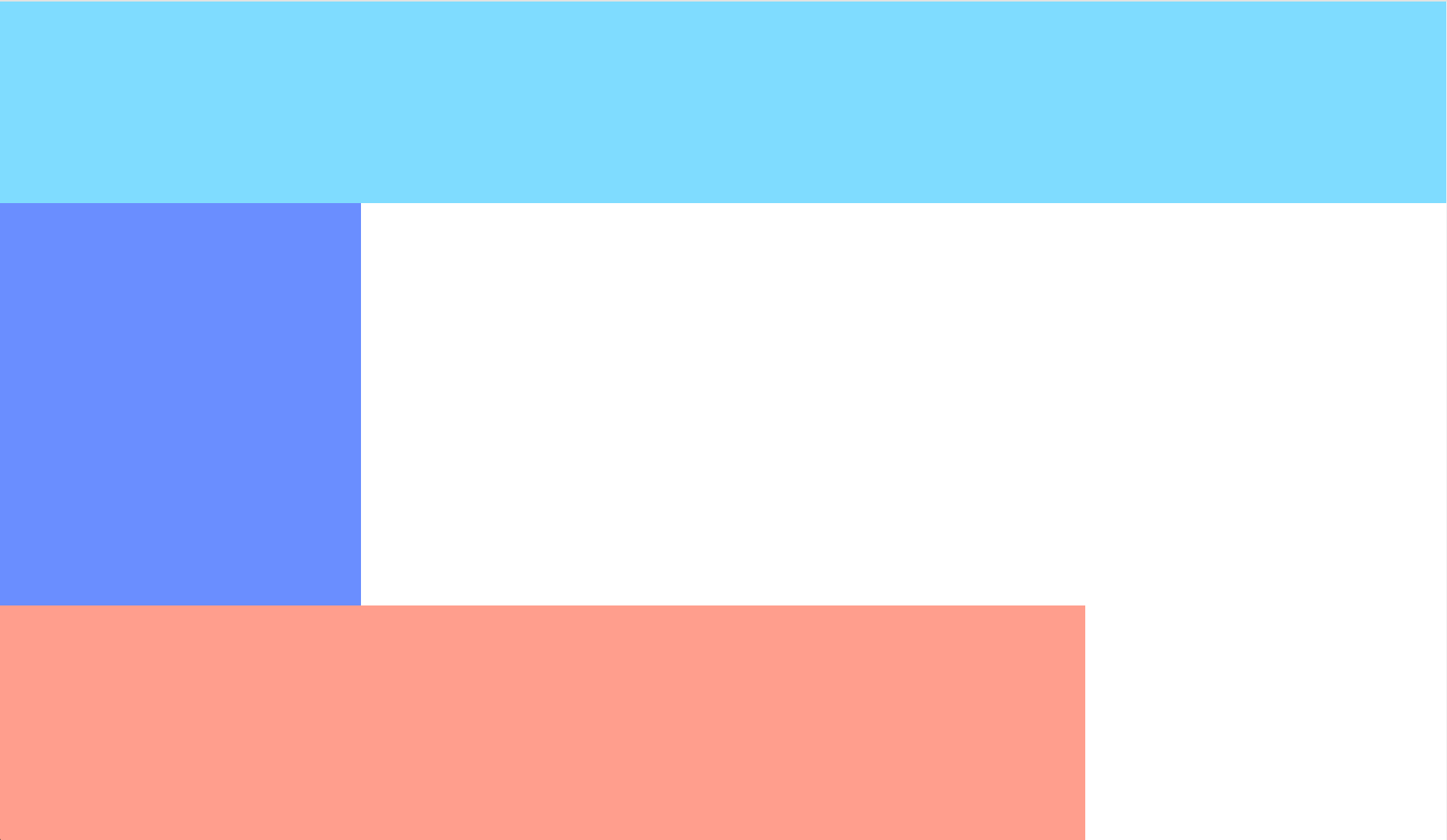
박스가 붙지 않은 이유? div는 display:block을 가지기 때문
해결책
<!DOCTYPE html>
<html lang="en">
<head>
    <meta charset="UTF-8">
    <meta name="viewport" content="width=device-width, initial-scale=1.0">
    <title>Float Layout</title>
    <link rel="stylesheet" href="/css/layout.css"> <!-- CSS 파일 연결 -->
</head>
<body>
    <div class="container">
        <div class="header"></div>
        <div class="left"></div>
        <div class="main"></div>
        <div class="footer"></div>
    </div>
</body>
</html>
/* 기본 스타일 초기화 */
* {
margin: 0;
padding: 0;
box-sizing: border-box;
}
/* 컨테이너 */
.container {
width: 100%;
}
/* 헤더 (청록색) */
.header {
background-color: #7fdcff; /* 청록색 */
height: 100px;
width: 100%;
}
/* 왼쪽 박스 (파란색) */
.left {
background-color: #6a8eff; /* 파란색 */
height: 200px;
float: left;
width: 25%;
}
/* 메인 박스 (주황색) */
.main {
background-color: #ff9e8d; /* 주황색 */
height: 200px;
float: left;
width: 75%;
}
/* 푸터 (회색) */
.footer {
background-color: #808080; /* 회색 */
height: 50px;
clear: both; /* float 초기화 */
width: 100%;
}결과