1. Email 오퍼레이터란?
- 이메일을 전송해주는 오퍼레이터
email_t1 = EmailOperator(
	task_id='email_t1',
    to='tkddnr@naver.com'
    subject='Airflow 처리 결과',
    html_content='정상 처리되었습니다. <br/>'
)- 이메일 전송을 위해 사전 셋팅 작업 필요
2. 사전 설정 작업
- 구글 메일 서버 사용
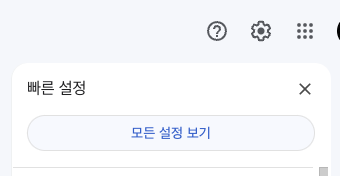
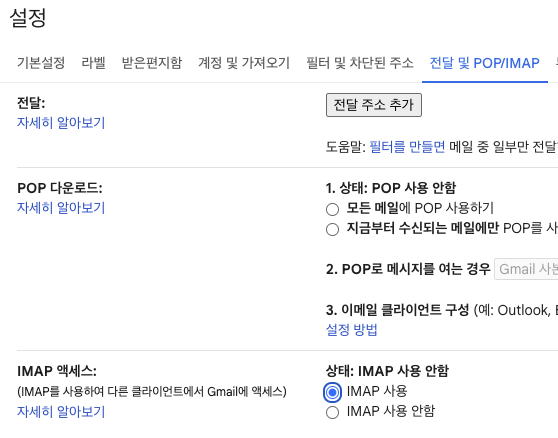
- G-mail -> 설정 -> 모든 설정 보기 -> 전달 및 POP/IMAP -> IMAP 사용
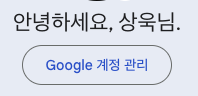
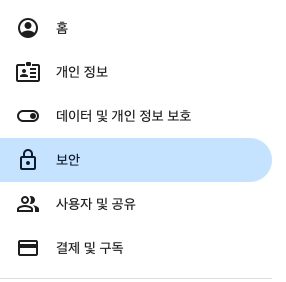
- 구글 계정관리 -> 보안 -> 2단계 인증 -> 앱 비밀번호 세팅
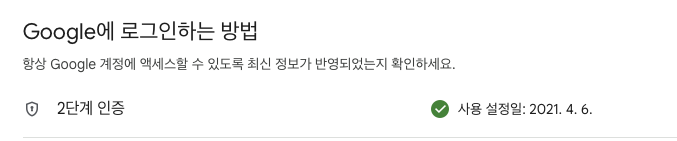
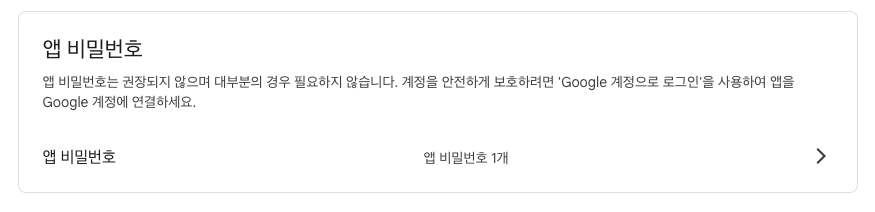
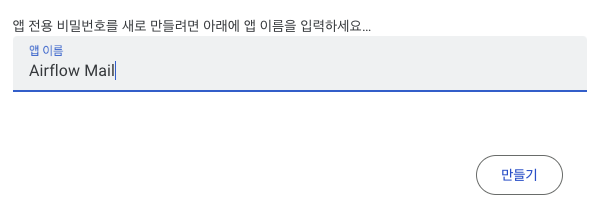
만들기 이후 나온 비밀번호 메모장에 저장
Airflow
- Docker-compose.yaml 편집 (environment 항목에 추가)
AIRFLOW__SMTP__SMTP__HOST:'smtp.gmail.com'AIRFLOW__SMTP__SMTP__USER:'{gmail 계정}'AIRFLOW__SMTP__SMTP__PASSWORD:'{방금 만든 Google 앱비밀번호}'AIRFLOW__SMTP__SMTP__PORT:587AIRFLOW__SMTP__SMTP__MAIL_FROM:'{gmail 계정}'
3. DAG 만들기
from airflow import DAG
from airflow.operators.email import EmailOperator
import datetime
import pendulum

with DAG(
    dag_id="dags_email_operator",
    schedule="0 8 1 * *",
    start_date=pendulum.datetime(2023, 3, 1, tz="Asia/Seoul"),
    catchup=False,
) as dag:
    send_email_task = EmailOperator(
        task_id="send_email_task",
        to="tkddnr961224@gmail.com",
        subject="Airflow 성공 메일",
        html_content="Airflow 작업이 완료되었습니다",
    )
이렇게 하고 DAG를 웹서버에서 Unpause 해서 실행 시켜보면,
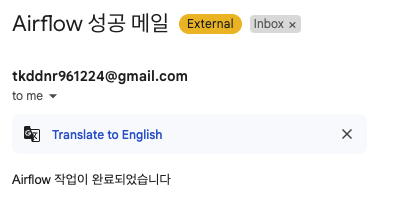
성공적으로 메일이 도착한 것을 알 수 있습니다.

데이터엔지니어