Git Checkout
git checkout <commit_id>-
특정시점으로 이동하기 위한 명령어
-
Commit ID (HashCODE) 는 log를 통해 확인 가능
-
Commit ID의 앞 일곱자리만 가져와도 버전이동이 가능
-
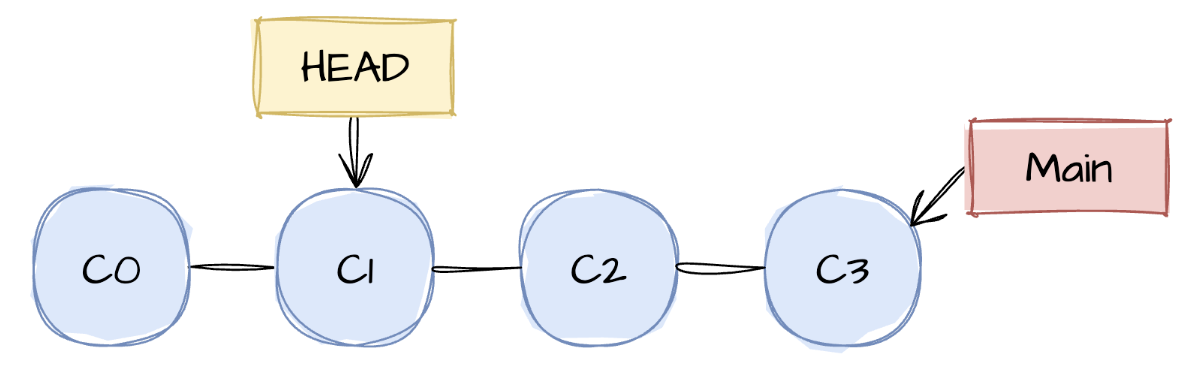
checkout을 하면 그버전의 상태로 Working directory 가 변경
-
Head가 checkout한 버전을 가르킴
Git Branch
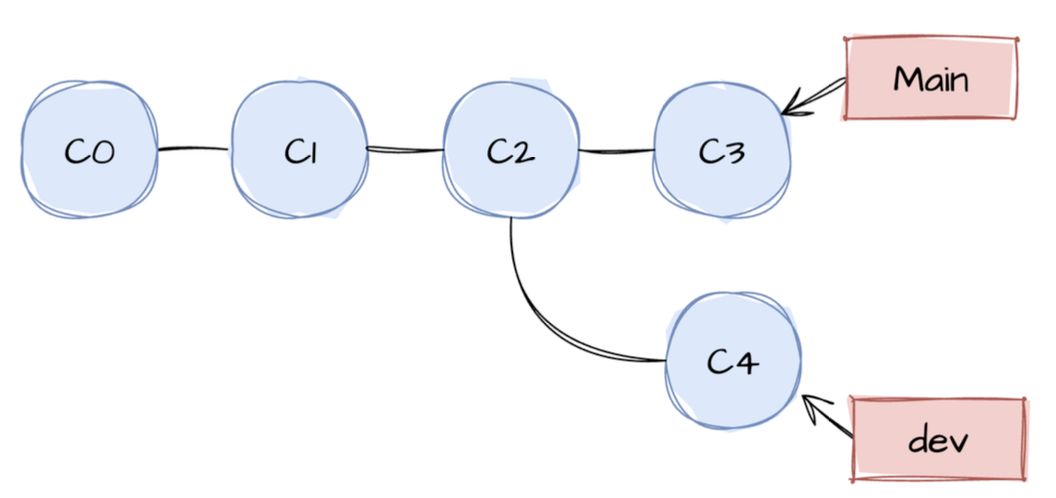
- 원래 코드를 복사하여 독립적으로 개발할 때 사용
- 특정 버전에서 새로운 Branch를 만들어 작업하다가 병합 가능
- Repository를 생성하면 Main Branch 가 기본으로 만들어 짐
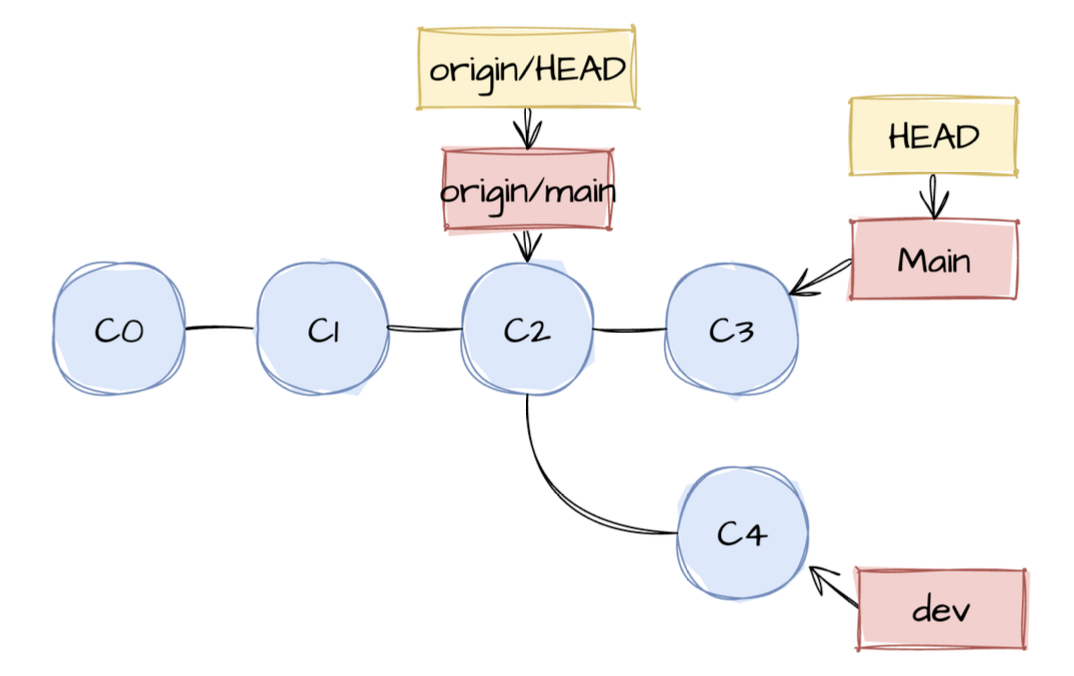
참고. Remote + Local Branch 예시
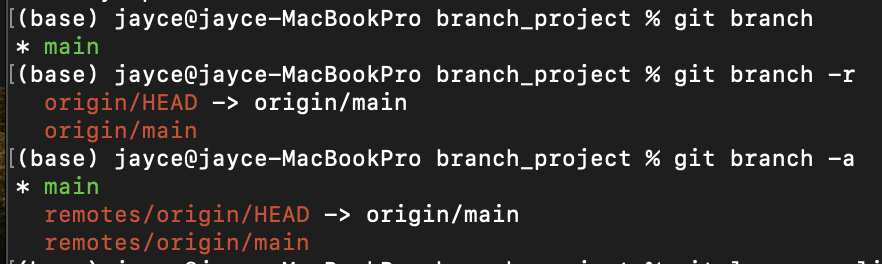
Git Branch 목록보기
- Local
git branch - Remote : -r 옵션
git branch -r - All : -a 옵션
git branch -a
Git Branch 생성 - Local
- 현재 있는 시점에서 Branch 생성
git branch <branch_name>
Git Branch 배포 - Remote
- 서버에 배포 가능
git push origin <branch_name>
Git Branch 삭제
- Local
git branch --delete <branch_name> - Remote
git push origin --delete <branch_name> - Remote에 배포하더라도 Local만 지워짐
- Remote에서도 지워줘야 전부 지워짐
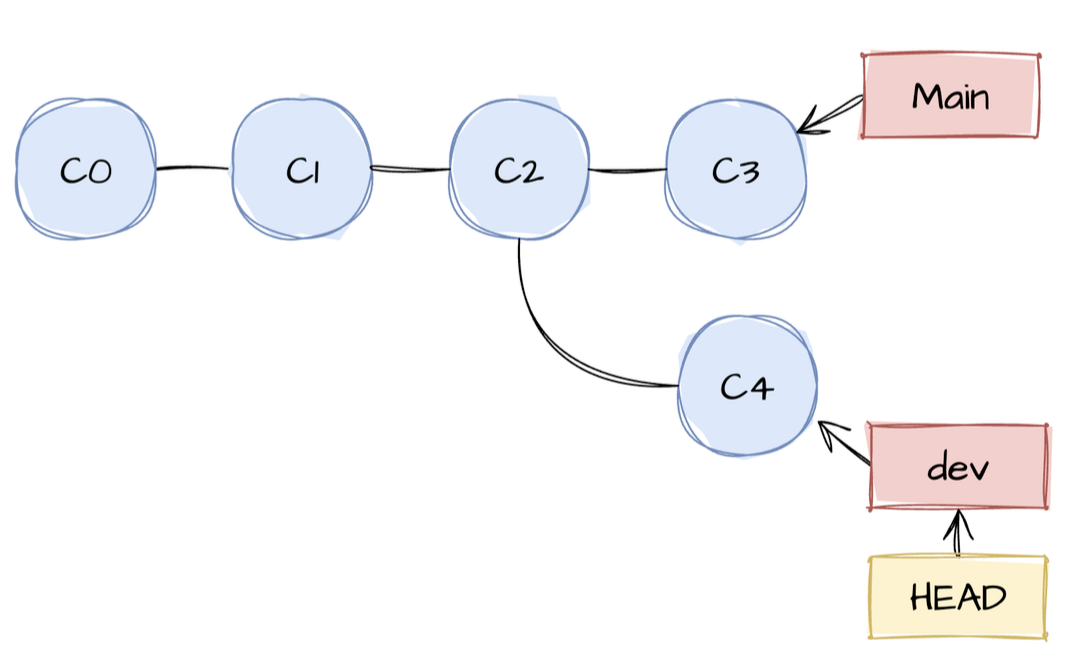
Git Branch 간 이동
git checkout <branch_name>
Git Checkout 실습
- checkout_project 생성
mkdir checkout_project
cd checkout_project
git init
- file1 생성
touch file1.py
git add file1.py
git commit -m "add file1"
위의 방식으로 file3까지 만들어준 후 실습
git checkout 768e07e
git checkout main 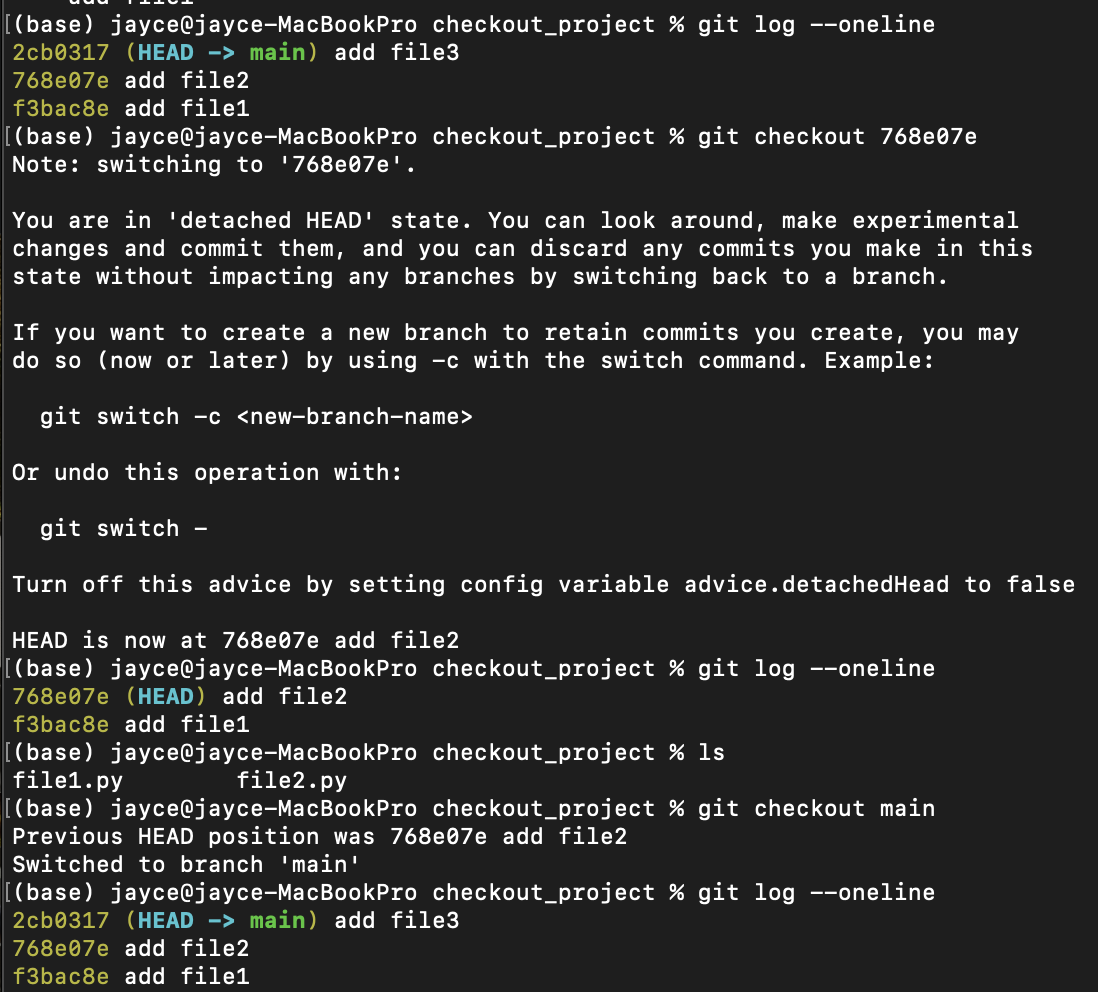
Git Branch 실습
- Remote Repository 생성
⠀-> branch_project라는 이름으로 생성, README.md file 생성- 주소 + Token 복사
- Local Repository로 Clone
branch 정보 확인 (3가지)
- 앞에 *표시는 현재 내가 위치해 있는 branch를 알려줌
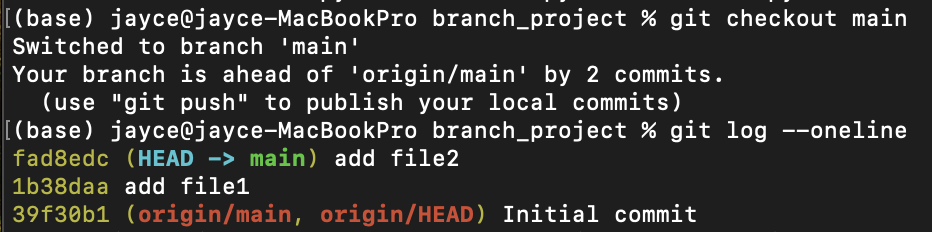
- log에서도 확인가능

파일 생성하고 commit
touch file1.py
git add file1.py
git commit -m "add file1"
ls
touch file2.py
git add file2.py
git commit -m "add file2"
lsbranch 생성 후 log 확인
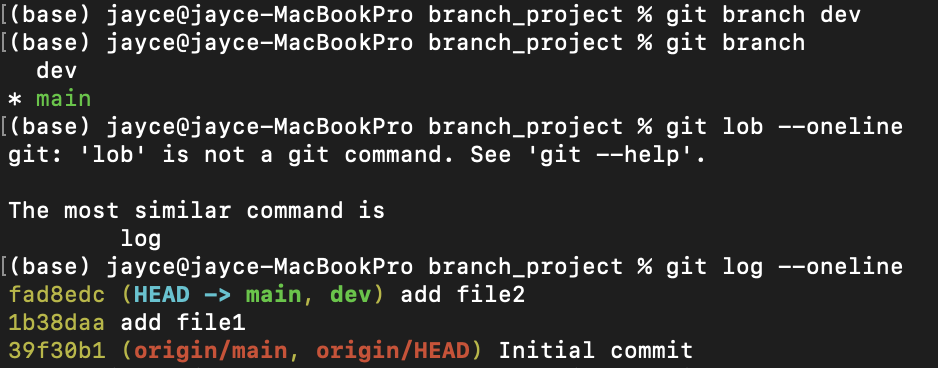
dev Branch로 checkout하여 이동 후 file3.py 생성
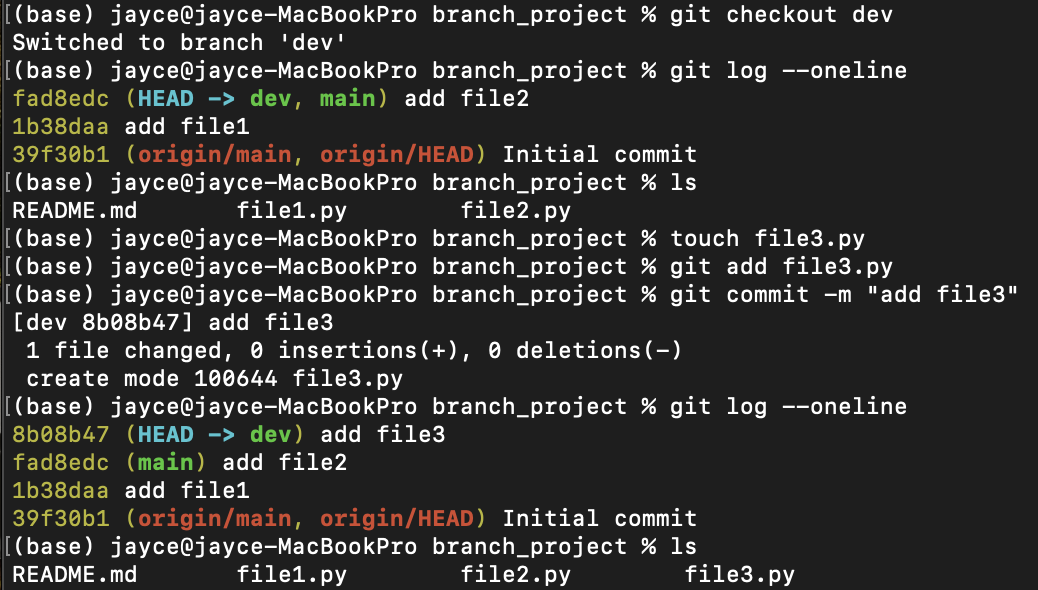
다시 main branch 로 이동하여 확인
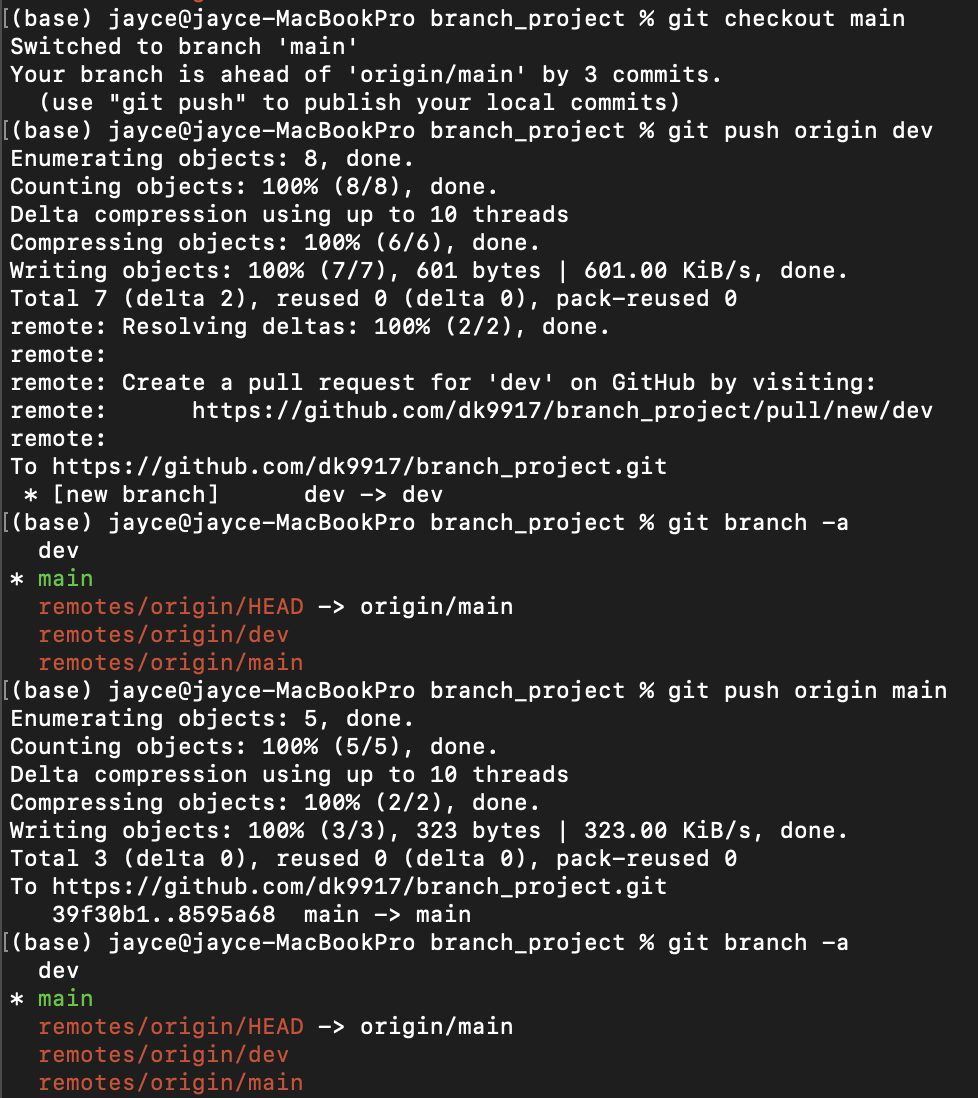
remote 저장소에 branch를 push하기
- checkout을 통해 이동한 branch가 어디든 push는 상관없음
- dev와 main모두 push
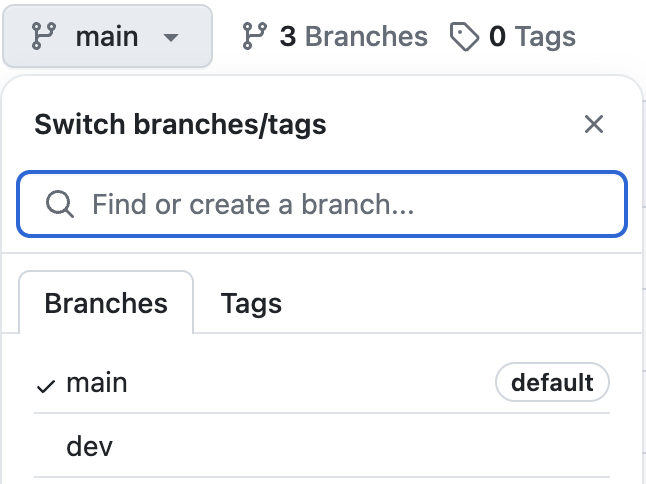
⠀-> GitHub를 확인하면 Branch 가 생성된 걸 확인 할 수 있음
Branch를 만들고 지우기
git branch --delete를 사용하여 지움
🚨 BUT 아직 merge가 안되어 있으면 --delete로 지울 수 없음
⠀⠀그럴 경우는, git branch -D 를 사용해 지우기
- dev2 branch를 만든 후 삭제
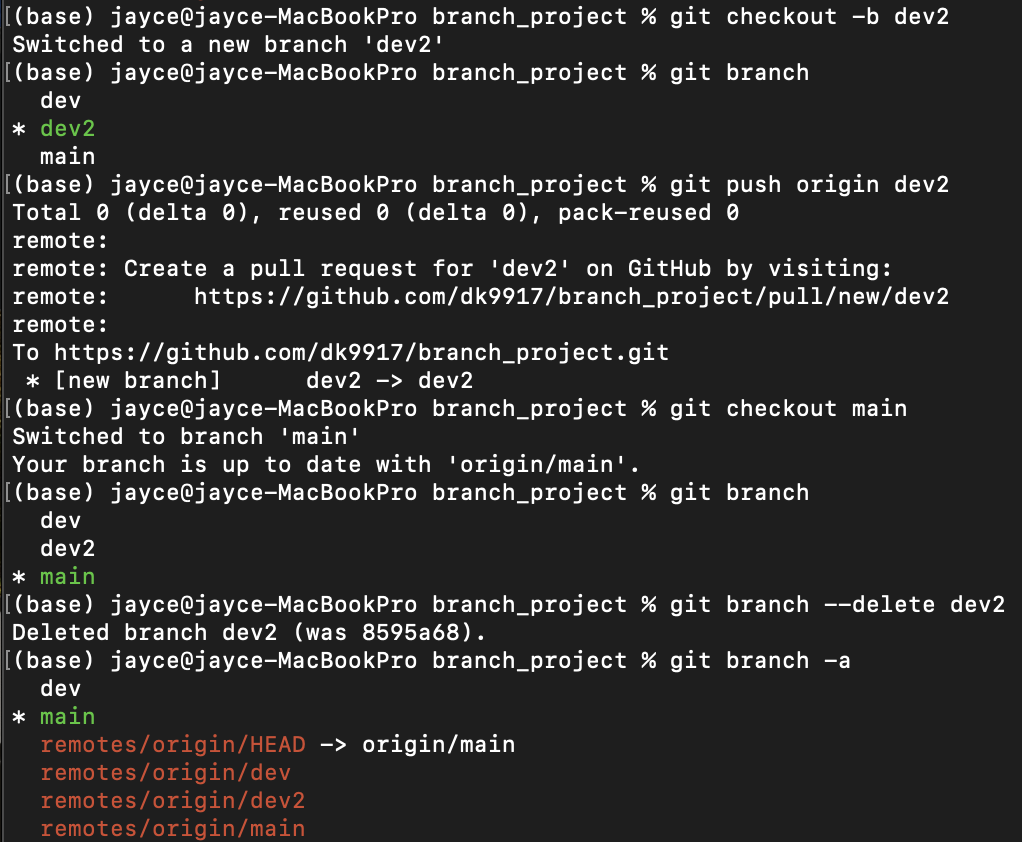
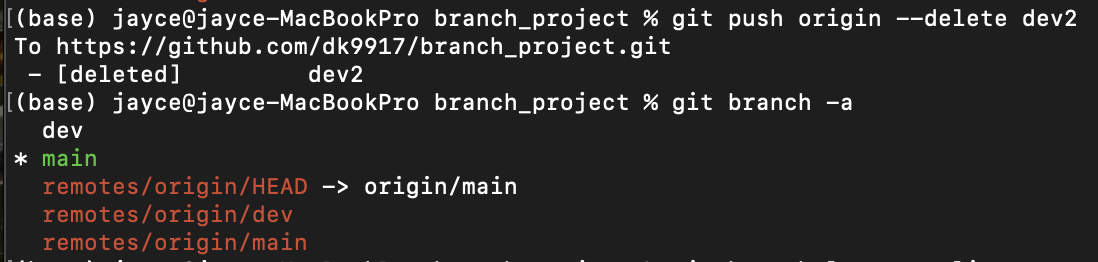
- remote 에서도 지워주려면 push 하면 됨
(참고)
local에서 지워진 branch가 remote에 남아있을 경우 ,
git pull origin <branch_name>하면 다시 끌어올 수 있음
실제 현업할 때는 remote에 있는 branch는 함부로 삭제하지 않는 것이 좋음!!
