[6월 22일]
1) 학습한 내용
1.FormSelector
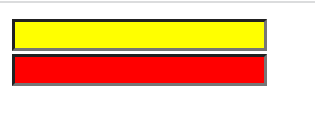
(1):text / :password
<!DOCTYPE html>
<html>
<head>
<meta charset="UTF-8">
<title>Insert title here</title>
<script src="https://code.jquery.com/jquery-3.6.0.min.js"></script>
<script>
	$(function(){
		$(":text").css("background-color", "yellow");
		$(":password").css("background-color", "red");
	});
</script>
</head>
<body>
	<input type="text"/><br/>
	<input type="password"/><br/>
</body>
</html>
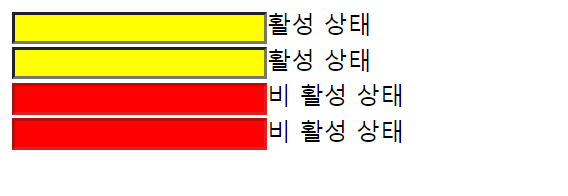
(2):enabled / :disabled
<!DOCTYPE html>
<html>
<head>
<meta charset="UTF-8">
<title>Insert title here</title>
<script src="https://code.jquery.com/jquery-3.6.0.min.js"></script>
<script>
	$(function(){
			$(":enabled").css("background-color", "yellow");
			$(":disabled").css("background-color", "red");
	});
</script>
</head>
<body>
	<input type="text"/>활성 상태<br/>
	<input type="password"/>활성 상태<br/>
	<input type="text", disabled="disabled"/>비 활성 상태<br/>
	<input type="password", disabled="disabled"/>비 활성 상태<br/>
</body>
</html>
2.Event
(1)
•
click :
클릭
•
Dblclick
더블 클릭
•
Mouseenter
마우스 커서가 들어왔을 때
•
Mouseleave
마우스 커서가 나갔을 때
•
Mousedown
마우스 키를 눌렀을 때
•
Mouseup
마우스 키를 떼었을 때
•
Hover :
마우스 커서가 들어왔을 때와 나갔을 때
•
focus
s : 포커스가 주어졌을 때
•
Blur :
포커스를 잃었을 때
<!DOCTYPE html>
<html>
<head>
<meta charset="UTF-8">
<title>Insert title here</title>
<script src="https://code.jquery.com/jquery-3.6.0.min.js"></script>
<script>
	$(function(){
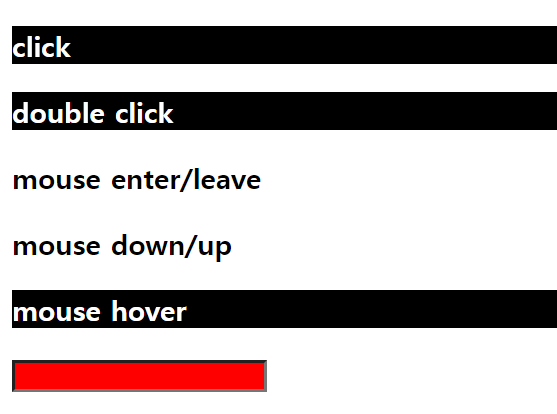
		$("#a1").click(function(){
			$("#a1").css("background-color", "black");
			$("#a1").css("color", "white");
		});
		$("#a2").dblclick(function(){
			$("#a2").css("background-color", "black");
			$("#a2").css("color", "white");
		});
		$("#a3").mouseenter(function(){
			$("#a3").css("background-color", "black");
			$("#a3").css("color", "white");
		});
		$("#a3").mouseleave(function(){
			$("#a3").css("background-color", "white");
			$("#a3").css("color", "black");
		});
		$("#a4").mousedown(function(){
			$("#a4").css("background-color", "black");
			$("#a4").css("color", "white");
		});
		$("#a4").mouseup(function(){
			$("#a4").css("background-color", "white");
			$("#a4").css("color", "black");
		});
		$("#a5").hover(function(){
			$("#a5").css("background-color", "black");
			$("#a5").css("color", "white");
		}, function(){
			$("#a5").css("background-color", "white");
			$("#a5").css("color", "black");
		});
		$("#a6").focus(function(){
			$("#a6").css("background-color", "blue");
		});
		$("#a6").blur(function(){
			$("#a6").css("background-color", "red");
		});
	});
</script>
</head>
<body>
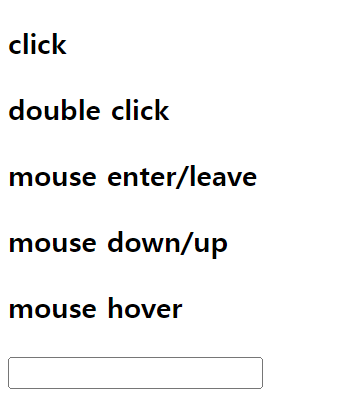
	<h3 id="a1">click</h3>
	<h3 id="a2">double click</h3>
	<h3 id="a3">mouse enter/leave</h3>
	<h3 id="a4">mouse down/up</h3>
	<h3 id="a5">mouse hover</h3>
	<input id="a6" type="text"/>
</body>
</html>
(2)
•
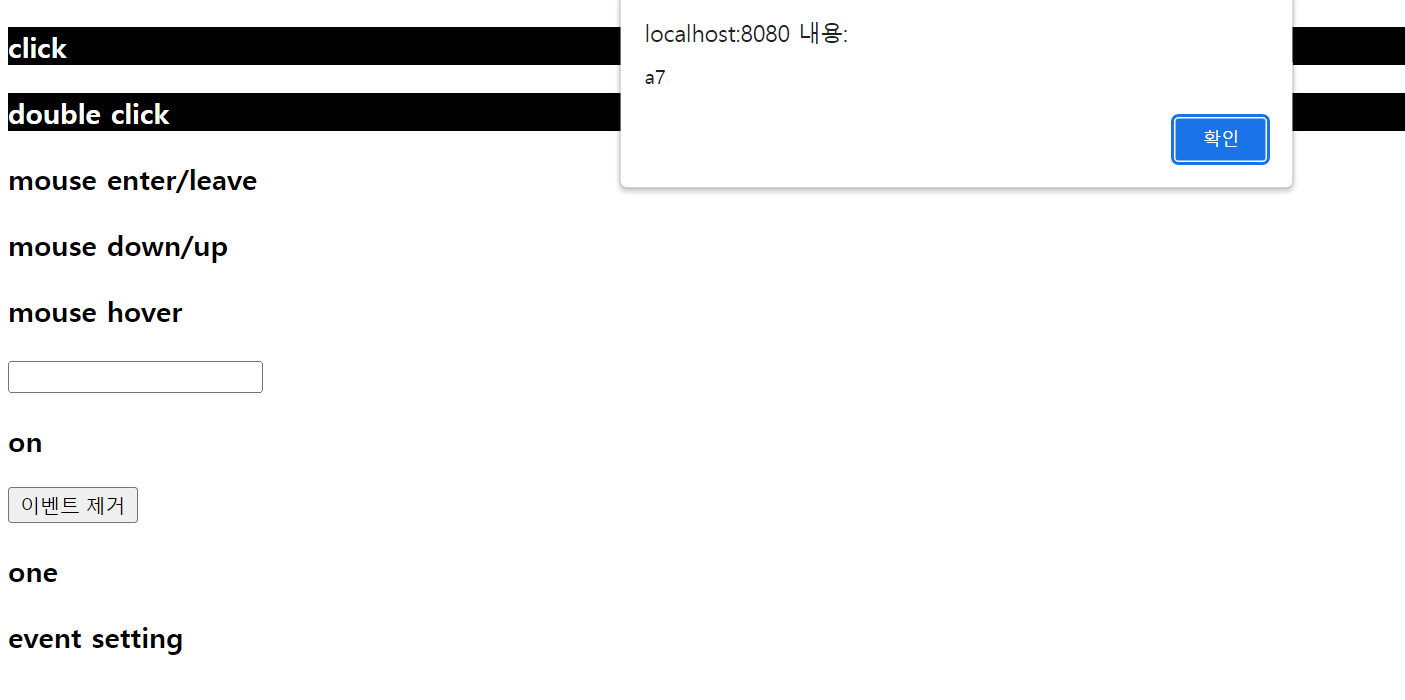
on : 이벤트를 설정하는 함수
•
off :
설정된 이벤트를 제거하는 함수
•
one :
이벤트를 설정하고 이벤트가 발생했을 때 자동으로 제거
<!DOCTYPE html>
<html>
<head>
<meta charset="UTF-8">
<title>Insert title here</title>
<script src="https://code.jquery.com/jquery-3.6.0.min.js"></script>
<script>
	$(function(){
		$("#a7").on("click",function(){
			alert('a7');
		})
		$("#a8").one("click",function(){
			alert('a8');
		})
		$("#a9").on({
			click : function(){
				alert('click');
			},
			mouseenter : function(){
				$("#a9").css("background-color","black");
			},
			mouseleave : function(){
				$("#a9").css("background-color","white")
			}
		});
		function remove_event(){
			$("#a7").off("click");
		}
	});
</script>
</head>
<body>
	<h3 id="a7">on</h3>
	<button type="button" onclick="remove_event()">이벤트 제거</button>
	<br/>
	<h3 id="a8">one</h3>
	<h3 id="a9">event setting</h3>
</body>
</html>
3.DOM
•
Document Object Model
•
text :
태그 사이의 문자열을 제어
-문자 그대로 보여줌
•
html :
태그 내부의 html 을 제어
•
val
: 입력 도구들의 value 속성값을 제어
•
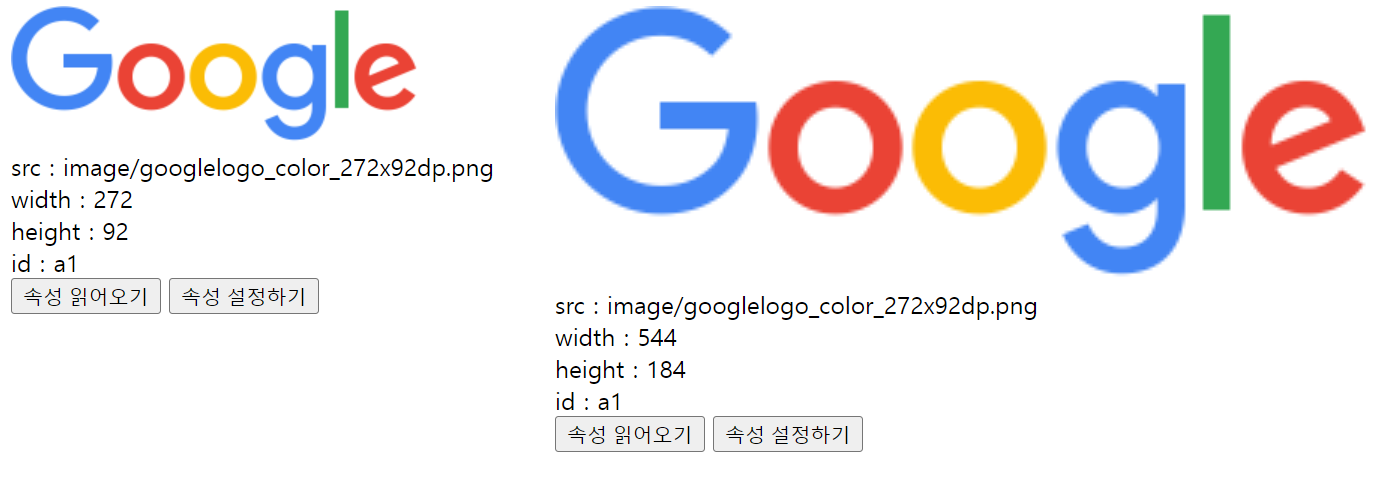
attr
: 태그의 속성을 제어
(1)text
<!DOCTYPE html>
<html>
<head>
<meta charset="UTF-8">
<title>Insert title here</title>
<script src="https://code.jquery.com/jquery-3.6.0.min.js"></script>
<script>
	function getA1(){
		var str = $("#a1").text();
		alert(str);
	}
	function getA2(){
        var str = $.trim($("#a2").text())
        alert(str);
	}
	function setA3(){
		$("#a3").text("문자열 설정");
	}
	function setHtml(){
		$("#a3").text("<a href='http://apple.co.kr'>apple</a>");
	}
</script>
</head>
<body>
	<div id="a1">a1 문자열</div>
	<button onclick="getA1()">a1 문자열 가져오기</button>
<div id="a2">
	<a href="http://www.google.co.kr">google</a>
</div>
<button onclick="getA2()">a2 문자열 가져오기</button>

<div id="a3"></div>
<button onclick="setA3()">a3 문자열 설정하기</button>
<button onclick="setHtml()">a3 html 설정하기</button>(2)html / val
<!DOCTYPE html>
<html>
<head>
<meta charset="UTF-8">
<title>Insert title here</title>
<script src="https://code.jquery.com/jquery-3.6.0.min.js"></script>
<script>
	function getHtml(){
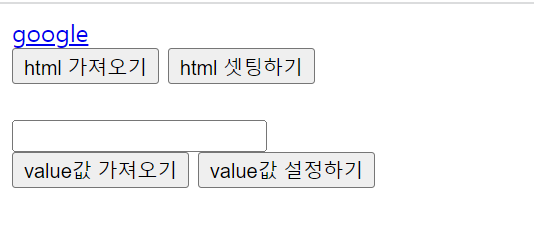
		var html = $("#a1").html();
		alert(html);
	}
	function setHtml(){
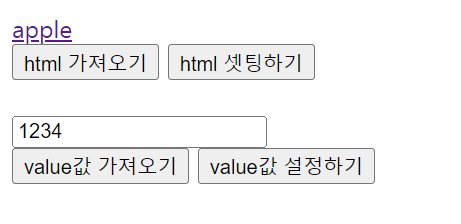
		$("#a1").html("<a href='http://www.apple.co.kr'>apple</a>")
	}
	function getA1(){
		var value = $("#a2").val();
		alert(value);
	}
	function setA1(){
		$("#a2").val("1234")
	}
</script>
</head>
<body>
	<div id="a1">
		<a href="http://www.google.com">google</a>
	</div>
	<button onclick="getHtml()">html 가져오기</button>
	<button onclick="setHtml()">html 셋팅하기</button>
	<br/>
	<br/>
	<input type="text" id="a2"/>
	<br/>
	<button onclick="getA1()">value값 가져오기</button>
	<button onclick="setA1()">value값 설정하기</button>
</body>
</html>
(3)attr
<!DOCTYPE html>
<html>
<head>
<meta charset="UTF-8">
<title>Insert title here</title>
<script src="https://code.jquery.com/jquery-3.6.0.min.js"></script>
<script>
	function getAttr(){
		var src = $("#a1").attr("src");
		var width = $("#a1").attr("width")
		var height = $("#a1").attr("height")
		var id = $("#a1").attr("id")
		$("#result").html("src : " + src + "<br/>"
						+ "width : " + width + "<br/>"
						+ "height : " + height + "<br/>"
						+ "id : " + id + "<br/>")
	}
	function setAttr(){
		$("#a1").attr("width",544);
		$("#a1").attr("height",184);
	}
</script>
</head>
<body>
	<img src="image/googlelogo_color_272x92dp.png" width="272" height="92" id="a1"/>
	<br/>
	<div id="result"></div>
	<button onclick="getAttr()">속성 읽어오기</button>
	<button onclick="setAttr()">속성 설정하기</button>
</body>
</html>

4.AddAttr
(1)append / prepend
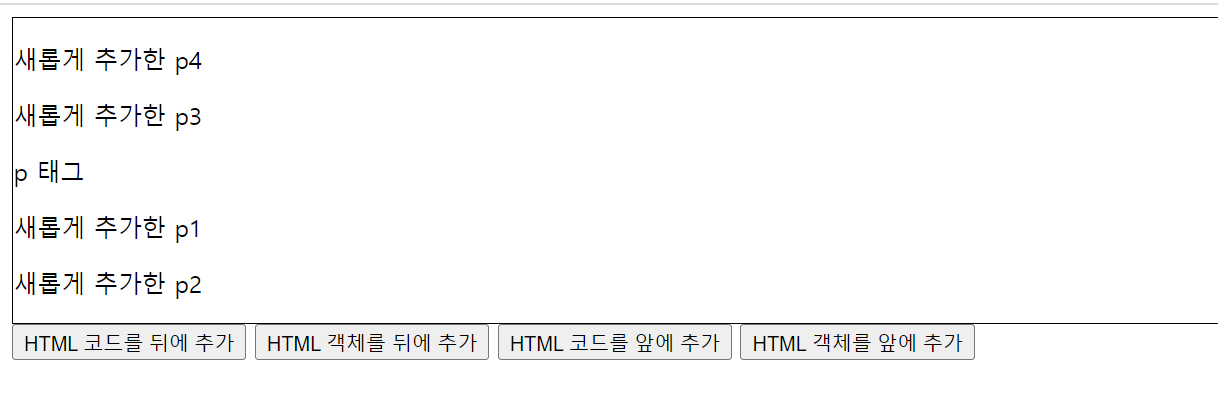
•
append : html
코드나 태그를 태그 내부의 뒤에 추가
•
prepend : html
코드나 태그를 태그 내부의 앞에 추가
<!DOCTYPE html>
<html>
<head>
<meta charset="utf-8">
<title>Insert title here</title>
<script src="https://code.jquery.com/jquery-3.6.0.min.js"></script>
<script>
	function append1(){
		$("#a1").append("<p>새롭게 추가한 p1</p>");
	}
	function append2(){
		var p = $("<p>")
		p.text("새롭게 추가한 p2")
		$("#a1").append(p);
	}
	function prepend1(){
		$("#a1").prepend("<p>새롭게 추가한 p3</p>");
	}
	function prepend2(){
		var p = $("<p>")
		p.text("새롭게 추가한 p4")
		$("#a1").prepend(p);
	}
</script>
<style>
	#a1{
	border : 1px solid black;}
</style>
</head>
<body>
	<div id="a1">
		<p>p 태그</p>
	</div>
	<button onclick="append1()">HTML 코드를 뒤에 추가</button>
	<button onclick="append2()">HTML 객체를 뒤에 추가</button>
	<button onclick="prepend1()">HTML 코드를 앞에 추가</button>
	<button onclick="prepend2()">HTML 객체를 앞에 추가</button>
</body>
</html>

(2)after / before
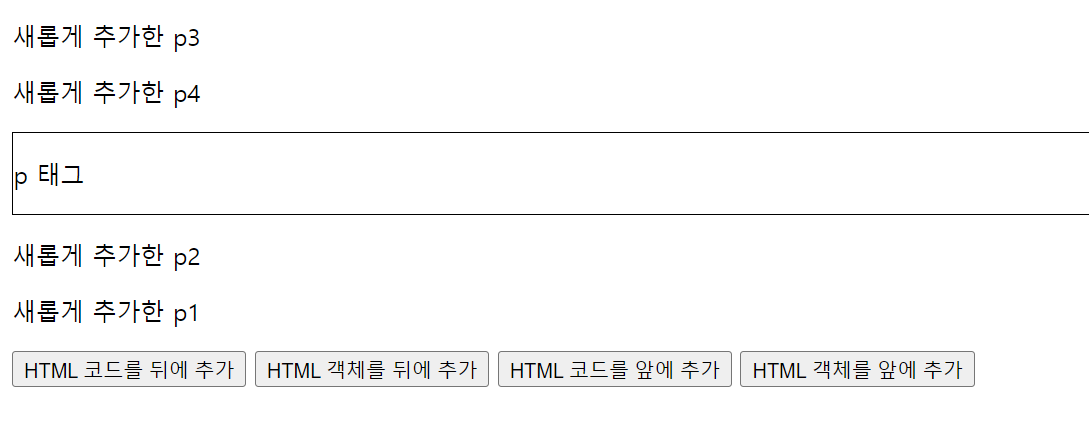
•
after : html
코드나 태그를 태그 다음에 배치
•
before : html
코드나 태그를 태그 앞에 배치

(3)remove / empty
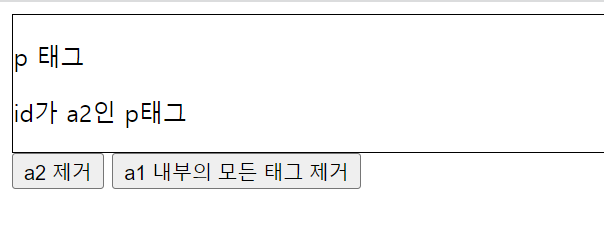
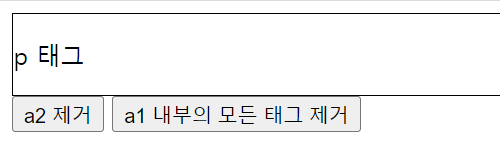
•
remove :
태그를 제거
•
empty :
태그 내의 모든 태그를 제거
<!DOCTYPE html>
<html>
<head>
<meta charset="UTF-8">
<title>Insert title here</title>
<script src="https://code.jquery.com/jquery-3.6.0.min.js"></script>
<script>
	function remove_a2(){
		$("#a2").remove();
	}
	function empty_a1(){
		$("#a1").empty();
	}
</script>
<style>
	#a1{
		border : 1px solid black;}
</style>
</head>
<body>
	<div id ="a1">
		<p>p 태그</p>
		<p id="a2">id가 a2인 p태그</p>
	</div>
	<button onclick="remove_a2()">a2 제거</button>
	<button onclick="empty_a1()">a1 내부의 모든 태그 제거</button>
</body>
</html>

2) 학습내용 중 어려웠던 점
이벤트를 설정할 때 코드의 의미를 정확하게 이해하지 못해서 어떤 변화가 일어나는지 알기 어려웠다.
3) 해결방법
강의자료를 보면서 코드의 의미를 이해하고 다시 실행시켜보니 이해가 되었다.
4) 학습소감
함수의 종류가 매우 다양하고 용도가 비슷한 함수도 많아서 주의해야할 것 같다.