Java Stream API:java.util.Stream
。Java 8에서 추가된 기능으로서람다식을 이용하여컬렉션 데이터들을 가공 및 처리하여 원하는 값으로 반환하는인터페이스
▶I/O Stream과는 다른 개념
。데이터 처리 파이프라인으로서 데이터를연속적으로람다식을 통해필터링,변환,집계등을 효율적이고 간결하게 처리
▶배열,Collection의객체에 대해메서드를람다식을 통해 여러개를 조합해서 원하는 결과를필터링해서 처리 및 도출
Stream API특징
람다식을 이용한 기술이므로일회성의 특징이 있어불변의 특성을 가진다.
▶ 또한중간연산마다 새로운Stream 객체를 생성하므로불변특징을 가짐.
▶병렬프로그래밍에 유용
사이드이펙트를 방지하기 위해Stream람다식은 순수함수의 특징을 가진다.
。Stream내람다식밖의지역변수참조 시 반드시상수이거나final로 선언되어 값이 변경되지않는불변변수만 참조가능
▶Side Effect방지
。Stream내람다식의와부변수를 재할당 시컴파일 에러발생
。외부변수의메소드를 통해외부 변수 상태를 변경하는 경우(자료구조 객체등 )도 있으므로사이드 이펙트를 완전히 예방할 수 없다.List<Integer> src = List.of(1,2,3); List<Integer> sink = new ArrayList<>(); src.stream().forEach(sink::add); // 외부변수 상태를 변환。
List<Integer> sink는 선언 이후재할당이 없으므로effectively final
▶stream내람다식에서 참조가능
。불변성이 없는자료구조 객체내부에 데이터를 추가하므로상태를 변화
원본 데이터를 기반으로 별도의Stream 인터페이스 구현체를 생성하여 데이터를 가공하므로 원본데이터는 변경하지 않는다
▶불변 Collection 객체( =자료구조.of(데이터, ...))를 원본으로java.util.stream의Stream Interface 구현체로 새로 생성하여 데이터 처리 후 새로운Collection 객체로 결과 도출이 가능
배열(int[]등 )은Stream으로 직접 변환이 불가능
▶ 보통java.util.Arrays클래스의static method : Arrays.stream(배열객체)를 통해Stream 객체로 변환 후 사용
Stream의반복문처리는순수 반복문에 비해 느리지만 사용성은 매우 뛰어남
▶ 성능이 필요한 작업에 한해서만순수반복문을 사용하고 대부분의 작업은Stream을 사용
Stream은DataSource( 여러자료형의배열,Collection)를추상화및 자주 활용되는 유용한Method가 사전에 정의
。 기존순수반복문과 다르게Data Source에 종속되지않고 같은 방식으로 다룰 수 있어 코드 재사용성이 높아짐
。단List<> 관련 객체( =Set,Stack,Queue, .. 등 )만Stream적용이 가능하며,Map의 경우List와 다르게구현되어 있으므로Stream적용이 불가능
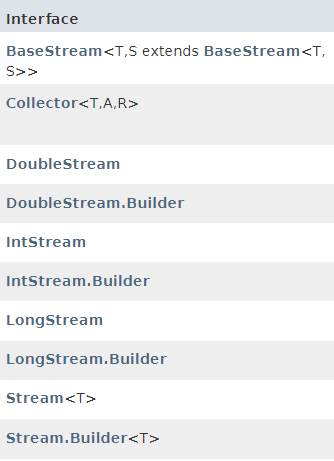
Stream Interface종류
。Stream의 Type은IntStream등의primitive type과Stream<Integer>의Reference Type이 존재
▶IntStream객체.boxed():IntStream→Stream<Integer>
▶IntStream객체.mapToObj(String::valueOf)→Stream<String>
▶Stream<>객체.mapToInt(Integer::intValue):Stream<Integer>→IntStream
Stream구조
。스트림 생성/중간연산/종단연산
Collection객체.stream().filter( (x)->{ x > 0 } ).count()
。스트림 생성:Collection객체.stream()
。중간연산:스트림객체.filter( (x)->{ x > 0 } )
。종단연산:스트림객체.count()
Stream 생성
。Collection에서Stream생성
Collection객체.stream():
。Collection을 확장한 (List등 )의자료구조 객체를java.util.stream의Stream Interface의객체로 변환
。배열(int[]등 )은Stream으로 직접 변환이 불가능하므로List로 변환하여Stream으로 변환
▶ 보통java.util.Arrays클래스의Arrays.stream(배열객체)를 통해Stream 객체로 변환
ex)Arrays.stream(int[]배열객체).forEach(System.out::println)
▶int[] 객체를IntStream 객체로 변환 후 순회하여 콘솔창에 출력
Arrays.stream(배열객체):
。int[] 객체전달 시IntStream으로 반환
▶IntStream객체.boxed()적용 시Stream<Integer>으로 변환
Collection객체.stream():
。ArrayList<Integer>전달 시Stream<Integer>으로 반환
▶Stream<Integer>객체.mapToInt(Integer::intValue)적용 시IntStream으로 변환
중간연산( Intermediate Operation )
。생성된Stream 객체를 처리하는 연산
。 모든Stream은 0개 이상의중간연산이 존재하며중간연산이 선언된 순서대로 순차적으로 새로운Stream을 생성하면서 처리
。처리된 결과는종단연산을 통해 결과를 도출한다
ex )map(),filter(), ...
종단연산( Terminal Oeration )
。중간연산이 수행된Stream객체의 결과를 도출하거나 return하는 연산
ex )collect(),forEach()...
Stream 객체중간연산method
。filter()
。map(),mapToInt(),mapToLong(),mapToDouble()
。flatMap(),flatMapToInt(),flatMapToLong(),flatMapToDouble()
。distinct()
。sorted()
。peek()
。limit()
。skip()
Stream객체.map(람다식)
。Stream 객체의데이터를 순회 및 추출하여 람다식의 매개변수로 전달 시데이터를 처리 후 반환하는중간연산
▶Stream객체.forEach(람다식)과 유사하나,람다식의 결과를 새로운 Stream의 요소로 포함하여 새로운Stream 객체를 생성하여 반환
ex )Stream객체.stream().map( (student)->{ student.getName } ).forEach( System.out::println )
▶map() 연산을 통해Stream객체내 데이터를 처리한 새로운Stream객체를 생성하여 출력
map을 통한Stream형변환
Stream객체.mapToInt(람다식)
。Stream<Integer>객체.mapToInt(Integer::intValue)를 통해Stream<Integer>를IntStream으로 변환가능
▶Integer 클래스의static method인intValue()를메소드 참조를 통해 사용
▶mapToInt( (s) -> Integer.intValue(s) )와 동일Arrays.stream(a).distinct().boxed().sorted(Comparator.reverseOrder()) .mapToInt(Integer::intValue).toArray();▶
int[]로IntStream을 생성 후boxed()를 통해Stream<Integer>로 변환 후내림차순후mapToInt()를 통해IntStream으로 변환하여int[]로 반환
Stream객체.mapToObj(람다식)
。IntStream객체.mapToObj(String::valueOf)를 통해IntStream을Stream<String>으로 변환가능
▶IntStream객체.mapToObj(s -> String.valueOf(s))
Stream객체.filter(Predicate)
。특정 조건(Predicate역할의람다식)에 해당하는 요소만을 추출하여 새로운Stream객체를 생성하는데 사용하는연산
▶if문과 유사
ex)Stream객체.filter(( element )->{ element.no > 10 }).findFirst()
▶Stream 객체내 데이터의 no 변수 중no > 10을 만족하는 첫번째데이터를 찾아서 반환
Stream객체.distinct()
。Stream객체의 데이터 중 중복을 제거해서 새로운Stream객체를 반환
Stream객체.sorted()
。Stream객체의 데이터를오름차순으로 정렬한 새로운Stream객체를 반환
▶Stream객체의 요소가Class Type인 경우 따로Comparable,Comparator을 정의
Stream객체.sorted(Comparator객체):
。오름차순 정렬외정렬수행 시Comparator 객체를 전달하여 수행
Primitive Type에 대해 적용하는 경우
내림차순 정렬:
Stream객체.sorted(Comparator.reverseOrder())
▶java.util.Comparator활용
▶IntStream등의primitive Type의Stream이 아닌Stream<Integer>의Class Type의Stream에만 적용이 가능.Arrays.stream(a).boxed().sorted(Comparator.reverseOrder()) .mapToInt(Integer::intValue) .toArray();▶
IntStream을boxed()를 통해Stream<Integer>로 변환 후내림차순 정렬후mapToInt(Integer::intValue)로IntStream로 재변환하여 활용
- 사용자 정의
Class Type에 대해 적용하는 경우
。별도로Class의Comparable<T>를 정의하거나 ,Comparetor<T>객체를 생성하여 인자로 전달
객체간 정렬
- 번외 :
람다식으로 구현하기
。Comparator를람다식형태로 구현하여 전달이 가능.result1.entrySet().stream(). sorted((entry1, entry2)-> (int) (entry2.getValue() - entry1.getValue())) .limit(3).map(entry -> entry.getKey() ).toList();
Stream객체.boxed()
。IntStream등의Primitive Type의Stream을Stream<Integer>의Class Type의Stream으로 변환
Stream객체.limit(제한할 요소수)
。Stream 객체의 첫 요소부터 제한할 요솟수까지만 가져와서 새로운Stream 객체생성
Stream객체.skip(요소수)
。Stream 객체의 요소 중 첫 요소부터 설정된 요솟수까지 skip 한 후 이후 요소부터 끝 요소까지 가져와서 새로운Stream 객체생성var names = List.of(1, 2, 3, 4, 5, 6, 7, 8, 9); names.stream().limit(2) .forEach(s -> System.out.print(s + " ")); // 1 2 names.stream().skip(5) .forEach(s -> System.out.print(s + " ")); // 6 7 8 9 }.
Stream객체.flatMap(람다식)
。중첩된Stream<Stream<T>>를Stream<T>로 변환하는 함수
▶람다식을 통해자료구조내부자료구조를 다시Stream으로 형변환하여 활용var names = List.of( List.of(1, 2, 3), List.of(4, 5, 6), List.of(7, 8, 9) ); names.stream() // 내부 List의 stream을 형변환 .flatMap(lst -> lst.stream()) .forEach(s -> System.out.print(s + " ")); // 1 2 3 4 ....
Stream종단연산
。forEach(),forEachOrdered()
。reduce()
。배열반환 :collect(),toArray(),toList()
。통계 :min()/max()/count()
。검사 :anyMatch(),allMatch(),noneMatch()
。검색 :findFirst()/findAny()
Stream객체.forEach(람다식)
。Stream 객체의데이터를 순회 및 추출하여 람다식의 매개변수로 전달하는종단연산
。Stream객체.map(람다식)과 유사한 기능을 제공하나, 새로운Stream객체를 생성하지않으므로 반환값이 존재하지 않음
▶ 주로 출력용도로 활용됨
ex )Stream객체.forEach(System.out::println)
Stream객체.max():
。Stream객체의 데이터 중 가장 큰 값을 가지는데이터를 참조하는Optional 객체를 반환
ex )Stream객체.max().orElse(0)
▶Stream 객체의 데이터 중최댓값을 return 및 존재하지 않을경우 0을 return
ex )Stream객체.max().getAsInt();
▶Stream 객체의 데이터 중최댓값을int로 return
Stream객체.findFirst(),Stream객체.findAny()
。Stream객체요소 중 가장 먼저 검색한 요소 반환
。아무 요소를 반환
。 해당Stream내 검색할 요소가 존재하지않아Null을 반환할 수 있으므로Optional객체를 반환
Stream객체.allMatch(predicate람다식)
。요소가 모두predicate 조건에 부합하는 경우true를 반환
Stream객체.anyMatch(predicate람다식)
。요소가 하나라도predicate 조건에 부합하는 경우true를 반환
Stream객체.noneMatch(predicate람다식)
。요소중 하나라도predicate 조건에 부합하는경우**false를 반환var names = List.of(1, 2, 3, 4, 5, 6, 7, 8, 9, 10); boolean result1 = names.stream().allMatch((i) -> i > 0); // true boolean result2 = names.stream().anyMatch((i) -> i == 5); // true boolean result3 = names.stream().noneMatch((i) -> i == 5); // false.
Stream객체.reduce(초기값, 람다식)
。Stream객체의요소를 정의한기준값부터 정의한람다식대로 연산 후 결과값을 반환
。기준값을 정의하지않는 경우Null이 포함될 수 있어Optional객체가 반환
누적합:
Stream객체.reduce( 초기값 , ( x , y )-> x + y )
▶람다식은메소드참조 : Integer::sum으로 대체가능var names = List.of(1, 2, 3, 4, 5, 6, 7, 8, 9, 10); int sum = names.stream().reduce(0, (a, b) -> a + b); System.out.println(sum); // 55 출력
누적곱:
Stream객체.reduce( ( x , y )-> x * y ).get()var names = List.of(1, 2, 3, 4, 5, 6, 7, 8, 9, 10); Optional<Integer> sum = names.stream().reduce((x, y) -> x * y); System.out.println(sum.get()); // 3628800 출력
Stream객체.toArray()
。Stream 객체를배열로 반환
ex )
배열:int[] arr = Stream객체.toArray()
▶기본형배열은 자동형변환수행
객체배열:Student[] stuNames = Stream객체.toArray(Student[]::new);
Wrapper객체 배열:Integer[] arr = Stream객체.toArray(Integer[]::new)
▶ 자동형변환이 안되므로람다식또는생성자 메소드 참조를 통해객체를 생성하는 식을 매개변수로 전달
▶ 정의 안할 경우Object로 생성
Object[] stunames = Stream객체.toArray();
Stream객체.toList()
。JDK 11부터Stream.collect(Collectors toList())를 단축하기위해 등장한 코드
▶Stream<T>를List<T>로 반환
Stream객체.collect(Collectors 클래스의Static변환메소드)
。java.util.Stream.Collectors를 매개변수로 하여Stream 객체를 원하는Collection의Type로Collect하여 반환하는Stream의종단연산Method
▶ 보통java.util.Stream.Collectors 클래스의Static Method와 함께 사용하여 ,List,Set,Map등의 다양한자료구조로 변환하는 용도로 활용
Stream활용 예제
。배열 데이터를 중복을 제거하면서내림차순으로 정렬 후 반환하는method작성import java.util.Arrays; import java.util.Comparator; public class ffff { public static void main(String[] args) { int[] a = { 4,2,2,1,3,4 }; int[] b = solution(a); for(int i : b) System.out.print(i); } public static int[] solution(int[] a) { return Arrays.stream(a).distinct().boxed() .sorted(Comparator.reverseOrder()) .mapToInt(Integer::intValue) .toArray(); } }
Collectors:java.util.Stream.Collectors
。Collector API
。주로Stream객체.collect()의 매개변수로서Stream 객체의 요소를 원하는 형태의Collection(List,Set,Map등 )으로 변환 시 사용
。추가적으로Collectors.averagingInt(),Collectors.groupingBy(람다식),
Collectors.partitioningBy(predicate)의 방식들이 존재
Collection static method
。Stream객체의collect()의 매개변수로 전달하여 활용
ex )스트림객체.collect(Collectors.toList())
Stream->Collection변환용도의static method
Collectors.toList()
。Stream 객체를List<T>로 반환
▶Stream에서는 이미 해당 기능이Stream객체.toList()로 간편하게 구현
Collectors.toSet()
。Stream 객체를Set<T>로 반환
Collectors.toCollection()
。Stream객체를Collection으로 생성하여 반환
▶ 매개변수에Collection 객체를 생성하여 반환하는람다식or생성자참조를 정의
ArrayList생성
Collectors.toCollection(ArrayList::new):메소드참조이용하여ArrayList<T>반환
Collectors.toMap( Key mapper람다식 , Value mapper람다식 )
。Stream객체의 요소를 각각Key와Value로mapper역할의람다식을 통해반환값을 mapping하여Map<K,V>로 반환
ex )
Stream객체.collect(Collectors.toMap(obj->obj.Key로설정할변수 , obj -> obj.Value로설정할변수))
Collectors.joining("구분자", "접두사" , "접미사"):
。Stream객체의 모든 요소를구분자(delimiter)를 설정 및 연결하여 하나의String으로 합쳐서 반환
。인자로String만 들어올 수 있으므로 먼저String으로캐스팅이 필요int[] A = {1, 2, 3, 4, 5, 6, 7, 8, 9, 10}; // IntStream에서 Stream<String>으로 변환 String s = Arrays.stream(A).mapToObj(String::valueOf) .collect(Collectors.joining( ",", "[", "]" )); System.out.println(s); // [1,2,3,4,5,6,7,8,9,10] 출력
Collectors.mapping(mapper람다식 , Collectors.toList())
。Stream 객체에서 특정 요소를 추출한람다식의 반환값을List<T>로 포함하여 반환
▶T:람다식의 반환값 Typevar testSet = List.of( new Edge(1, 4), new Edge(2, 3), new Edge(3, 3), new Edge(4, 6) ); List<Integer> result1 = testSet.stream().collect(Collectors .mapping((e) -> e.start, Collectors.toList())); System.out.println(result1); // 1, 2, 3, 4
- 집계용도의
Collector static method
Collectors.counting()/Collectors.maxBy()/Collectors.minBy()
。각각Stream객체.count(),Stream객체.max(),Stream객체.min()와 동일한 역할을 수행
Collectors.averagingInt(mapper람다식)
。Stream객체의Stream<Integer>요소에 대해Mapper역할의람다식의 반환값을 추출하여 해당 값들의평균을double로 도출
。입력되는Stream의Type에 따라서 다르게 사용.
▶Stream<Integer>:averagingInteger()
▶Stream<Long>:averagingLong()
▶Stream<Double>:averagingDouble()
Collectors.summingInt(mapper람다식)
。람다식의 반환값을 통해 해당 값들의합을Integer로 도출
。summingInteger(),summingLong(),summingDouble()이 존재
Collectors.summarizingInt(mapper람다식)
。람다식의 반환값을 통해 해당 값들의 통계요약을IntSummaryStatistics형식으로 반환
▶count , sum , min , average , max의 정보를 포함하여 반환
。summarizingInteger(),summarizingLong(),summarizingDouble()이 존재var testSet = List.of( new Edge(1, 4), new Edge(2, 3), new Edge(3, 4), new Edge(4, 3), new Edge(5, 2), new Edge(6, 1) ); int sum = testSet.stream().collect( Collectors.summingInt(edge -> edge.target)); double mean = testSet.stream().collect( Collectors.averagingInt(edge -> edge.target)); IntSummaryStatistics statistics = testSet.stream().collect( Collectors.summarizingInt(edge -> edge.start)); System.out.println(sum); // 2.83333.. System.out.println(mean); // 21 System.out.println(statistics); // {count=6, sum=21, min=1, average=3.500000, max=6}
Stream을 분류하여Map<K,V>로 구축하는static method
。Collectors.groupingBy(),Collectors.partitioningBy()
Collectors.groupingBy(classifier , MapFactory , Downstream)
。분류 기준이 되는Classifier 함수역할의람다식의 반환값을Key로 설정하여 이를 기준으로Categorization하여 다수의그룹을 반환하는 Method
。classifier:그룹화할Key를 추출하는람다식
ex )( k ) -> k.score:score값을 기준으로 요소를 그룹화
。mapFactory: 저장할Map 인터페이스의구현클래스의생성자를 정의
▶ 향후 생성된Map 객체는 해당구현클래스를 기반으로 함.
ex )TreeMap::new,HashMap::new
▶default:HashMap
▶TreeMap설정 시classifier기준 정렬수행
。downstream:classifier기준그룹별로 분할한 요소의 추가 가공을 정의
▶Collector의static method설정
Collectors.groupingBy(classifier람다식)
。반환타입:Map<K,List<T>>를 반환
▶K:람다식의결과Type
▶T:Stream 요소Type
ex )Edge의start를 기준으로 분류를 수행하는 경우
▶start의도메인을 기준으로Key = { 1 , 4 }로서그룹을 분할var testSet = List.of( new Edge(1, 4), new Edge(1, 3), new Edge(4, 3), new Edge(4, 6) ); Map<Integer, List<Edge>> e = testSet.stream().collect(Collectors.groupingBy(edge -> edge.start)); // {1=[Edge{start=1, target=4}, Edge{start=1, target=3}], 4=[Edge{start=4, target=3}, Edge{start=4, target=6}]} List<Edge> a = e.get(4); // [Edge{start=4, target=3}, Edge{start=4, target=6}] System.out.println(a.get(0).target); // 3.
Collectors.groupingBy(classifier람다식, MapFactory ,DownStream)
。DownStream에 원하는Collector static 메소드를 정의하여classifier로 분류된 각 그룹별집계를 도출
。Map<K, D>를 반환
▶K:람다식의결과Type
▶D:Collector static 메소드의 결과 Typevar testSet = List.of( new Edge(1, 4), new Edge(1, 3), new Edge(4, 3), new Edge(4, 6) ); Map<Integer, Integer> result1 = testSet.stream() .collect(Collectors.groupingBy(e -> e.start, TreeMap::new, Collectors.summingInt(e -> e.target))); System.out.println(result1); // {1=7, 4=9}▶
Map 자료구조 구현체:TreeMap으로 설정됨
DownStream에Collectors.toMap(Mapper1, Mapper2)를 적용하는 경우
。Classfier에 의해 분류 및 분류결과를Map<K,V>로서 Mapping을 수행
▶Map<K,Map<K,V>>를 반환var testSet = List.of( new Edge(1, 4), new Edge(2, 3), new Edge(3, 3), new Edge(4, 6) ); Map<Integer, Map<Integer, Integer>> result1 = testSet.stream() .collect(Collectors.groupingBy(e -> e.start, Collectors.toMap(k -> k.start, v -> v.target))); System.out.println(result1); // {1={1=4}, 2={2=3}, 3={3=3}, 4={4=6}}
Collectors.partitioningBy(predicate , Downstream)
。Predicate역할 람다식을 기준으로True / false로 그룹화한 후Map형태로 반환
。기본값으로Map<Boolean,List<T>>로 반환
▶T:Stream 요소
▶Downstream정의 시List<T>는Downstream의 결과값으로 설정var testSet = List.of( new Edge(1, 4), new Edge(1, 3), new Edge(4, 3), new Edge(4, 6) ); Map<Boolean, List<Edge>> result1 = testSet.stream().collect( Collectors.partitioningBy((e) -> e.start > 2) ); System.out.println(result1); // {false=[Edge{start=1, target=4}, Edge{start=1, target=3}], true=[Edge{start=4, target=3}, Edge{start=4, target=6}]} List<Edge> result2 = result1.get(true); System.out.println(result2); // [Edge{start=4, target=3}, Edge{start=4, target=6}]
Collectors.groupingBy연습문제
test setclass Exam implements Comparable<Exam> { String studentname; int score; boolean isPass; public Exam(String studentname, int score) { this.studentname = studentname; this.score = score; } @Override public int compareTo(Exam o1) { return this.score - o1.score; } @Override public String toString() { return "Exam{" + "studentname='" + studentname + '\'' + ", score=" + score + '}'; } }var examList = List.of( new Exam("일정수", 50), new Exam("이정수", 60), new Exam("삼정수", 10), new Exam("사정수", 20), new Exam("오정수", 30), new Exam("육정수", 80), new Exam("칠정수", 90), new Exam("팔정수", 100), new Exam("구정수", 60), new Exam("십정수", 10), new Exam("십일정수", 30), new Exam("십이정수", 50), new Exam("십삼정수", 70), new Exam("십사정수", 90) );
- Q. 점수별로 분류 후 90점 이상인 학생의 이름을 출력
// 점수별로 분할된 Map객체를 return
		Map<Integer, List<Exam>> result1 = examList.stream().collect(Collectors.
			groupingBy((exam) -> exam.score));
		// Map객체에서 90점 이상인 사람의 이름을 출력
		result1.entrySet().stream().filter(entry -> entry.getKey() >= 90)
			.flatMap(entry -> entry.getValue().stream())
			.forEach(exam -> System.out.println(exam.studentname));
       //  팔정수 칠정수 십사정수
。
Map은Map.Entry<K,V> 객체로 구성
▶Map 자료구조를stream으로 활용하는 경우Map객체.entrySet().stream()으로Stream<Map.Entry<K,V>>으로 변환해야한다.
。flatMap()으로 작업 수행 시entry.getValue():List<Exam>이므로Stream<Exam>으로 변환
▶ 이후Stream<Map.Entry<K,V>>은Stream<Exam>으로 변환됨.
- Q. 점수별로 분류 후 점수별 몇명인지 출력
Map<Integer, Long> result1 = examList.stream().collect(Collectors.groupingBy(
			(e) -> e.score, Collectors.counting()
		));
		System.out.println(result1);
		// {80=1, 50=2, 100=1, 20=1, 70=1, 90=2, 10=2, 60=2, 30=2}
- Q. 점수별로 분류 후 오름차순 정렬인 점수별 사람들의 이름을 출력
。classifier : 점수를 기준으로 분류
。Map 인터페이스 구현체를TreeMap::new생성자를 통해 생성된TreeMap 객체를 기반으로업캐스팅하여 구현
▶classifier기준 오름차순정렬
。Collectors.mapping()을 통해 분류가 완료된 그룹별로이름에 해당하는 데이터를 추출하여List<String>으로 재구성Map<Integer, List<String>> result1 = examList.stream().collect(Collectors.groupingBy(( (e) -> e.score), TreeMap::new, Collectors.mapping(s -> s.studentname, Collectors.toList()) )); System.out.println(result1); // {10=[삼정수, 십정수], 20=[사정수], 30=[오정수, 십일정수], 50=[일정수, 십이정수], 60=[이정수, 구정수], 70=[십삼정수], 80=[육정수], 90=[칠정수, 십사정수], 100=[팔정수]}
- Q.
partitioningBy()를 사용하여 60점 이상인 사람의 평균 도출Map<Boolean, Double> result1 = examList.stream().collect( Collectors.partitioningBy((e -> e.score >= 60), Collectors.averagingInt((e) -> e.score)) ); System.out.println(result1.get(true)); // 78.5714...
