> Task :react-native-webview:lintDebug FAILED
Lint found 5 errors, 12 warnings. First failure:

/Users/qnoze/Project/voice-collector-application/voiceCollectorApp/node_modules/react-native-webview/android/src/main/java/com/reactnativecommunity/webview/RNCWebView.java:155: Error: Cast from Callback2 to Callback requires API level 23 (current min is 21) [NewApi]
      return super.startActionMode(new ActionMode.Callback2() {
                                   ^

The full lint text report is located at:
  /Users/qnoze/Project/voice-collector-application/voiceCollectorApp/node_modules/react-native-webview/android/build/intermediates/lint_intermediate_text_report/debug/lint-results-debug.txt

FAILURE: Build failed with an exception.

* What went wrong:
Execution failed for task ':react-native-webview:lintDebug'.
> Lint found errors in the project; aborting build.

  Fix the issues identified by lint, or create a baseline to see only new errors.
  To create a baseline, run `gradlew updateLintBaseline` after adding the following to the module's build.gradle file:
  ```
  android {
      lint {
          baseline = file("lint-baseline.xml")
      }
  }
  ```
  For more details, see https://developer.android.com/studio/write/lint#snapshot

  Lint found 5 errors, 12 warnings. First failure:

  /Users/qnoze/Project/voice-collector-application/voiceCollectorApp/node_modules/react-native-webview/android/src/main/java/com/reactnativecommunity/webview/RNCWebView.java:155: Error: Cast from Callback2 to Callback requires API level 23 (current min is 21) [NewApi]
        return super.startActionMode(new ActionMode.Callback2() {
                                     ^

  The full lint text report is located at:
    /Users/qnoze/Project/voice-collector-application/voiceCollectorApp/node_modules/react-native-webview/android/build/intermediates/lint_intermediate_text_report/debug/lint-results-debug.txt

* Try:
> Run with --stacktrace option to get the stack trace.
> Run with --info or --debug option to get more log output.
> Run with --scan to get full insights.
> Get more help at https://help.gradle.org.

BUILD FAILED in 1s
168 actionable tasks: 3 executed, 165 up-to-date
qnoze@qnozeui-noteubug android % ./gradlew build

> Task :app:lintReportDebug
Wrote HTML report to file:///Users/qnoze/Project/voice-collector-application/voiceCollectorApp/android/app/build/reports/lint-results-debug.html

> Task :react-native-webview:lintReportDebug
Wrote HTML report to file:///Users/qnoze/Project/voice-collector-application/voiceCollectorApp/node_modules/react-native-webview/android/build/reports/lint-results-debug.html

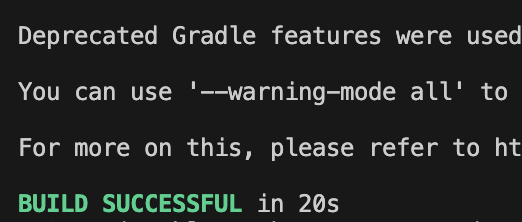
Deprecated Gradle features were used in this build, making it incompatible with Gradle 9.0.

You can use '--warning-mode all' to show the individual deprecation warnings and determine if they come from your own scripts or plugins.

For more on this, please refer to https://docs.gradle.org/8.5/userguide/command_line_interface.html#sec:command_line_warnings in the Gradle documentation.
이런 에러가 빌드에서 떴다.
이 에러는 android/build.gradle 파일에서 minSdkVersion 의 값을 바꾸면 되는 일이었다.
buildscript {
    ext {
        buildToolsVersion = "34.0.0"
        minSdkVersion = 21 // 이 부분은 23으로 변경
        compileSdkVersion = 34
        targetSdkVersion = 34
        ndkVersion = "25.1.8937393"
        kotlinVersion = "1.8.0"
    }
    repositories {
        google()
        mavenCentral()
    }
    dependencies {
        classpath("com.android.tools.build:gradle")
        classpath("com.facebook.react:react-native-gradle-plugin")
        classpath("org.jetbrains.kotlin:kotlin-gradle-plugin")
    }
}
apply plugin: "com.facebook.react.rootproject"
그럼 빌드가 성공한다!