목표 1: 이웃하는 씬은 보여주고 이웃하지 않는 씬은 보여주지 않게 하여 렌더링 최적화하는 것.
세팅
- 빈 객체를 만들고 Scene1을 만든다.
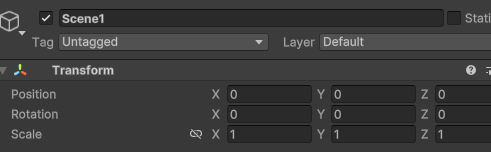
- 빈 객체를 만들고 Scene1을 만든다.
- Plane을 생성하고 Scale을 2,2,2 로 한다.
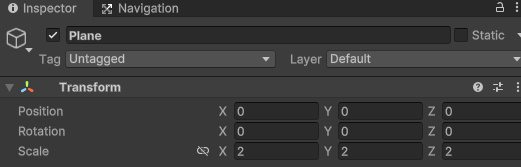
- Plane을 생성하고 Scale을 2,2,2 로 한다.
- Scene1의 자식으로 Plane을 넣는다.

- Scene1의 자식으로 Plane을 넣는다.
- Scene6까지 Scene1을 복사하여 Scene을 6개로 만든다. 그리고 이웃하는 씬이 1개라도 있다면 SceneEdge를 만들어 씬을 침범했는지 안했는지 구별하기 위해 박스 콜라이더를 생성한다.
- Scene1 모습
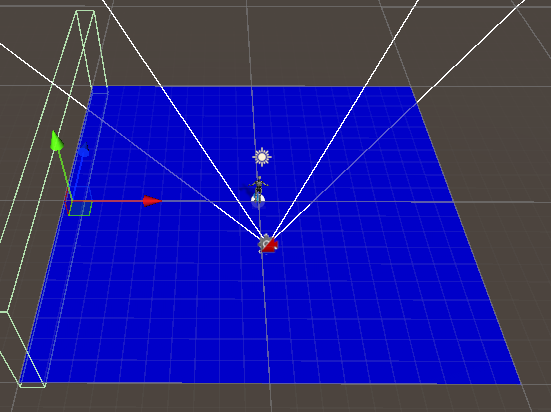
- Scene2 모습
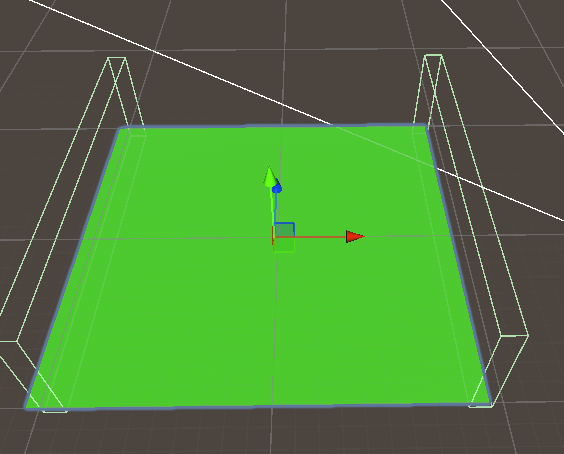
- 마지막 Scene6 모습
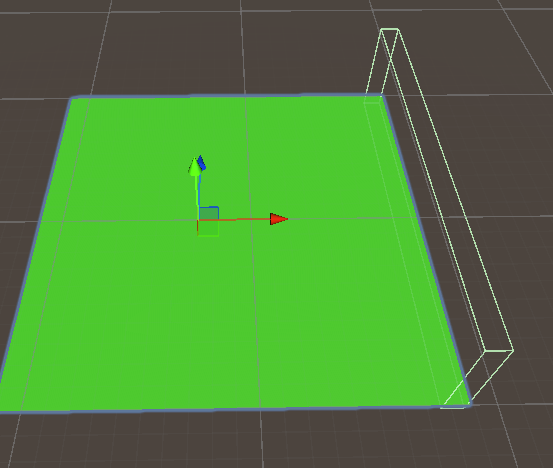
세팅(1)
-
- NearScene 스크립트를 만들고 아래 코드를 작성한다.
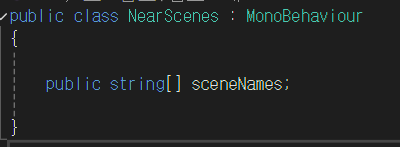
- NearScene 스크립트를 만들고 아래 코드를 작성한다.
-
- 씬에 스크립트를 모두 할당한다.

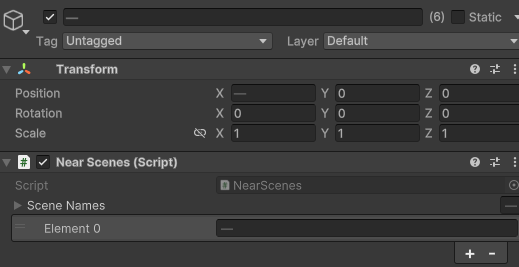
- 씬에 스크립트를 모두 할당한다.
-
- 각각 씬의 이웃하는 씬들을 작성한다.
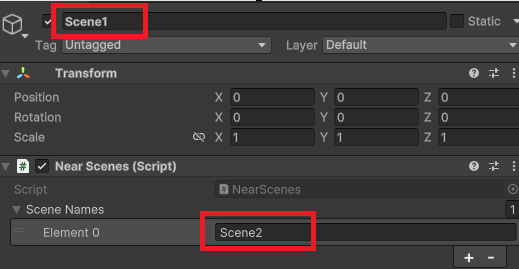
- 각각 씬의 이웃하는 씬들을 작성한다.
-
- 기존 씬을 씬 갯수만큼 복사한다.
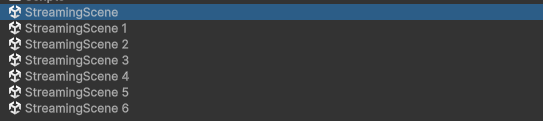
- 기존 씬을 씬 갯수만큼 복사한다.
-
- 예를 들어 StreamingScene1 이라면 Scene1 만 남기고 모두 삭제한다

- 예를 들어 StreamingScene1 이라면 Scene1 만 남기고 모두 삭제한다
-
- 복사한 씬 모두 5번 과정을 거친다.
-
- 기존 SteamingScene은 플레이어만 남기고 모두 삭제해도 무방하다.

- 기존 SteamingScene은 플레이어만 남기고 모두 삭제해도 무방하다.
씬을 관리하는 매니저 만들기
-
- 기존 StreamingScene에 빈 객체 2개를 만든다. 이름은 SceneStreamer, StartScene으로 이름을 짓고 각각 스크립트를 만들어서 할당한다.

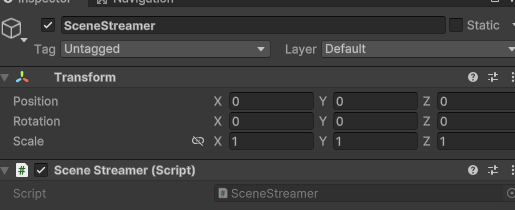
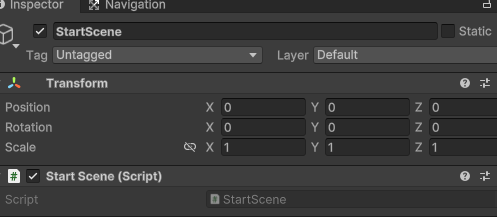
- 기존 StreamingScene에 빈 객체 2개를 만든다. 이름은 SceneStreamer, StartScene으로 이름을 짓고 각각 스크립트를 만들어서 할당한다.
-
- StreamingScene 스크립트는 싱글톤으로 구현하는 것으로 시작한다.
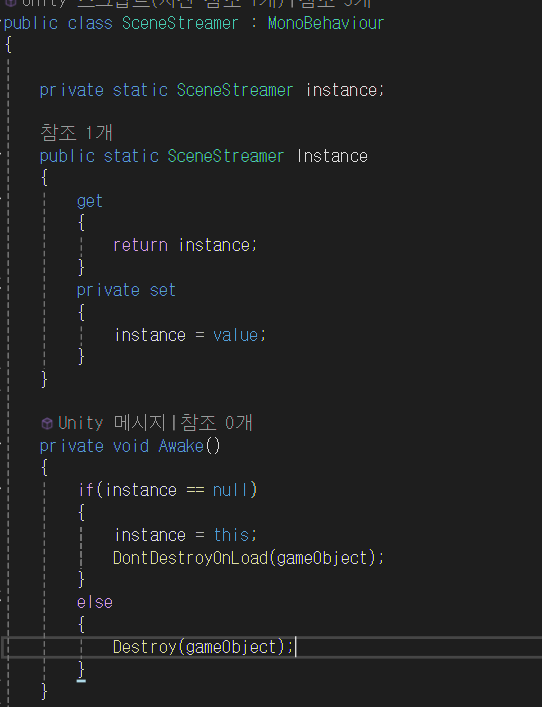
- StreamingScene 스크립트는 싱글톤으로 구현하는 것으로 시작한다.
-
- 현재 씬을 저장할 string 타입 변수를 선언하고, 로드를 완료한 씬 , 로딩중인 씬, 현재 이웃한 씬을 List 컬렉션으로 관리한다.
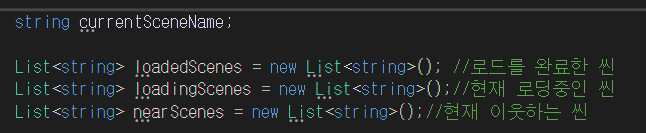
- 현재 씬을 저장할 string 타입 변수를 선언하고, 로드를 완료한 씬 , 로딩중인 씬, 현재 이웃한 씬을 List 컬렉션으로 관리한다.
-
- 로드하기 위한 메서드를 작성한다.
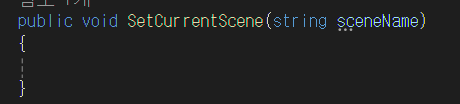
- 로드하기 위한 메서드를 작성한다.
-
- StartScene 스크립트에서 다음과 같이 작성한다.
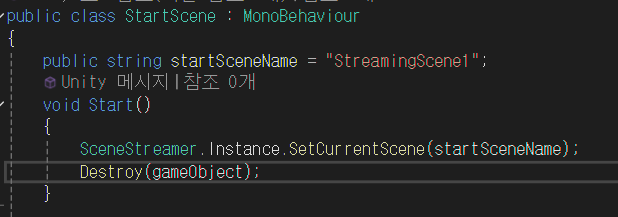
- StartScene 스크립트에서 다음과 같이 작성한다.
-
StreamingScene1 씬으로 이동하게 된다.
-
- 코루틴을 작성한다.
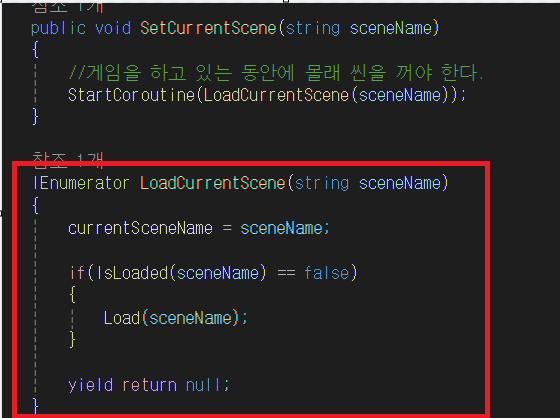
- 코루틴을 작성한다.
-
현재 씬 이름을 currentSceneName에 저장합니다.
-
IsLoaded(sceneName)로 씬이 이미 로드된 상태인지 확인합니다.
-
씬이 로드되지 않은 경우, Load(sceneName) 메서드를 호출하여 씬을 로드합니다.
-
yield return null;로 코루틴을 종료합니다. (현재는 추가 로직 없이 단순 종료)
-
- bool을 반환 타입으로하는 메서드를 작성한다.
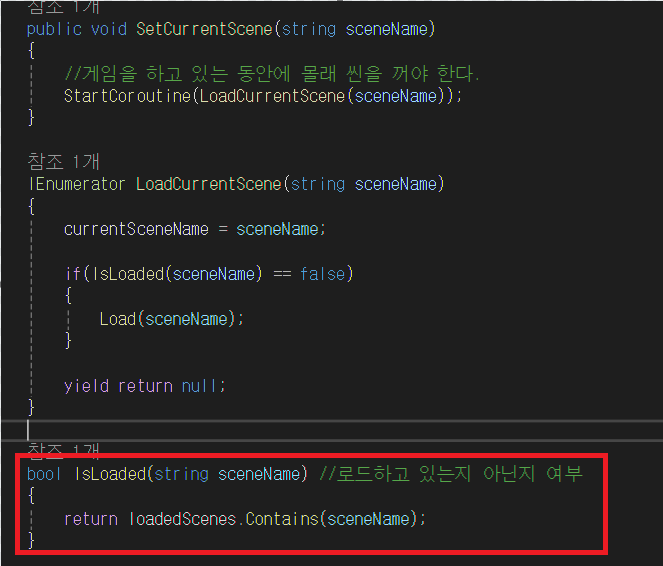
- bool을 반환 타입으로하는 메서드를 작성한다.
-
씬이 로드되었는지 확인합니다.
-
현재 로드된 씬 목록(loadedScenes)에 sceneName이 포함되어 있는지 확인합니다.
-
true면 이미 로드된 씬이라는 의미이고, false면 아직 로드되지 않은 씬입니다.
-
- 새로운 씬을 로드한다.
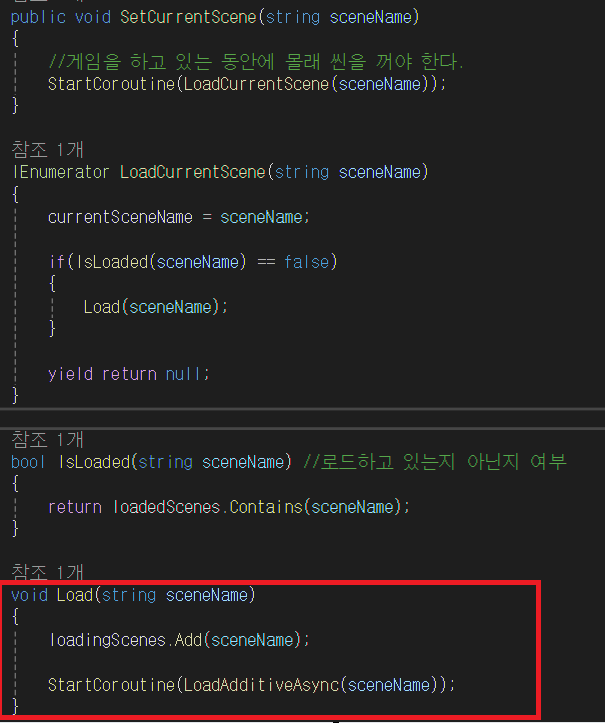
- 새로운 씬을 로드한다.
-
로딩 중인 씬 목록(loadingScenes)에 씬 이름을 추가합니다.
-
StartCoroutine(LoadAdditiveAsync(sceneName))을 호출하여 씬 비동기 로드를 시작합니다.
-
- 씬을 비동기 모드로 로드합니다.
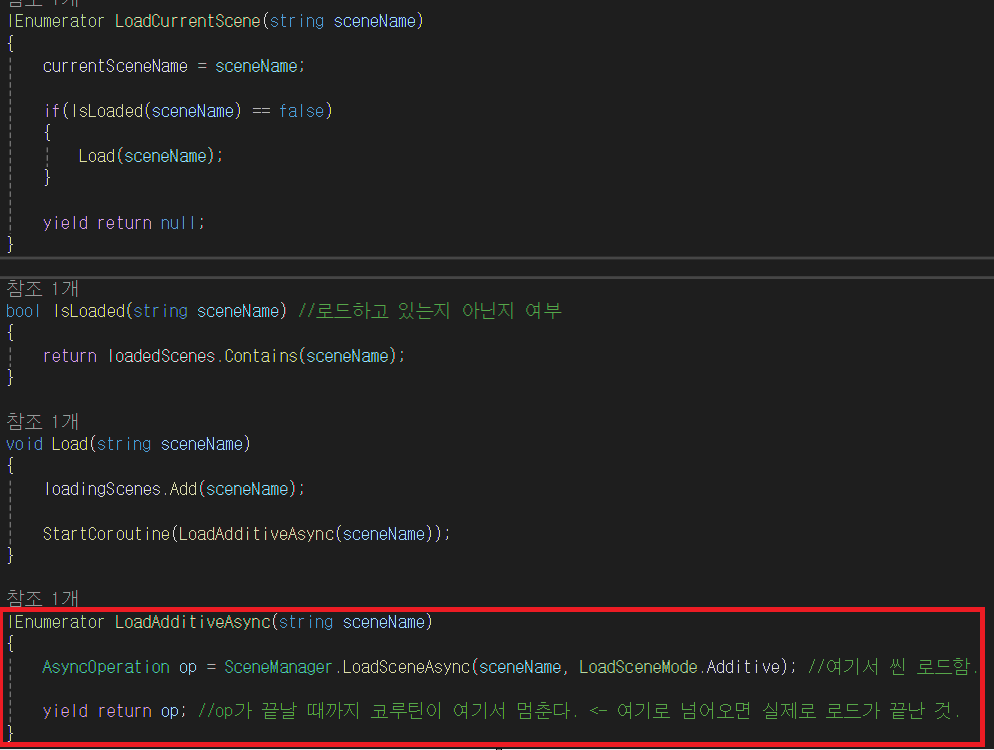
- 씬을 비동기 모드로 로드합니다.
-
비동기 씬 로드: SceneManager.LoadSceneAsync를 사용하여 씬을 Additive 모드로 로드합니다.
-
Additive 모드: 기존 씬을 유지한 채 새로운 씬을 추가합니다.
-
yield return op: 비동기 로드가 완료될 때까지 대기합니다.
씬 로드가 완료되면 로딩 중 목록(loadingScenes)에서 씬을 제거하고, 로드 완료 목록(loadedScenes)에 씬을 추가합니다.
using NUnit.Framework;
using System.Collections;
using System.Collections.Generic;
using UnityEngine;
using UnityEngine.SceneManagement;

public class SceneStreamer : MonoBehaviour
{

    private static SceneStreamer instance;

    public static SceneStreamer Instance
    {
        get
        {
            return instance;
        }
        private set
        {
            instance = value;
        }
    }

    private void Awake()
    {
        if(instance == null)
        {
            instance = this;
            DontDestroyOnLoad(gameObject);
        }
        else
        {
            Destroy(gameObject);
        }
    }


    string currentSceneName;

    List<string> loadedScenes = new List<string>(); //로드를 완료한 씬
    List<string> loadingScenes = new List<string>();//현재 로딩중인 씬
    List<string> nearScenes = new List<string>();//현재 이웃하는 씬


    public void SetCurrentScene(string sceneName)
    {
        //게임을 하고 있는 동안에 몰래 씬을 꺼야 한다.
        StartCoroutine(LoadCurrentScene(sceneName));
    }

    IEnumerator LoadCurrentScene(string sceneName)
    {
        currentSceneName = sceneName;

        if(IsLoaded(sceneName) == false)
        {
            Load(sceneName);
        }

        while (loadingScenes.Count > 0)
        {
            yield return null;
        }

        nearScenes.Clear(); //이웃하는 씬들을 정리
        LoadNears(sceneName, 0);

        while(loadingScenes.Count > 0)
        {
            yield return null;
        }

        yield return null;
    }

    bool IsLoaded(string sceneName) //로드하고 있는지 아닌지 여부
    {
        return loadedScenes.Contains(sceneName);
    }

    void Load(string sceneName)
    {
        loadingScenes.Add(sceneName);

        StartCoroutine(LoadAdditiveAsync(sceneName));
    }

    [SerializeField]
    int maxDistance = 1;
    void LoadNears(string sceneName,int distance)
    {
        if(nearScenes.Contains(sceneName))
        {
            return;
        }

        nearScenes.Add(sceneName);

        if(distance >= maxDistance)
        {
            return;
        }

        GameObject scene = GameObject.Find(sceneName);
        NearScenes nearSceneList = scene.GetComponent<NearScenes>();

        for(int i = 0; i< nearSceneList.sceneNames.Length; i++)
        {
            Load(nearSceneList.sceneNames[i]);
        }
    }

    IEnumerator LoadAdditiveAsync(string sceneName)
    {
        AsyncOperation op = SceneManager.LoadSceneAsync(sceneName, LoadSceneMode.Additive); //여기서 씬 로드함.

        yield return op; //op가 끝날 때까지 코루틴이 여기서 멈춘다. <- 여기로 넘어오면 실제로 로드가 끝난 것.

        loadingScenes.Remove(sceneName); //로딩 중인 씬은 삭제
        loadedScenes.Add(sceneName); //로드 완료한 씬은 추가
    }
}
MeshCollider 는 비싸다. 가능하면 적게 쓰는 것이 좋다.
- 아래 처럼 자식에 BOX 콜라이더를 추가하여 최대한 Mesh 모양을 따라 콜라이더를 그리게 한다.
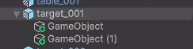
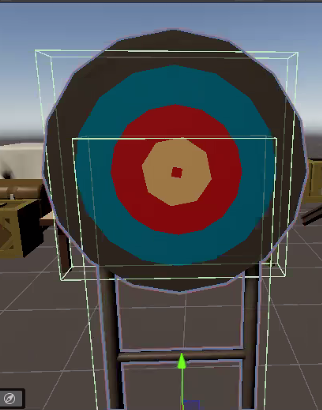
Raycast는 비싸다. 가능하면 적게 쓰는 것이 좋다.
- Raycastcommad 을 이용. Job
거리에 따라 오브젝트 바꾸기
-
- 빈 객체 생성 후 Lod Group 컴포넌트 추가.
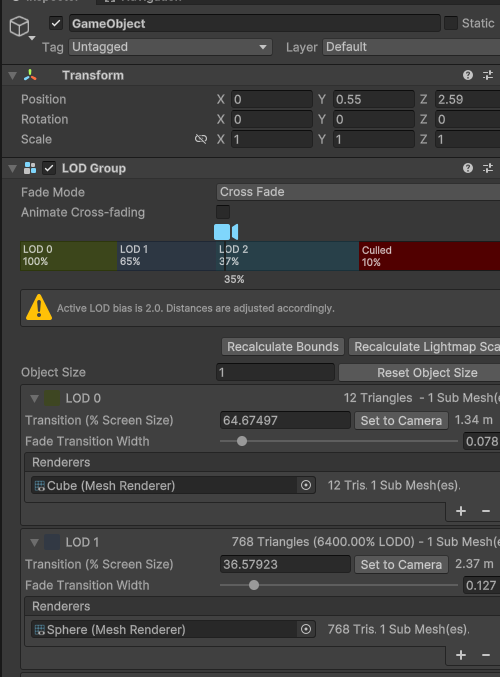
- 빈 객체 생성 후 Lod Group 컴포넌트 추가.
-
FadeMode는 CrossFade로 설정
-
- 예시를 위해 Cube와 Cyliinder 그리고 Sphere 를 생성 후 빈 객체에 자식으로 넣는다.

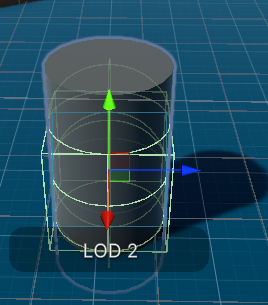
- 예시를 위해 Cube와 Cyliinder 그리고 Sphere 를 생성 후 빈 객체에 자식으로 넣는다.
-
- Lod Group에 Lod에 각각 오브젝트를 할당
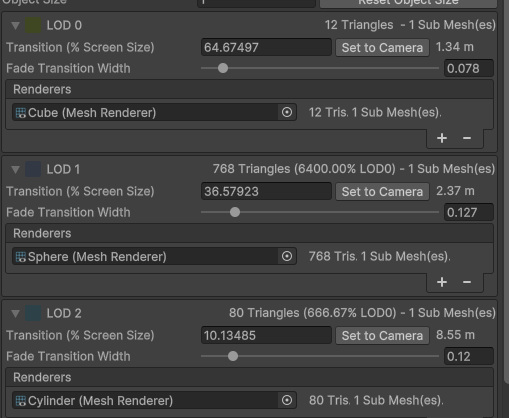
- Lod Group에 Lod에 각각 오브젝트를 할당
-
실행 결과
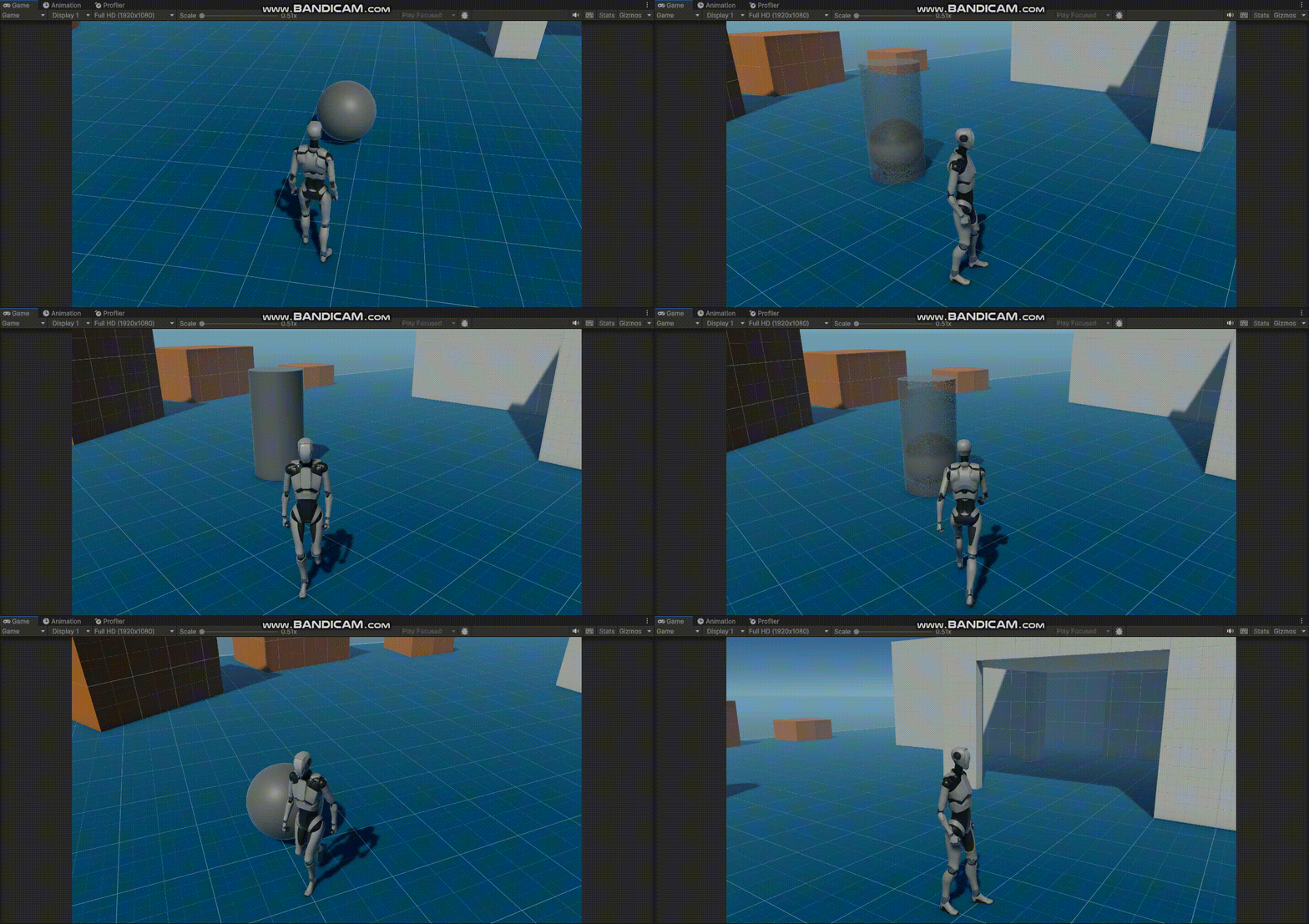
NavyMesh 최적화
- 전제 씬을 베이크 하는 것은 데이터양도 많고 베이크할 때도 오래걸린다.
세팅
-
- 플레이어를 만든다. 간단하게 Capsule로 만든다.
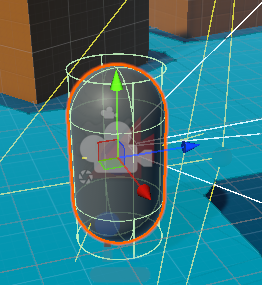
- 플레이어를 만든다. 간단하게 Capsule로 만든다.
-
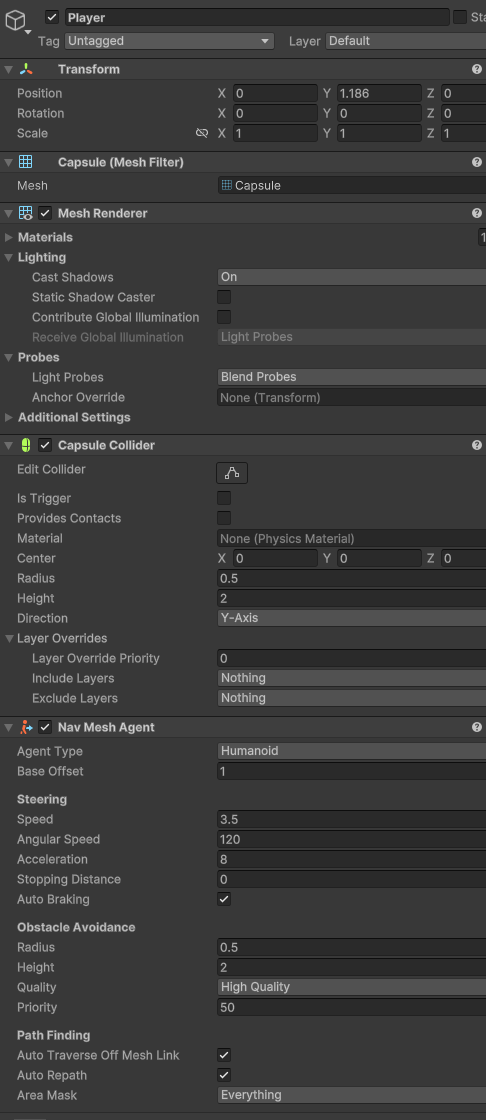
추가로, NavMeshAgent 컴포넌트를 추가한다.
-
- NavMeshSurface 를 추가한다.
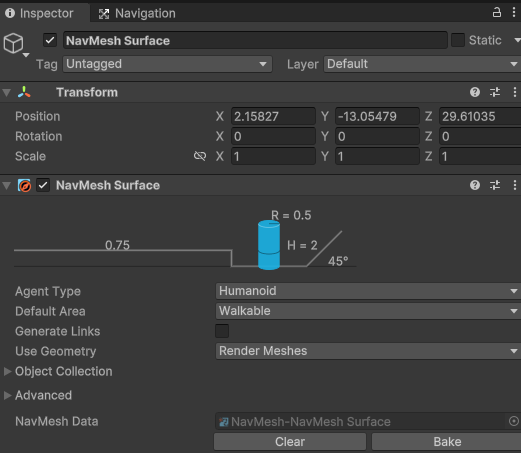
- NavMeshSurface 를 추가한다.
-
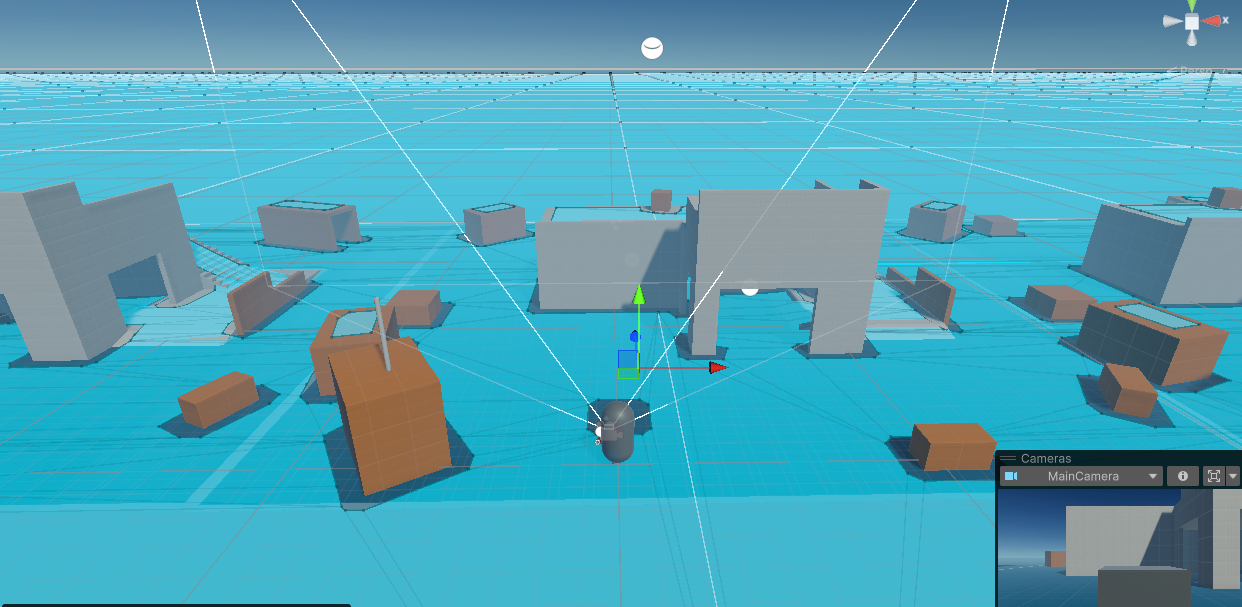
Bake 까지 완료한다.
-
- 플레이어의 뒷 모습을 따라가는 카메라를 위치시키기 위해 자식 객체를 생성한다.

- 플레이어의 뒷 모습을 따라가는 카메라를 위치시키기 위해 자식 객체를 생성한다.
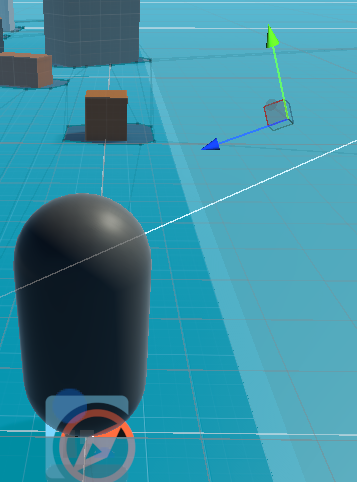
- VirtualCamera 컴포넌트에 Follow에 3번에 자식 객체를 할당한다.
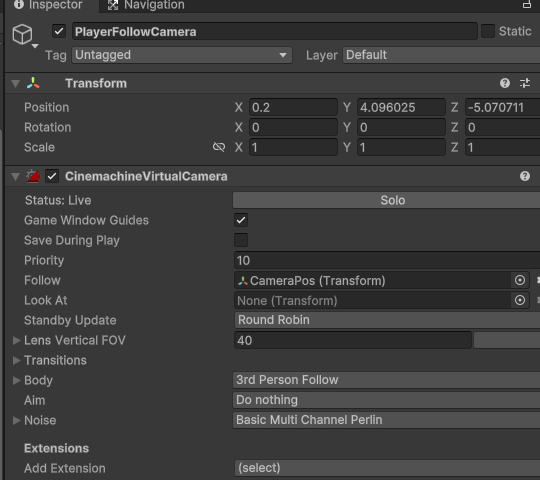
- VirtualCamera 컴포넌트에 Follow에 3번에 자식 객체를 할당한다.
- 마우스를 클릭해서 클릭 지점으로 오브젝트가 이동하는 스크립트를 만들어본다.
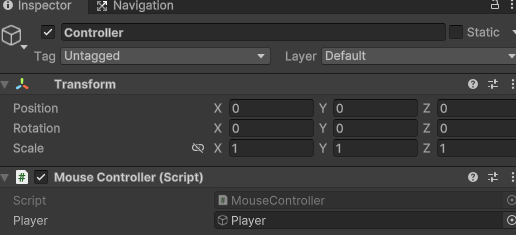
- 마우스를 클릭해서 클릭 지점으로 오브젝트가 이동하는 스크립트를 만들어본다.
using UnityEngine;
using UnityEngine.AI;

public class MouseController : MonoBehaviour
{

    public GameObject player;

    void Update()
    {
        if(Input.GetMouseButtonDown(0))
        {
            Camera camera = Camera.main;

            Ray ray = camera.ScreenPointToRay(Input.mousePosition);
            RaycastHit hit;

            if(Physics.Raycast(ray,out hit))
            {
                player.GetComponent<NavMeshAgent>().SetDestination(hit.point);
            }
        }
    }
}
- 실행 결과
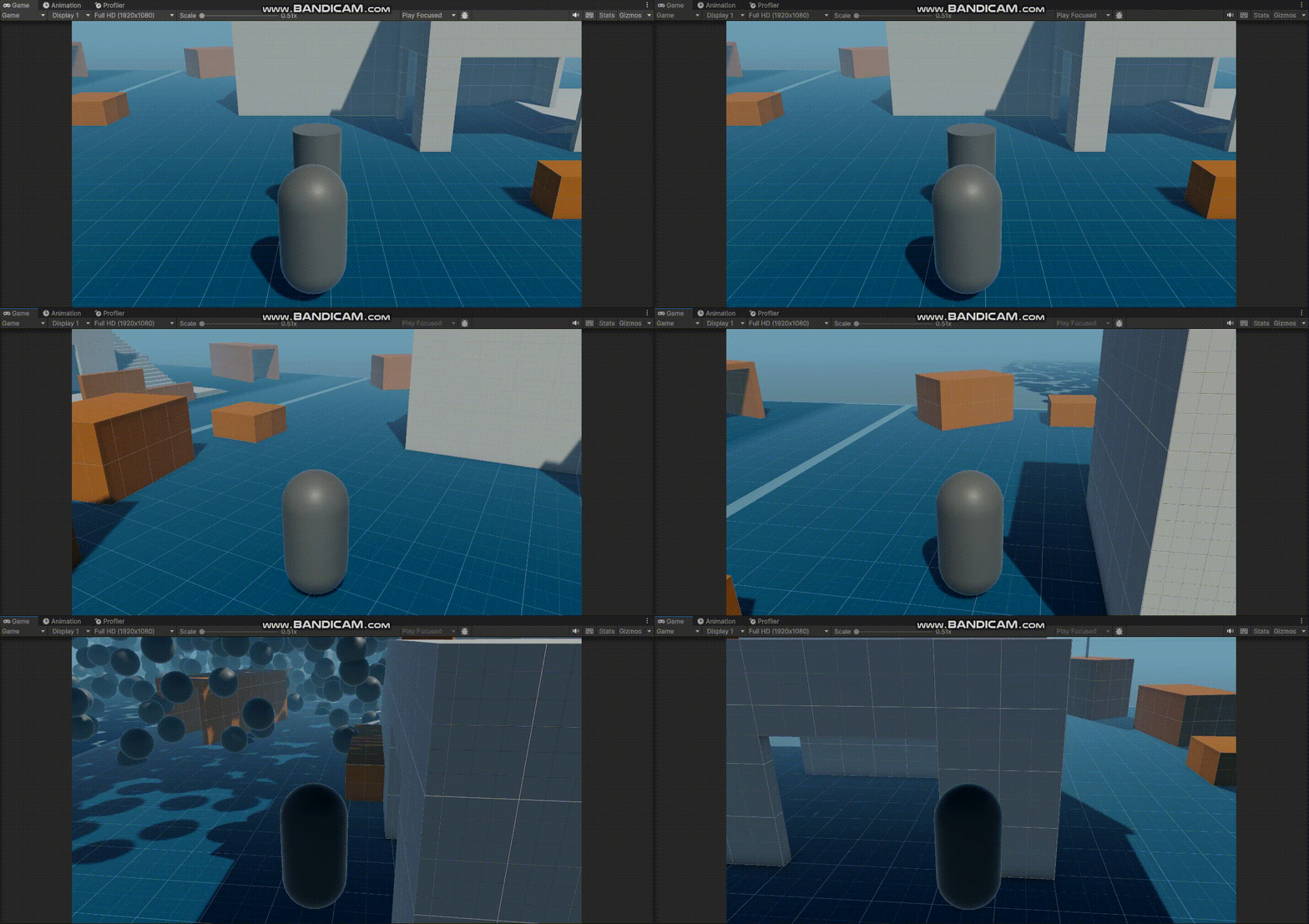
- 이동에 문제는 없어 보인다. 하지만, 아래 사진처럼 전체 맵에 대한 Bake를 했기 때문에 이동할 가능성이 없는 지역까지 Bake를 해서 효율적이지 않다.
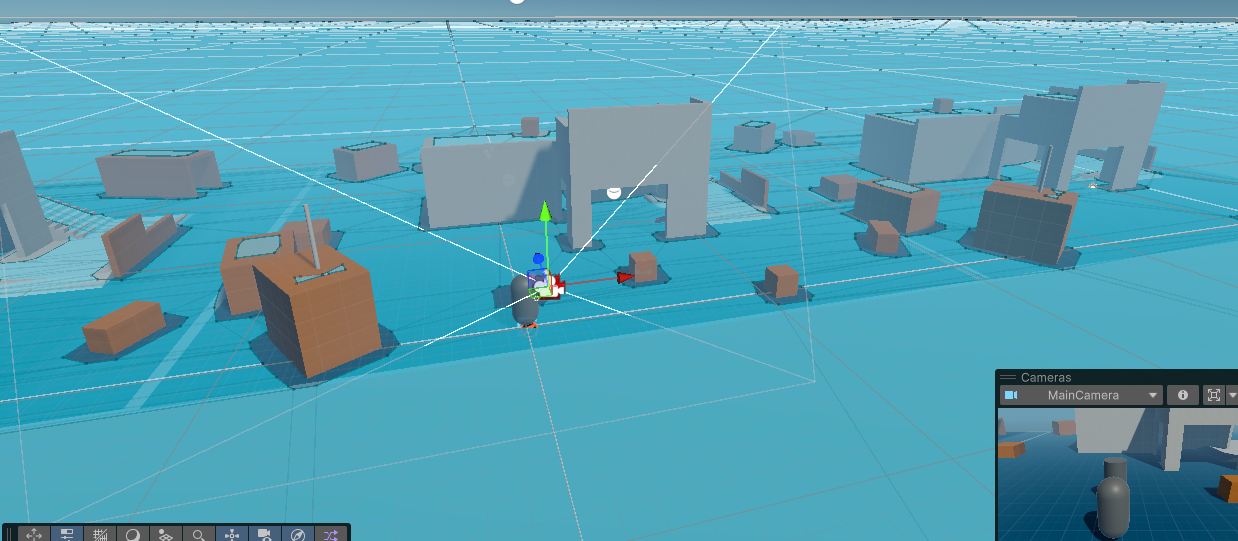
넓은 맵 같은 경우에는 미리 Bake를 하면 좋지 않다.
- NavMeshSurface 컴포넌트에 Collect Objects 타입을 Volume으로 바꾸고 사이즈 조절한다.
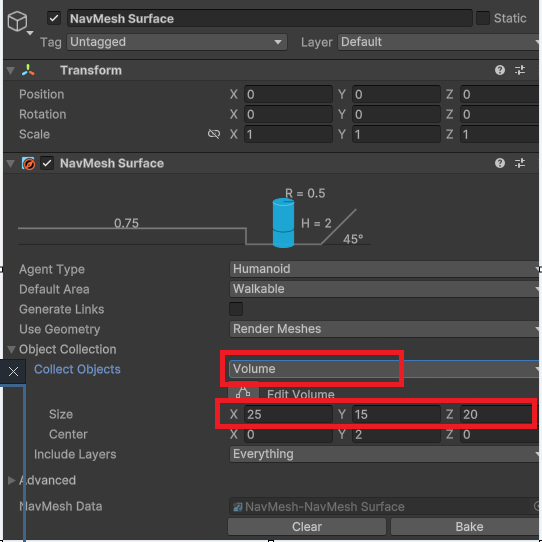
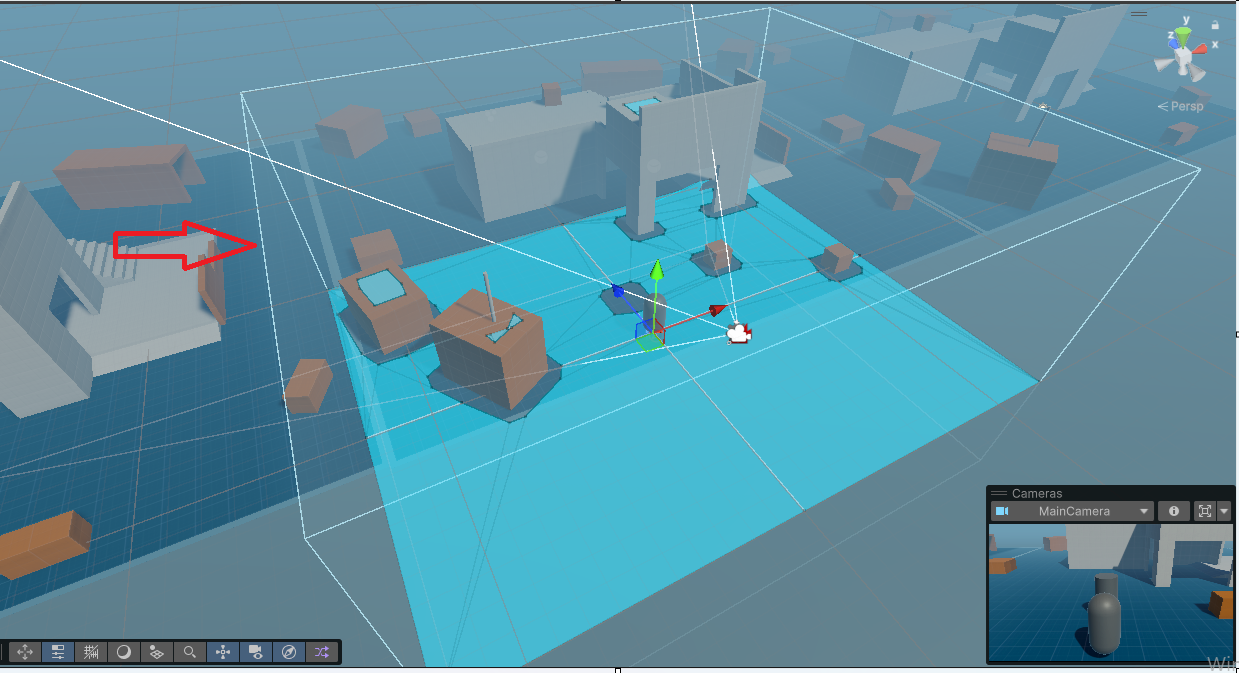
- NavMeshSurface 컴포넌트에 Collect Objects 타입을 Volume으로 바꾸고 사이즈 조절한다.
- 플레이어 객체에 NavMeshUpdater 라는 스크립트를 만들고 할당한다.
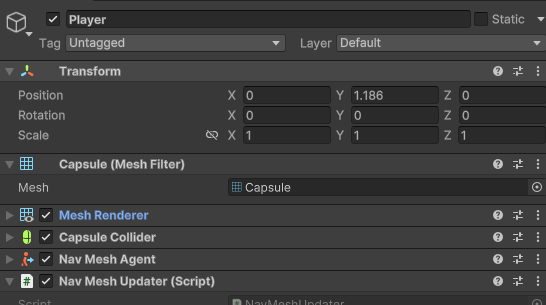
- 플레이어 객체에 NavMeshUpdater 라는 스크립트를 만들고 할당한다.
- NavMeshUpdater 스크립트를 작성한다.
using Unity.AI.Navigation;
using UnityEngine;

public class NavMeshUpdater : MonoBehaviour
{
    public NavMeshSurface meshSurface;

    private void Start()
    {
        meshSurface.BuildNavMesh(); //Bake한다.
    }

    private void Update()
    {
        //플레이어와 서페이스에서 벗어나려하면

        if(Vector3.Distance(meshSurface.transform.position,transform.position) > 10) //거리가 10m를 넘어가게 되면
        {
            //1번
            meshSurface.transform.position = transform.position;

            //미세하게 2번이 빠르다.

            meshSurface.BuildNavMesh(); //BAKE한다.
        }
    }
}
-
이 스크립트는 플레이어와 NavMeshSurface 사이의 거리가 10m 이상이라면 NavMeshSurface위치를 플레이어의 위치로 초기화 한다. 그러고 나서 Bake를 하는 코드이다.
-
실행 결과
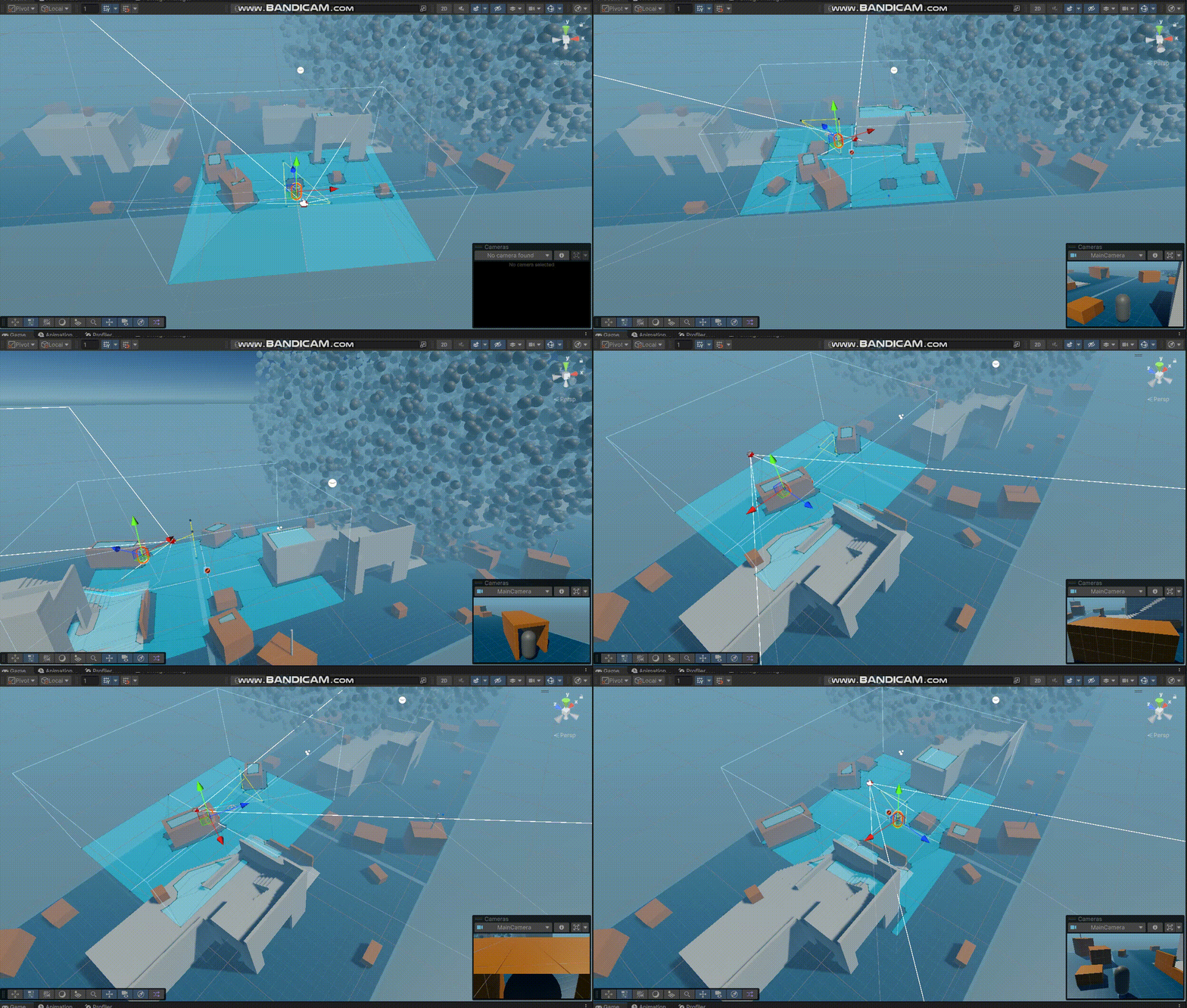
-
Volume 기준으로 NavMeshSurface 기준으로 10m이상 플레이어가 떨어진다면 Bake를 하는 것이다. 이렇게 하면 전체 맵에 대한 Bake를 하지 않게 되어 효율적이다.