.png)
position속성은 이름에서 느껴지듯이 태그들의 위치를 결정하는 CSS이다.
position속성에서도 가장 많이 쓰이는 4가지 키워드에 대해 알아보겠다.
position: static
static은 position속성의 default값이다. 모든 태그들은 처음에 position: static상태이므로 따로 써주지 않아도 된다.
top right bottom left z-index 속성이 아무런 영향도 주지 않는다.
position: relative
태그의 위치를 조정하고 싶다면 position: relative를 사용하면된다.
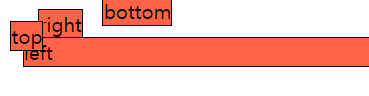
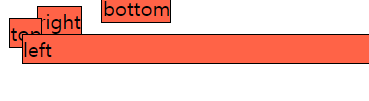
top right bottom left z-index 속성이 사용가능해지고, static이었을 때의 위치를 기준으로 속성들이 움직인다.
z-index속성은 가장 큰 숫자가 적용된 태그를 맨 위로 보여준다. 주석을 지워서 확인해보자.
//test.html
    <span class="top">top</span>
    <span class="right">right</span>
    <span class="bottom">bottom</span>
    <div class="left">left</div>
//test.css
*{
    box-sizing: border-box;
}
span, div{
    background: tomato;
    border: 1px solid black;
}

.top {
    position: relative;
    top: 10px;
    z-index: 1;
  }

  .right {
    position: relative;
    right: 10px;
  }

  .bottom {
    position: relative;
    bottom: 10px;
  }

  .left {
    position: relative;
    left: 10px;
    /* z-index: 2; */
  }
ex1)
ex2)
position: absolute
relative가 static인 상태를 기준으로 움직였다면 absolute는 position:static 속성을 가지고 있지 않은 부모를 기준으로 움직인다.
말을 조금 풀어서하자면 부모에게 절대적으로 의존해 움직인다고 해석할 수 있다.
//test.html
<div class="relative">
	relative
	<div class="absoulte">absoulte</div>
</div>
//test.css
*{
    box-sizing: border-box;
}

.relative {
    position: relative;
    background: tomato;
    height: 200px;
}

.absoulte {
    position: absolute;
    background: violet;
    top:0;
    right: 0;
}
position: fixed
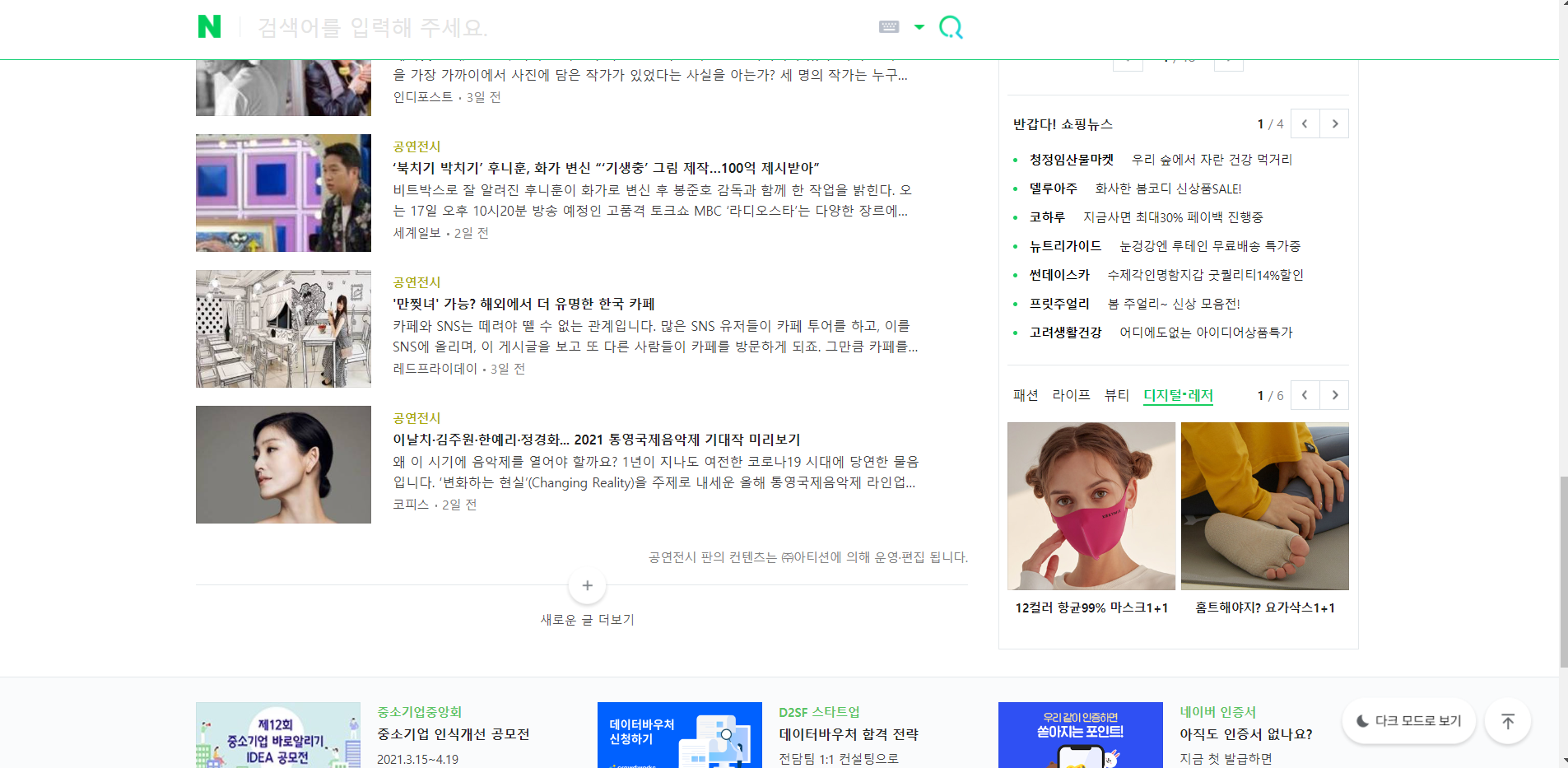
fixed속성은 뜻 그대로 고정을 시키기 위해 사용하는데, 보통 header나 메뉴들을 고정시킬 때 많이 사용한다.
예시로 naver메인 화면에서 스크롤을 내리면 검색어 바가 계속해서 고정되어 따라온다.
Reference

느리지만 확실하게