

현재 모임방에 있는 기도제목 부분에는 중요/일반을 체크해서 보여줄때 밑에 사진처럼 보여주게 되어있음!
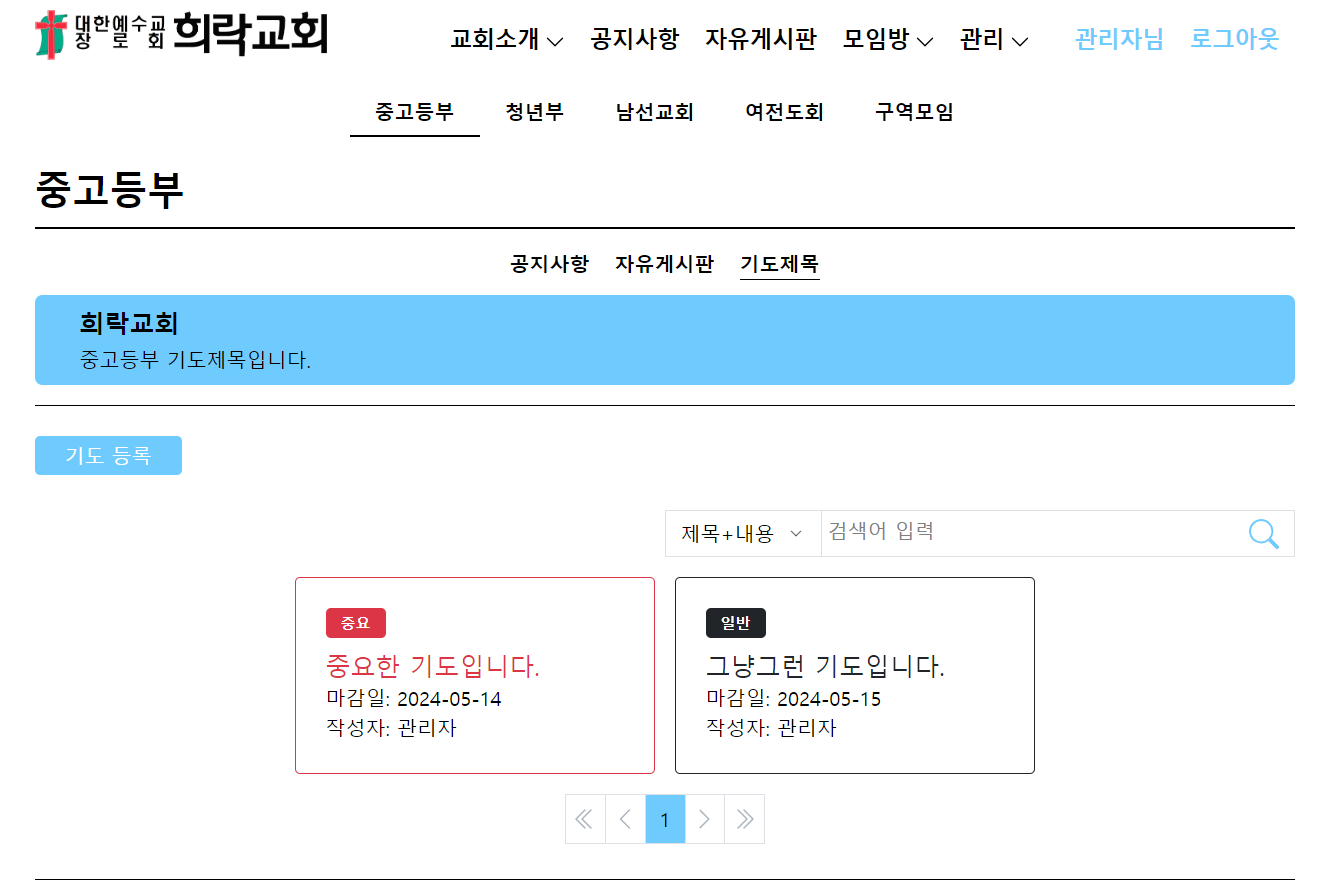
홈화면에서의 공지사항이나 자유게시판에도 중요/일반을 추가해서 중요한 공지나 글들은 위로 올려 잘보이게 하기로 함!
EditOrWritePost.tsx
먼저 수정하거나 추가하는 페이지에 중요를 표시하는 토글버튼을 추가해줌
원래 카드부분은 컴포넌트로 재사용하고 있었기때문에 기도제목이랑 차이를 둬야함! (삼항연산자를 사용해서 수정해줬음.)
{postCategory === "pray" ? (
          <div className="flex justify-between gap-2">
            <TextInput
              className="border border-lightGray rounded"
              label="기한"
              type="date"
              id="end_date"
              name="end_date"
              value={endDate}
              onChange={(e) => setEndDate(e.target.value)}
            />
            <div className="flex flex-col justify-between">
              <div className="">중요</div>
              <ToggleButton
                checked={isImportant}
                onChange={handleToggleState}
              />
            </div>
          </div>
        ): (        <div className="flex flex-col justify-between">
        <div className="">중요</div>
        <ToggleButton
          checked={isImportant}
          onChange={handleToggleState}
        />
  </div>)}
그리고 글을 생성하거나 수정할때 토글버튼의 상태도 보내줘야하기 때문에 그부분도 추가해줬다!
const handleAddOrEdit = async () => {
    console.log(files);
    const formData = new FormData();
    if (!bandName || !postCategory) {
      return;
    }

    if (mode === "edit" && !isNullOrUndefined(id)) {
      // 글 수정
      if (postCategory === "pray") {
        formData.append("title", boardTitle);
        formData.append("content", boardContent);
        formData.append("importance", String(isImportant));
        formData.append("end_date", endDate);
      } else {
        formData.append("title", boardTitle);
        formData.append("content", boardContent);
        formData.append("importance", String(isImportant));
        if (files) {
          Array.from(files).forEach((file) => formData.append("files", file));
        }
      }
      const updateResult = await updatePost(formData, Number(id));
      navigate(`/${bandName}/${postCategory}`, {
        state: {
          notices: updateResult,
          refresh: true,
        },
      });
      console.log(
        `게시글 수정: id= ${id}, 제목= ${boardTitle}, 내용= ${boardContent}, 날짜= ${endDate}`
      );
    } else {
      // 새로운 글쓰기
      if (postCategory === "pray") {
        formData.append("title", boardTitle);
        formData.append("content", boardContent);
        formData.append("importance", String(isImportant));
        formData.append("end_date", endDate);
      } else {
        formData.append("title", boardTitle);
        formData.append("content", boardContent);
        formData.append("importance", String(isImportant));
        if (files) {
          Array.from(files).forEach((file) => {
            formData.append("files", file);
          });
        }
      }
      const result = await createPost(formData, bandName, postCategory);
      console.log("create post result", result);
      console.log(
        `새로운 게시글 작성: 제목 ${boardTitle}, 내용 ${boardContent}`
      );
      navigate(`/${bandName}/${postCategory}`, {
        state: { refresh: true },
      });
    }
  };
TableContent.tsx
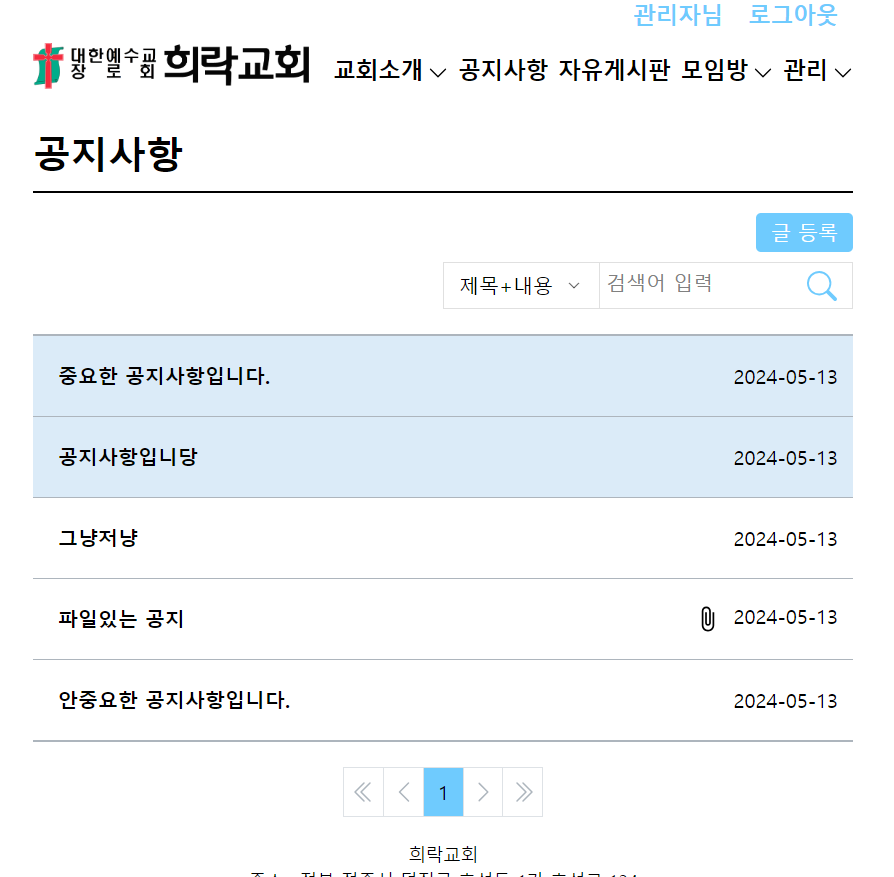
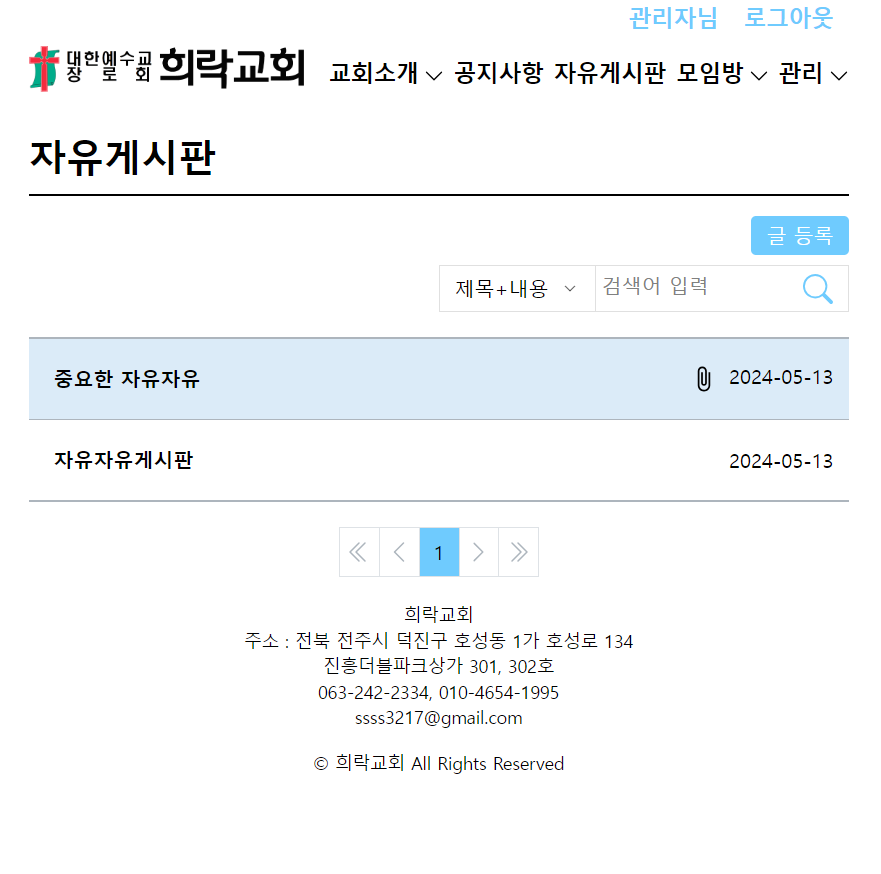
post들이 보여지는 부분에서 importance가 true인 애들만 배경색을 넣어주었다! 그리고 파일이 있을 경우에 옆에 파일 아이콘도 추가해줬다
<div className="border-gray border-y-2 my-3 ">
      {posts?.map((post, id) => (
         <div className={`border-gray border-b last:border-none w-full  ${post.importance ? 'bg-info' : ''}`} key={id}>
          <Link
            to={`detail/${post.id}`}
            state={{ posts: posts }}
            className="flex justify-between items-center py-3 px-3"
          >
            <div key={id}>
              <div className="truncate p-2">
                <Typography variant="h4">{post.title}</Typography>
              </div>
            </div>
            <div className="flex space-x-2">
              {/* <Typography variant="note1">{post.author}</Typography> */}
              {/* <Typography variant="note1">/</Typography> */}
              {post.attachments && <FileIcon className="w-6 h-6" />}
              <Typography variant="note1">
                {post.created_at && getDateString(new Date(post.created_at))}
              </Typography>
            </div>
          </Link>
        </div>
      ))}
    </div>
card.tsx
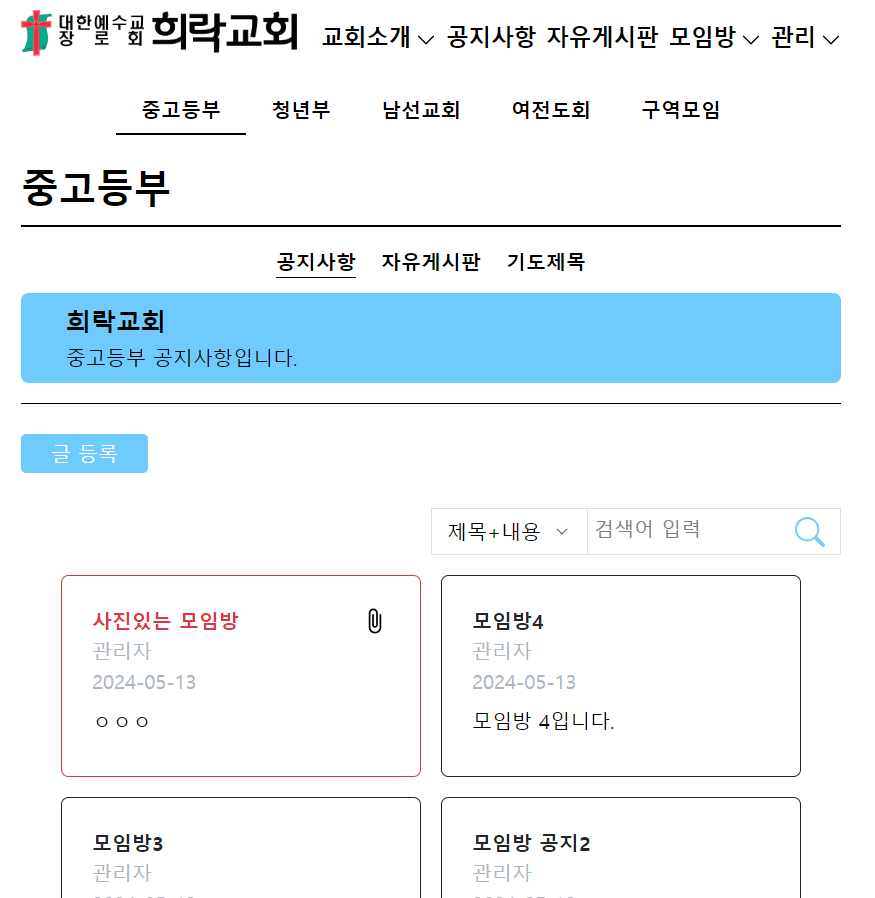
그리고 추가로 모임방쪽 공지사항 card에도 중요나 일반에 따라 테두리를 수정해놨다! (UI더 수정 필요할듯)
 <div
      className={cx(
        "h-full",
        `${post.importance ? "border border-danger" : "border border-dark"}`,
        "rounded-md",
        "w-72",
        "p-6"
      )}
    >
      <div className="flex justify-between">
        <div className="line-clamp-1">
          <Typography variant="h4" className={` ${post.importance ? "text-danger" : "text-dark"}`}>{post.title}</Typography>
        </div>
        {post.attachments && <FileIcon className="w-6 h-6" />}
      </div>
      <div>
        <div className="text-gray line-clamp-1">
          <Typography variant="note1">{post.author}</Typography>
        </div>
        <div className="text-gray line-clamp-1">
          <Typography variant="note1">
            {post.created_at && getDateString(new Date(post.created_at))}
          </Typography>
        </div>
      </div>
      <div className="my-2 line-clamp-3">
        <Typography variant="body1">{post.content}</Typography>
      </div>
    </div>
결과

🙋🏻♀️