💭 들어가며..
저번 포스팅에서 bs4를 간단히 다루었는데, 이번 포스팅에서는 bs4를 활용해 웹사이트에서 HTML을 가져오기, 페이지에서 원하는 내용 추출하기, 그리고 추출한 내용을 txt 파일로 저장하는 방법을 실습해보려 한다.

1. Introduction
BeautifulSoupis a Python library used for web scraping.- It extracts data from HTML and XML files.
- Dependencies: Requires
requestsfor fetching web pages and an XML/HTML parser.
1.1 Installing
pip install bs4
pip install requests
pip install lxml
1.2 Import
from bs4 import BeautifulSoup
import requests
2. Steps before scraping a website
2.1 Fetch the pages (obtained a response object)
result = requests.get("www.google.com")
2.2 Page content
content = result.text
2.3 Create Soup (객체 생성)
soup=BeautifulSoup(content, "lxml")
2.4. HTML element 찾기

<article class="main-article">
	<h1> Titanic (1997) </h1>
	<p class="plot"> 84 years later ... </p>
	<div class="full-script"> 13 meters. You ... </div>
</article>- ID로 element 찾기
element = soup.find(id="element_id")- 클래스 이름으로 element 찾기
element = soup.find("tag_name", class_="class_name")- tag 이름으로 element 찾기
h1_element = soup.find("h1")- 여러 elements 찾기 :
find_all()메서드 사용
h2_elements = soup.find_all("h2")
for h2 in h2_elements:
    print(h2)
3. Scrape Examples
https://subslikescript.com/movie/Titanic-120338 → 예제 웹사이트
ex_6.py | Get the HTML from a website
from bs4 import BeautifulSoup
import requests

website = 'https://subslikescript.com/movie/Titanic-120338'
result = requests.get(website)
content = result.text

soup = BeautifulSoup(content, 'lxml')
print(soup.prettify())lxml은 Python을 위한 고성능, 쉬운 사용법을 제공하는 XML 및 HTML 처리 라이브러리prettify()는 html 구조를 파악하기 쉽게 바꿔줌
ex_6_1.py | Scrape a single page
#https://www.udemy.com/course/web-scraping-course-in-python-bs4-selenium-and-scrapy/learn/lecture/27676578#learning-tools
#udemy 강의 예제 코드

from bs4 import BeautifulSoup
import requests

website = 'https://subslikescript.com/movie/Titanic-120338'
result = requests.get(website)
content = result.text

soup = BeautifulSoup(content, 'lxml')
# print(soup)

box = soup.find('article', class_="main-article")
#underscore is used to avoid conflict with Python's built-in keyword 'class'

title = box.find('h1').get_text()  # get_text() is used to extract text from the HTML element
transcription = box.find('div', class_="full-script").get_text(strip=True, separator=' ')  # strip=True removes leading and trailing whitespace
print(title)
print(transcription)strip=True: 앞 뒤 공백 제거separator=' ': 구분자 Space
ex_6_2.py | Exporting data to a txt file
from bs4 import BeautifulSoup
import requests

website = 'https://subslikescript.com/movie/Titanic-120338'
result = requests.get(website)
content = result.text

soup = BeautifulSoup(content, 'lxml')
# print(soup)

box = soup.find('article', class_="main-article")
#underscore is used to avoid conflict with Python's built-in keyword 'class'

title = box.find('h1').get_text()  # get_text() is used to extract text from the HTML element
transcription = box.find('div', class_="full-script").get_text(strip=True, separator=' ')  # strip=True removes leading and trailing whitespace

with open(f'{title}.txt', 'w') as file: #title + .txt
    file.write(transcription)
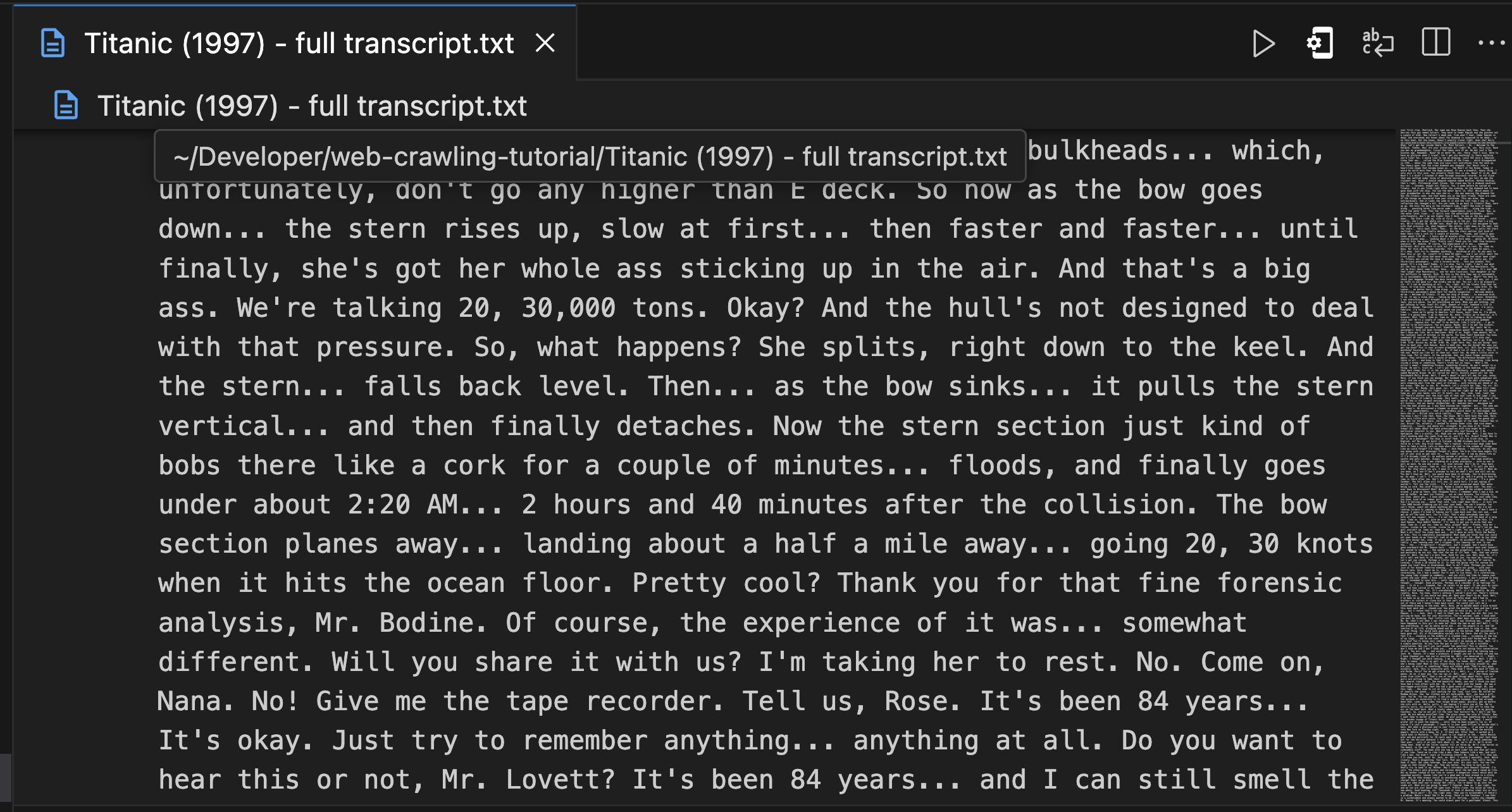
ex_6_2.py | 실행 결과
끝으로..
인강 완강을 목표로..

일단 하긴 합니다.