한번의 요청으로 여러개의 리퀘스트를 해줄 수 있음!
https://dummyjson.com
더미데이터로 해봅시다
import Foundation

struct ProductArray: Codable {
    let products: [Product]
    let total, skip, limit: Int
}

struct Product: Identifiable, Codable {
    let id: Int
    let title: String?
    let description: String?
    let price: Int?
    let dicountPercentage: Double?
    let rating: Double?
    let stock: Int?
    let brand, category: String?
    let thumbnail: String?
    let images: [String]?
}
데이터가 될 모델임
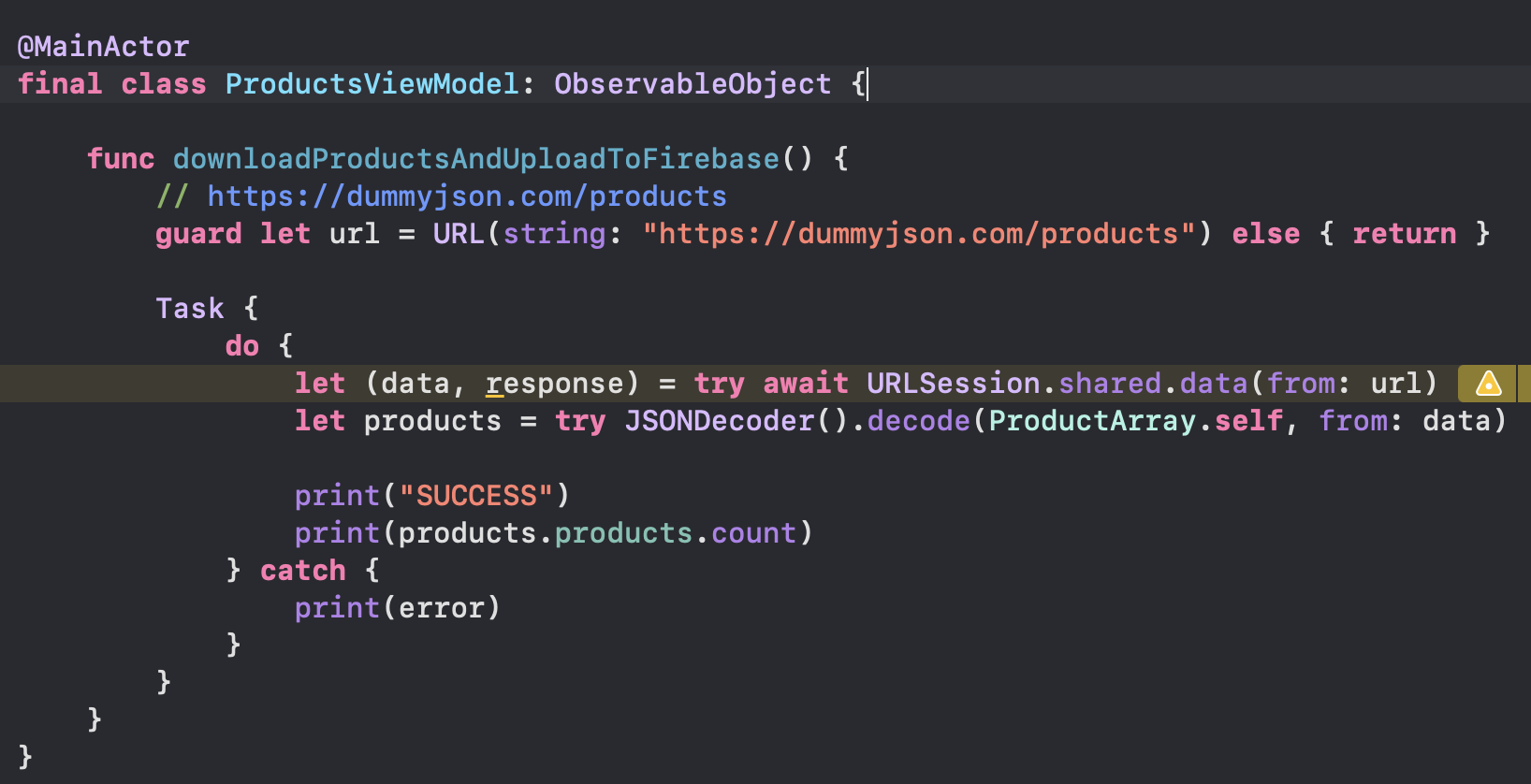
뷰모델 구성하고 다운로드하는 메소드 작성해줌!
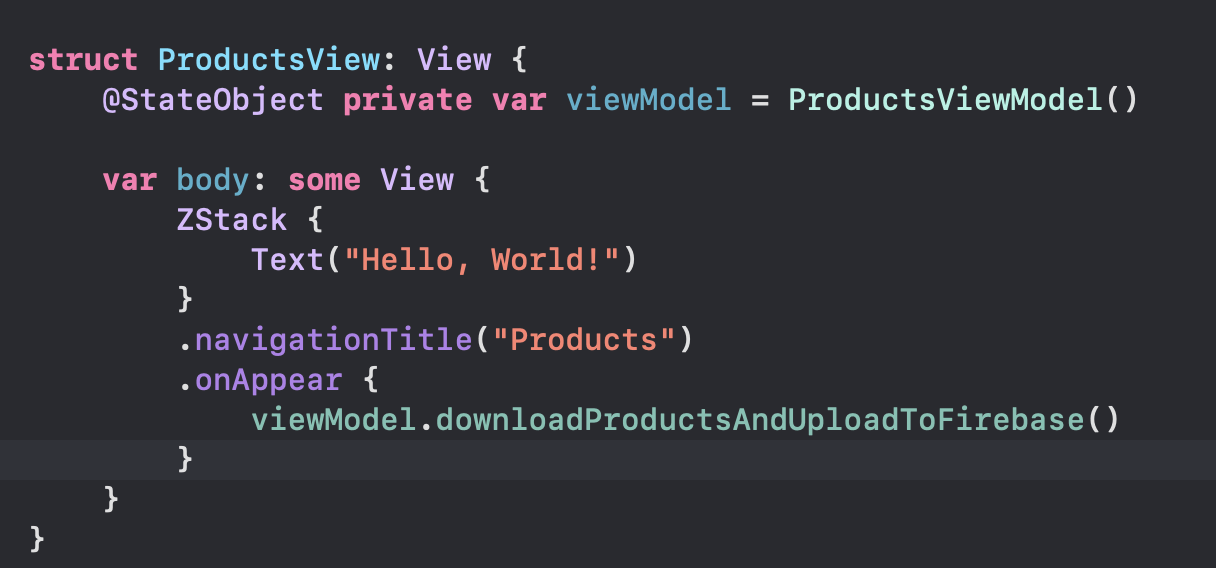
그리고 ProductsView가 뜰 때 다운로드되게해줌!
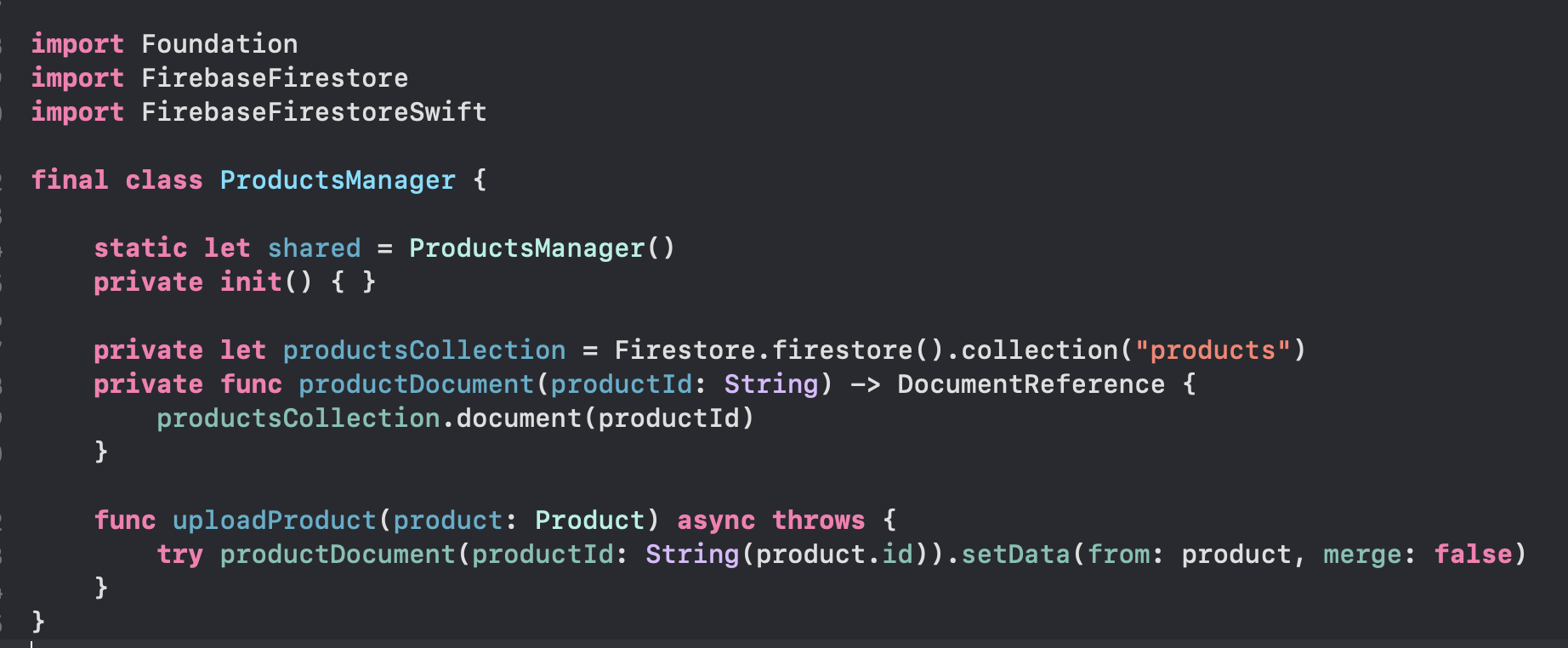
Product Manager를 구성해봅시다
거의 User Manager만들 때랑 유사함
한번 다운받고 나선 product 뷰모델의 다운로드업로드 메소드 지워줍시다
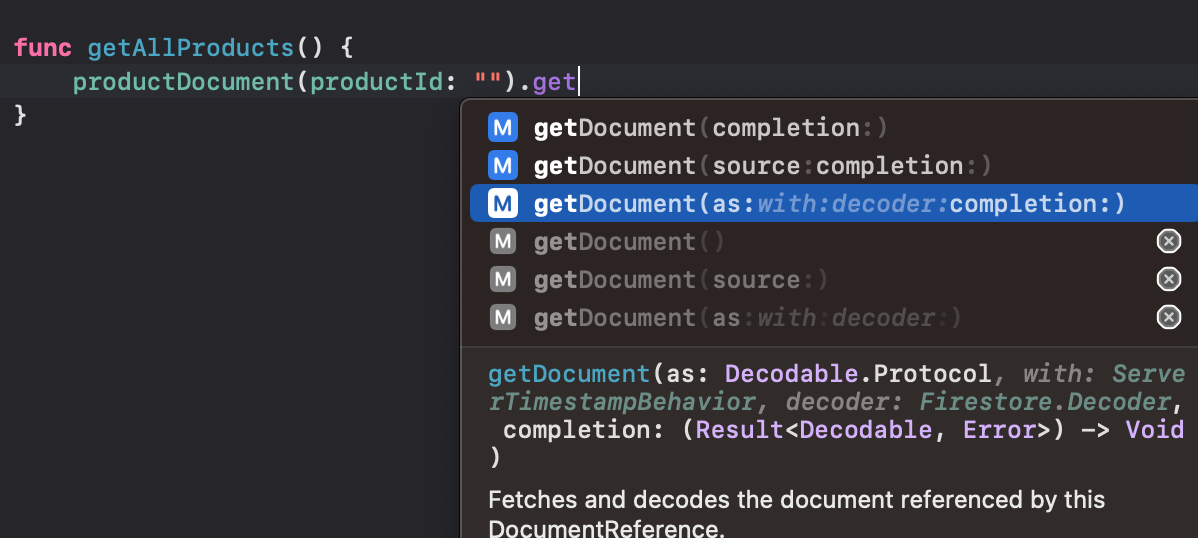
보면 다큐멘트에서 product 각각을 쿼리하는 메소드는 있는데
콜렉션에 있는 전체를 가지고오는 건 없음!
보통 쿼리할 때 한번에 가져오게하지는 않아서!!
하지만 지금은 30개 프로덕트밖에 안되니까 그냥 한번에 가져오는 걸로 합시다
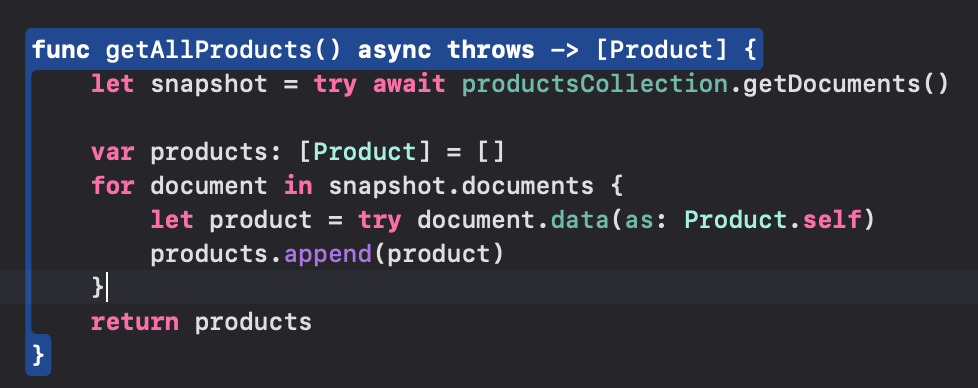
snapshot의 documents들을 Product로 디코딩하고 products에 하나씩 추가해줬음!
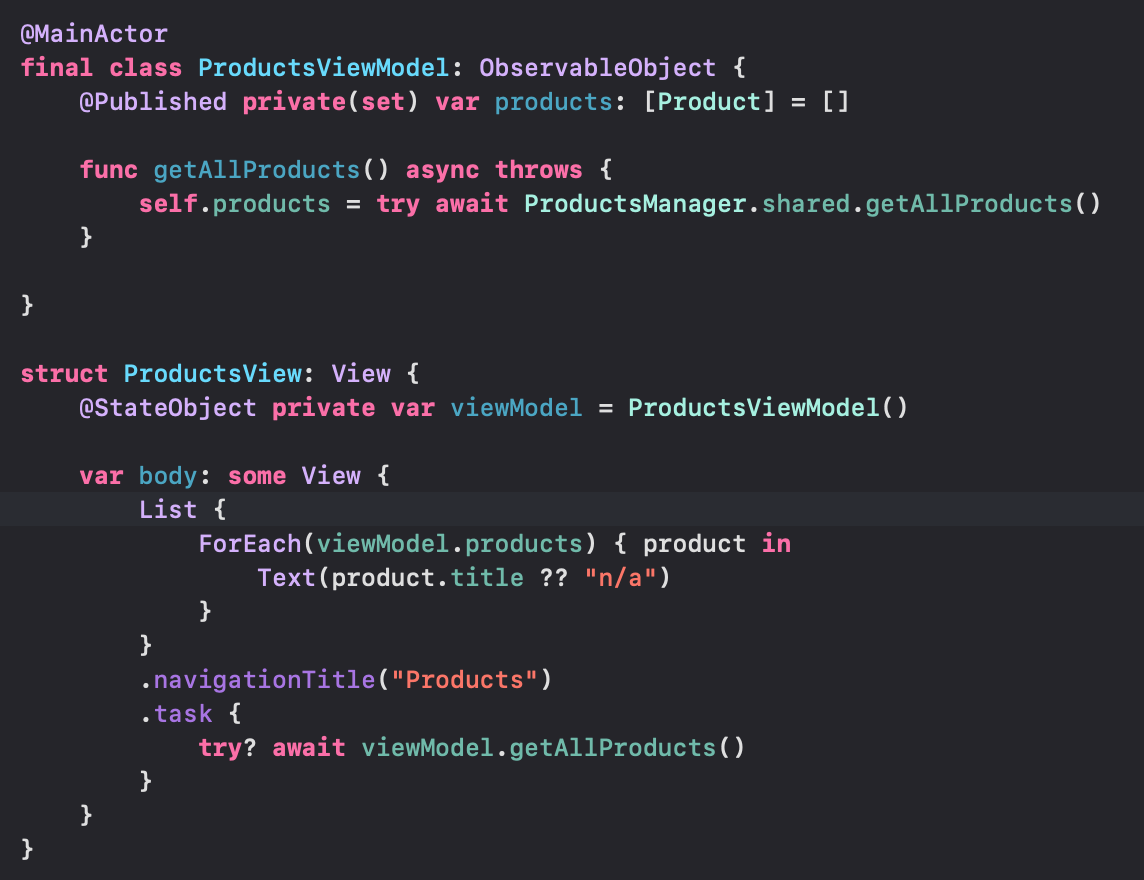
뷰모델에서 get메소드 작성하고,
.task 에서 호출해줌!
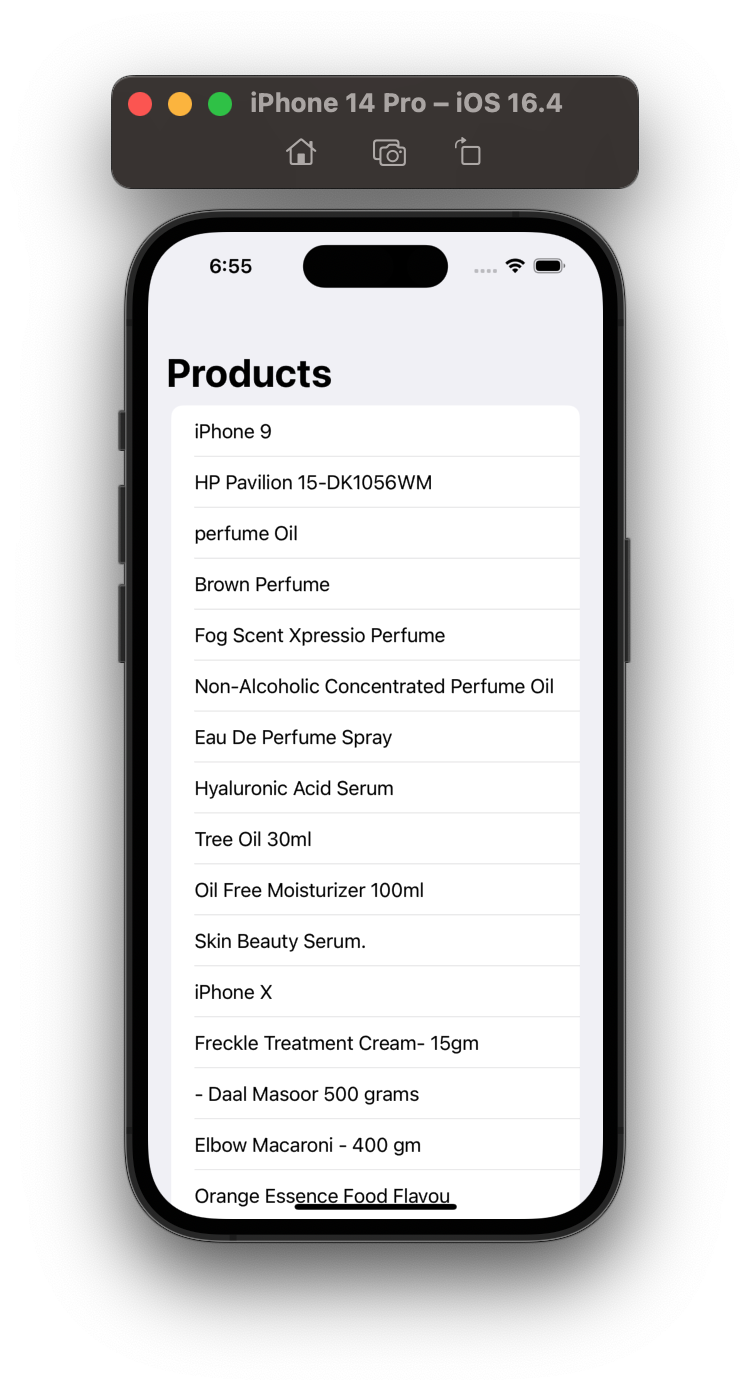
오케이 잘 가져와집니다~
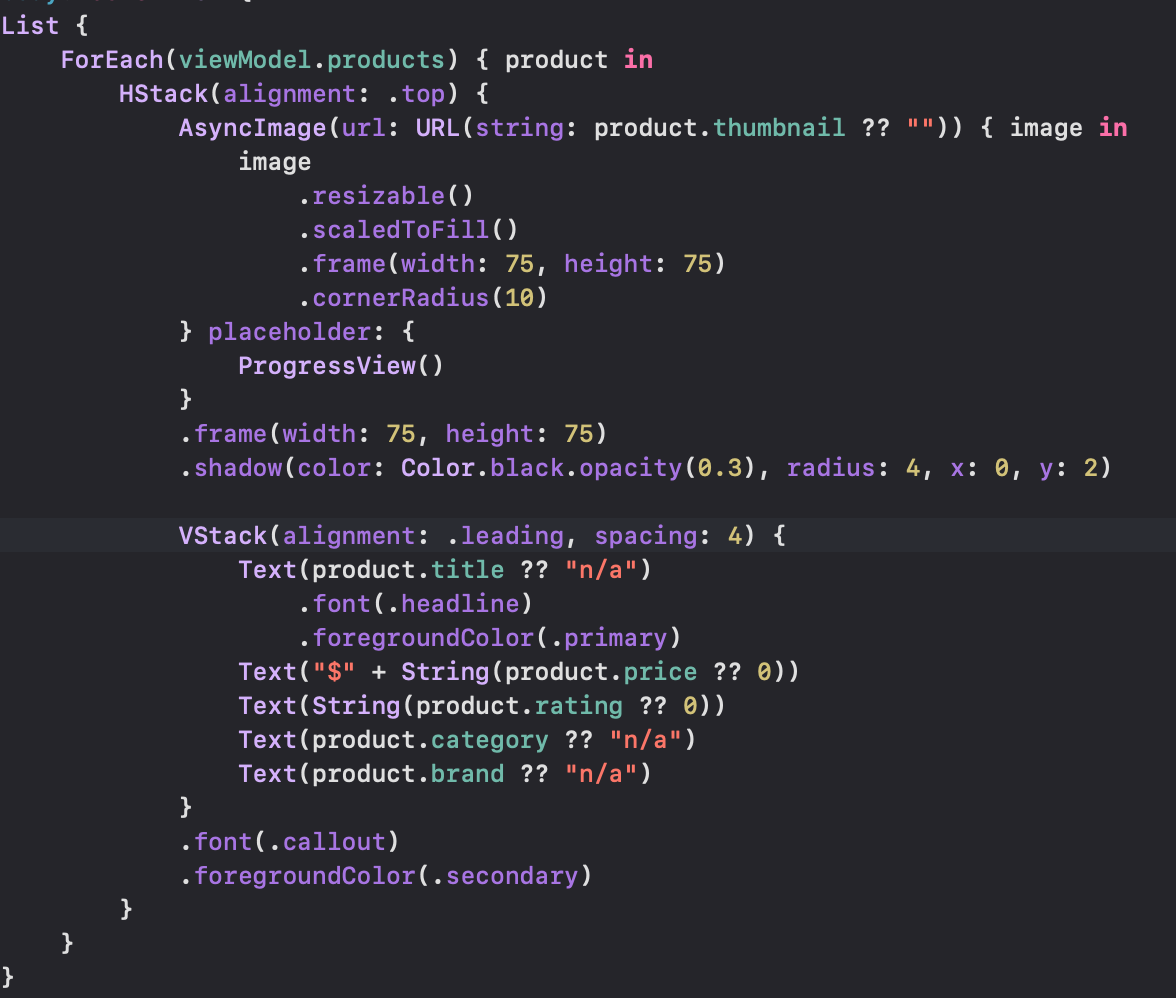
AsyncImage로 Image도 가져와봅시다
product에 썸네일 이미지 url이 있어서 이걸로 가져와줌
placeholder에는 로드 되기 전에 뷰 넣어주면됨!
ForEach에 들어가는 내용cellView로 따로 빼줍시다
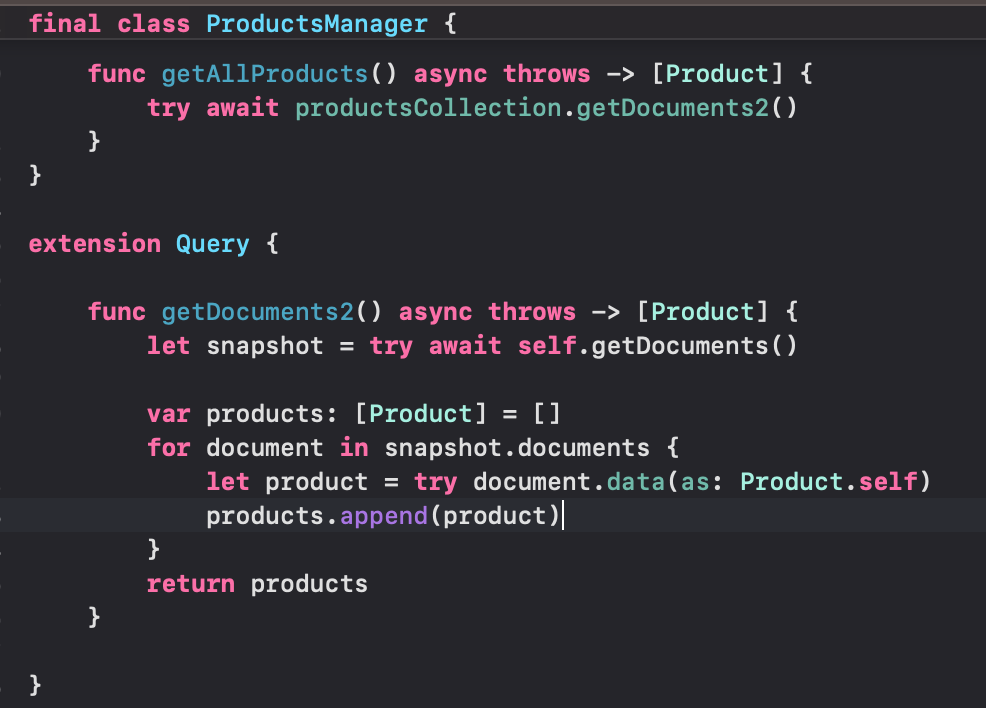
Query Extension으로 getDocument2 라는 메소드 구성해주고
getAllProducts에서 호출해줌
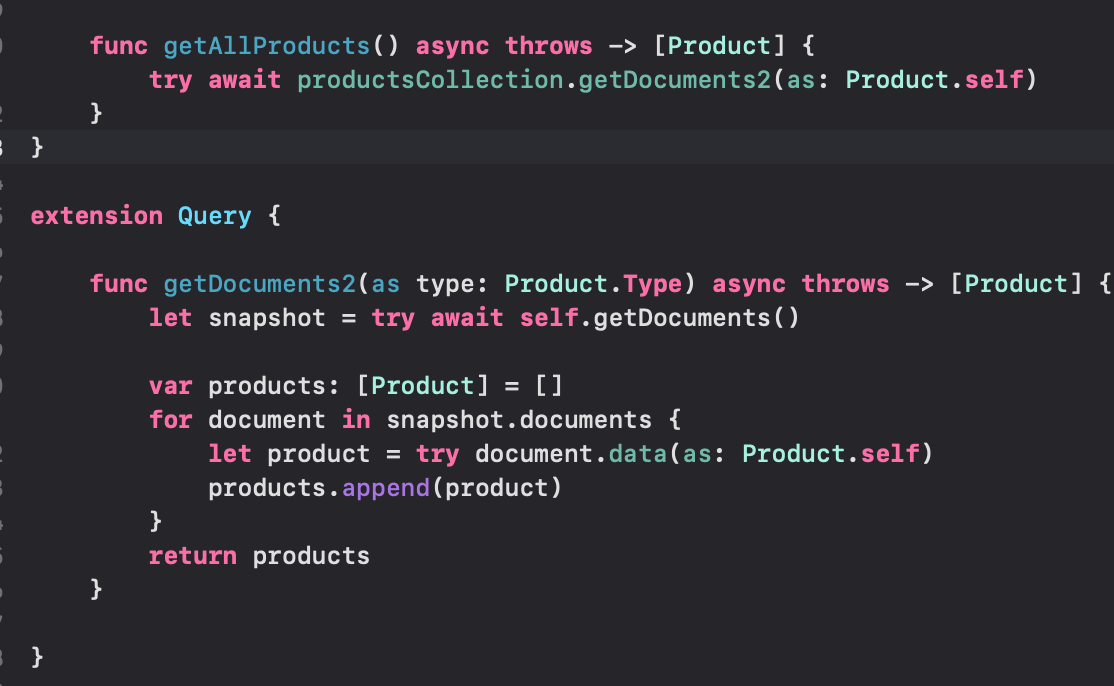
그리고 파라미터로 Product.Type이 오게끔 해줬음
근데!! 이거 더 제네릭하게 바꿔주면 좋을 거 같지 않음?
extension Query {

    func getDocuments<T>(as type: T.Type) async throws -> [T] where T : Decodable {
        let snapshot = try await self.getDocuments()

        var products: [T] = []
        for document in snapshot.documents {
            let product = try document.data(as: T.self)
            products.append(product)
        }
        return products
    }

}
짱이다..
T라는 제네릭 타입을 받게해주고 T가 Decodable한 애들만 올 수 있게 해줌!
이거 더 짧게도 만들어줄 수 있음
extension Query {

    func getDocuments<T>(as type: T.Type) async throws -> [T] where T : Decodable {
        let snapshot = try await self.getDocuments()

        return try snapshot.documents.map({ document in
            try document.data(as: T.self)
        })
    }

}
이렇게 하는 건 엄청 많은 내용을 가지고 오는 것에 적합하지 않다는 것 알아두기!