
필요한 내용에 대해서 spring.io 사이트의 doc 문서를 잘 사용할 줄 알아야 한다.
해당 내용은 spring.io 홈페이지의 문서에서 찾아 볼 수 있다.
7.1.6. Welcome Page
Spring Boot supports both static and templated welcome pages. It first looks for an index.html file in the configured static content locations. If one is not found, it then looks for an index template. If either is found, it is automatically used as the welcome page of the application.
spring에서는 우선으로 index.html을 첫 페이지로 인식한다.
없다면 index template dptj ckwsmsek.
thymeleaf template엔진
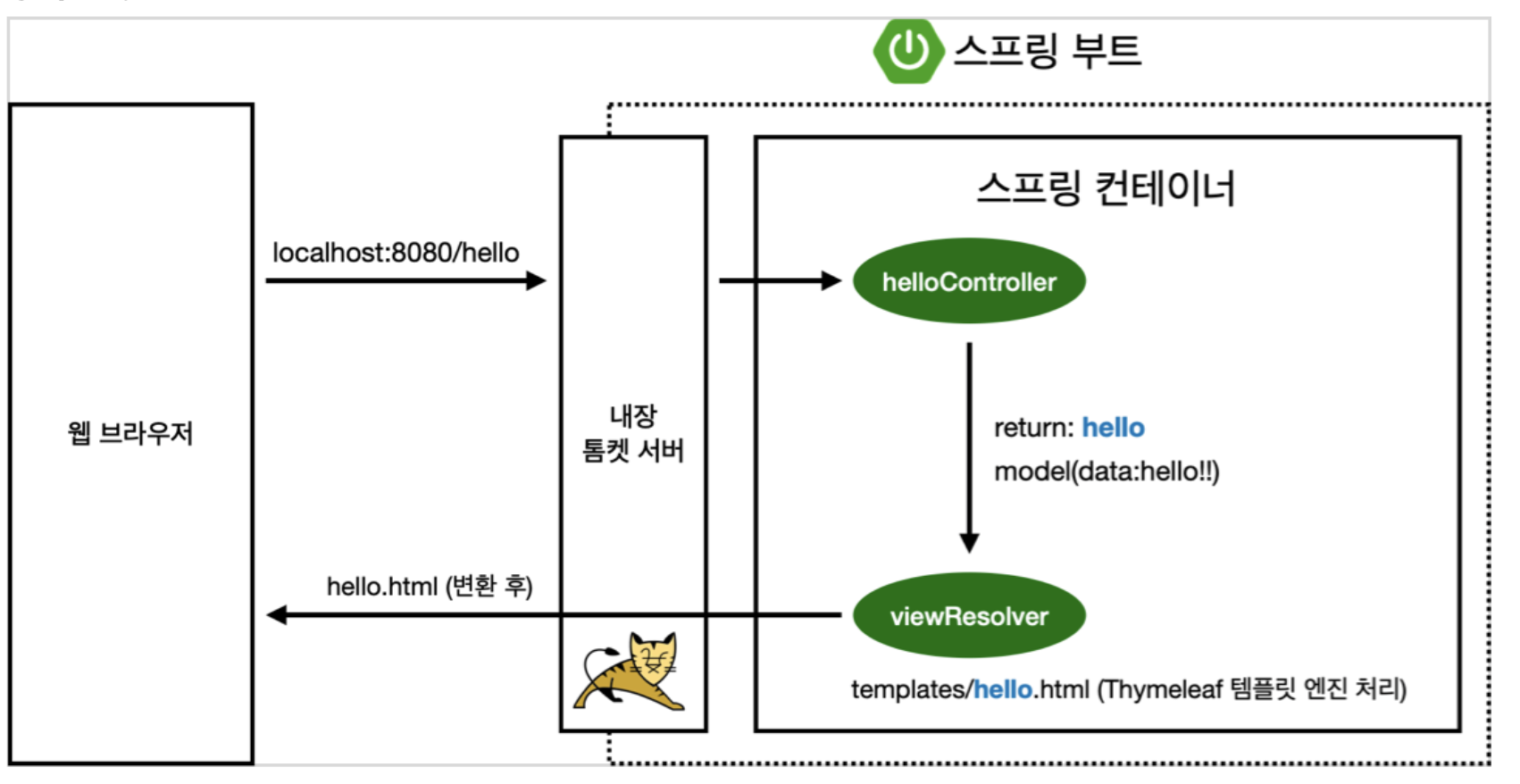
@Controller
public class HelloController {
    // get 방식의 method
    @GetMapping("hello")
    public String hello(Model model){
        model.addAttribute("data", "hello!!");
        /*
        * data는 model이라는 것을 통해 넘기면서
        * resources의 return의 hello와 같은 파일 즉, resources에서 hello라는 곳에 넘긴다.
        * 컨트롤러에서 리턴 값으로 문자를 반환하면 뷰 리졸버( viewResolver )가 화면을 찾아서 처리한다.
        * 스프링 부트 템플릿엔진 기본 viewName 매핑
        * resources:templates/ +{ViewName}+ .html
        * */
        return "hello";
    }
}
Server에서 실행
해당 디렉토리 접근
gradle project이기 때문에
./gradlew build 실행 하면
build/libs 폴더가 생성된다.
해당 폴더에 ~.jar 파일을
java -jar ~.jar를 실행하면 된다.
혹여 나중에 프로젝트시 해당 ~.jar 파일만 가지고가서 실행하면 tomact, WAS등 예전에는 구축해야했던 환경들을 생략할 수 있다.
- (JAVA_HOME 환경을 스프링 실행 환경과 맞추어주어야한다.)
- 만약 error가 발생하면 ./gradlew clean build를 해주면 clean삭제 후 빌드될 것이다.
웹 기초
[1] 정적 컨텐츠
- 파일을 웹브라우저에 그대로 내려주는 것
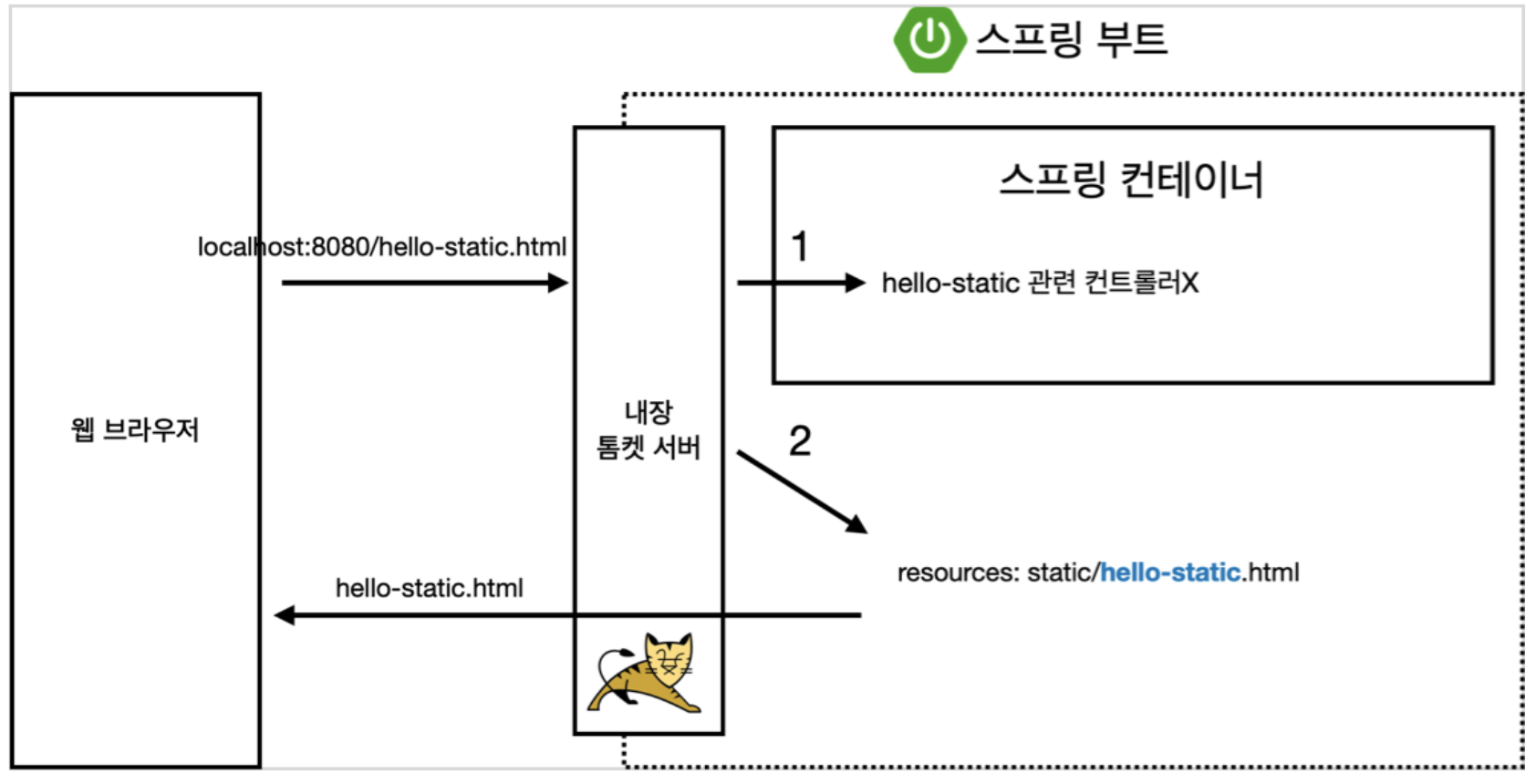
먼저 controller에서 찾는다
없으면 바로 서버에 내린다.
[2] MVC와 템플릿 엔진
- JSP, PHP... 등이 템플릿 엔진이다. 서버에서 프로그래밍을 통해 가공 -> MVC
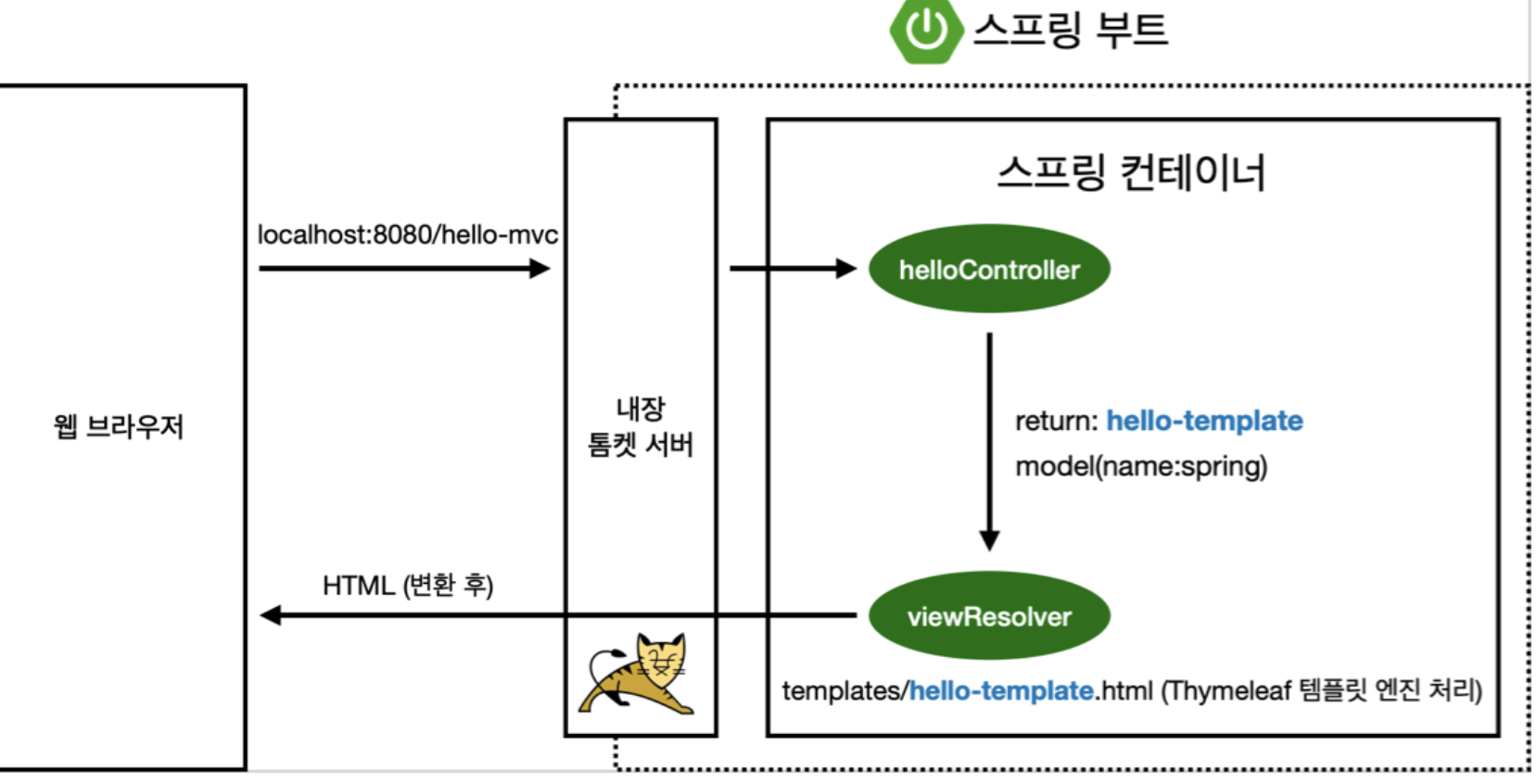
template 엔진(현재 Thymeleaf)을 통해 변환된 html을 동적으로 내린다.
[3] API
- 가장 많이 사용
- json 구조 format으로 client에게 내려주는 것
요즘은 react, vue 등에서 사용 또는 서버간 통신에서 사용
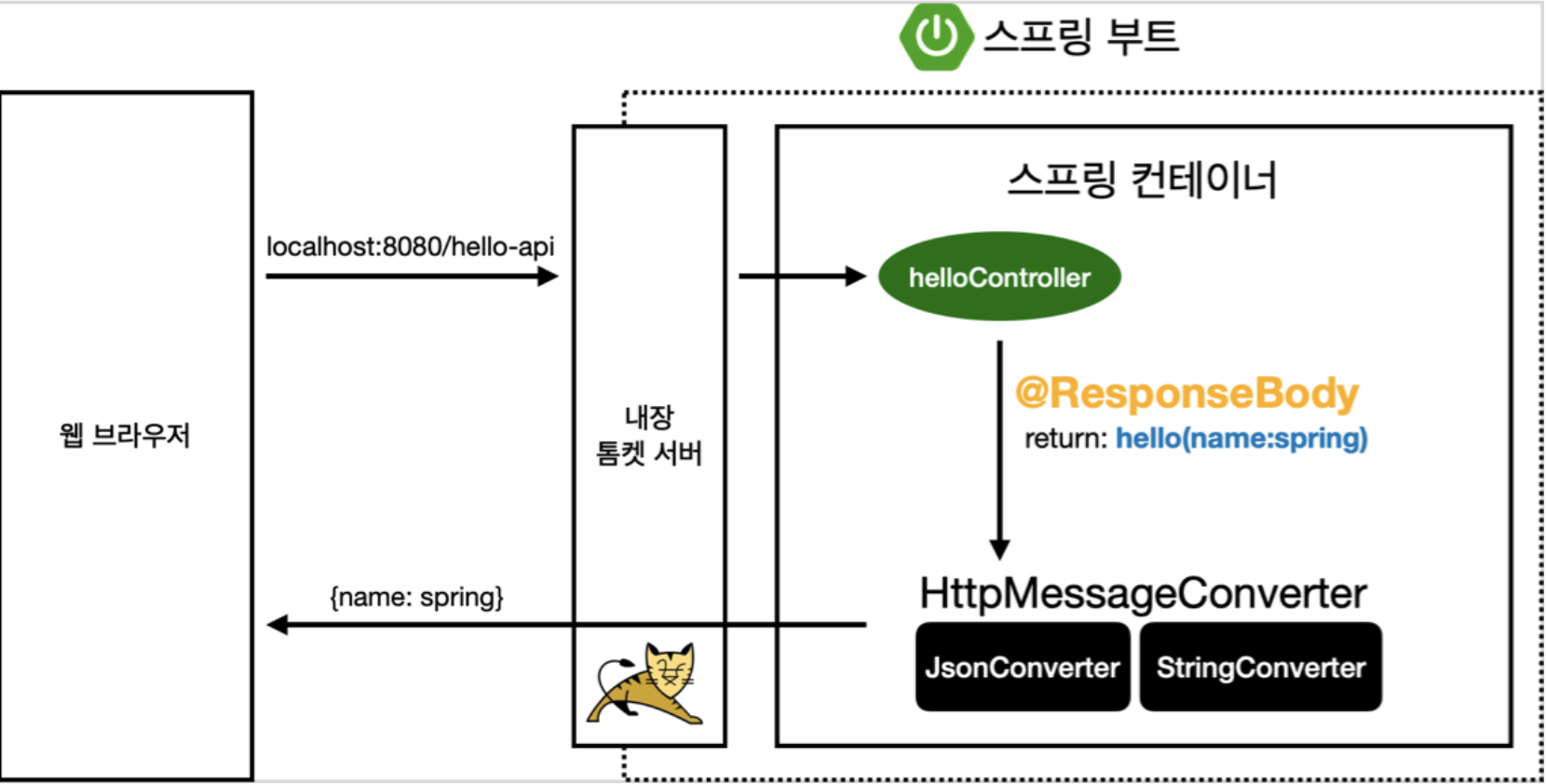
- @ResponseBody 를 사용
- HTTP의 BODY에 문자 내용을 직접 반환
- viewResolver 대신에 HttpMessageConverter 가 동작
- 기본 문자처리: StringHttpMessageConverter
- 기본 객체처리: MappingJackson2HttpMessageConverter

woo