Switch
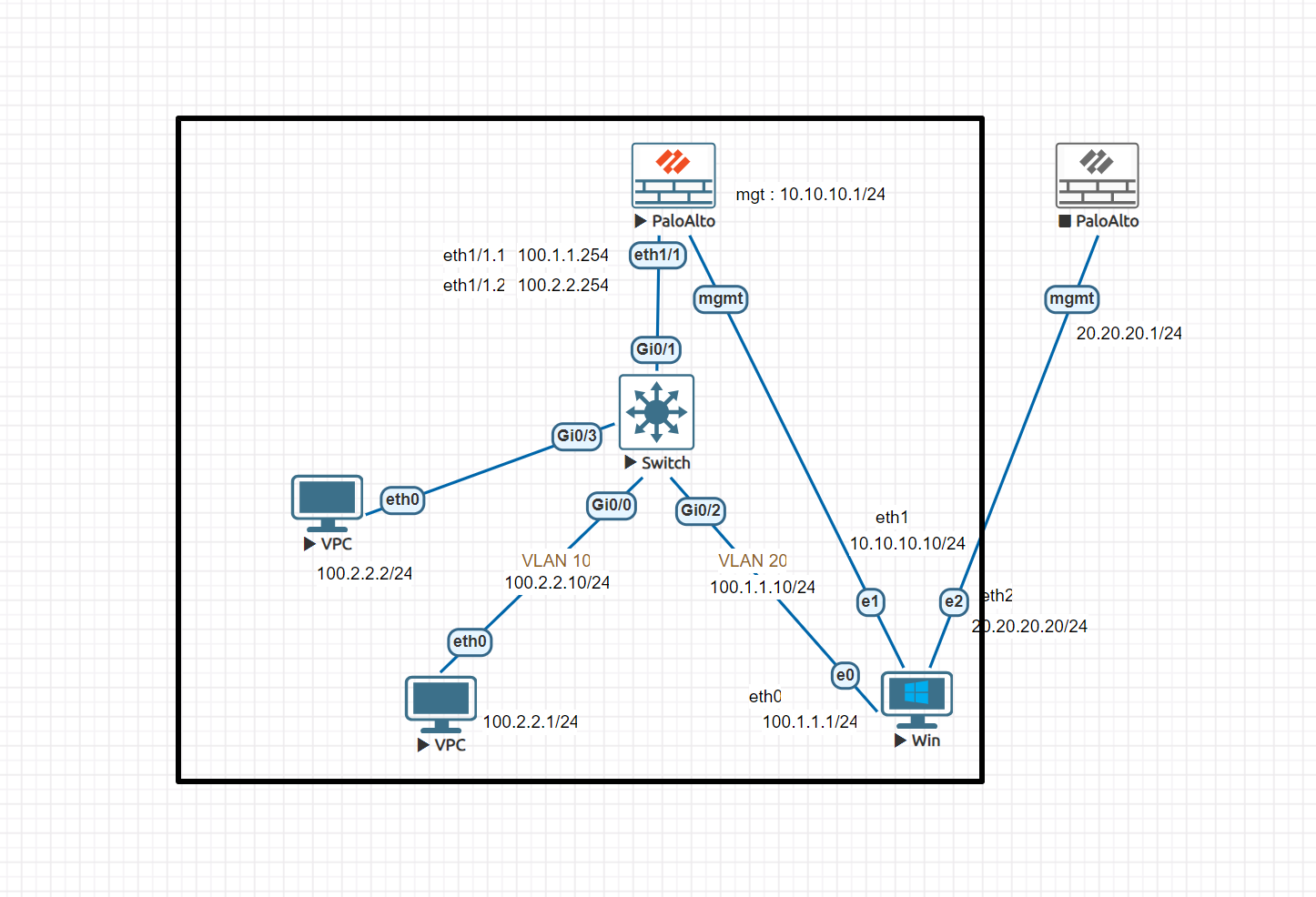
Just VLAN configuration is needed.
interface GigabitEthernet0/0
 switchport access vlan 10
 switchport mode access
 negotiation auto
!
interface GigabitEthernet0/1
 switchport trunk encapsulation dot1q
 switchport mode trunk
 negotiation auto
!
interface GigabitEthernet0/2
 switchport access vlan 20
 switchport mode access
 negotiation auto
!
interface GigabitEthernet0/3
 switchport access vlan 10
 switchport mode access
 negotiation auto
!
interface GigabitEthernet1/0
 negotiation auto
!
interface GigabitEthernet1/1
 negotiation auto
!
interface GigabitEthernet1/2
 negotiation auto
!
interface GigabitEthernet1/3
 negotiation auto
!
interface Vlan10
 ip address 100.2.2.10 255.255.255.0
!
interface Vlan20
 ip address 100.1.1.10 255.255.255.0
!
Palo Alto Filrwall
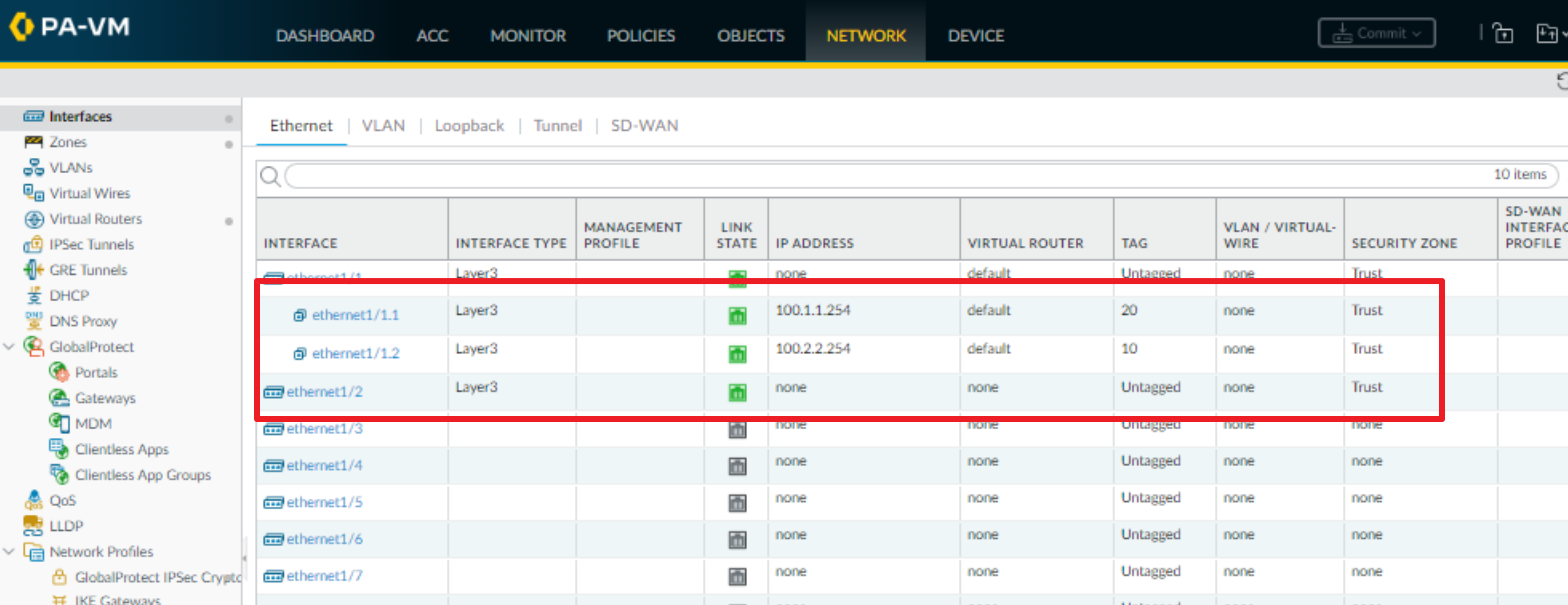
Create subinterfaces to be used as gateways for each PCs.
Add route paths to the virtual router.
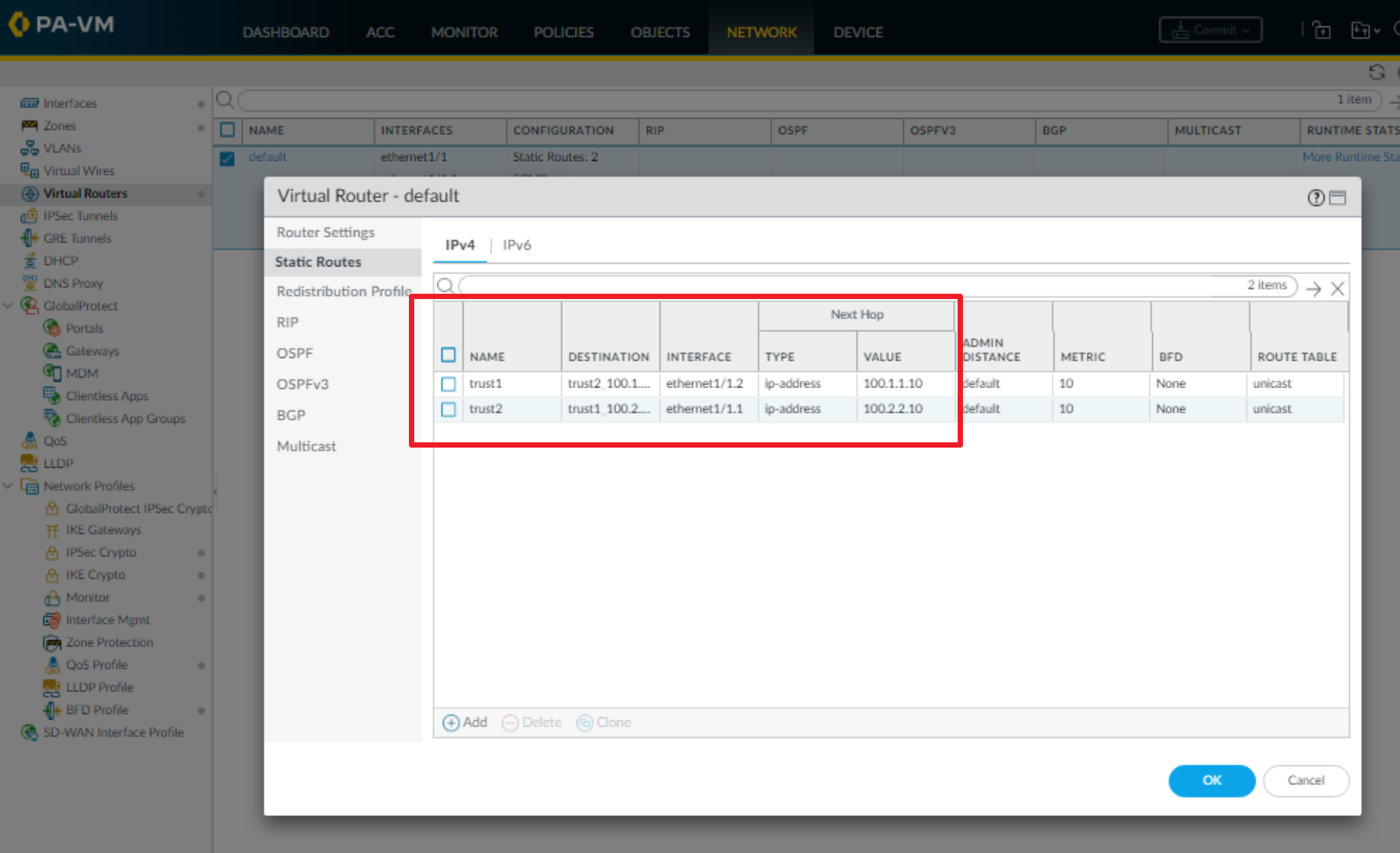
Note that I specified the Next Hop as the IP address assigned to the VLAN interfaces of the switch.
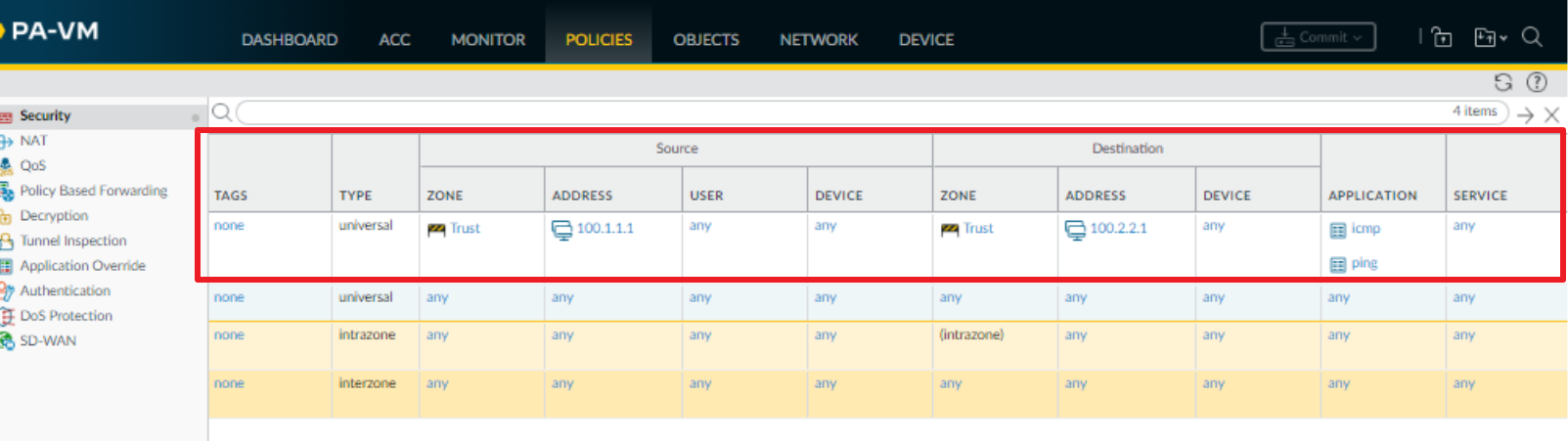
Finally, to ensure that traffic flows properly through the firewall, add a security policy.
PCs
Need to set the gateway on each PC to the address of the corresponding Palo Alto interfaces.