(출처 : JSCODE 박재성 강의, https://www.atlassian.com/ko/microservices/microservices-architecture/kubernetes-vs-docker)
1. 쿠버네티스(Kubernetes)란?
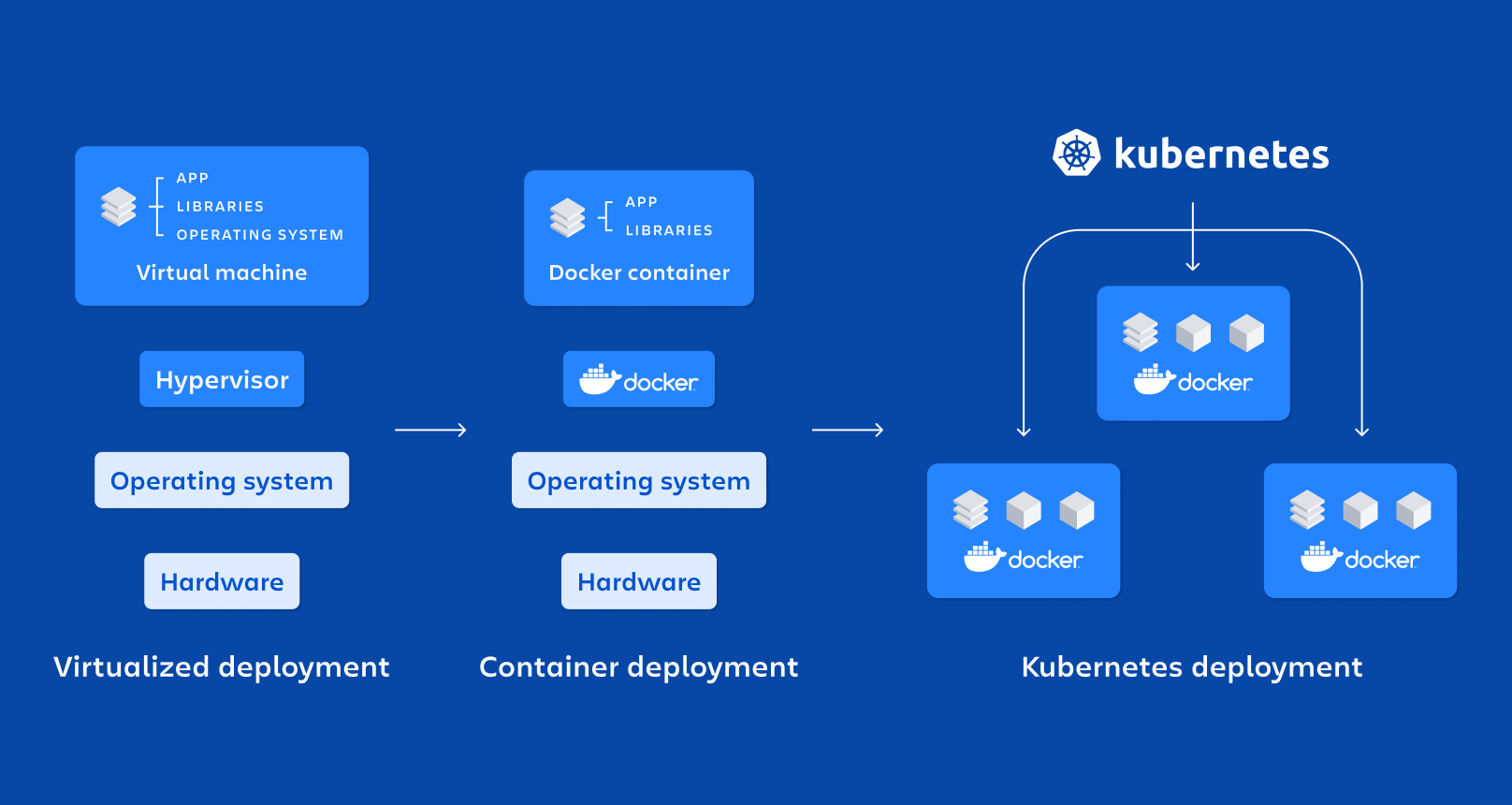
쿠버네티스는 다수의 컨테이너를 효율적으로 배포, 확장 및 관리하기 위한 오픈 소스 시스템이다.
Docker Compose의 확장판이라고 생각하면 편하다.
컨테이너가 1~2개가 아닌 1000개 등 매우 관리해야 할 수가 늘어날 수록 Docker, Docker Compose로 관리하기에 어렵다.
효율적으로 대량의 컨테이너를 관리하기 위해 쿠버네티스가 시작되었다.
쿠버네티스의 장점
- 컨테이너 관리 자동화 (배포, 확장, 업데이트)
- 부하 분산 (로드 밸런싱)
- 쉬운 스케일링
- 셀프 힐링
2. 파드(Pod)란?
도커에서는 하나의 프로그램을 실행시키는 단위를 컨테이너라고 주로 불렀다.
쿠버네티스에서는 하나의 프로그램을 실행시키는 단위를 파드라고 부른다.
따라서 파드는 일반적으로 쿠버네티스에서 하나의 프로그램을 실행시키는 단위이다.
- 쿠버네티스에서 가장 작은 단위
- 일반적으로 하나의 파드가 하나의 컨테이너를 가진다. (예외적으로 하나의 파드가 여러 개의 컨테이너를 가지는 경우도 있다.)
- 쿠버네티스도 도커처럼 이미지를 기반으로 파드를 띄워 실행시킨다.
3. 웹 서버(Nginx)를 파드(Pod)로 띄워보기
파드를 생성할 때 CLI를 활용하는 방법이 있고, yaml 파일을 활용하는 방법이 있다.
실제 현업에서는 yaml 파일을 활용하는 경우가 많다. 따라서 yaml 파일을 활용해 파드를 생성해본다.
[nginx-pod.yaml]

apiVersion: v1
kind: Pod

metadata:
  name: nginx-pod

spec:
  containers:
    - name: nginx-container
      image: nginx
      ports:
        - containerPort: 80
➜ kube-practice kubectl apply -f nginx-pod.yaml
pod/nginx-pod created
➜ kube-practice kubectl get pods
NAME READY STATUS RESTARTS AGE
nginx-pod 1/1 Running 0 50s매니페스트 파일(Manifest File)
쿠버네티스에서 다양한 리소스를 생성하고 관리하기 위해 사용하는 구성 파일이다.
주로 YAML 형식으로 작성되며, 파드(Pod), 서비스(Service), 볼륨(Volume), 디플로이먼트(Deployment)와 같은 여러 리소스의 정의가 포함된다.
현 상태에서 localhost:80 접속 시 접속이 불가하다.
쿠버네티스에서 파드 내부의 네트워크를 컨테이너가 공유해서 같이 사용하며, 파드 내부와 외부 간 네트워크가 서로 독립적으로 분리되어 있기 때문이다.
따라서 파드의 네트워크는 로컬 컴퓨터와의 네트워크와는 독립적으로 분리되어 있다.
이 때문에 파드로 띄운 Nginx에 아무리 요청을 보내도 응답이 없던 것이다.
따라서 Nginx가 띄우는 웹 페이지에 접근하려면 2가지 방법이 있다.
- 1) 파드 내부로 들어가서 접근하기
- 2) 파드의 내부 네트워크를 외부에서도 접속할 수 있도록 포트 포워딩(=포트 연결시키기) 활용하기
1) 파드 내부로 들어가서 접근
➜  kube-practice kubectl exec -it nginx-pod -- bash
root@nginx-pod:/# curl localhost:80
<!DOCTYPE html>
<html>
<head>
<title>Welcome to nginx!</title>
<style>
html { color-scheme: light dark; }
body { width: 35em; margin: 0 auto;
font-family: Tahoma, Verdana, Arial, sans-serif; }
</style>
</head>
<body>
<h1>Welcome to nginx!</h1>
<p>If you see this page, the nginx web server is successfully installed and
working. Further configuration is required.</p>

<p>For online documentation and support please refer to
<a href="http://nginx.org/">nginx.org</a>.<br/>
Commercial support is available at
<a href="http://nginx.com/">nginx.com</a>.</p>

<p><em>Thank you for using nginx.</em></p>
</body>
</html>
root@nginx-pod:/# exit
exit
➜  kube-practice
2) 파드의 내부 네트워크를 외부에서도 접속할 수 있도록 포트 포워딩(=포트 연결시키기) 활용하기
➜  kube-practice sudo kubectl port-forward pod/nginx-pod 80:80 (로컬 포트 80에서 파드 포트 80로 연결)
Password:
Forwarding from 127.0.0.1:80 -> 80
Forwarding from [::1]:80 -> 80
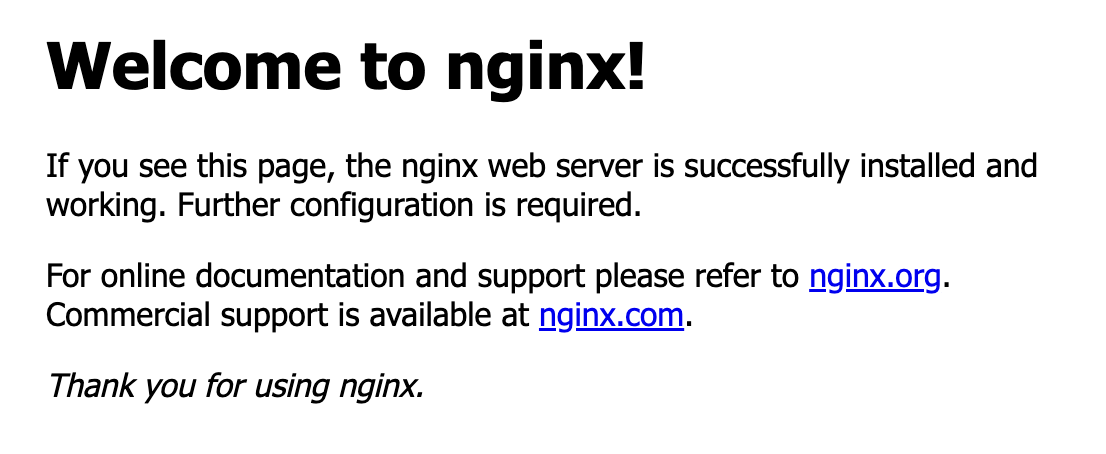
localhost:80 웹 접속 시 Nginx 접속 가능
Handling connection for 80
Handling connection for 80

^C% (연결해제)
➜  kube-practice
3) 파드 삭제
➜  kube-practice kubectl delete pod nginx-pod
pod "nginx-pod" deleted
➜  kube-practice kubectl get pods
No resources found in default namespace.
(계속..)