
version 확인
git --version

Git Global Configuration
git config --global user.name <username>
git config --global user.email <email>
Local Repository
구성
- Working Directory (작업공간) - 실제 소스 파일, 생성한 파일들이 존재
- Index(Stage) - Staging area(준비 영역)의 역할, git add 한 파일들이 존재
- HEAD - 최종 확정본, git commit한 파일들이 존재
Workspace 생성
mkdir git_wscd git_ws
mkdir test_projectGit init
폴더에서 Git을 초기화하는 명령어
사용하면 해당 폴더를 Git이 관리하기 시작
git init

파일 생성
touch : 빈 파일을 생성
touch test.txt
ls

Git Status
Git에 존재하는 파일 확인
git status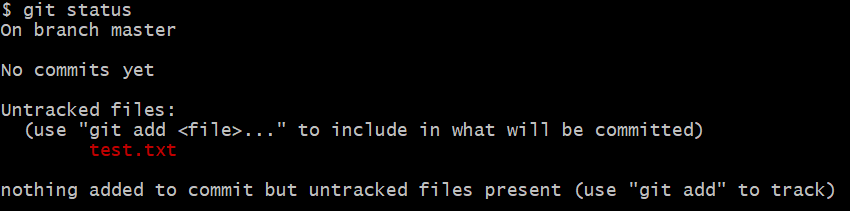
Git add
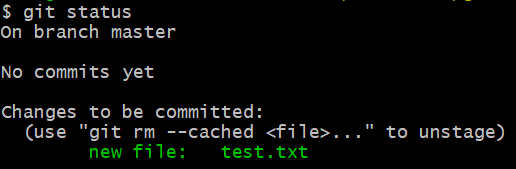
Working Directory 에서 변경된 파일을 Index(stage)에 추가
git add <filename>
Git Commit
Index(stage)에 추가된 변경사항을 HEAD에 반영(확정)
git commit -m "commit에 대한 설명" <filename>
Remote Repository
Github Token 생성
Remote Repository 접속시 비밀번호 대신 Token을 사용
Local Repository에 등록
git remote add origin http://github.com/<repository>.gitgit remote add origin http://<username>:<token>@github.com/<repository>.git
Remote Repositoty 정보 확인
git remote -v
Git push
HEAD(Commit 이후) 반영된 변경내용을 Remote Repository에 반영
git push origin <branchname>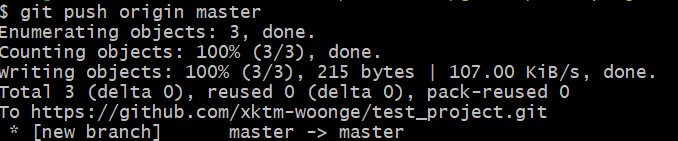
Git pull
Remote Repository의 내용에 맞춰 Local Repository 갱신
git pull origin <branchname>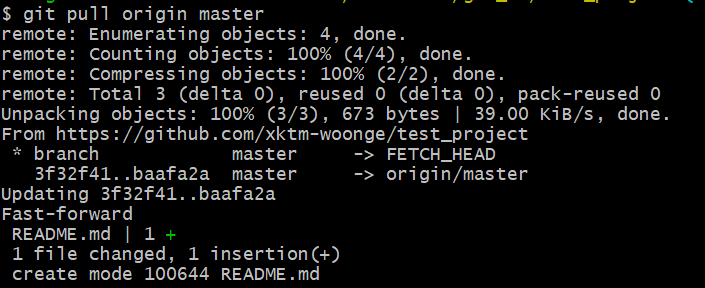
Default Branch
Main or Master 로 생성
- 수정은 가능하지만 신중해야 한다
- Remote Repository를 생성할 때 이름 설정 가능
Git clone
Local Repository를 생성하지 않은 상태에서 Git clone 명령을 통해 Remote Repository를 Local에 복제 가능
git clone http://github.com/<repository>.gitgit clone http://<username>:<token>@github.com/<repository>.git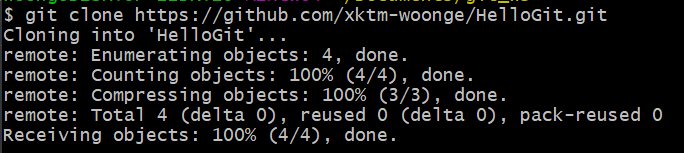
Branch
조회
# Local Branch 조회
git branch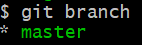
# Remote Branch 조회
git branch -r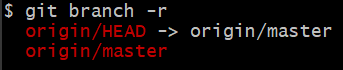
# Local Branch + Remote Branch 조회
git branch -a
생성
#Local Branch 생성
git branch branchname
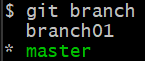
# Local Branch 이동
git checkout branchname
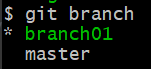
# Local Branch 생성 + 이동
git checkout -b branchname
# Remote Branch 생성
git push origin branchname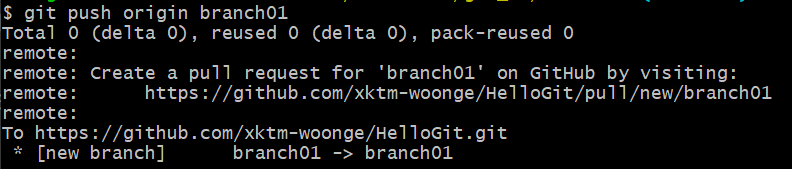
삭제
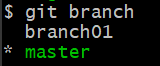
# Local Branch 삭제
git branch -d branchname
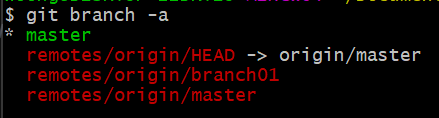
# Remote Branch 삭제
git push origin --delete branchname
Git Log
Branch 별 변경이력을 볼 수 있음
git log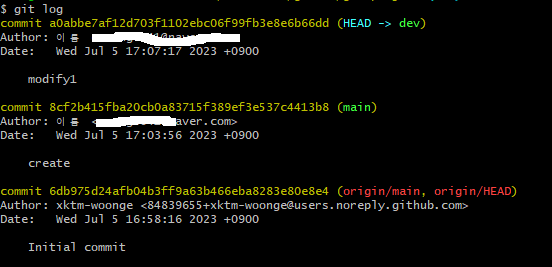
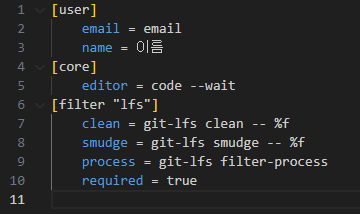
Git Editor 설정
--wait 옵션은 command line으로 VSCode를 실행했을 경우, VSCode 인스턴스를 닫을 때까지 command를 대기
git config --global core.editor <editorename> --wait

Git Configuration 파일 열기
git config --global -e[diff]
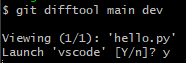
tool = vscode
[difftool "vscode"]
cmd = "code --wait --diff $LOCAL $REMOTE"
Git Diff
# Local Branch 간 비교

git diff <branch1> <branch2>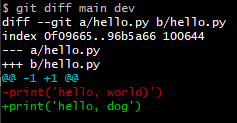
# Commit 간 비교

git diff <commithach> <commithach>
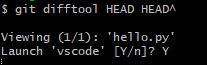

# 마지막 Commit과 현재 수정사항 확인

git diff HEAD

# Local Remote 간 비교

git diff <branch1> origin/<branch2>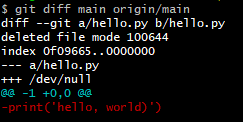
git Merge
[merge]
	tool = vscode

[mergetool "vscode"]
	cmd = "code --wait $MERGED"
# 현재 위치한 Branch에 다른 Branch 병합
git merge <branchname>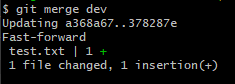
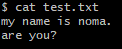
Merge Conflict
Branch를 Merge하는 과정에서 충돌이 날 수 있다.
Push, Pull 과정에서도 출동이 일어날 수 있다.

git tag
특정 버전(commit)에 Tag를 달아놓을 필요가 있을 때 사용
# 현재 버전 tag 달기
git tag <tagname>
# 특정 버전 tag 달기
git tag <tagname> <commithash># Remote Repository tag 달기
git push origin <tagname># tag 목록 보기
git tag# tag 상세 보기
git show tag# tag 삭제
git tag --delete <tagname># Remote Repository tag 삭제
git push --delete origin <tagname>README
-프로젝트에 대한 설명, 사용방법, 라이센스, 설치법과 같은 부분에 대해 기술하는 파일
- 나, 직장동료, 프로그램 사용자를 위해 존재

끄적끄적..