- Component: 리액트에서 컴포넌트는 UI를 리턴하는 함수이다.
- JSX를 리턴하고 화면을 구성함.
function Item({ name, isPacked }) {
  return <li className="item">{name}</li>;
} // 내부 전용 컴포넌트

export default function PackingList() {
  return (
    <section>
      <h1>Sally Ride's Packing List</h1>
      <ul>
        <Item
          isPacked={true}
          name="Space suit"
        />
        <Item
          isPacked={true}
          name="Helmet with a golden leaf"
        />
        <Item
          isPacked={false}
          name="Photo of Tam"
        />
      </ul>
    </section>
  );
} // 루트 컴포넌트
<Item isPacked={true} name="Space suit" />위 코드는 사실 내부적으로 아래와 같이 동작한다.
Item({ isPacked: true, name: "Space suit" })조건부 렌더링
- 조건부로
null을 사용하여 아무것도 반환하지 않기
function Item({ name, isPacked }) {
  if (isPacked) {
    return null;
  }
  return <li className="item">{name}</li>;
}

export default function PackingList() {
  return (
    <section>
      <h1>Sally Ride's Packing List</h1>
      <ul>
        <Item
          isPacked={true}
          name="Space suit"
        />
        <Item
          isPacked={true}
          name="Helmet with a golden leaf"
        />
        <Item
          isPacked={false}
          name="Photo of Tam"
        />
      </ul>
    </section>
  );
}
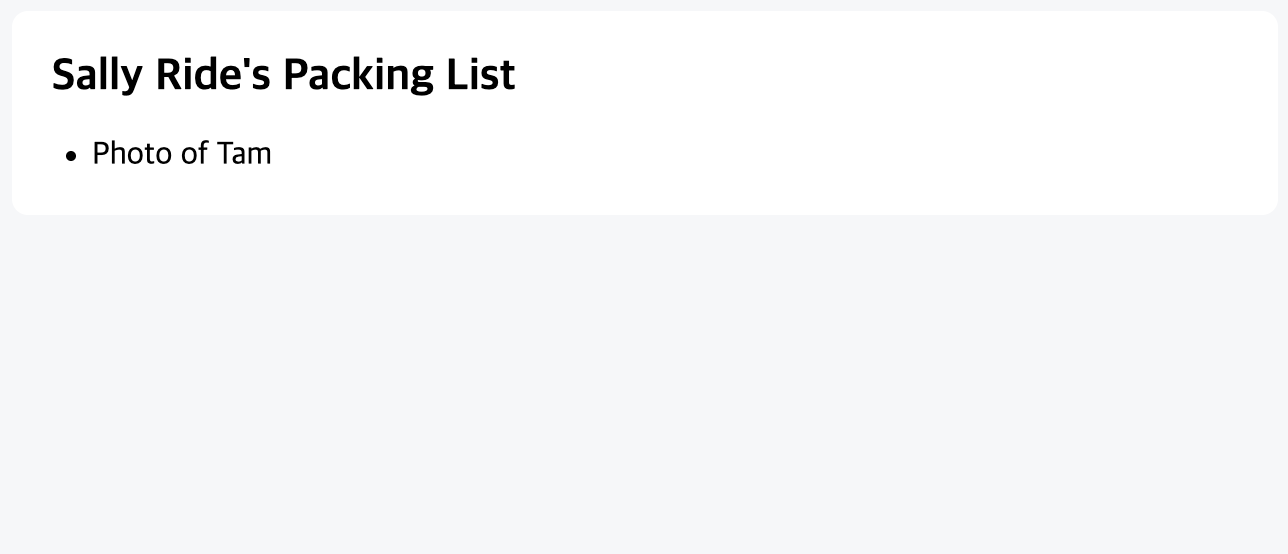
1. 삼항 조건 연산자
if (isPacked) {
  return <li className="item">{name} ✅</li>;
}
return <li className="item">{name}</li>;- 위의 코드를 아래와 같이 작성할 수 있다.
return (
  <li className="item">
    {isPacked ? name + ' ✅' : name}
  </li>
);
2. 논리 AND 연산자
return (
  <li className="item">
    {name} {isPacked && '✅'}
  </li>
);isPacked이면 (&&) 체크 표시를 렌더링하고, 그렇지 않으면 아무것도 렌더링하지 않는다는 의미로 해석한다.
3. 변수에 조건부로 JSX 할당하기
if문을 사용하여isPacked가true인 경우 JSX 표현식을itemContent에 재할당한다.
function Item({ name, isPacked }) {
  let itemContent = name;
  if (isPacked) {
    itemContent = name + " ✅";
  }
  return (
    <li className="item">
      {itemContent}
    </li>
  );
}

export default function PackingList() {
  return (
    <section>
      <h1>Sally Ride's Packing List</h1>
      <ul>
        <Item
          isPacked={true}
          name="Space suit"
        />
        <Item
          isPacked={true}
          name="Helmet with a golden leaf"
        />
        <Item
          isPacked={false}
          name="Photo of Tam"
        />
      </ul>
    </section>
  );
}
리스트 렌더링
- 데이터 모음에서 유사한 컴포넌트를 여러 개 표시하고 싶을 때, JS 배열 메서드를 사용하여 데이터 배열을 조작할 수 있다.
- 이 경우, 데이터를 JS 객체와 배열에 저장하고,
map()과filter()과 같은 메서드를 사용하여 해당 객체에서 컴포넌트 리스트를 렌더링할 수 있다.
<ul>
  <li>Creola Katherine Johnson: mathematician</li>
  <li>Mario José Molina-Pasquel Henríquez: chemist</li>
  <li>Mohammad Abdus Salam: physicist</li>
  <li>Percy Lavon Julian: chemist</li>
  <li>Subrahmanyan Chandrasekhar: astrophysicist</li>
</ul>
변환 방법
- 데이터를 배열로 이동시킨다
const people = [
  'Creola Katherine Johnson: mathematician',
  'Mario José Molina-Pasquel Henríquez: chemist',
  'Mohammad Abdus Salam: physicist',
  'Percy Lavon Julian: chemist',
  'Subrahmanyan Chandrasekhar: astrophysicist'
];people의 요소를 새로운 JSX의 노드 배열인listItems에 매핑한다.<ul>로 래핑된 컴포넌트의listItems를 반환한다.
const people = [
  'Creola Katherine Johnson: mathematician',
  'Mario José Molina-Pasquel Henríquez: chemist',
  'Mohammad Abdus Salam: physicist',
  'Percy Lavon Julian: chemist',
  'Subrahmanyan Chandrasekhar: astrophysicist'
];

export default function List() {
  const listItems = people.map(person =>
    <li>{person}</li>
  );
  return <ul>{listItems}</ul>;
}
배열의 항목들을 필터링하기
const people = [{
  id: 0,
  name: 'Creola Katherine Johnson',
  profession: 'mathematician',
}, {
  id: 1,
  name: 'Mario José Molina-Pasquel Henríquez',
  profession: 'chemist',
}, {
  id: 2,
  name: 'Mohammad Abdus Salam',
  profession: 'physicist',
}, {
  id: 3,
  name: 'Percy Lavon Julian',
  profession: 'chemist',
}, {
  id: 4,
  name: 'Subrahmanyan Chandrasekhar',
  profession: 'astrophysicist',
}];- people에서
filter()를 호출해person.profession === 'chemist'로 필터링해서 “chemist”로만 구성된 새로운 배열chemists를 생성한다.
const chemists = people.filter(person =>
  person.profession === 'chemist'
);chemists를 매핑한다.
const listItems = chemists.map(person =>
  <li>
     <img
       src={getImageUrl(person)}
       alt={person.name}
     />
     <p>
       <b>{person.name}:</b>
       {' ' + person.profession + ' '}
       known for {person.accomplishment}
     </p>
  </li>
);- 컴포넌트에서
listItems를 반환한다.
return <ul>{listItems}</ul>;- 위의 두 경우처럼 반환하면
Each child in a list should have a unique "key" prop.이런 에러가 발생하는 것을 확인할 수 있다.- 각 배열 항목에 다른 항목 중에서 고유하게 식별할 수 있는 문자열 또는 숫자를
key로 지정해야 한다.
- 각 배열 항목에 다른 항목 중에서 고유하게 식별할 수 있는 문자열 또는 숫자를
<li key={person.id}>...</li>
map()호출 내부의 JSX 엘리먼트에는 항상 key가 필요하다.
export const people = [{
  id: 0, // JSX에서 key로 사용됩니다.
  name: 'Creola Katherine Johnson',
  profession: 'mathematician',
  accomplishment: 'spaceflight calculations',
  imageId: 'MK3eW3A'
}, {
  id: 1, // JSX에서 key로 사용됩니다.
  name: 'Mario José Molina-Pasquel Henríquez',
  profession: 'chemist',
  accomplishment: 'discovery of Arctic ozone hole',
  imageId: 'mynHUSa'
}, {
  id: 2, // JSX에서 key로 사용됩니다.
  name: 'Mohammad Abdus Salam',
  profession: 'physicist',
  accomplishment: 'electromagnetism theory',
  imageId: 'bE7W1ji'
}, {
  id: 3, // JSX에서 key로 사용됩니다.
  name: 'Percy Lavon Julian',
  profession: 'chemist',
  accomplishment: 'pioneering cortisone drugs, steroids and birth control pills',
  imageId: 'IOjWm71'
}, {
  id: 4, // JSX에서 key로 사용됩니다.
  name: 'Subrahmanyan Chandrasekhar',
  profession: 'astrophysicist',
  accomplishment: 'white dwarf star mass calculations',
  imageId: 'lrWQx8l'
}];
KEY 규칙
1. key는 형제 간에 고유해야한다.
2. key는 변경되어서는 안 된다.

sally