Input에 입력된 value는 String 타입이다.
-
event.target.value 또한 string으로 반환된다.
-
type="number"을 통하여 입력을 숫자로 제한하는 데 사용되지만, 실제로는 문자열 형태로 값을 처리한다.
-> 그래서 useState에 상태를 저장할 때 타입을 number로 바꿔서 저장해준다. -
타입 스크립트에서 e 객체의 타입이 무엇인지 친절하게 알려준다.
->event: React.ChangeEvent<HTMLInputElement>로 타입 지정
  const handleInput = (event: React.ChangeEvent<HTMLInputElement>) => {
    setColumnCount(parseInt(event.target.value, 10));
};<input type="number" value={Count} onChange={handleInput}/>스타일 컴포넌트와 props(typeScript)
- typeScript와 styleComponents를 함께 사용하여 props로 내려 주는 일이 많다.
- interface를 작성하고 div에 타입을 지정 해주면 된다.
interface ImageContainerProps {
  rowCount: number;
  columnCount: number;
}

const ImageContainer = styled.div<ImageContainerProps>`
  display: grid;
  background-color: #white;
  grid-template-rows: repeat(${(props) => props.rowCount}, 1fr);
  grid-template-columns: repeat(${(props) => props.columnCount}, 1fr);
  grid-auto-rows: 0;
  grid-auto-columns: 0;
`;
Grid vs Flex
- Flex는 1차원 레이아웃
- Grid는 2차원 레이아웃
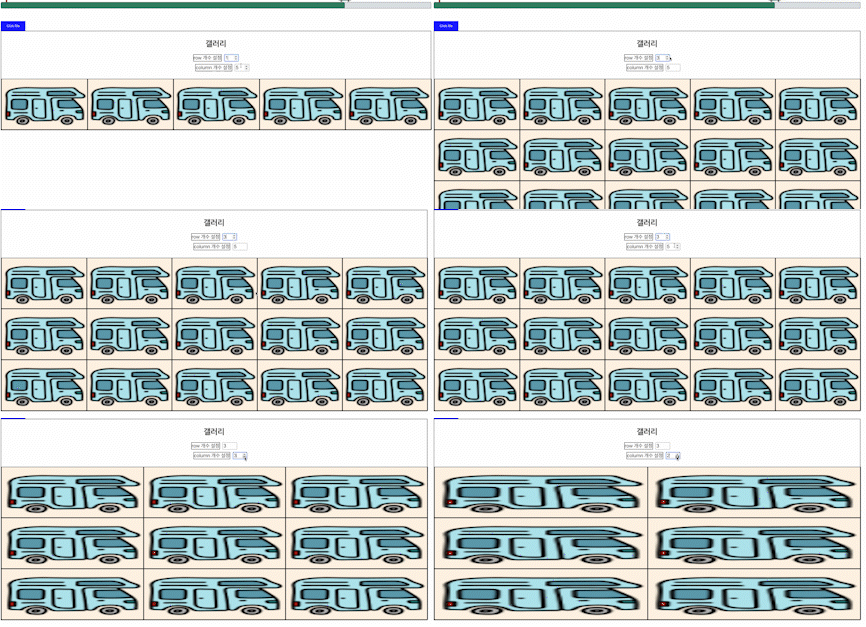
Grid를 사용하여 input에 따라 사진 갯수가 변화하는 Galley를 만들었다.

매일매일