✅ Inverted Index?
- 역인덱스(Inverted Index) 필드 값을 단어마다 쪼개서 찾기 쉽게 정리해놓은 목록
📌 역인덱스 상황 예시
products index에 document 1,2,3 상품이 있다고 가정
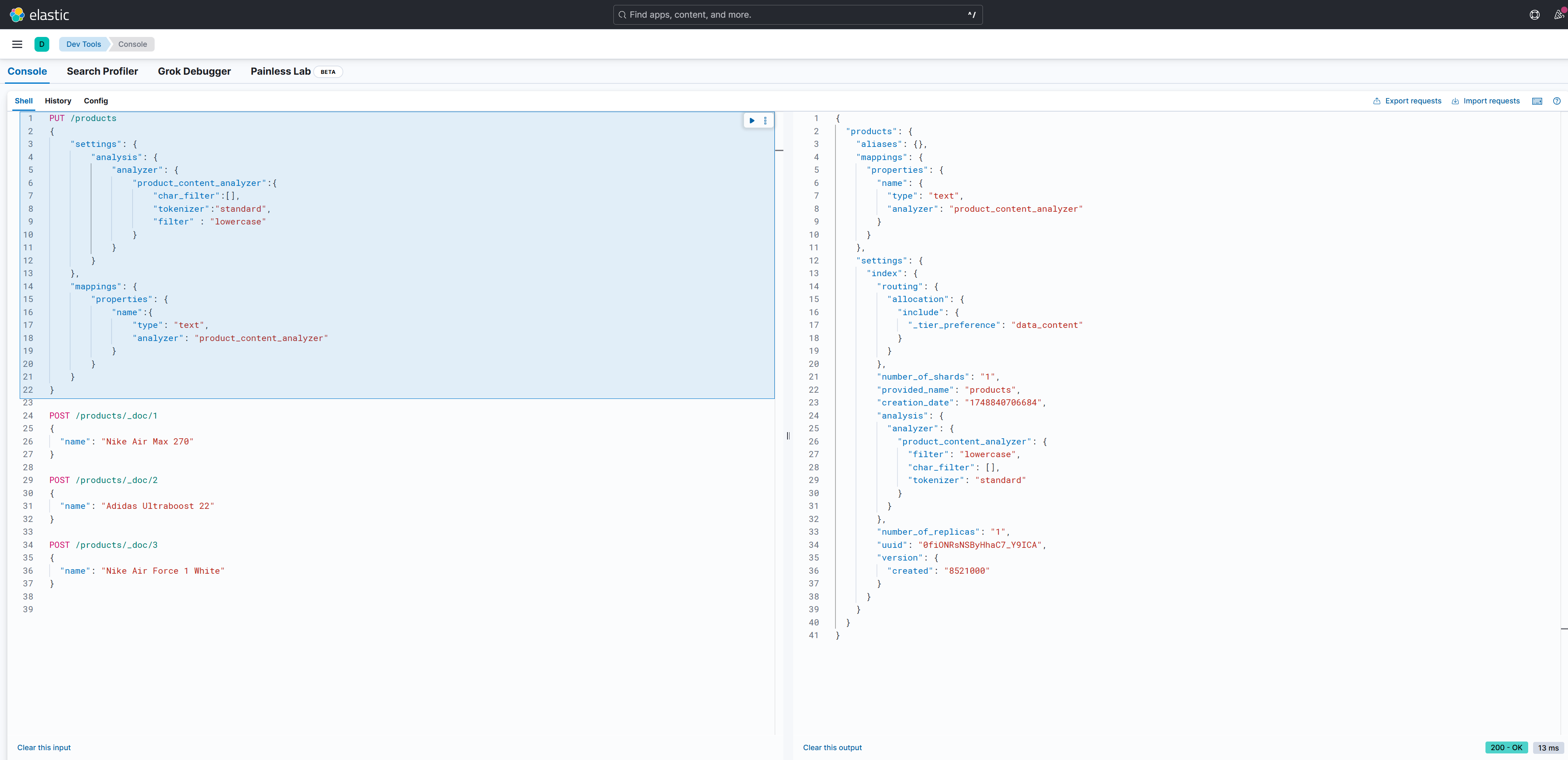
GET /products/_search // 전체 데이터 조회

{
  "took": 17,
  "timed_out": false,
  "_shards": {
    "total": 1,
    "successful": 1,
    "skipped": 0,
    "failed": 0
  },
  "hits": {
    "total": {
      "value": 3,
      "relation": "eq"
    },
    "max_score": 1,
    "hits": [
      {
        "_index": "products",
        "_id": "1",
        "_score": 1,
        "_source": {
          "name": "Nike Air Max 270"
        }
      },
      {
        "_index": "products",
        "_id": "2",
        "_score": 1,
        "_source": {
          "name": "Adidas Ultraboost 22"
        }
      },
      {
        "_index": "products",
        "_id": "3",
        "_score": 1,
        "_source": {
          "name": "Nike Air Force 1 White"
        }
      }
    ]
  }
}

GET /products/_search //nike white document 조회
{
    "query": {
        "match": {
          "name": "nike white"
        }
    }
}
// 결과
{
  "took": 2,
  "timed_out": false,
  "_shards": {
    "total": 1,
    "successful": 1,
    "skipped": 0,
    "failed": 0
  },
  "hits": {
    "total": {
      "value": 2,
      "relation": "eq"
    },
    "max_score": 1.3162194,
    "hits": [
      {
        "_index": "products",
        "_id": "3",
        "_score": 1.3162194,
        "_source": {
          "name": "Nike Air Force 1 White"
        }
      },
      {
        "_index": "products",
        "_id": "1",
        "_score": 0.4700036,
        "_source": {
          "name": "Nike Air Max 270"
        }
      }
    ]
  }
}
Inverted Index 목록 표
| 단어 | 문서 ID |
|---|---|
| nike | 1, 3 |
| air | 1, 3 |
| max | 1 |
| 270 | 1 |
| adidas | 2 |
| ultraboost | 2 |
| 22 | 2 |
| force | 3 |
| 1 | 3 |
| white | 3 |
nike white로 검색하면 역인덱스를 활용해 일치하는 단어가 많은 document를 우선적으로 조회한다.
| 단어 | 문서 ID |
|---|---|
| nike | 1, 3 |
| white | 3 |
따라서 score가 높은 순인 id = 3, id = 1 순으로 조회 된다.
📌 TIP : 검색어 순서 상관없고, 단수/복수 구분도 안 함
Elasticsearch 기본 분석기에서는
"white nike"나 "nike white" 모두 동일하게 처리됨
"a, an, the, or, but" 등 검색에 필요없는 불용어 stop 처리 가능
"shoes"와 "shoe"도 동일하게 stemmer 처리 가능 (분석기 설정에 따라)
📌 Nori Analyzer를 활용해 한글이 제대로 검색되게 할 수 있다.
Nori Analyzer를 사용하려면 플러그인을 설치해야 한다.
Dockerfile에 Nori Analyzer 플러그인 설치 명령어 작성
Dockerfile
FROM docker.elastic.co/elasticsearch/elasticsearch:8.17.4

RUN bin/elasticsearch-plugin install analysis-nori 
시작은 미약하나 그 끝은 창대하리라