나는 이전부터 mysql 충돌인지 에러가 발생해서 결국 해결을 못했고, vscode에서도 에러가 나서 그냥 우분투에서 진행했다.
우분투에서 django로 진행하려고 했으나 .. 모듈 문제인지 아무튼 이것도 문제가 여러번 발생해서 디렉토리 날리고 설치하고 여러 번 반복한 끝에 기술 블로그도 아닌 GPT에게 물어물어 flask로 웹 페이지 만들었다 ㅎㅎ
Flask로 CRUD 기능 구현하기
1. 환경 설정
sudo apt update
# 패키지 upgrade 할 수 있다고 해서 sudo apt list --upgradable 도 진행함
sudo apt install python3 python3-pip
2. Flask 설치
pip install Flask Flask-SQLAlchemy3. 프로젝트 구조 생성
mkdir flask_crud
cd flask_crud
mkdir templates static
4. Flask 애플리케이션 만들기
# vi 를 사용하는 것이 좋지만 편리함을 위해 gedit으로 ㅎㅎ
gedit app.py
# app.py에 코드 입력
from flask import Flask, render_template, request, redirect, url_for
from flask_sqlalchemy import SQLAlchemy
app = Flask(__name__)
app.config['SQLALCHEMY_DATABASE_URI'] = 'sqlite:///data.db'
db = SQLAlchemy(app)
class Item(db.Model):
id = db.Column(db.Integer, primary_key=True)
name = db.Column(db.String(100), nullable=False)
def __repr__(self):
return f'<Item {self.name}>'
@app.route('/')
def index():
items = Item.query.all()
return render_template('index.html', items=items)
@app.route('/add', methods=['POST'])
def add():
item_name = request.form.get('name')
new_item = Item(name=item_name)
db.session.add(new_item)
db.session.commit()
return redirect(url_for('index'))
@app.route('/edit/<int:id>', methods=['GET', 'POST'])
def edit(id):
item = Item.query.get(id)
if request.method == 'POST':
item.name = request.form.get('name')
db.session.commit()
return redirect(url_for('index'))
return render_template('edit.html', item=item)
@app.route('/delete/<int:id>')
def delete(id):
item = Item.query.get(id)
db.session.delete(item)
db.session.commit()
return redirect(url_for('index'))
if __name__ == '__main__':
db.create_all()
app.run(debug=True)5. 템플릿 생성
templates 디렉토리에 index.html , edit.html 파일 생성 후 아래의 코드 입력
5.1 index.html 파일 만들기
<!DOCTYPE html>
<html lang="en">
<head>
    <meta charset="UTF-8">
    <meta name="viewport" content="width=device-width, initial-scale=1.0">
    <title>CRUD Application</title>
</head>
<body>
    <h1>Items</h1>
    <form action="/add" method="POST">
        <input type="text" name="name" placeholder="Enter item name" required>
        <button type="submit">Add Item</button>
    </form>
    <ul>
        {% for item in items %}
            <li>
                {{ item.name }}
                <a href="/edit/{{ item.id }}">Edit</a>
                <a href="/delete/{{ item.id }}">Delete</a>
            </li>
        {% endfor %}
    </ul>
</body>
</html>
5.2. edit.html 파일 만들기
<!DOCTYPE html>
<html lang="en">
<head>
    <meta charset="UTF-8">
    <meta name="viewport" content="width=device-width, initial-scale=1.0">
    <title>Edit Item</title>
</head>
<body>
    <h1>Edit Item</h1>
    <form action="" method="POST">
        <input type="text" name="name" value="{{ item.name }}" required>
        <button type="submit">Update Item</button>
    </form>
    <a href="/">Back to Home</a>
</body>
</html>
6. 애플리케이션 실행
app.py 가 있는 flask_crud 디렉토리로 이동
# python3 실행
python3
from app import db
db.create_all() # db 초기화
exit() # shell 종료나는 db 초기화 과정에서 에러가 발생하여 아래와 같이 app.py 코드를 수정해주었다.
if __name__ == "__main__":
    with app.app_context():  # 애플리케이션 컨텍스트 설정
        db.create_all()  # 데이터베이스 테이블 생성
이후 터미널에서 애플리케이션 실행
python app.py
 * Serving Flask app 'app'
 * Debug mode: on
WARNING: This is a development server. Do not use it in a production deployment. Use a production WSGI server instead.
 * Running on http://127.0.0.1:5000
Press CTRL+C to quit
 * Restarting with stat
 * Debugger is active!
 * Debugger PIN: 600-939-224
웹브라우저에서 127.0.0.1:5000로 저장하게 되면, CRUD 애플리케이션을 사용 가능하다 !
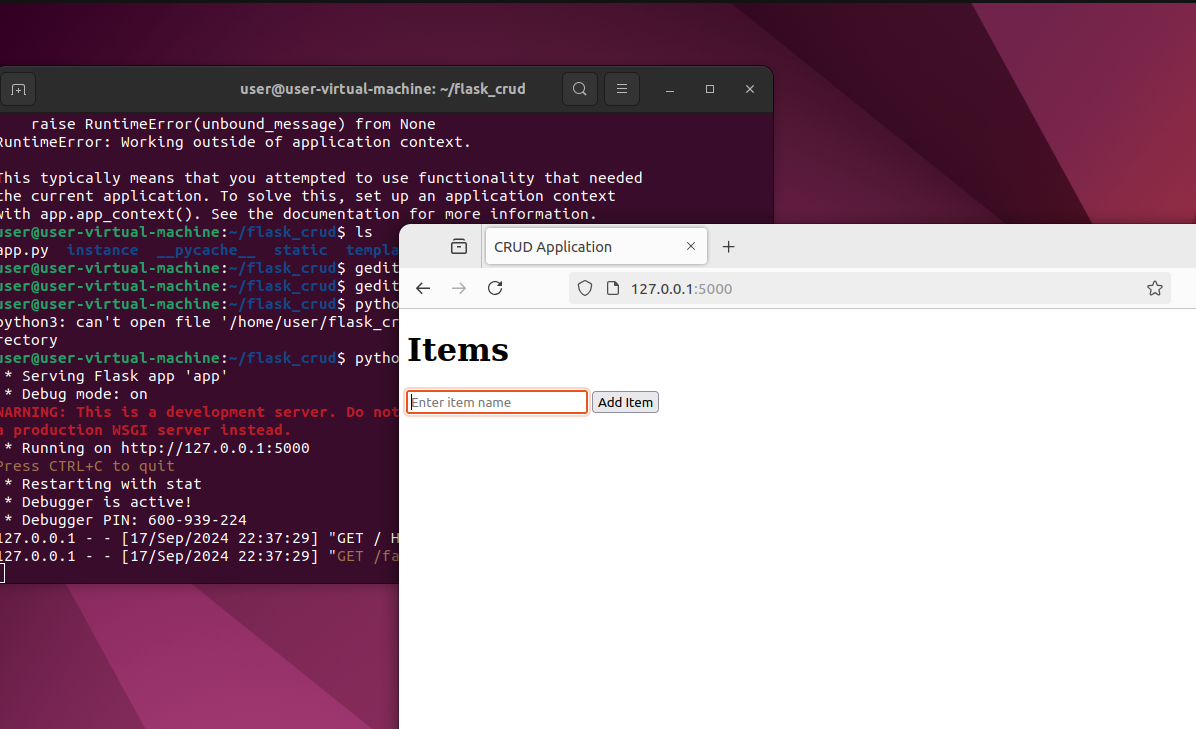
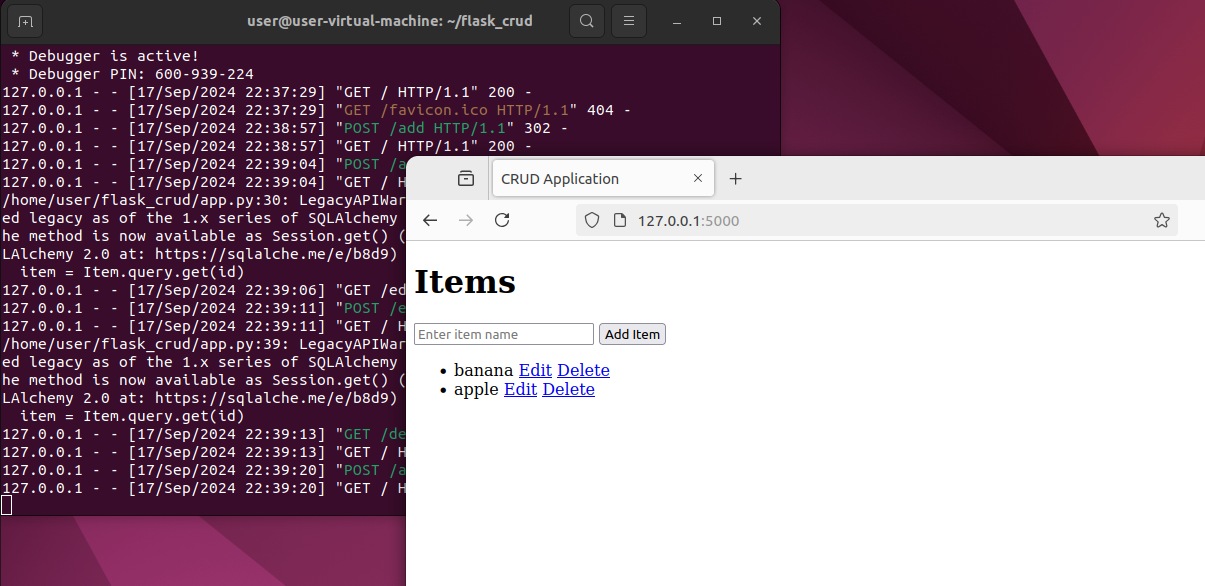
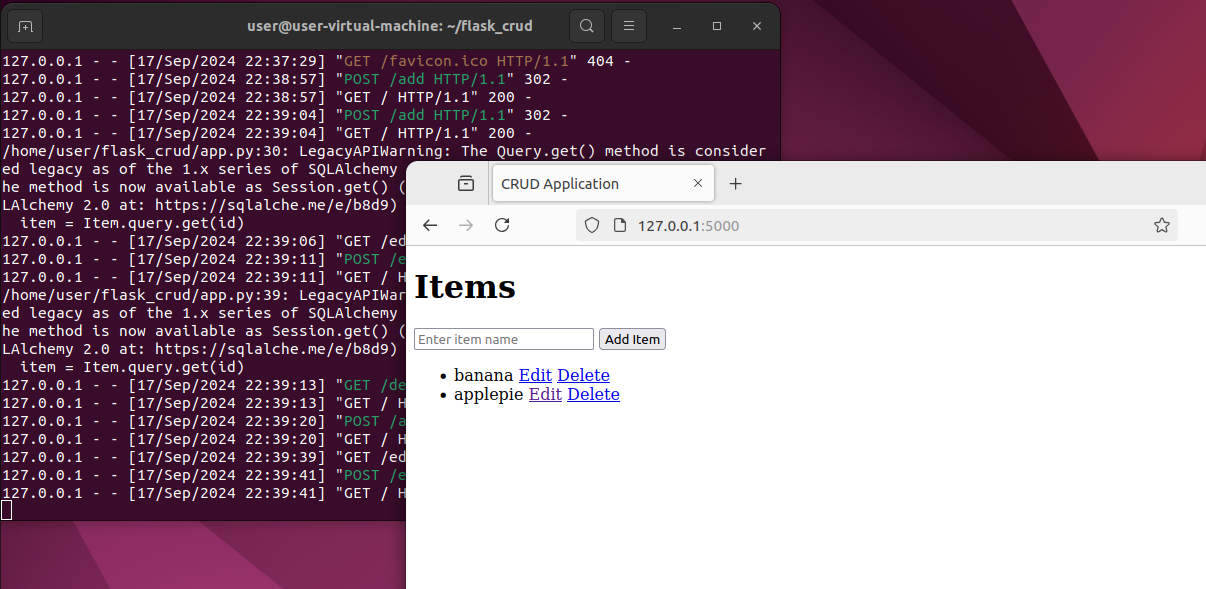
이렇게 item을 추가, 수정, 삭제 할 수 있다.
Flask 프로젝트의 구조
1. 프로젝트 구조
Flask 프로젝트 구조는 아래와 같게 구성된다.
flask_crud/
│
├── app.py                  # 애플리케이션의 진입점
├── models.py               # 데이터베이스 모델 정의
├── routes.py               # URL 라우팅 및 뷰 함수 정의
├── forms.py                # 웹 폼 정의 (Flask-WTF 사용 시)
├── templates/              # HTML 템플릿 파일
│   ├── base.html           # 기본 HTML 구조
│   ├── index.html          # 메인 페이지 템플릿
│   └── ...                 # 다른 HTML 템플릿
├── static/                 # 정적 파일 (CSS, JS, 이미지 등)
│   ├── css/
│   ├── js/
│   └── images/
├── config.py               # 애플리케이션 설정 파일
└── requirements.txt        # 프로젝트의 의존성 목록
2. 파일 및 디렉토리
- app.py
- Flask 애플리케이션의 진입점으로 서버를 시작하고 라우트를 정의함. 데이터베이스 설정과 초기화, 애플리케이션 설정 등을 포함
- models.py
- 데이터베이스 모델을 정의하는 파일. SQLAlchemy를 사용하여 데이터베이스의 테이블 구조를 정의하고, 해당 모델 클래스와 데이터베이스 관계를 설정
- routes.py
- URL 경로와 관련된 뷰 함수(핸들러)를 정의. 사용자의 요청을 처리하고 적절한 응답을 반환하는 함수들이 포함됨
- forms.py
- Flask-WTF를 사용하여 웹 폼을 정의하는 파일. 사용자 입력을 처리하기 위한 폼 클래스와 유효성 검사 규칙을 정의함
- templates/
- HTML 템플릿 파일이 위치하는 디렉토리. Flask는 Jinja2 템플릿 엔진을 사용하여 동적 HTML 페이지를 생성함. 이 디렉토리 내의 파일들은 사용자에게 표시되는 웹 페이지의 구조를 정의함.
- ex. base.html은 공통 레이아웃을 정의하고 다른 템플릿 파일에서 이를 상속받아 사용.
- static/
- CSS, JavaScript 같은 정적 파일을 포함하는 디렉토리. 이러한 파일들은 클라이언트에게 직접 제공되며, 웹 페이지의 스타일링 및 기능을 담당하게 됨.
- config.py
- 애플리케이션 설정을 정의하는 파일. 데이터베이스 URI, 디버그 모드 설정, 비밀 키 등과 같은 구성 요소들을 포함
- requirements.txt
- 프로젝트에 필요한 외부 라이브러리와 의존성 목록 나열, 이 파일을 사용하여
pip install -r requirements.txt명령으로 필요한 해키지를 설치할 수 있음
- 프로젝트에 필요한 외부 라이브러리와 의존성 목록 나열, 이 파일을 사용하여

Whatever I want | Interested in DFIR, Security, Infra, Cloud